

Create a Plaid account
Sandbox access is granted automatically when you sign up, so you do not need to apply for anything to use this auth method.
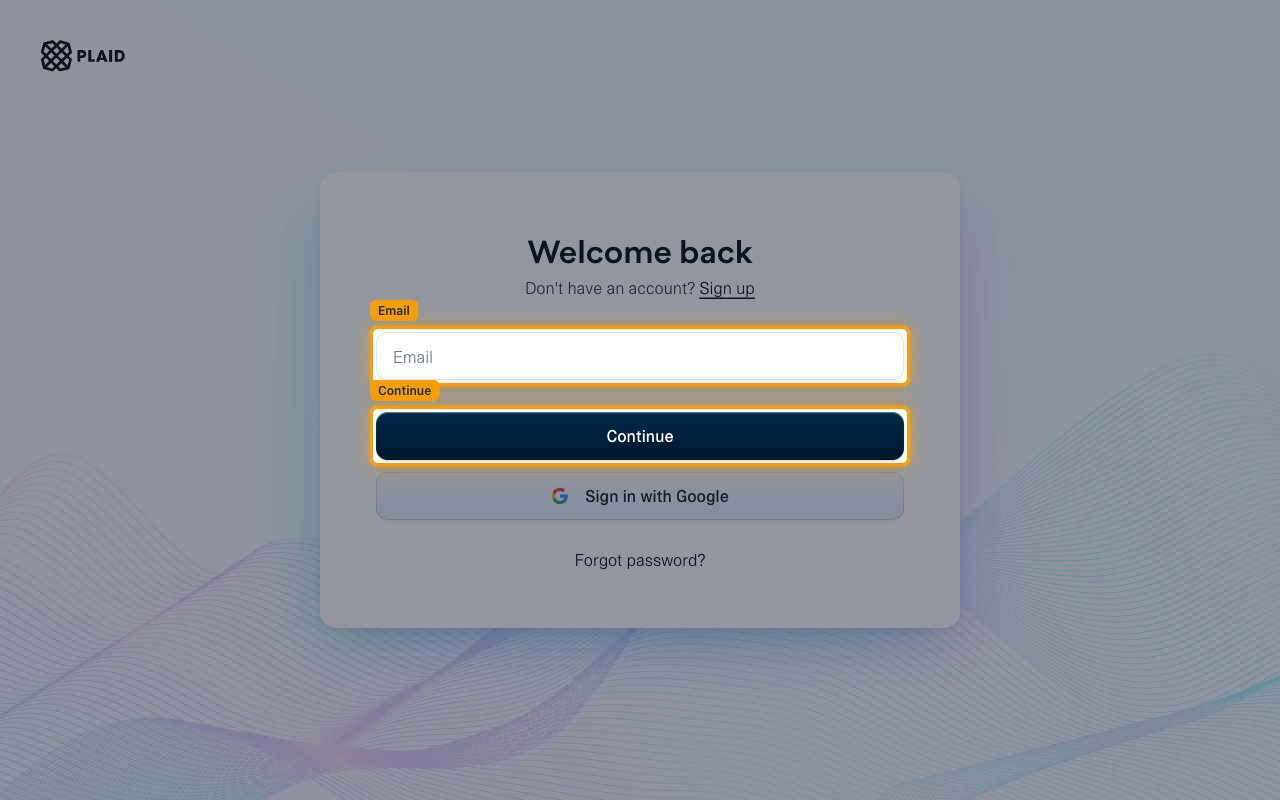
- New to Plaid? Create an account on the Plaid Dashboard signup page and verify your email.
- Already have an account? Go straight to the next section.
Copy your Client ID and Sandbox secret
Plaid identifies your account with a client_id and a secret. There is one client_id per Plaid account and a separate secret for each environment. This auth method needs the Sandbox secret.
1
Sign in to Plaid
2
Copy the Client ID
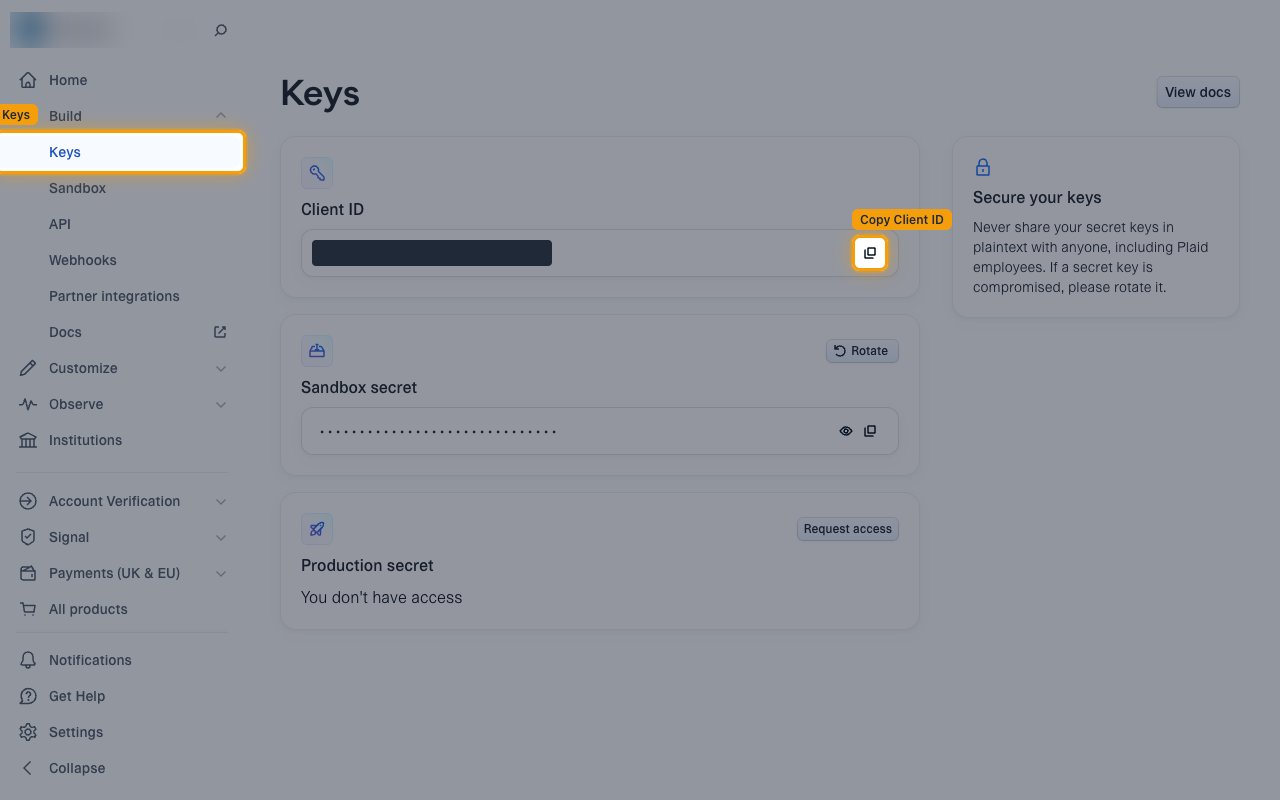
In the left sidebar, under Build, click Keys.
- Click Copy Client ID in the Client ID box.
- Copy the Client ID into your Connector Profile.
- The same Client ID works in Sandbox and Production.
3
Copy the Sandbox secret
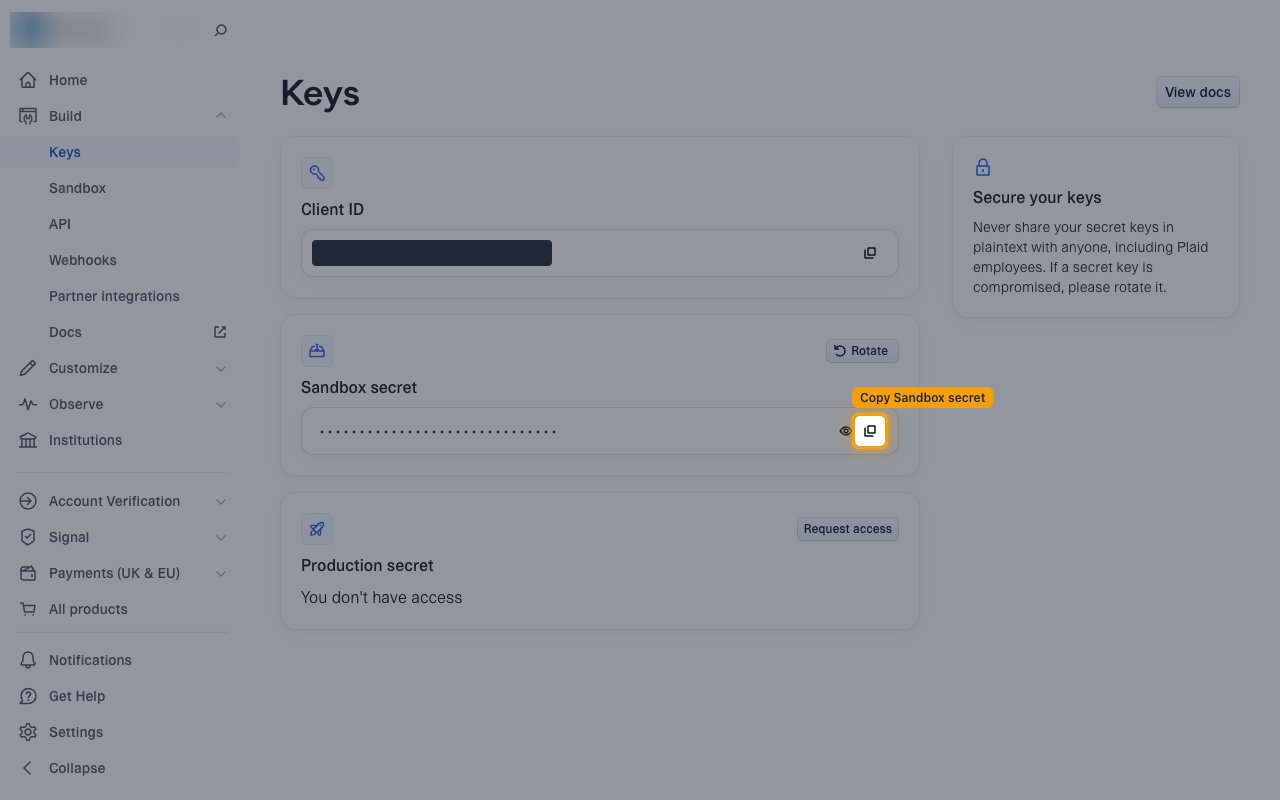
On the same page, click Copy Sandbox secret in the Sandbox secret box.
- Copy the Secret into your Connector Profile.
- Use the Sandbox secret, not the Production secret. Each environment has its own secret.
- If the secret is ever exposed, click Rotate to replace it.
Create the StackOne Connector Profile
1
Create a Connector Profile
Enable the connector and create a Connector Profile in your project. See Setup Connector Profile.
2
Link an Account
Once the Connector Profile is created, continue to link an account.