

Find your subdomain
Your subdomain is the first part of the web address you use to sign in to CezanneHR. Enter it into your Connector Profile.
- Format:
https://{subdomain}.cezanneondemand.com - Example: if your address is
https://w3.cezanneondemand.com, your Subdomain isw3
Create an authorized application
Register StackOne as an authorized application in CezanneHR so your users can sign in through it.
1
Create the app
Sign in to CezanneHR at https://{subdomain}.cezanneondemand.com, then open Administration > Security Settings > Authorised Applications.
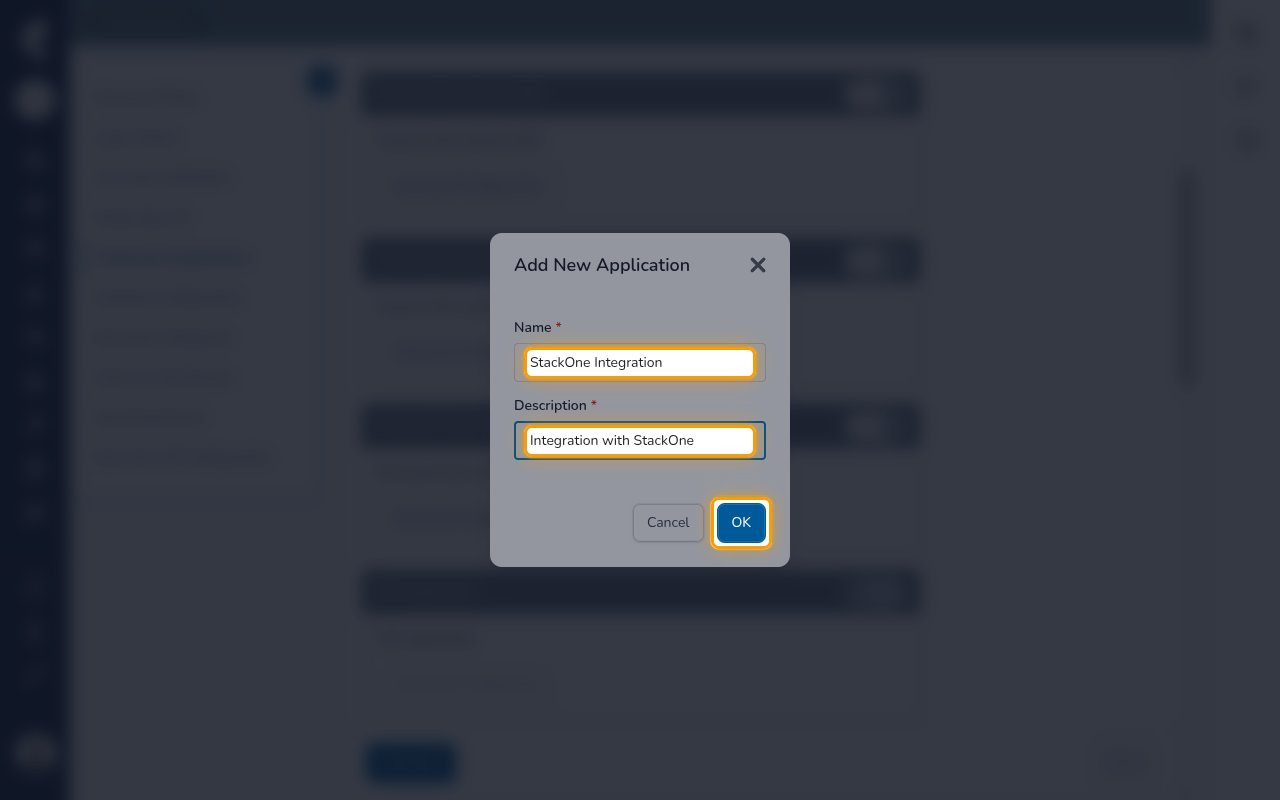
- Click Add New.
- Name:
StackOne Integration - Description:
Integration with StackOne - Click OK.
2
Configure sign-in
On the Application Clients tab of the new application, set who can sign in and where CezanneHR sends them back.
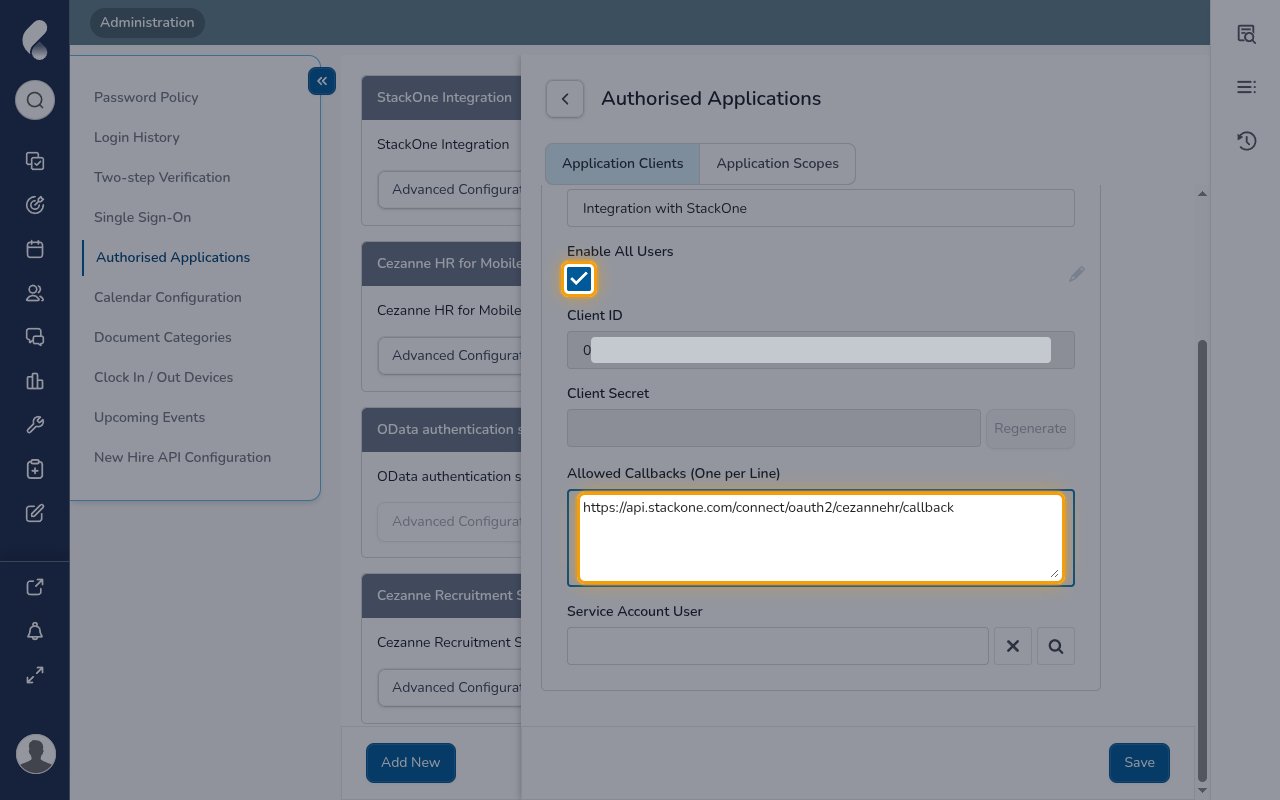
- Check Enable All Users.
- Allowed Callbacks (One per Line): the Callback URL from your Connector Profile
3
Turn on the scopes
Enables actions: Create Absence Event, Create Benefits Record, Create Company, Create Compensation Record, Create Employee, Create Employment, Create Job, Create Organizational Unit, Delete Absence Event, Delete Benefits Record, Delete Company, Delete Compensation Record, Delete Employee, Delete Employment, Delete Job, Delete Organizational Unit, List Absence Event Details, List Absence Events, List Absence Plans, List Addresses, List Bank Details, List Benefits, List Companies, List Company Locations, List Compensation Records, List Cost Centres, List Employee Photos, List Employee Timesheet Details, List Employee Timesheets, List Employees, List Employment Contracts, List Employments, List Jobs, List Organizational Units, List Reports To Records, List Timesheet Activities, List Timesheet Plans, List Timesheet Projects, Search Compensation History, Update Absence Event, Update Benefits Record, Update Company, Update Compensation Record, Update Employee, Update Employment, Update Job, Update Organizational Unit
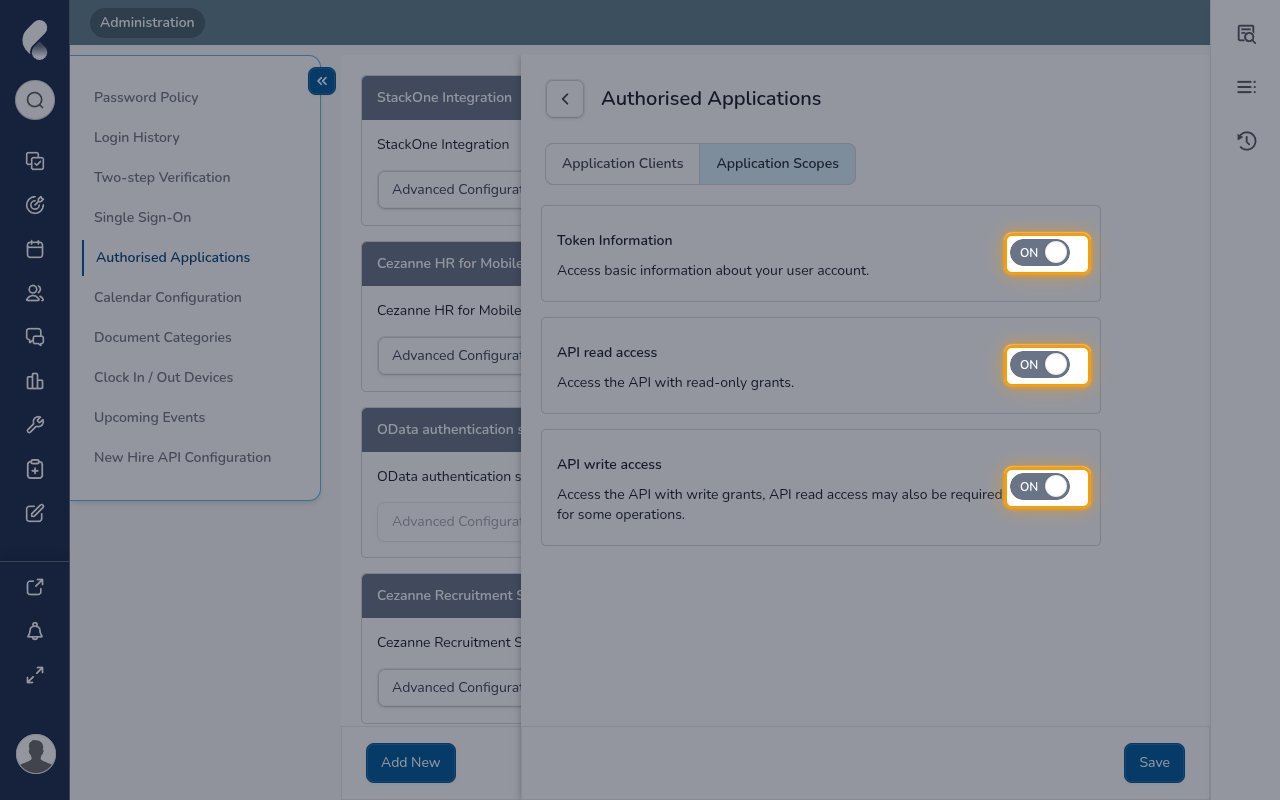
Open the Application Scopes tab.
- Turn on Token Information.
- Turn on API read access.
- Turn on API write access.
4
Save and copy the credentials
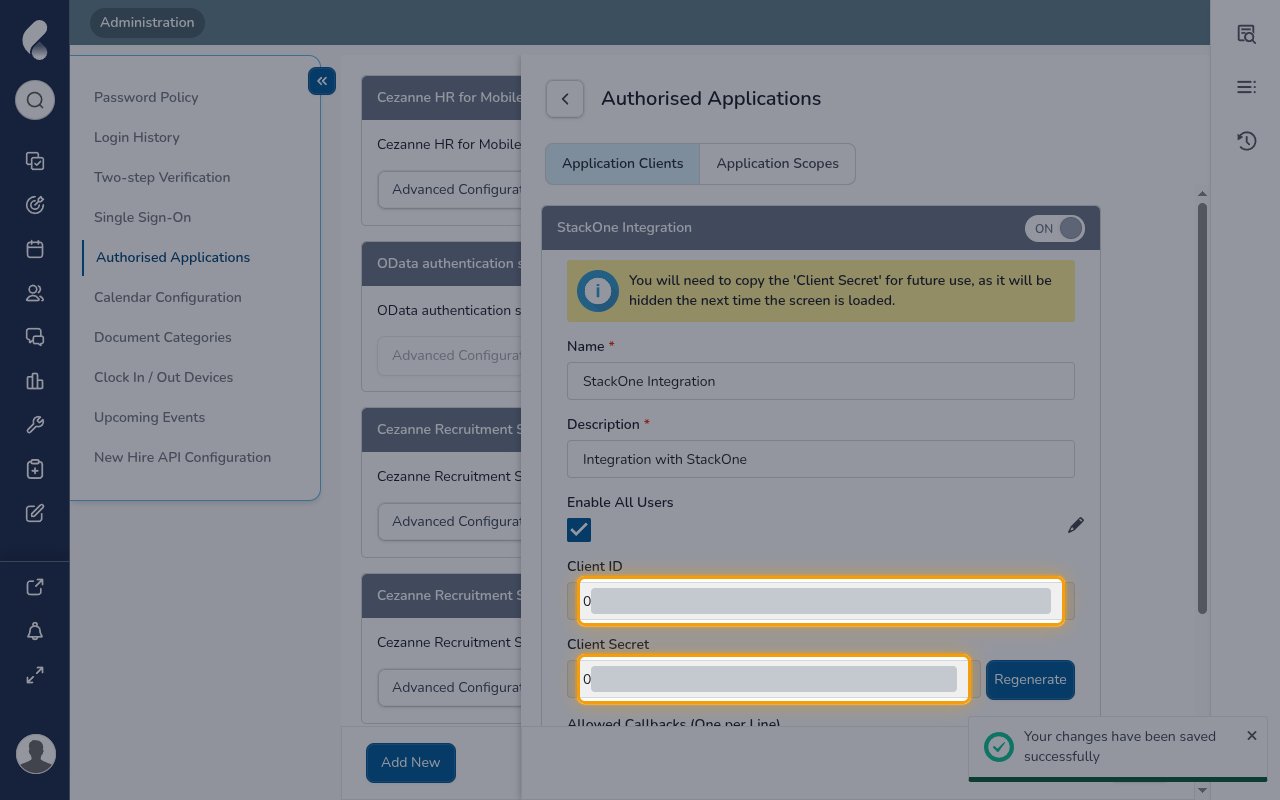
Click Save, then copy the Client ID and Client Secret into your Connector Profile.
- The Client Secret is only displayed once. CezanneHR hides it the next time the screen is loaded.
Create the StackOne Connector Profile
1
Create a Connector Profile
Enable the connector and create a Connector Profile in your project. See Setup Connector Profile.
2
Link an Account
Once the Connector Profile is created, continue to link an account.