

Create OAuth app
Register an OAuth application in the Zelt Developer hub to obtain the Client ID and Client Secret StackOne uses to connect.
Sign in and open Security settings
Sign in to Zelt, then open your organisation’s security settings.
- Sign in to your Zelt account.
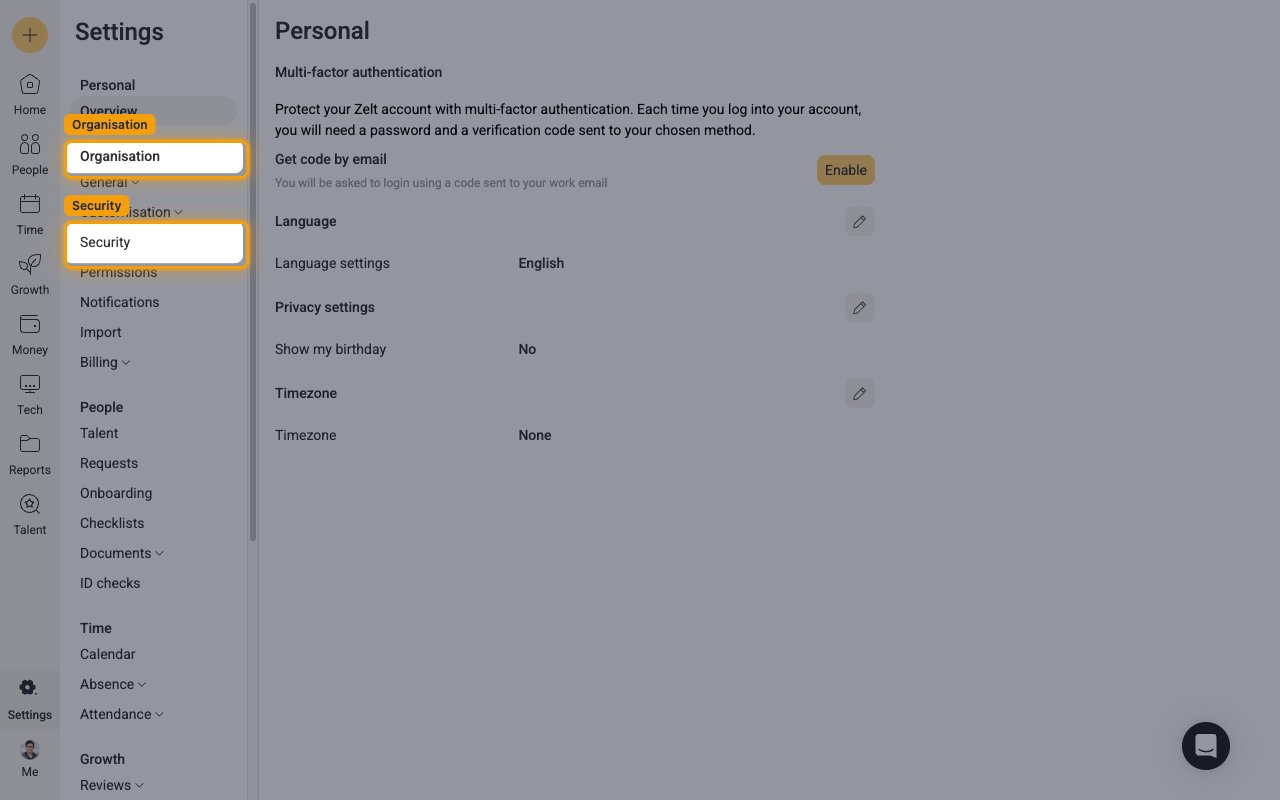
- Open Settings (the gear ⚙ icon at the bottom of the left sidebar).
- Under Organisation, select Security.
Open the Developer hub
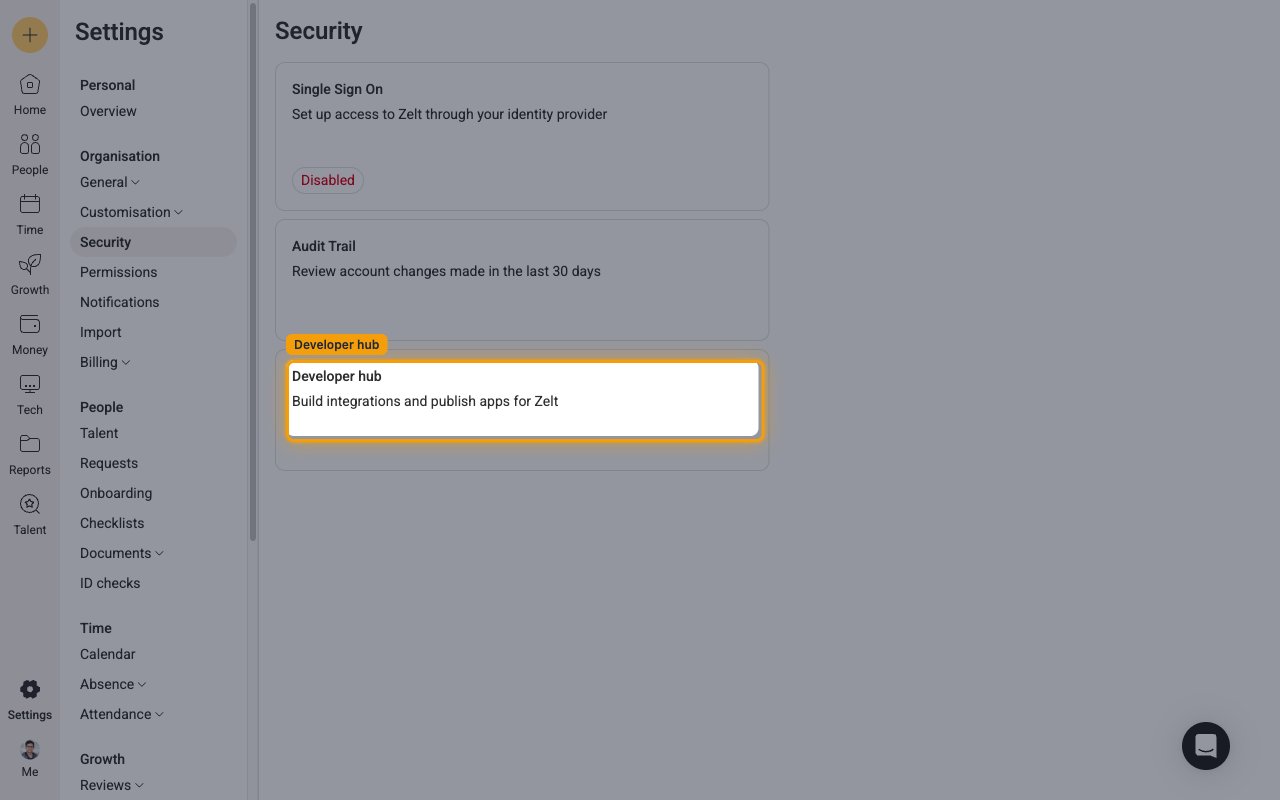
On the Security page, open the Developer hub card (labelled “Build integrations and publish apps for Zelt”).
Create a new app
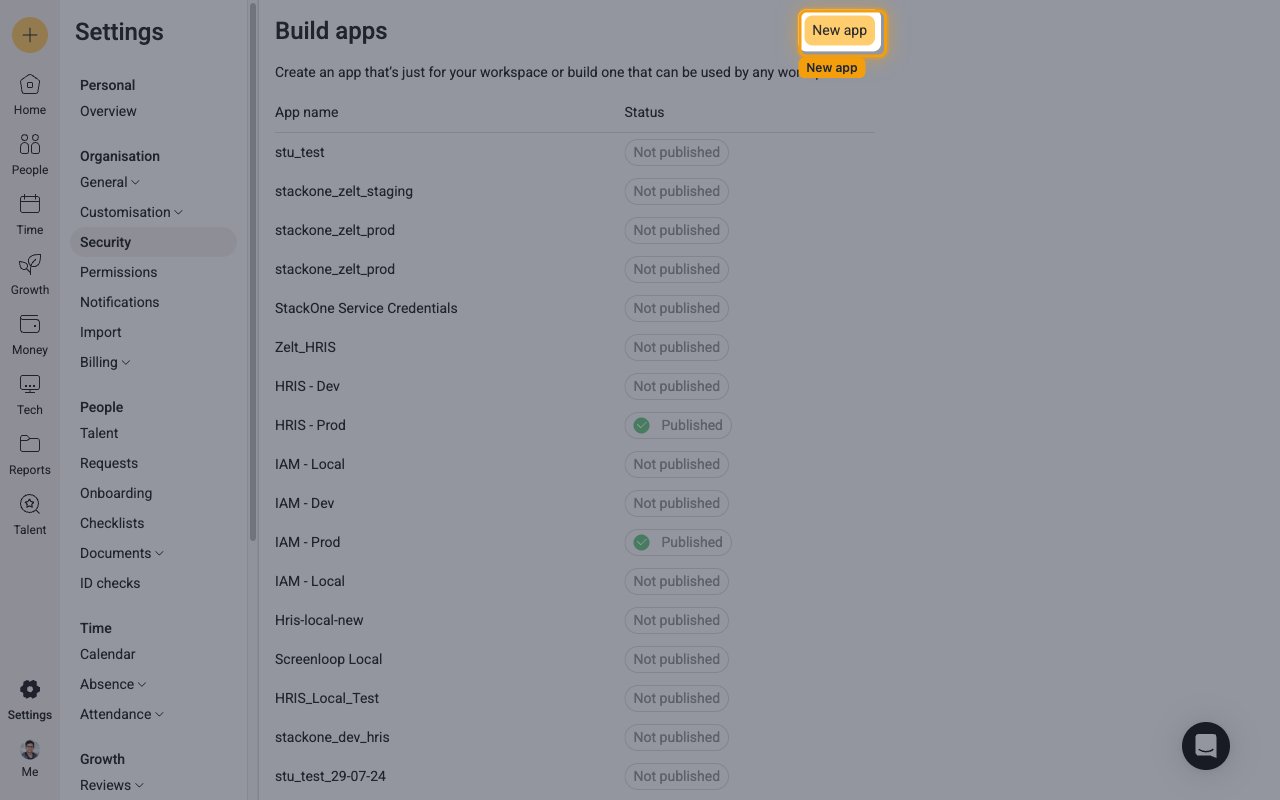
On the Build apps page, click New app to open the app creation drawer.
Fill in the application details
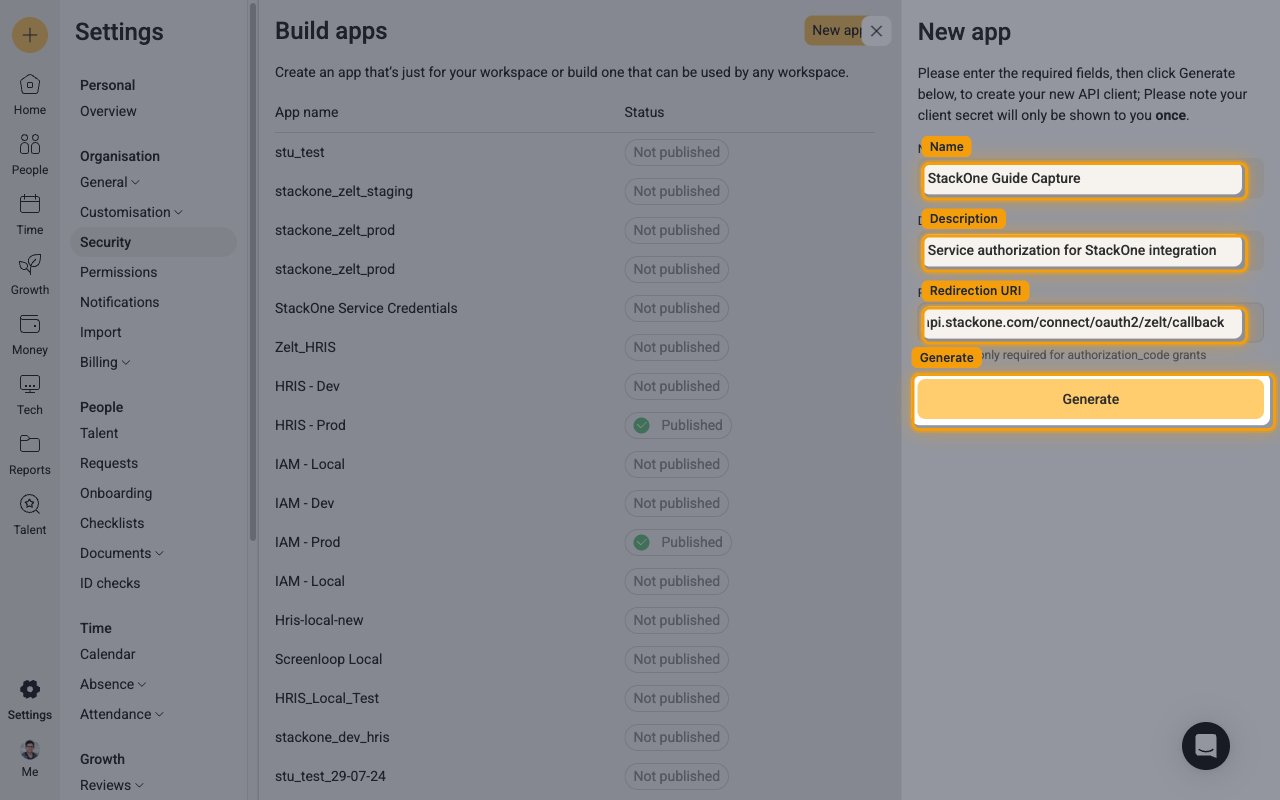
In the New app drawer, complete the fields, then click Generate.
- Name: for example
StackOne Service Credentials(choose any name you prefer). - Description: for example
Service authorization for StackOne integration. - Redirection URI: enter StackOne’s callback URL exactly:
https://api.stackone.com/connect/oauth2/zelt/callback - Click Generate to create the app.
Copy your credentials
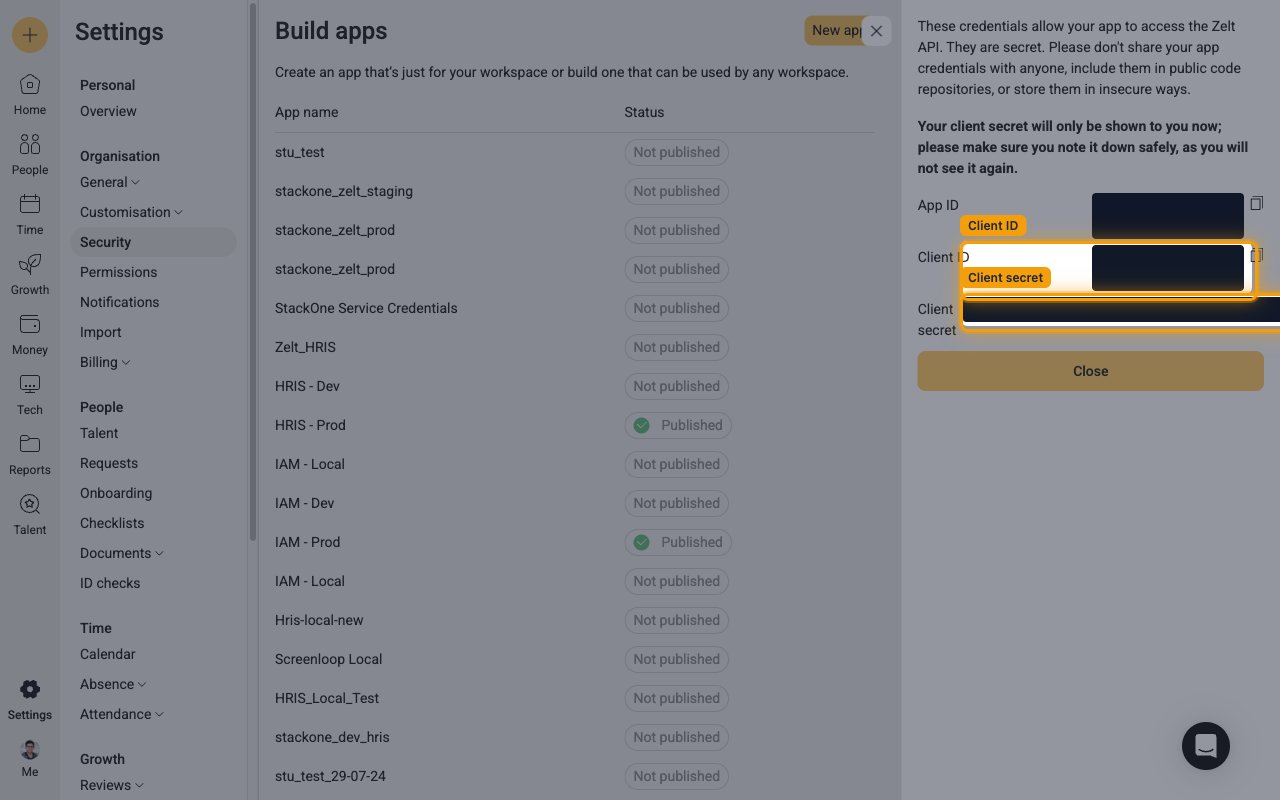
After you click Generate, Zelt displays the new app credentials once. Copy them and store them securely.
- Copy the Client ID and paste it into the Client ID field in the StackOne Connector profile.
- Copy the Client secret and paste it into the Client Secret field in the StackOne Connector profile.
- The Client secret is only shown to you now and cannot be retrieved later — note it down safely before closing this screen. Do not copy the App ID, which is a different value.
Set the app permissions
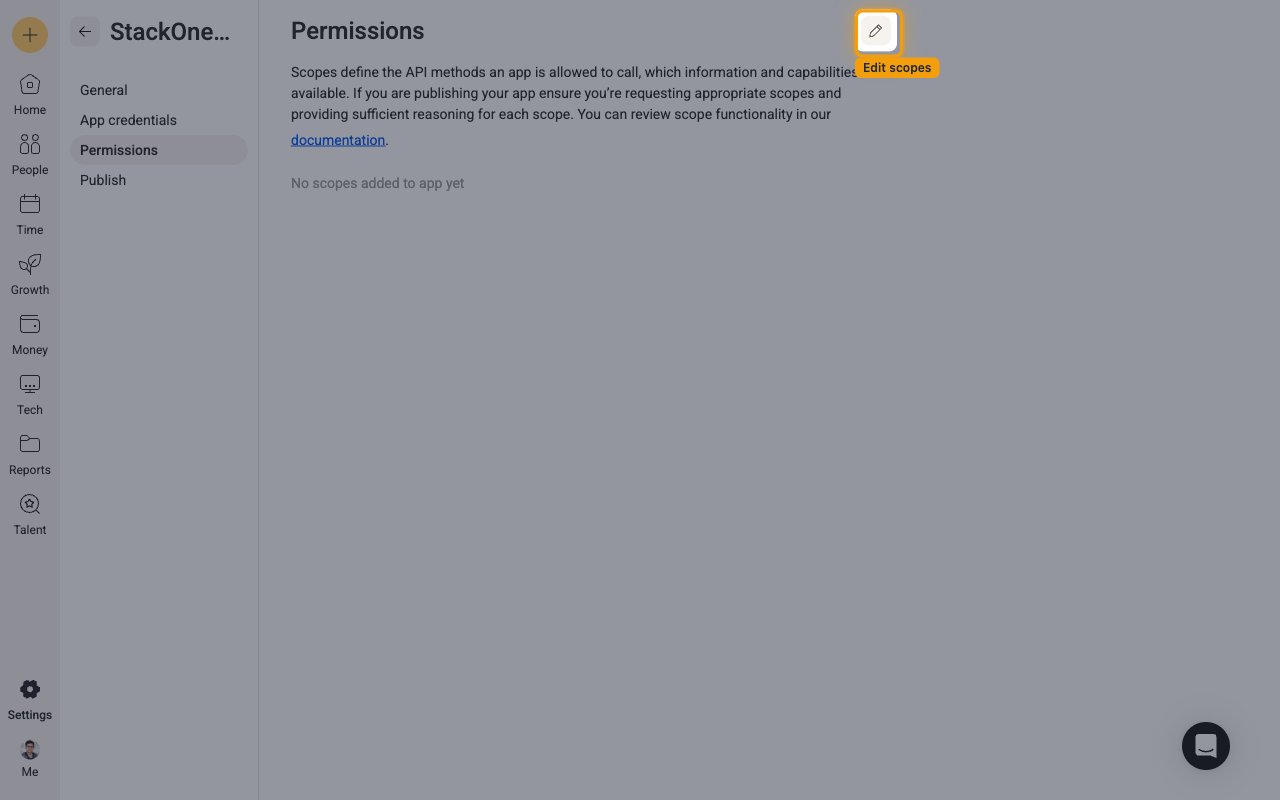
Open the Permissions tab for your app and add the scopes the integration needs.
- Open your app from the Build apps list, then select the Permissions tab.
- Click the pencil (edit) icon, select the scopes required for the actions you plan to use, provide a reason for each, and save your changes.
Creating the StackOne Connector Profile
To create the Connector Profile in StackOne for Zelt:Open the connector
Choose actions and events
- Click Add Profile.
- If the connector offers more than one authentication method, set the Auth Method filter to OAuth 2.0.
- Select the actions, and any events, to enable for this Connector Profile.
- Click Continue.
Set up authentication
- Select Authentication Type as OAuth 2.0.
- Fill out the fields using details retrieved from your provider:
- Client ID
- Client Secret
- Click Create Profile.