

Register an OAuth application on Stack Apps
Register a free application on Stack Apps to obtain the OAuth client credentials
and app key that StackOne uses to connect to the Stack Exchange API.
Sign in to Stack Apps
Sign in to your Stack Exchange account.
- Go to the Stack Apps application registration page.
Register an application
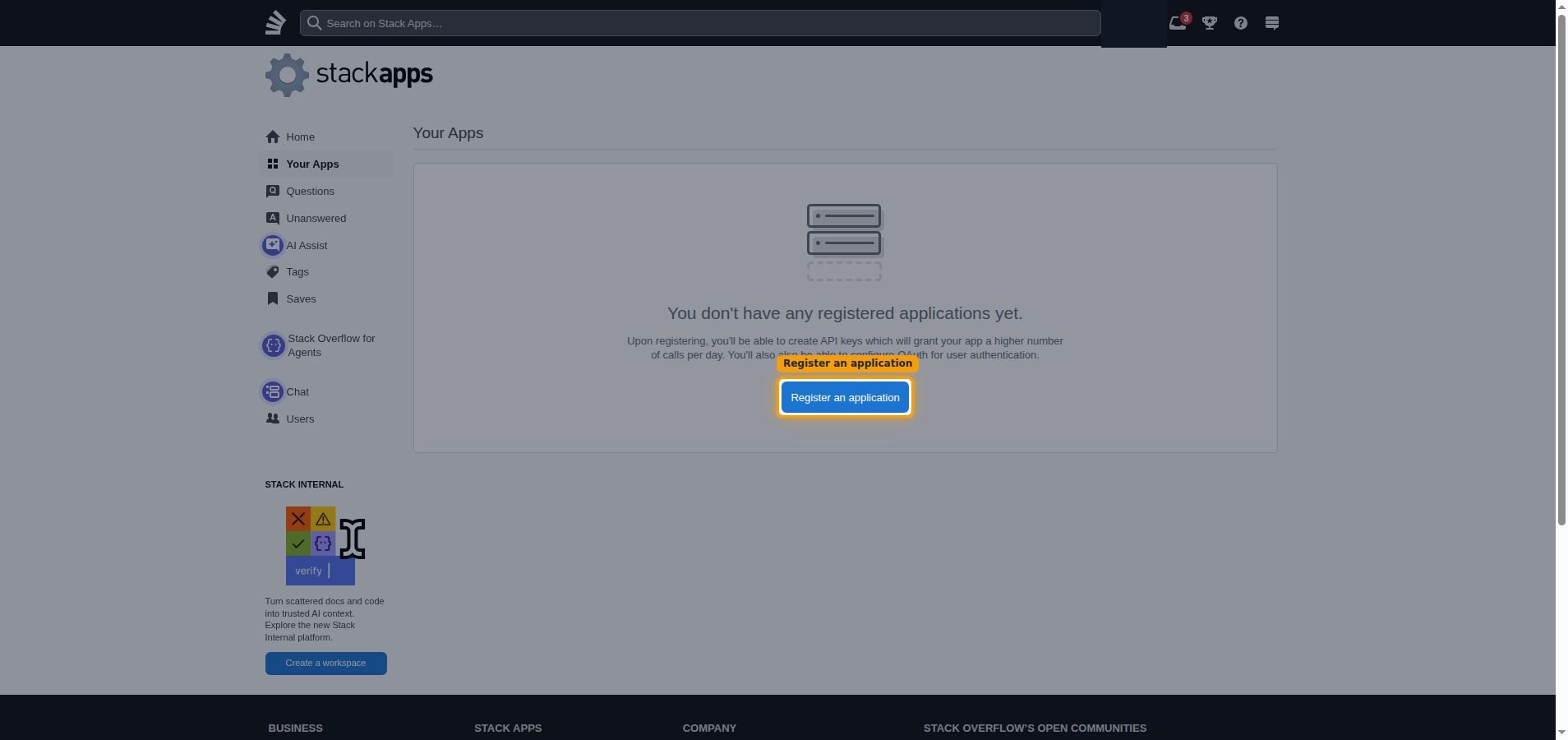
On the Your Apps page, click Register an application.
Enter the application details
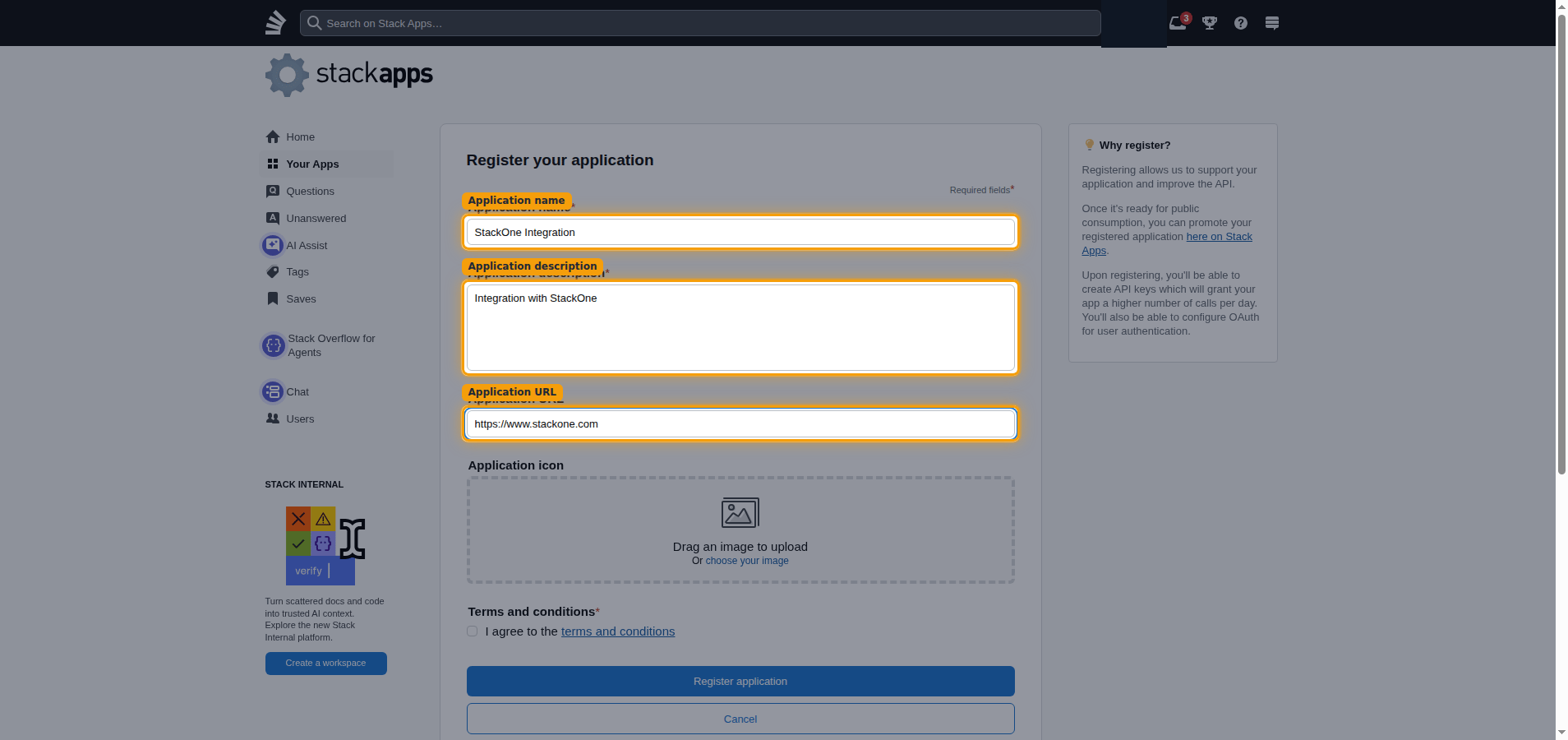
Complete the Register your application form.
- Application name:
StackOne Integration - Application description:
Integration with StackOne - Application URL:
https://www.stackone.com
Accept the terms and register
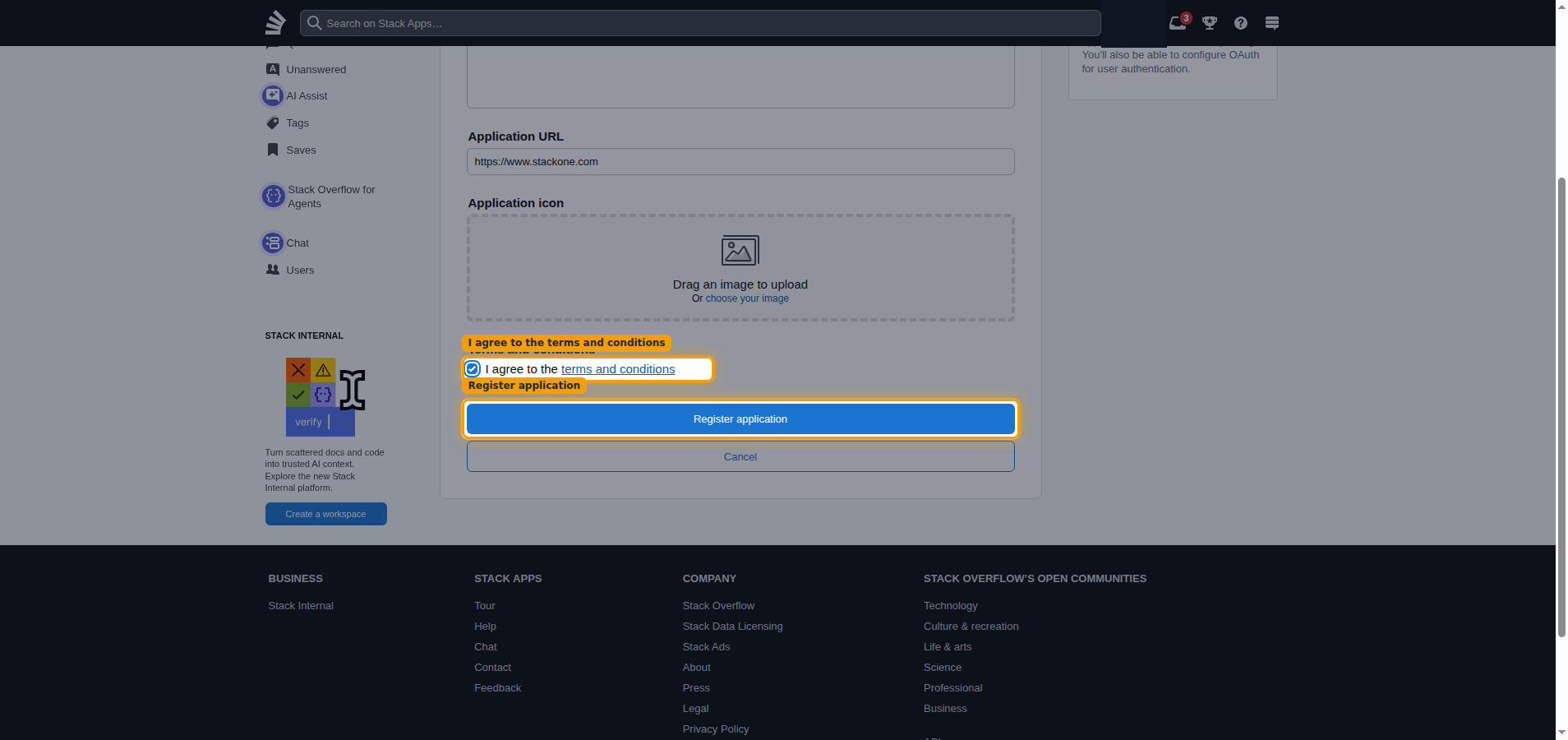
Select I agree to the terms and conditions, then click Register application.
Enable OAuth and set the redirect domain
After registering, Stack Apps opens your app dashboard. Enable the OAuth flow that
StackOne uses and authorize StackOne’s redirect domain.
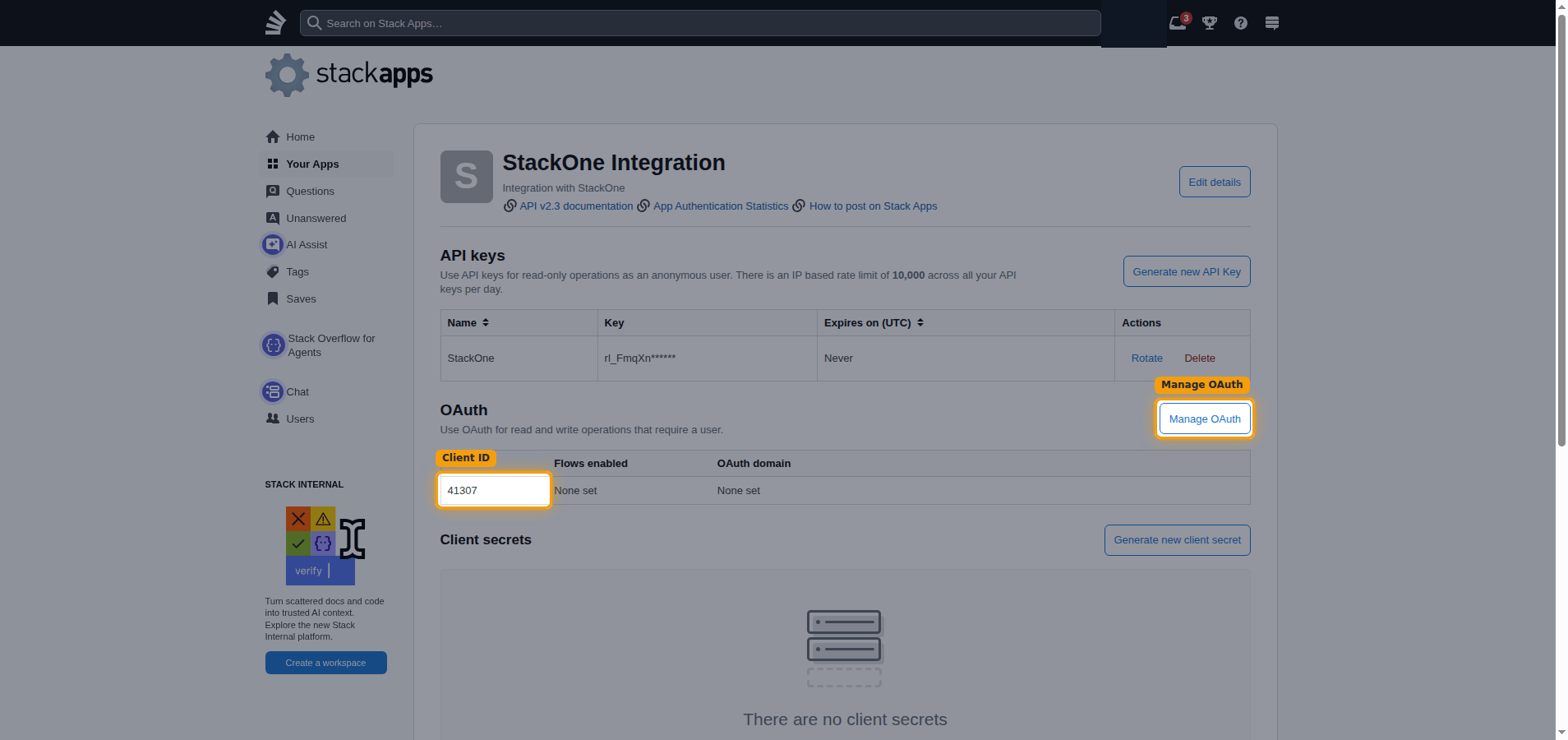
Copy your Client ID and open OAuth settings
In the OAuth section, copy the value shown under Client ID and paste it into
the Client ID field in the StackOne Connector profile. Then click Manage OAuth.
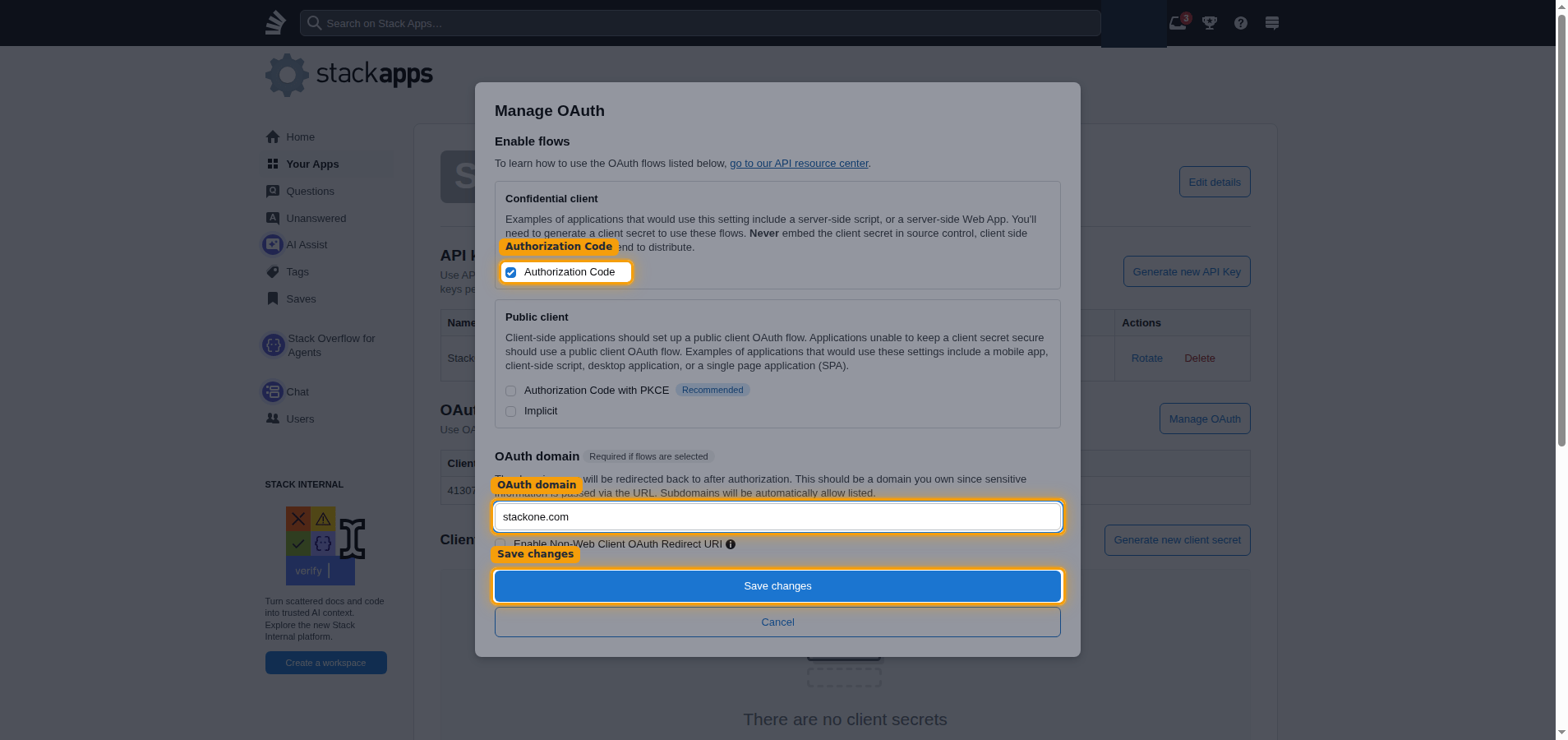
Enable the Authorization Code flow and set the OAuth domain
In the Manage OAuth dialog, under Confidential client, select Authorization Code.
Enter the OAuth domain, then click Save changes.
- OAuth domain:
stackone.com - StackOne’s redirect URL:
https://api.stackone.com/connect/oauth2/stackoverflow/callback - Subdomains of the OAuth domain are automatically allow listed, so
stackone.comcovers StackOne’s redirect URL.
Generate and copy your credentials
Generate the client secret and the app key, then paste all three values into the
StackOne Connector profile.
Generate a client secret
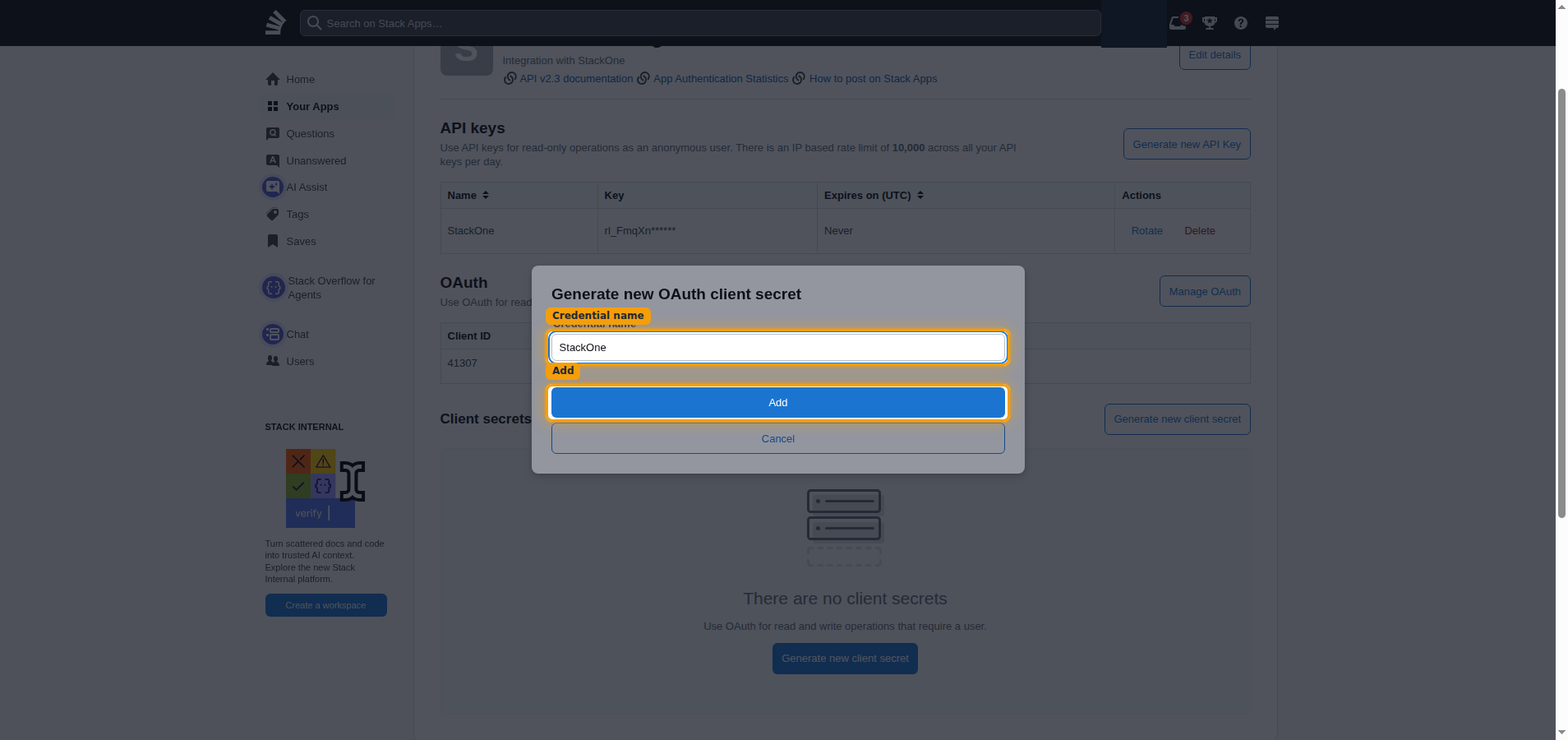
In the Client secrets section, click Generate new client secret. Enter a
Credential name, then click Add.
- Credential name:
StackOne
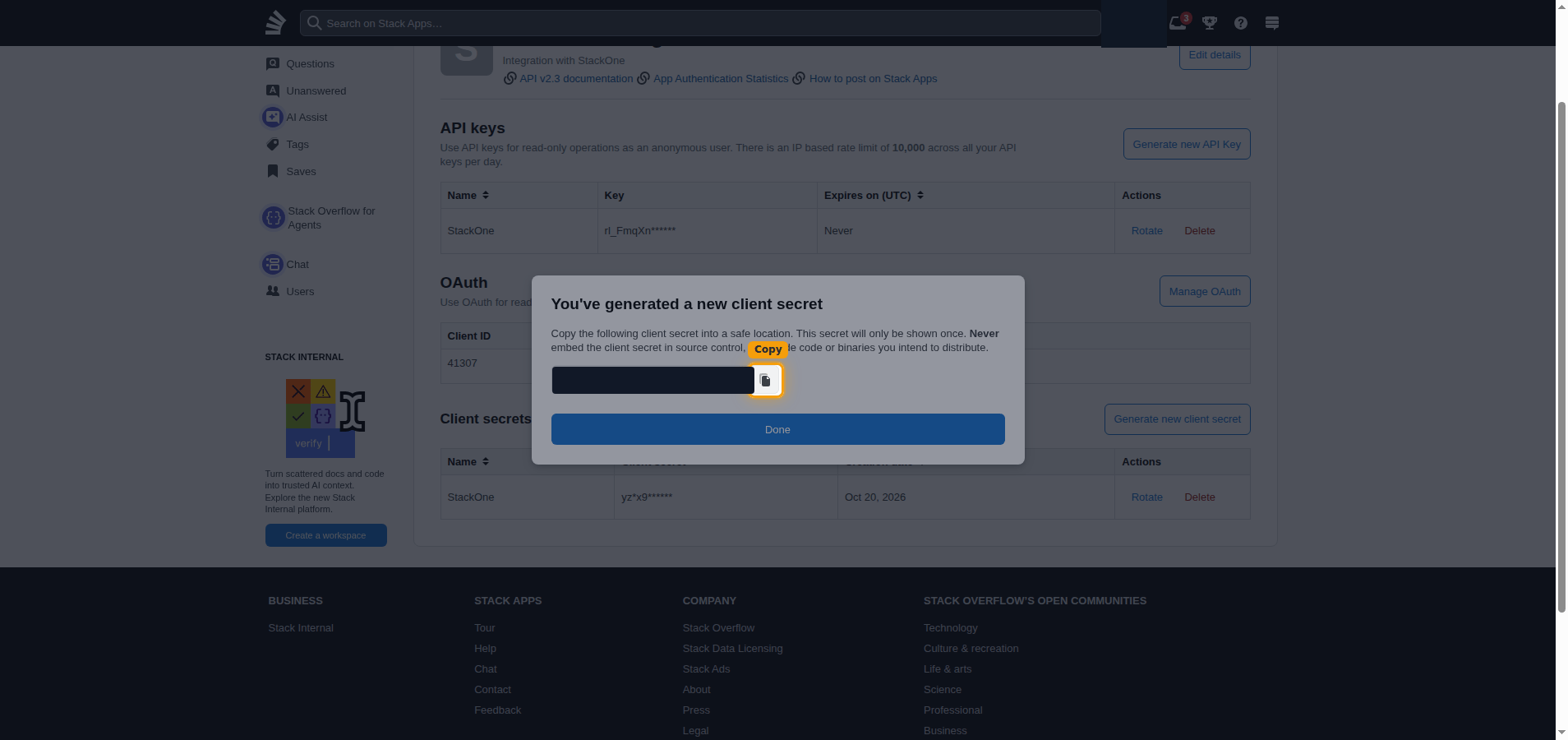
Copy the client secret
Copy the generated secret with the copy button and paste it into the Client Secret
field in the StackOne Connector profile.
- The client secret is only displayed once and cannot be retrieved later.
- Store it securely for use later.
Generate an app key
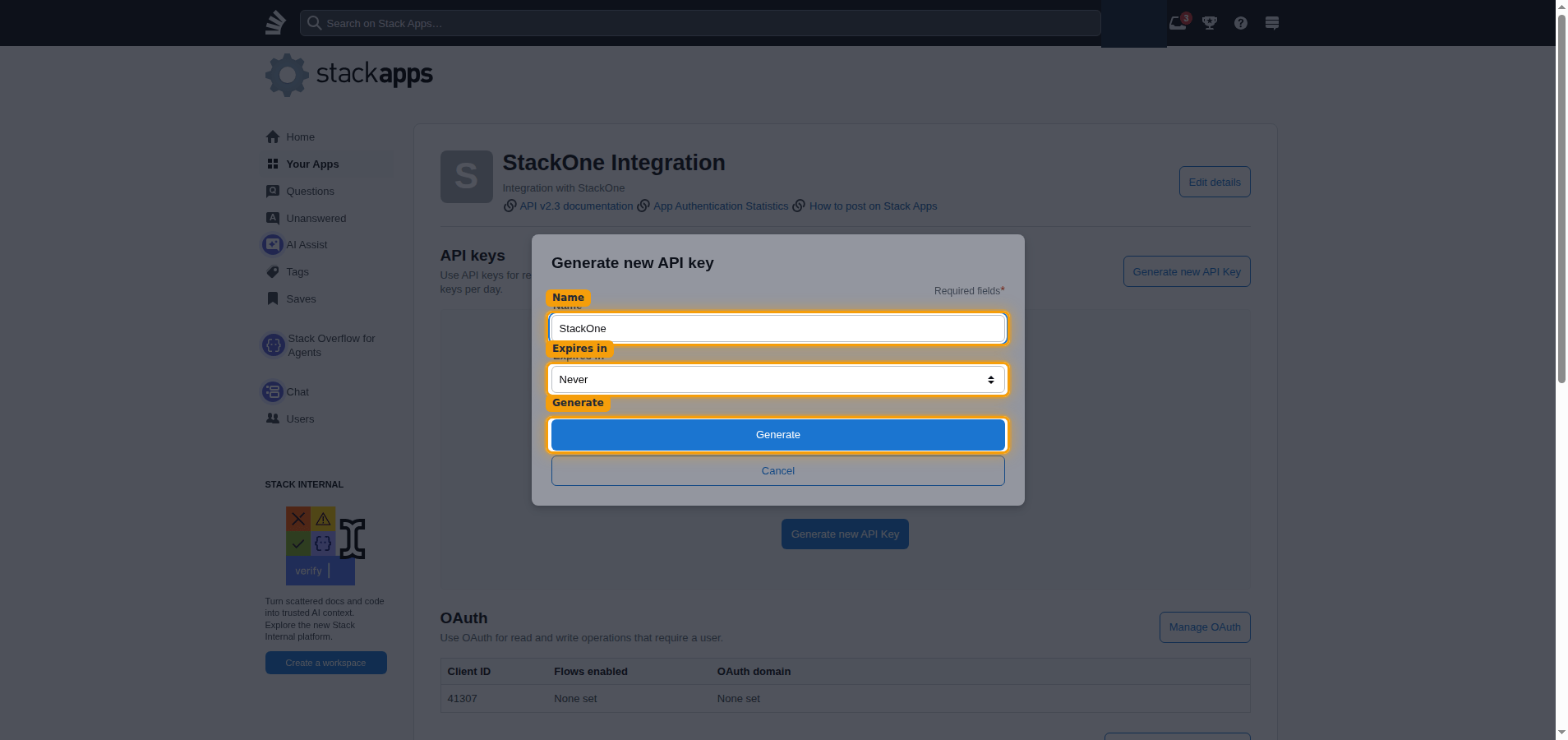
In the API keys section, click Generate new API Key. Enter a Name, choose
Never under Expires in, then click Generate.
- Name:
StackOne
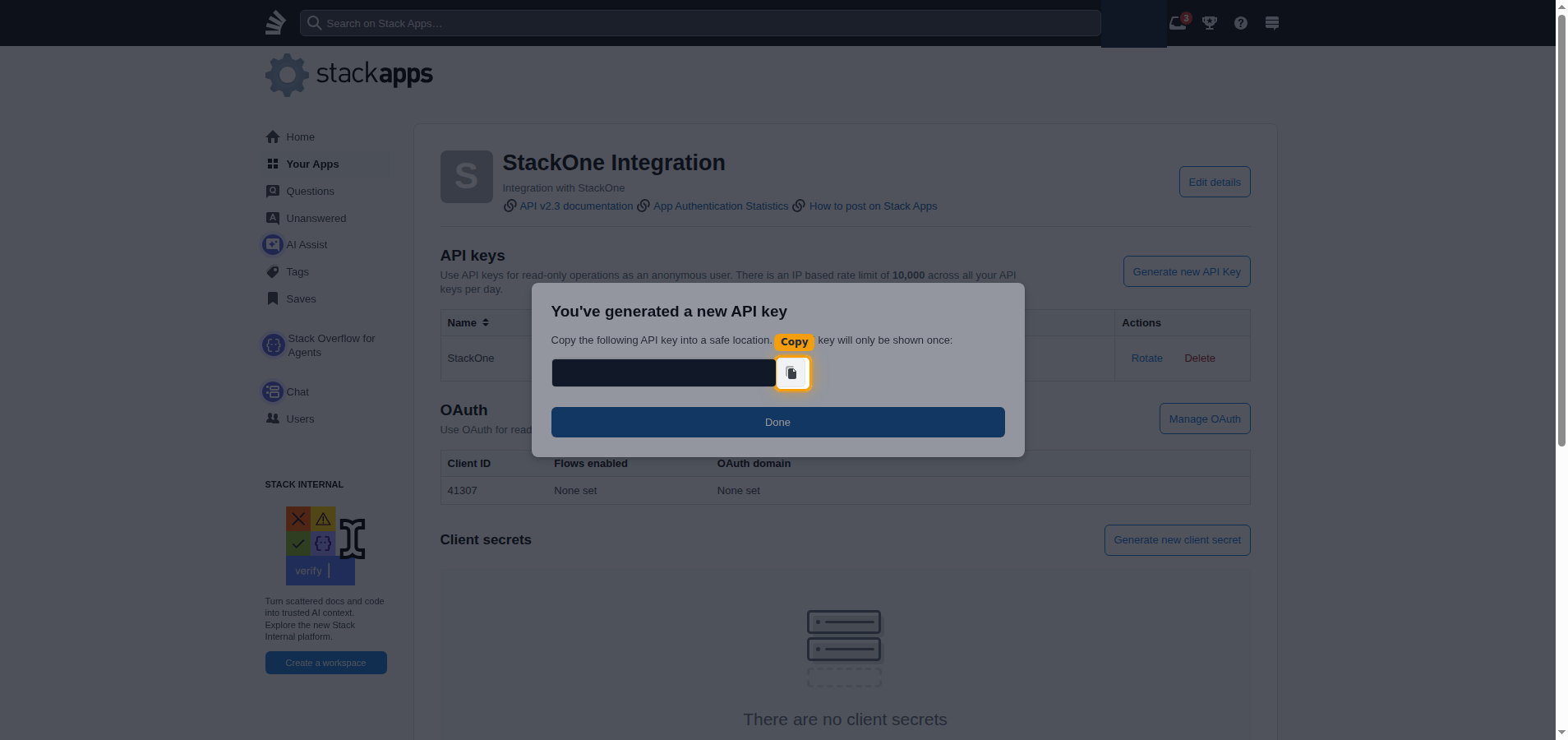
Copy the app key
Copy the generated key with the copy button and paste it into the App Key field
in the StackOne Connector profile.
- The API key is only displayed once and cannot be retrieved later.
- Store it securely for use later.
Creating the StackOne Connector Profile
To create the Connector Profile in StackOne for Stack Overflow:Open the connector
Choose actions and events
- Click Add Profile.
- If the connector offers more than one authentication method, set the Auth Method filter to OAuth 2.0.
- Select the actions, and any events, to enable for this Connector Profile.
- Click Continue.
Set up authentication
- Select Authentication Type as OAuth 2.0.
- Fill out the fields using details retrieved from your provider:
- Client ID
- Client Secret
- App Key
- Click Create Profile.