

Create the OAuth integration
An OAuth integration in your own ServiceNow instance issues the Client ID and Client Secret for your Connector Profile.
1
Start a new integration
Sign in to your ServiceNow instance, then open Machine Identity Console > Inbound integrations.
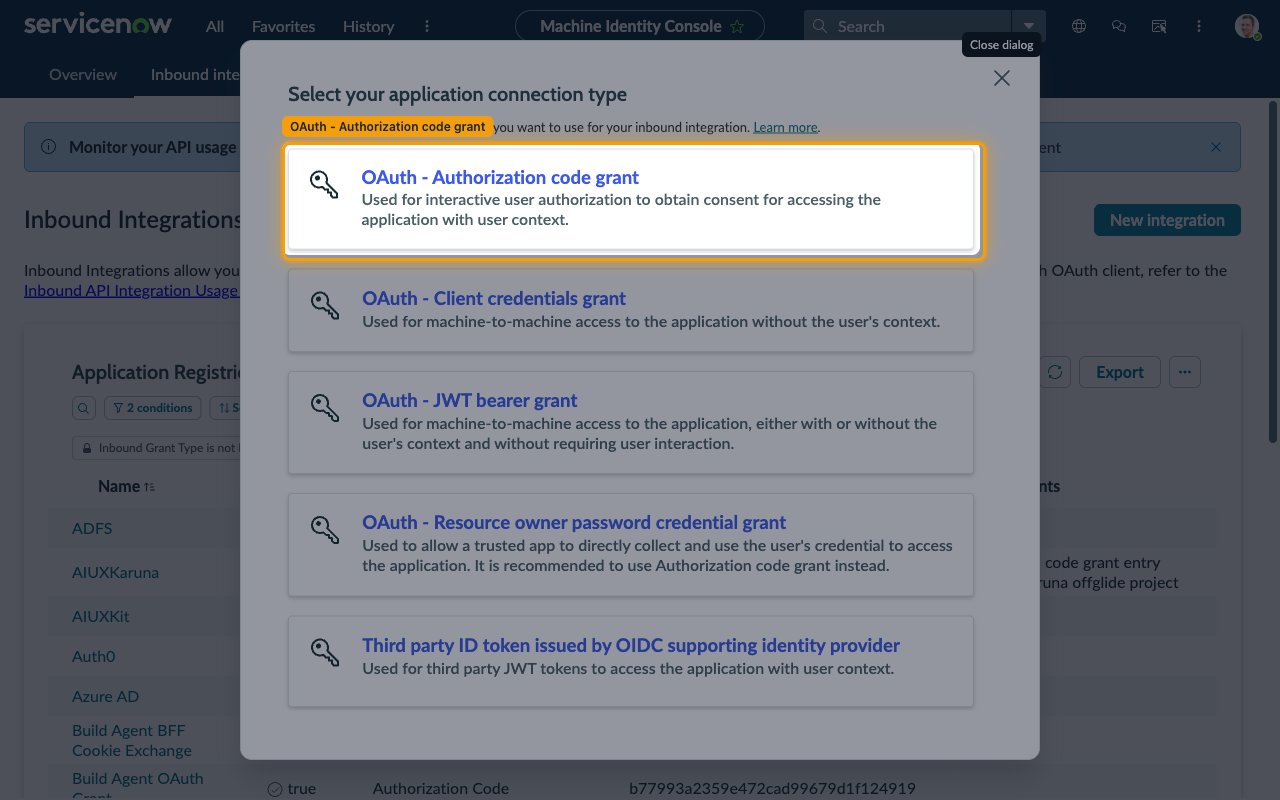
- Click New integration.
- Select OAuth - Authorization code grant.
2
Fill in the details
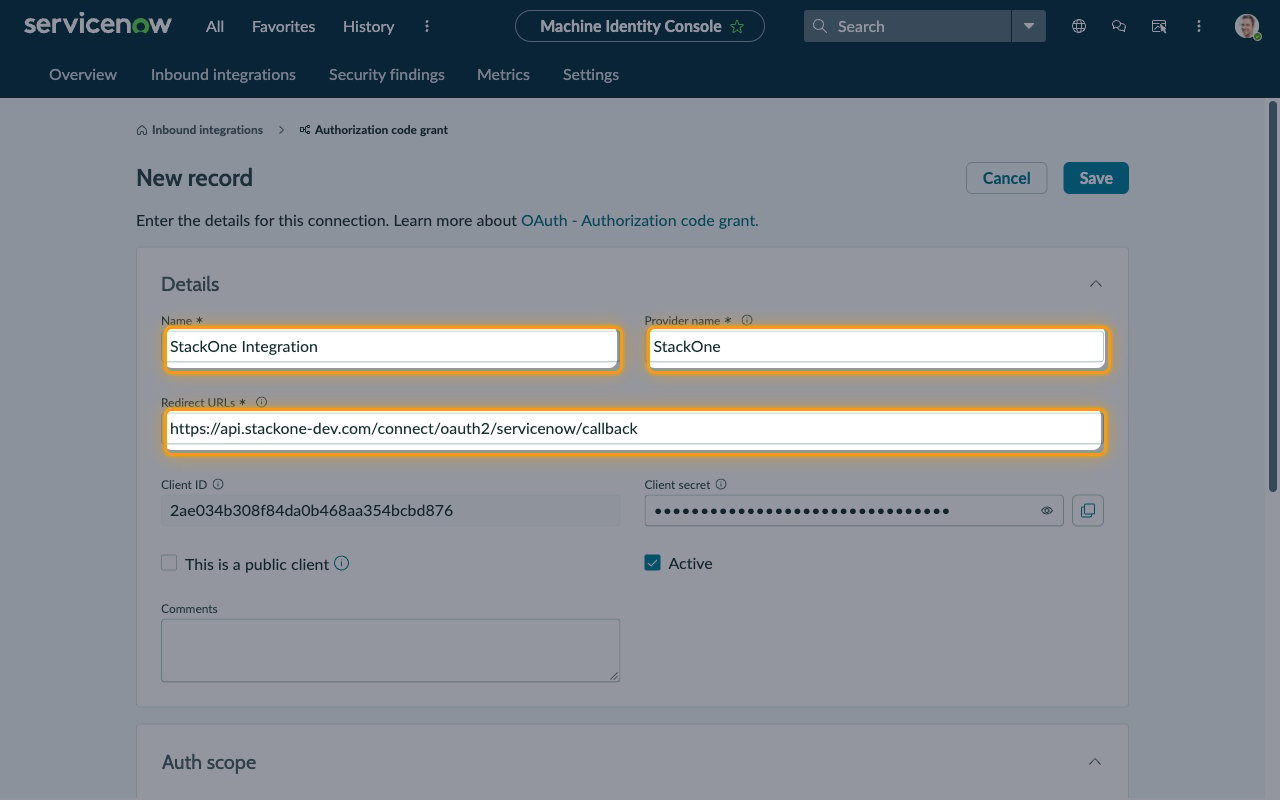
In the Details section, enter the integration’s name and redirect URL.
- Name:
StackOne Integration - Provider name:
StackOne - Redirect URLs: the Callback URL from your Connector Profile
- Leave This is a public client unchecked.
3
Set the auth scope and save
Enables actions: Assign Role To User, Create Change Request, Create Department, Create Group, Create Incident, Create Knowledge Article, Create Knowledge Base, Create Knowledge Category, Create Location, Create Problem, Create Service Catalog Request, Create Service Catalog Request Item, Create Table, Create Table Field, Create Table Record, Create Task, Create User, Create Webhook, Delete Change Request, Delete Group, Delete Incident, Delete Knowledge Article, Delete Problem, Delete Service Catalog Request, Delete Service Catalog Request Item, Delete Table Record, Delete Task, Delete User, Delete Webhook, Get Change Request, Get Choice List, Get Department, Get Group, Get Incident, Get Knowledge Article, Get Knowledge Base, Get Knowledge Category, Get Location, Get Problem, Get Reference Qualifiers, Get Service Catalog Request, Get Service Catalog Request Item, Get Table Metadata, Get Table Record, Get Table Schema, Get Task, Get User, Get User Role, List Change Requests, List Departments, List Groups, List Incidents, List Knowledge Articles, List Knowledge Bases, List Knowledge Categories, List Locations, List Problems, List Service Catalog Request Items, List Service Catalog Requests, List Table Columns, List Table Records, List Tables, List Tasks, List User Role Assignments, List User Roles, List Users, List Webhooks, Update Change Request, Update Group, Update Incident, Update Knowledge Article, Update Problem, Update Service Catalog Request, Update Service Catalog Request Item, Update Table Record, Update Task, Update User
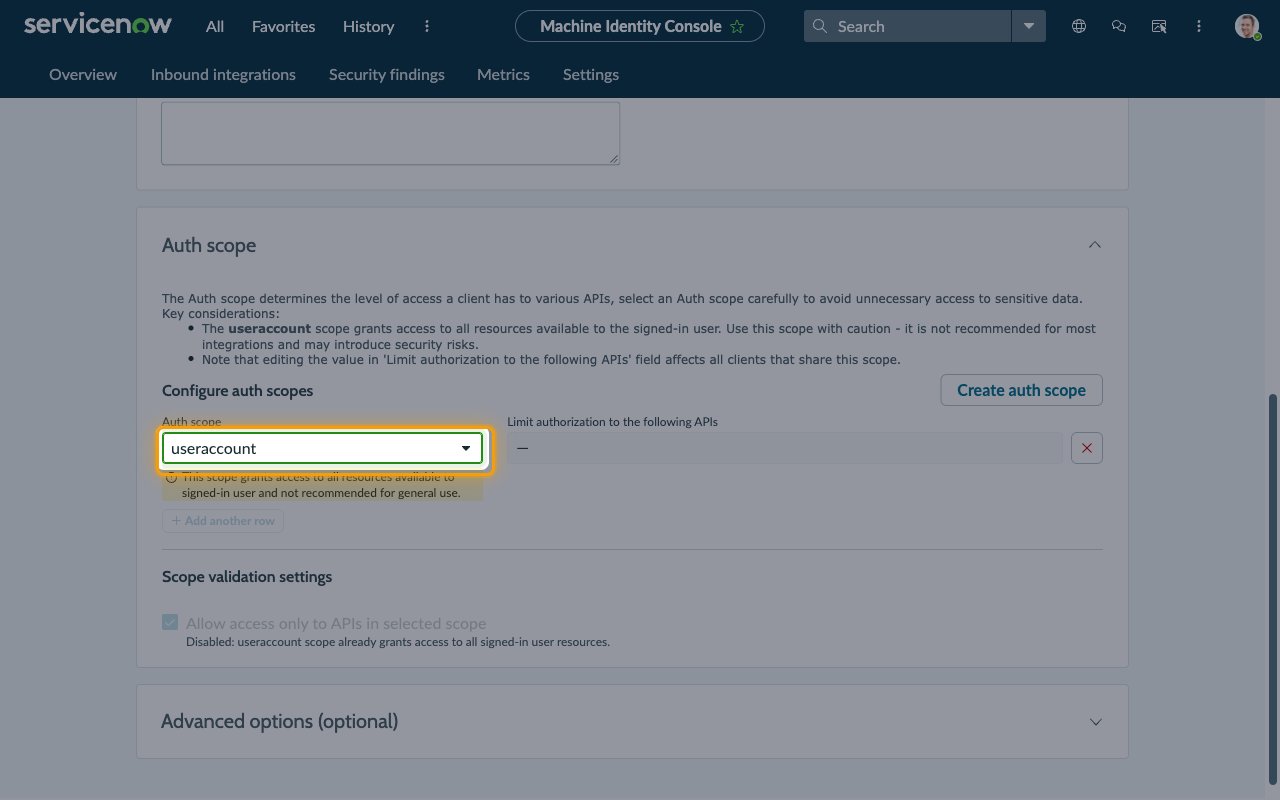
In the Auth scope section, choose the scope listed in the Auth scope field.
- Click Save.
4
Copy the credentials
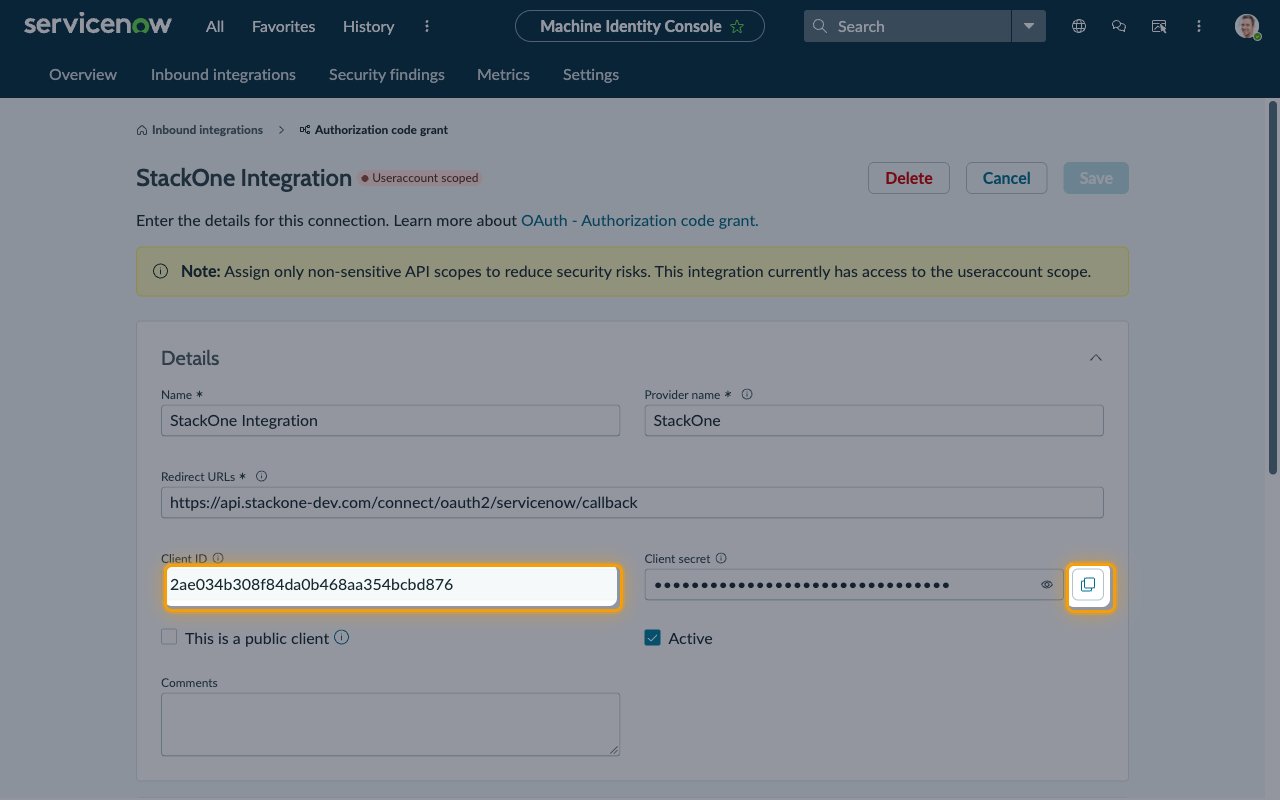
Open the saved integration from Inbound integrations. Copy the Client ID and Client secret into your Connector Profile.
- Click the copy icon beside Client secret to copy it.
Find your instance name
Your instance name is the first part of your ServiceNow URL. Copy it into your Connector Profile.
- Format:
https://{instance}.service-now.com - Example: if your URL is
https://dev12345.service-now.com, your Instance Name isdev12345
Create the StackOne Connector Profile
1
Create a Connector Profile
Enable the connector and create a Connector Profile in your project. See Setup Connector Profile.
2
Link an Account
Once the Connector Profile is created, continue to link an account.