

Registering an OAuth application
Create an OAuth application in the Motive Developer Portal to enable API access.
1
Create the app
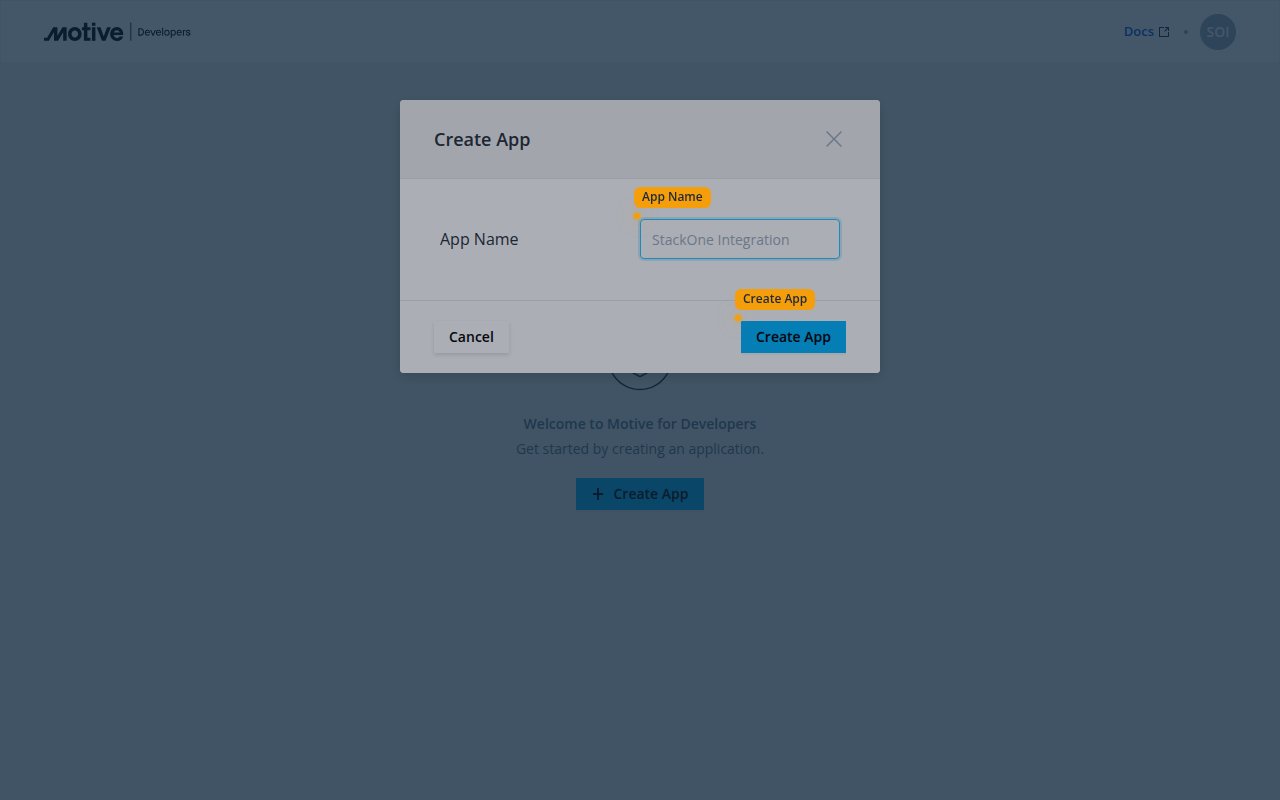
Sign in to the Motive Developer Portal, then click Create App.
- App Name:
StackOne Integration - Click Create App.
2
Set the redirect URI
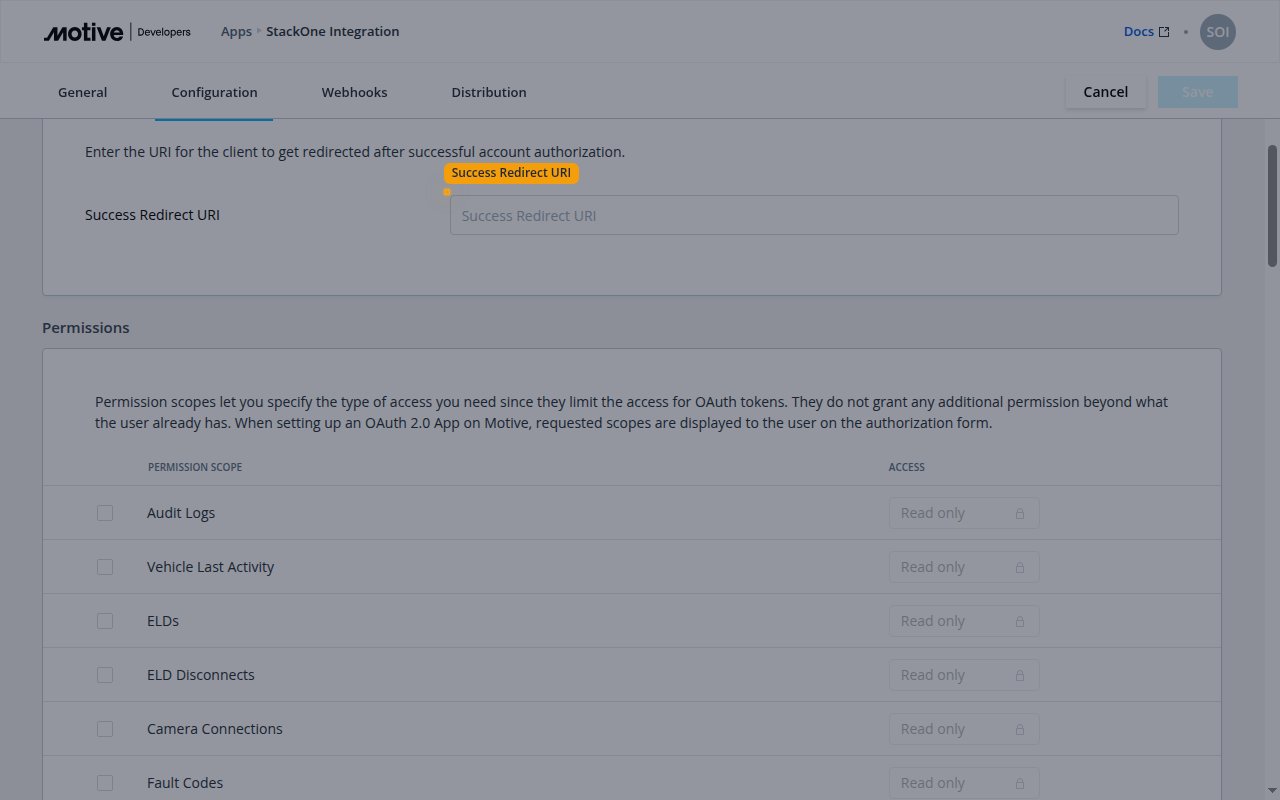
Open the Configuration tab. Under OAuth 2.0 Integration, in the Success Redirect URI field, enter the Callback URL from your Connector Profile.
3
Select the permission scopes
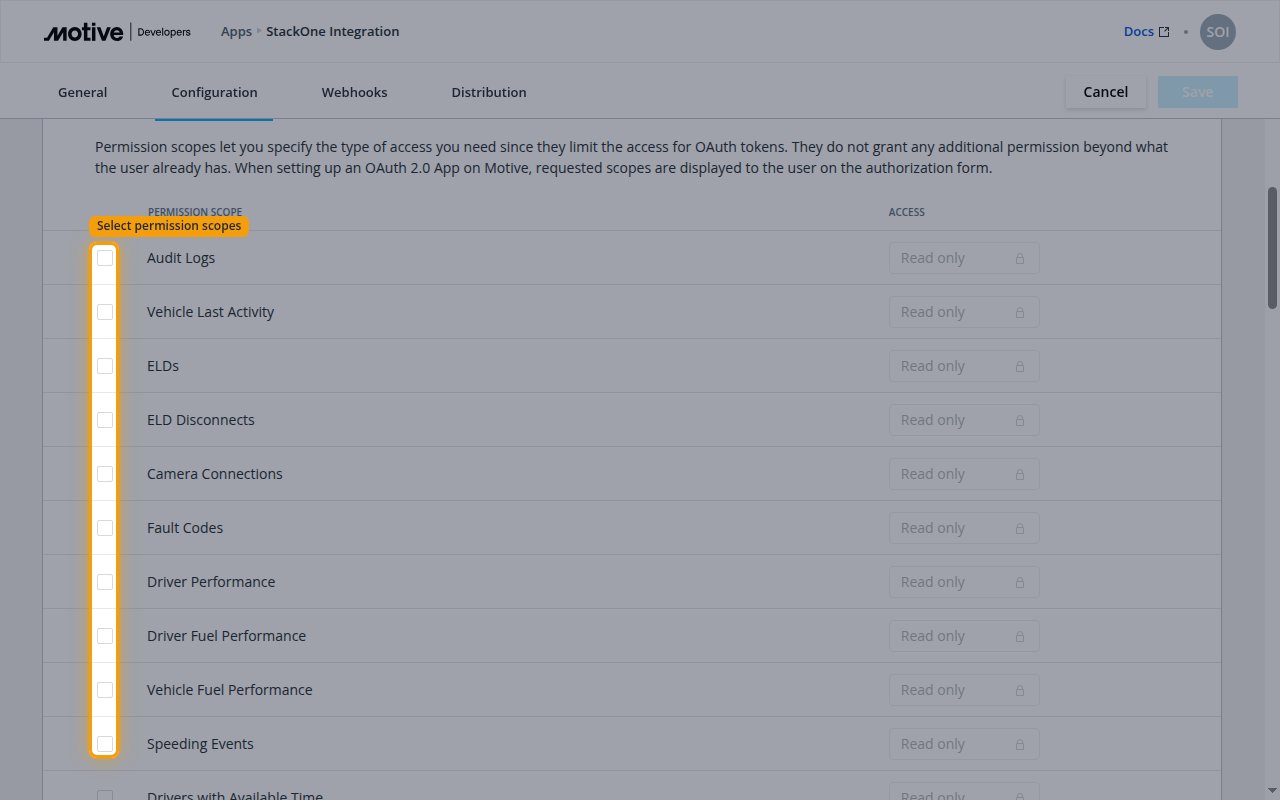
Under Permissions, select the permission scopes for the resources this integration uses, then click Save.
4
Copy credentials
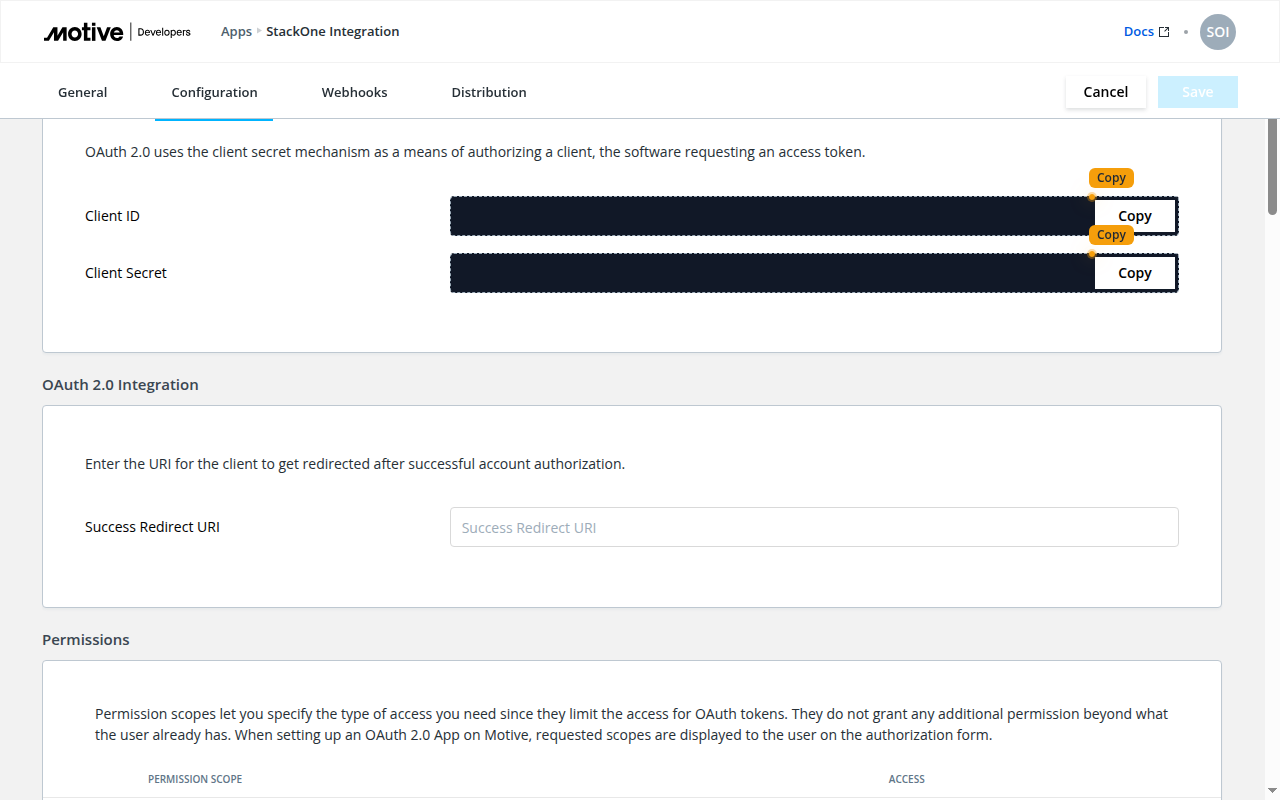
Under OAuth 2.0 Credentials, copy the Client ID and Client Secret into your Connector Profile.
Create the StackOne Connector Profile
1
Create a Connector Profile
Enable the connector and create a Connector Profile in your project. See Setup Connector Profile.
2
Link an Account
Once the Connector Profile is created, continue to link an account.