

Register an OAuth app
A Logfire OAuth app works only in the data region where you register it, so register it in the region your organization uses.
1
Start a new OAuth app
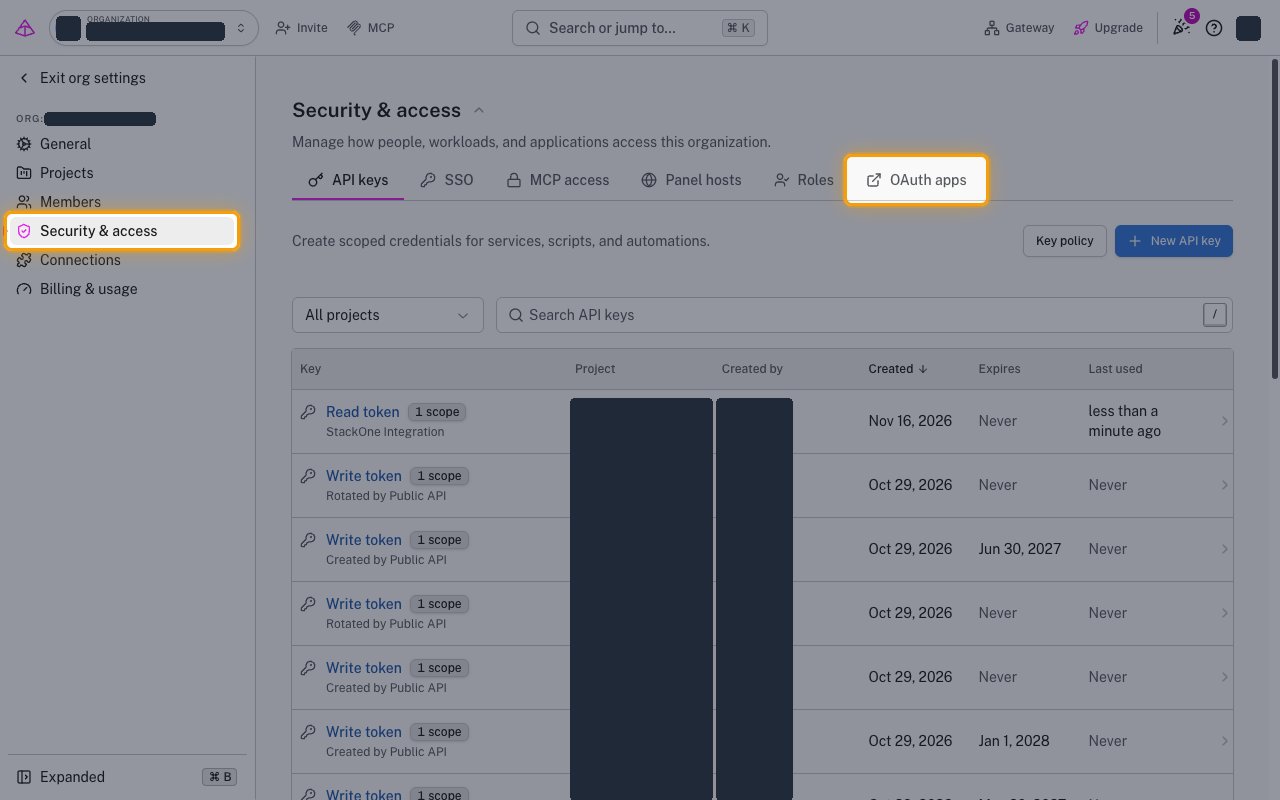
Sign in to the Logfire EU console, or the Logfire US console for the US region. On the Organization overview page, click Security & access in the sidebar.
- Click the OAuth apps tab.
- Click New OAuth app.
2
Create the app
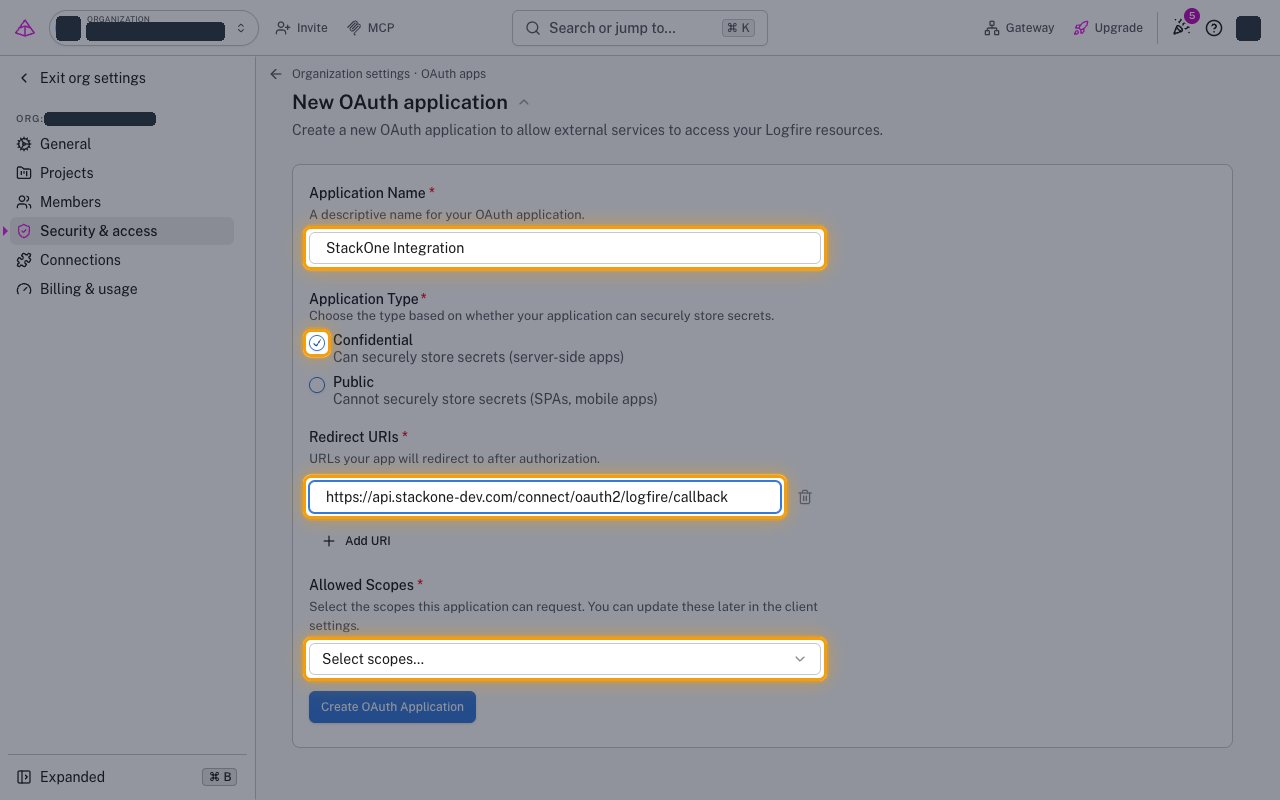
Fill in the New OAuth application form.
- Application Name:
StackOne Integration - Application Type: Confidential
- Redirect URIs: the Callback URL from your Connector Profile
3
Add the scopes and create the app
Enables actions: Create Alert, Create Channel, Create Dashboard, Create Organization Invitation, Create Project, Create Project Write Token, Create Schedule, Create Variable, Create Variable Type, Delete Alert, Delete Channel, Delete Current Organization, Delete Dashboard, Delete Project Write Token, Delete Schedule, Delete Variable, Expire Project Write Token, Get Alert, Get Channel, Get Current Organization, Get Dashboard, Get Project Info, Get Schedule, Get Variable By Name, Get Variable Type By Name, Get Variables Config, List Alerts, List Channels, List Dashboards, List Organization Invitations, List Project Write Tokens, List Projects, List Variable Types, Rotate Project Write Token, Update Alert, Update Channel, Update Current Organization, Update Dashboard, Update Project, Update Schedule, Update Variable
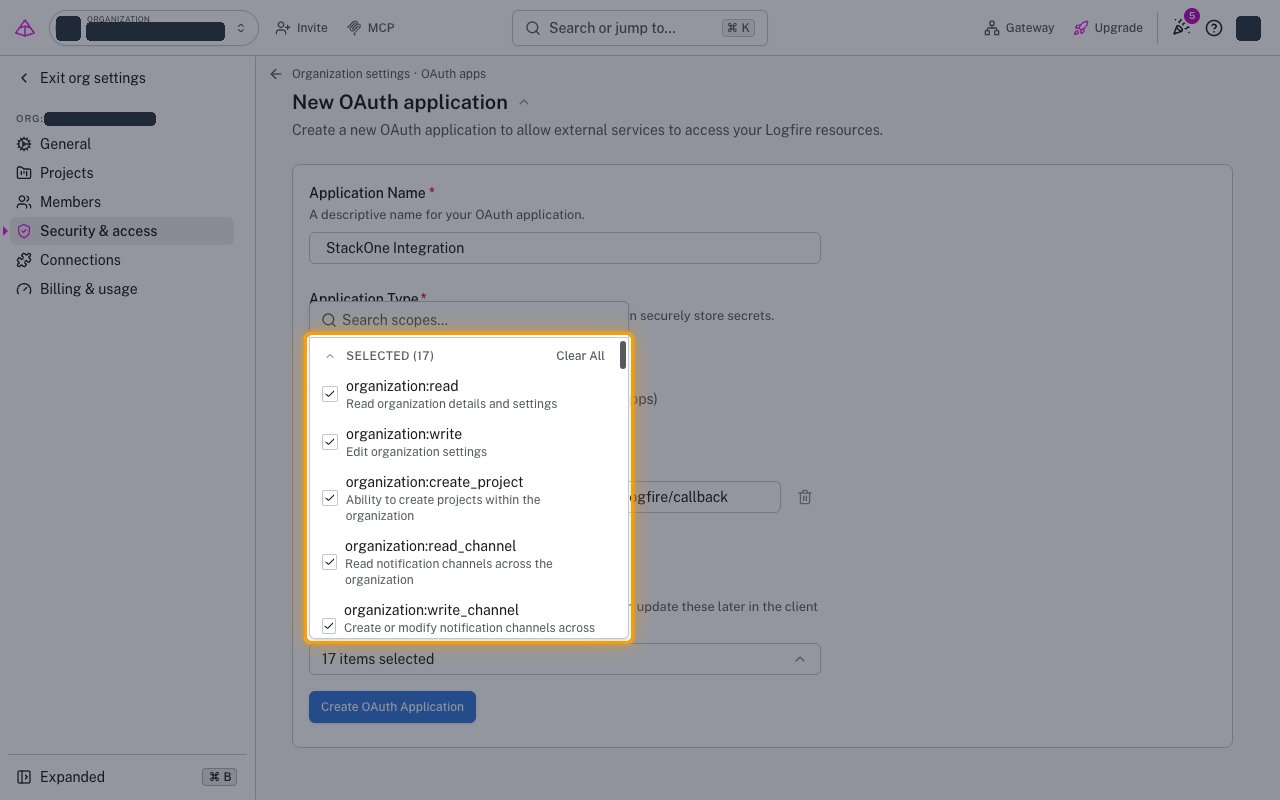
On the same form, open Allowed Scopes.
- Select every scope listed.
- Click Create OAuth Application.
4
Copy the credentials
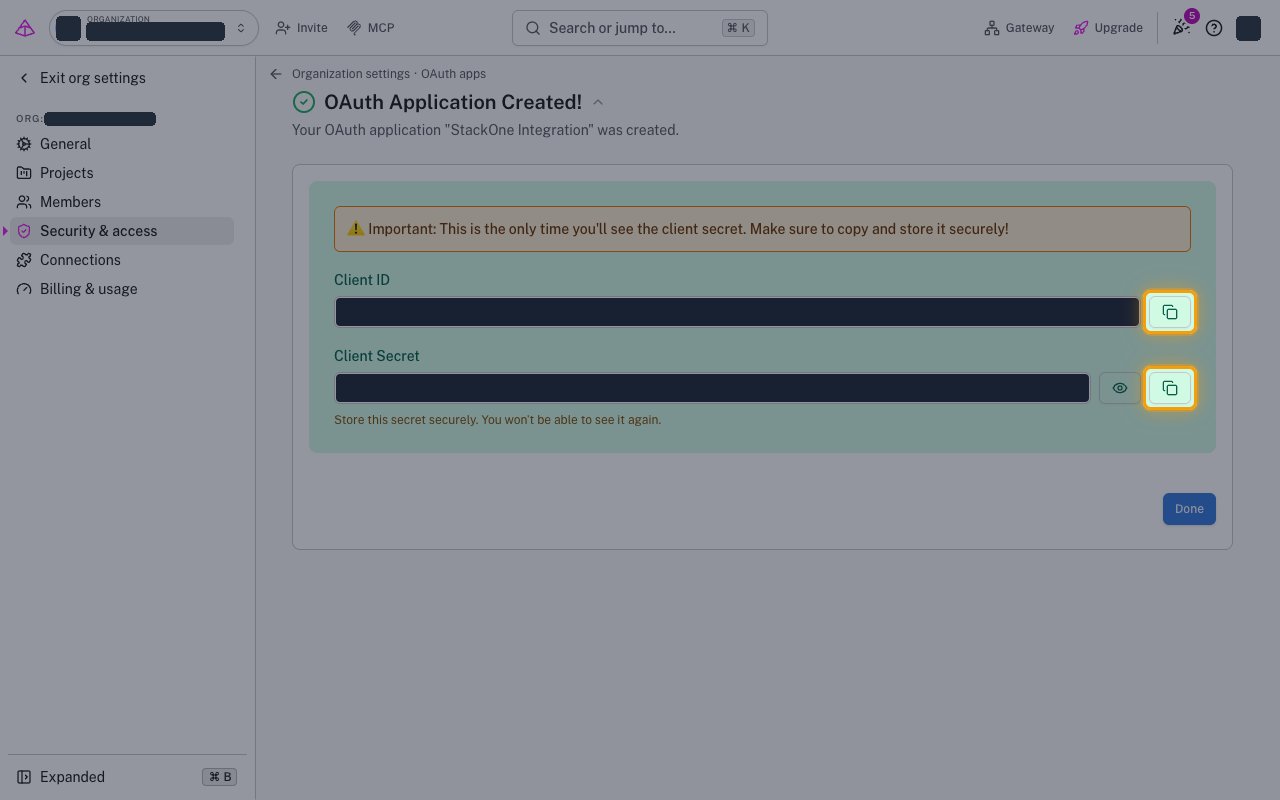
Copy the Client ID and Client Secret into your Connector Profile.
- The Client Secret is shown only once and cannot be retrieved later.
- Set Data Region in your Connector Profile to the region where you registered the app.
Create the StackOne Connector Profile
1
Create a Connector Profile
Enable the connector and create a Connector Profile in your project. See Setup Connector Profile.
2
Link an Account
Once the Connector Profile is created, continue to link an account.