

Create a Gorgias app
A Gorgias app provides the Client ID and Client Secret for your Connector Profile. The app stays in Draft status, and App Store review is not required to connect.
1
Fill in the app details
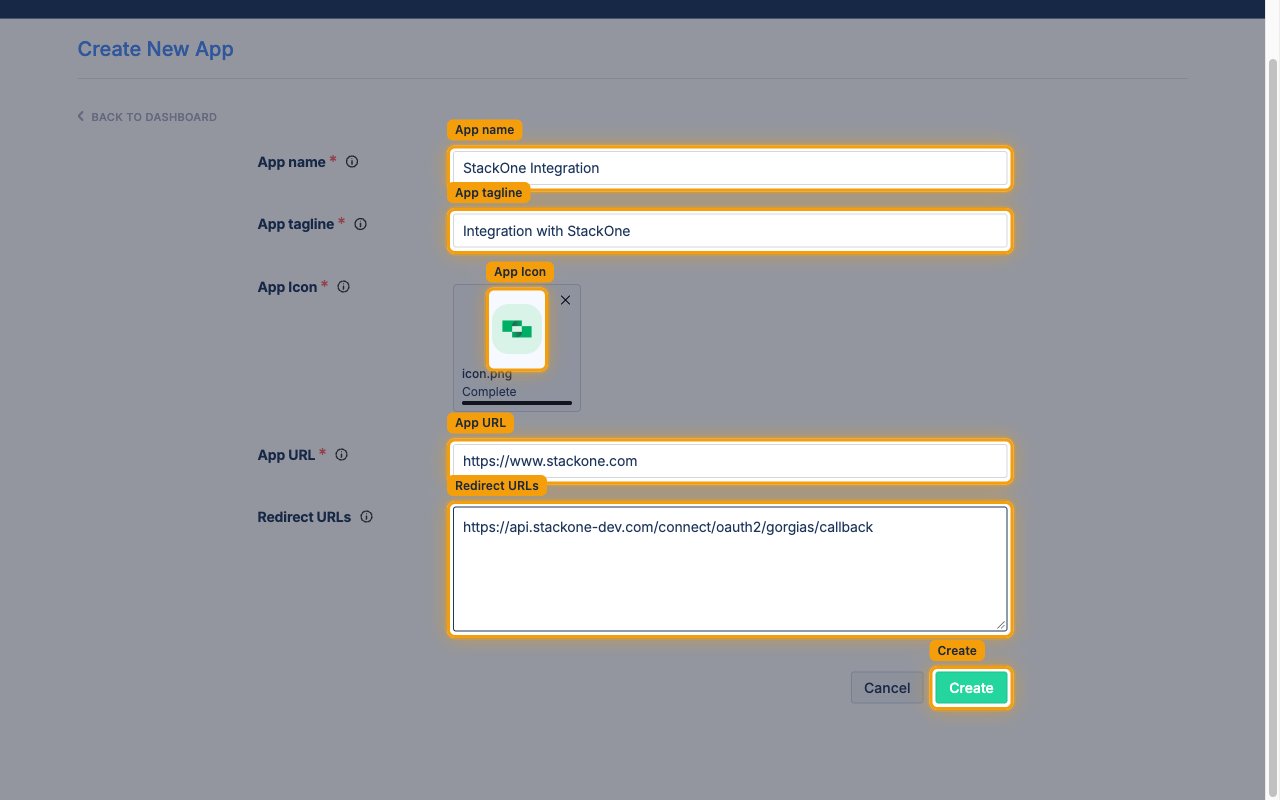
Sign in to the Gorgias Partners portal, then on the My Apps page click Create New App.
- App name:
StackOne Integration - App tagline: Short description shown beneath the app name
- App URL: Your company website
- Redirect URLs: the Callback URL from your Connector Profile
2
Upload the icon and create the app
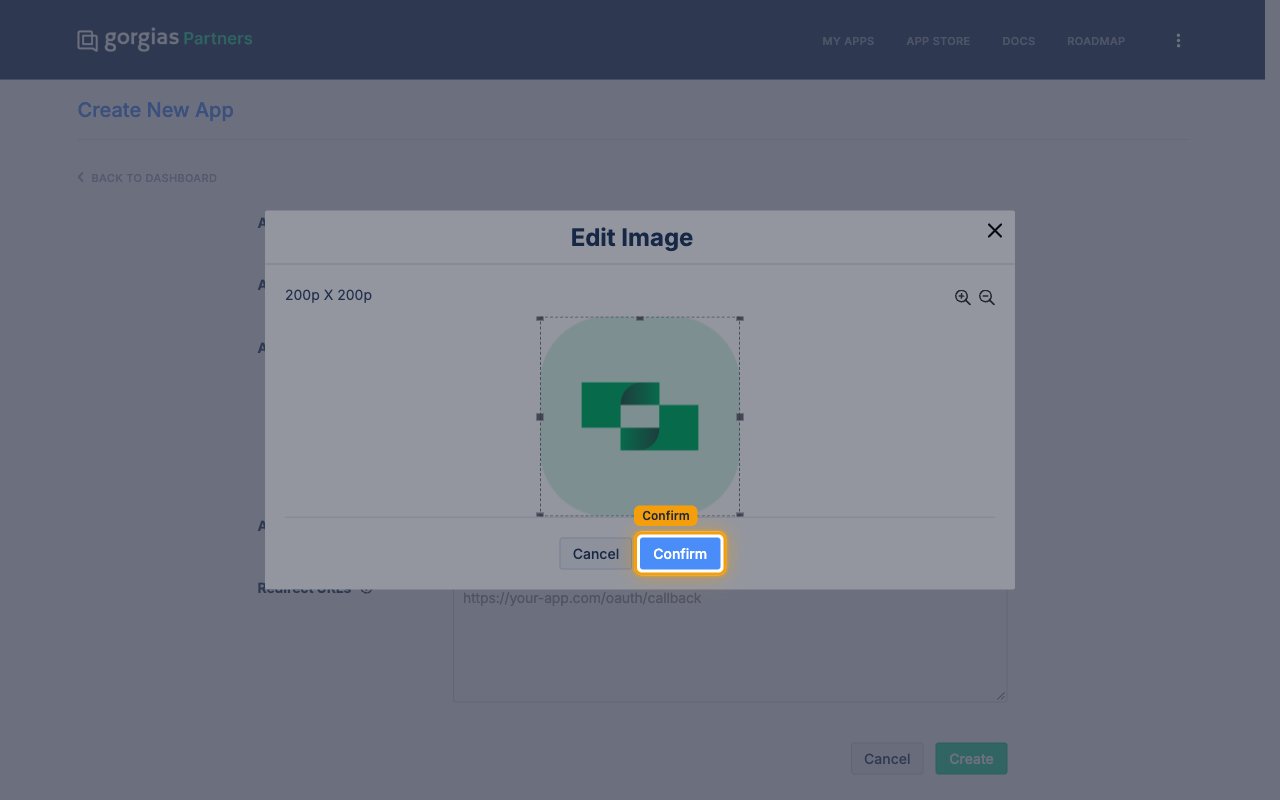
Under App Icon, upload a .png or .jpg image for the app.
- Click Choose File and select the image.
- In the Edit Image dialog, click Confirm.
- Click Create.
3
Copy credentials
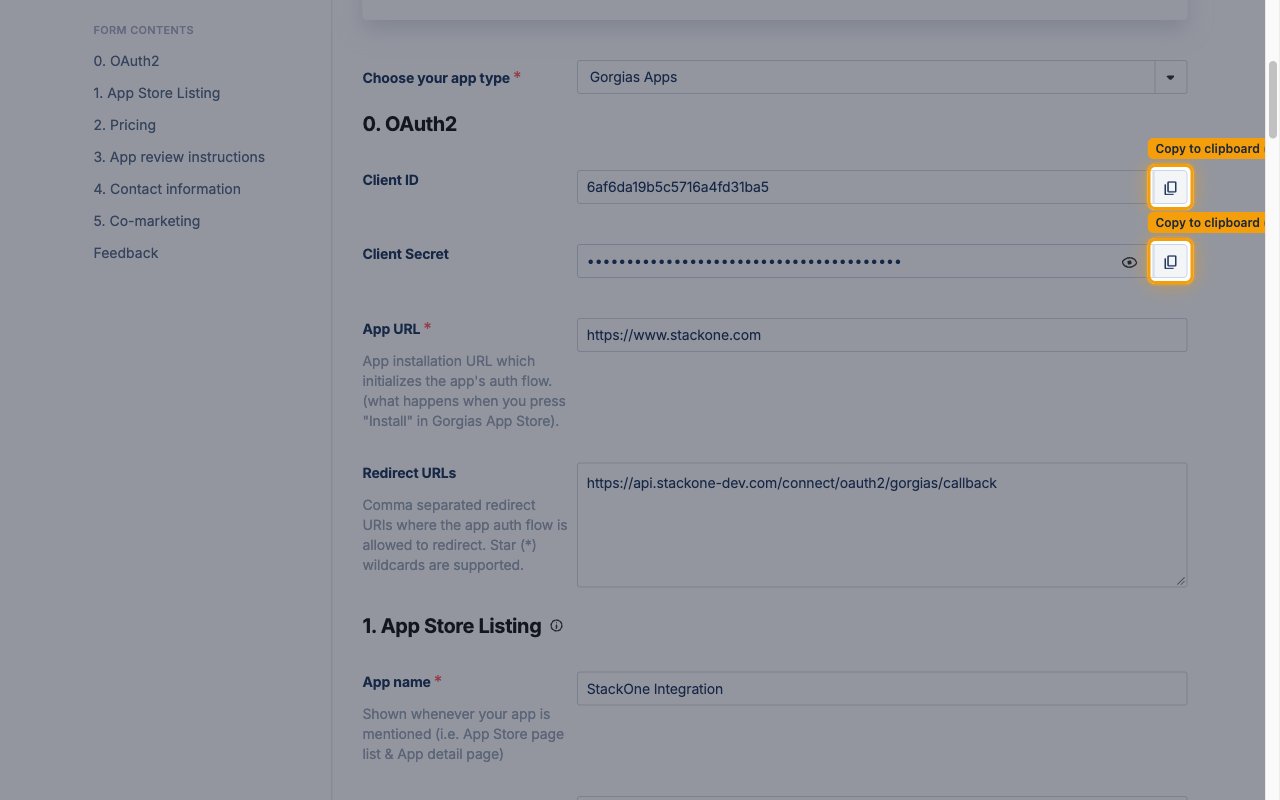
On the My Apps page, click the app name to open Edit app. The 0. OAuth2 section shows the credentials.
- Click Copy to clipboard next to Client ID and copy it into your Connector Profile.
- Click Copy to clipboard next to Client Secret and copy it into your Connector Profile.
4
Review the scopes
Enables actions: Add Tags To Ticket, Archive Macros, Create Customer, Create Integration, Create Macro, Create Message, Create Rule, Create Tag, Create Team, Create Ticket, Create User, Create View, Delete Customer, Delete Customer Custom Field, Delete Customers, Delete Integration, Delete Macro, Delete Message, Delete Rule, Delete Tag, Delete Tags, Delete Team, Delete Ticket, Delete User, Delete View, Get Account, Get Customer, Get Integration, Get Macro, Get Message, Get Rule, Get Tag, Get Team, Get Ticket, Get User, Get View, List Customer Custom Fields, List Customers, List Integrations, List Macros, List Messages, List Rules, List Settings, List Tags, List Teams, List Ticket Tags, List Tickets, List Users, List View Items, List Views, Merge Customers, Merge Tags, Remove Tags From Ticket, Search View Items, Set Customer Data, Set Ticket Tags, Unarchive Macros, Update Customer, Update Customer Custom Fields, Update Integration, Update Macro, Update Message, Update Rule, Update Rules Priorities, Update Tag, Update Team, Update Ticket, Update User, Update View
Gorgias has no scope settings on the app, so there is nothing to enable in the Partners portal. The scopes listed are the ones the connection requests, together with openid and offline.
Create the StackOne Connector Profile
1
Create a Connector Profile
Enable the connector and create a Connector Profile in your project. See Setup Connector Profile.
2
Link an Account
Once the Connector Profile is created, continue to link an account.