

Registering StackOne with Funnel
An MCP client lets the people in your Funnel subscription sign in to Funnel MCP through StackOne.
1
Create the MCP client
Sign in to Funnel, click your profile icon in the top right, then select Subscription overview.
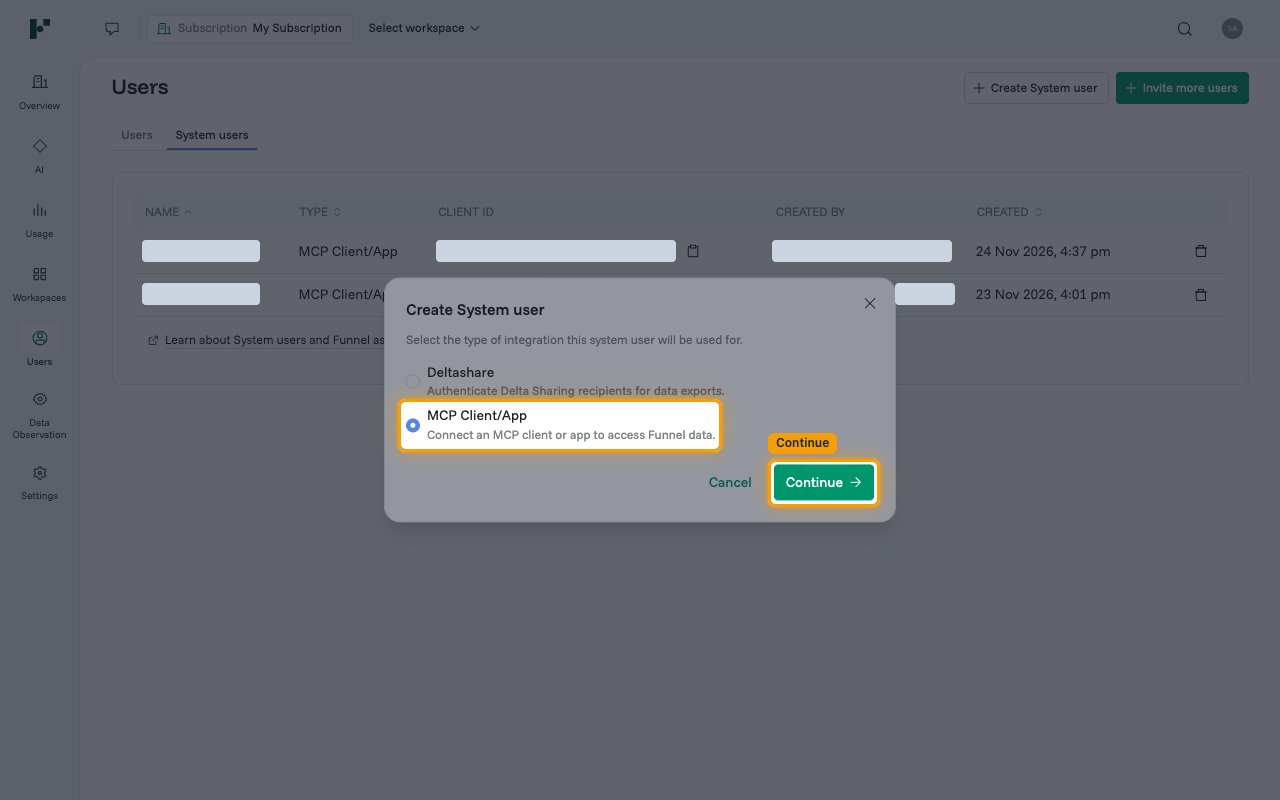
- In the left navigation, select Users.
- Open the System users tab.
- Click Create System user.
- Select MCP Client/App.
- Click Continue.
2
Register the callback URL
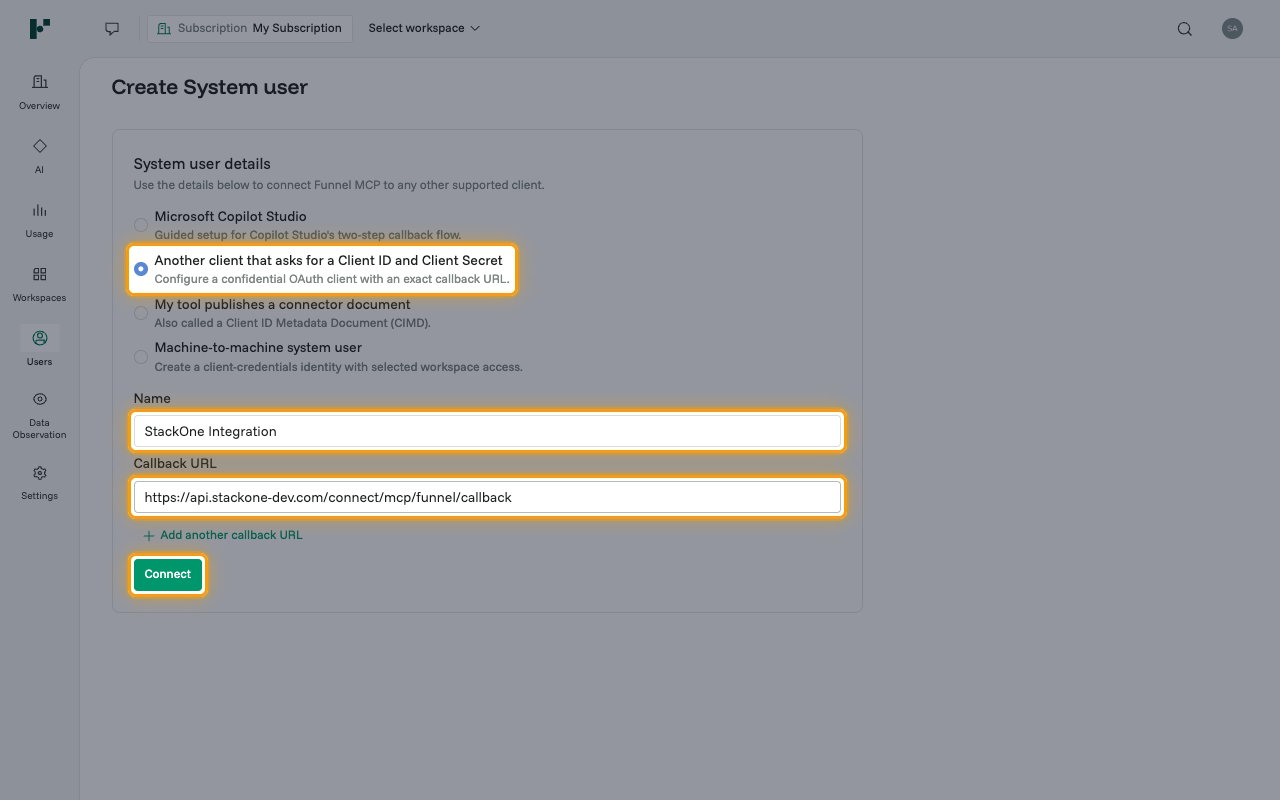
On the System user details form, choose the client type and register StackOne’s callback.
- Select Another client that asks for a Client ID and Client Secret.
- Name:
StackOne Integration - Callback URL: the Callback URL from your Connector Profile
- Click Connect.
3
Copy the client credentials
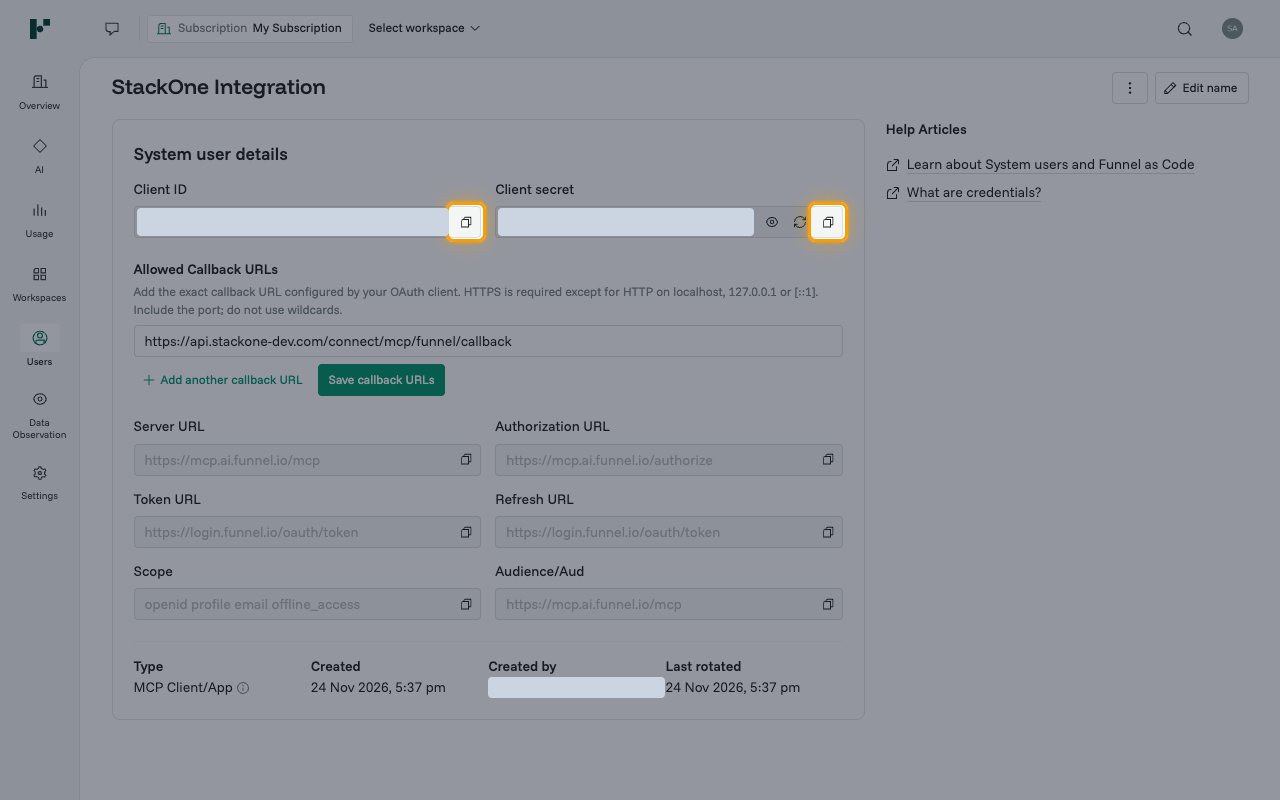
Funnel opens the new client’s System user details page.
- Click the copy button beside Client ID, then copy the Client ID into your Connector Profile.
- Click the copy button beside Client secret, then copy the Client secret into your Connector Profile.
Create the StackOne Connector Profile
1
Create a Connector Profile
Enable the connector and create a Connector Profile in your project. See Setup Connector Profile.
2
Link an Account
Once the Connector Profile is created, continue to link an account.