

Create a Dixa API token
This connection is authenticated with an API token created in your Dixa organization settings.
Sign in to Dixa
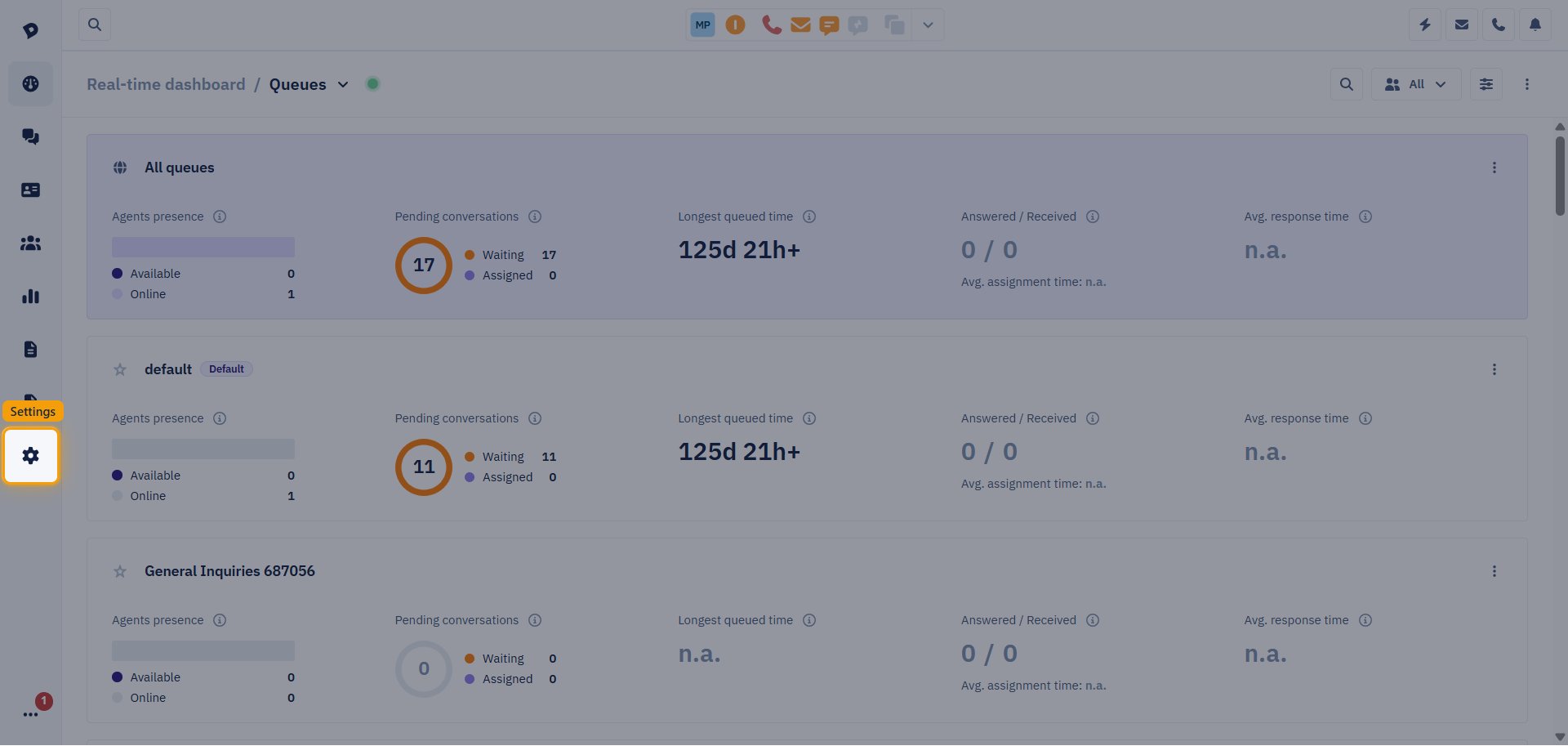
Open Integrations
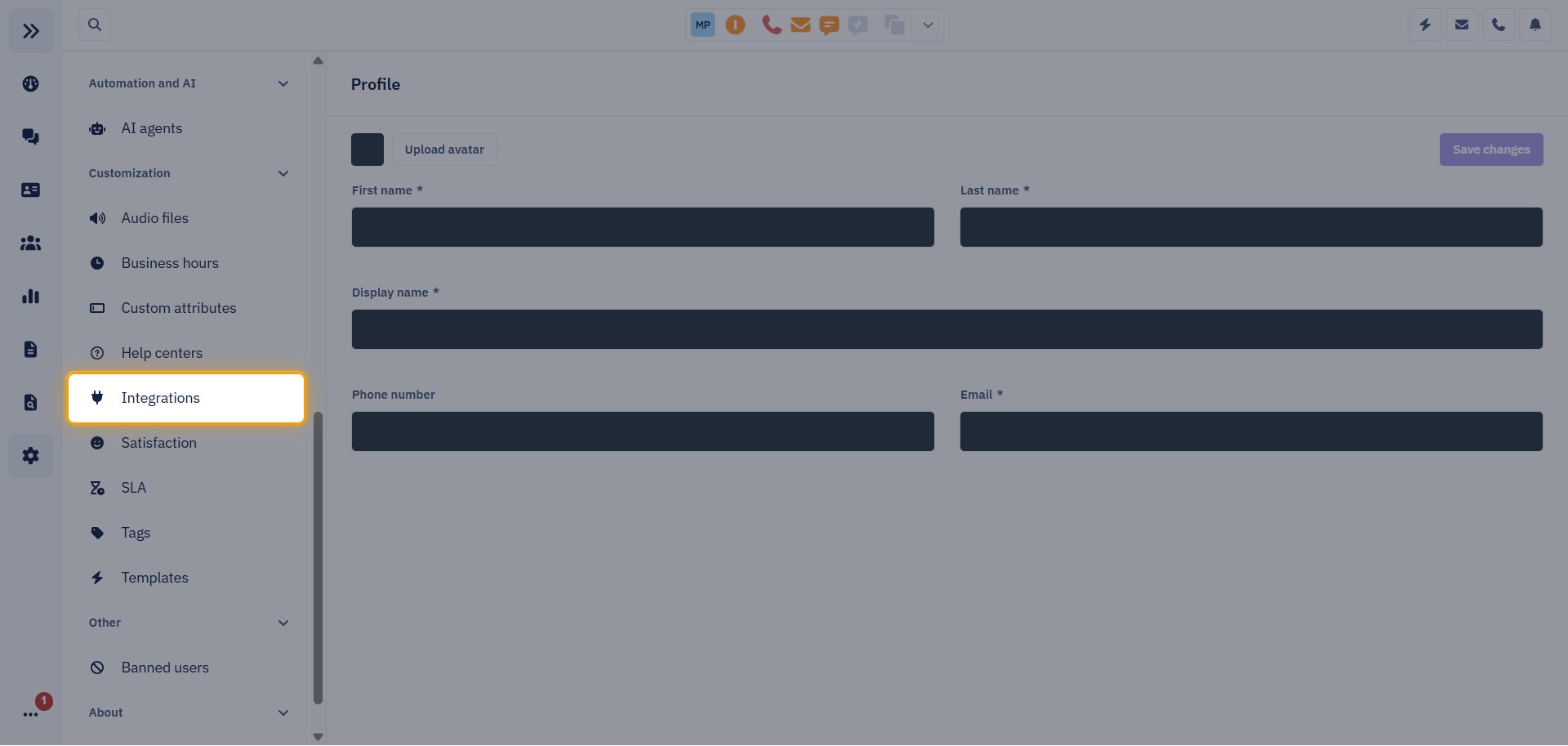
In the Settings menu, scroll to the Customization section and click Integrations.
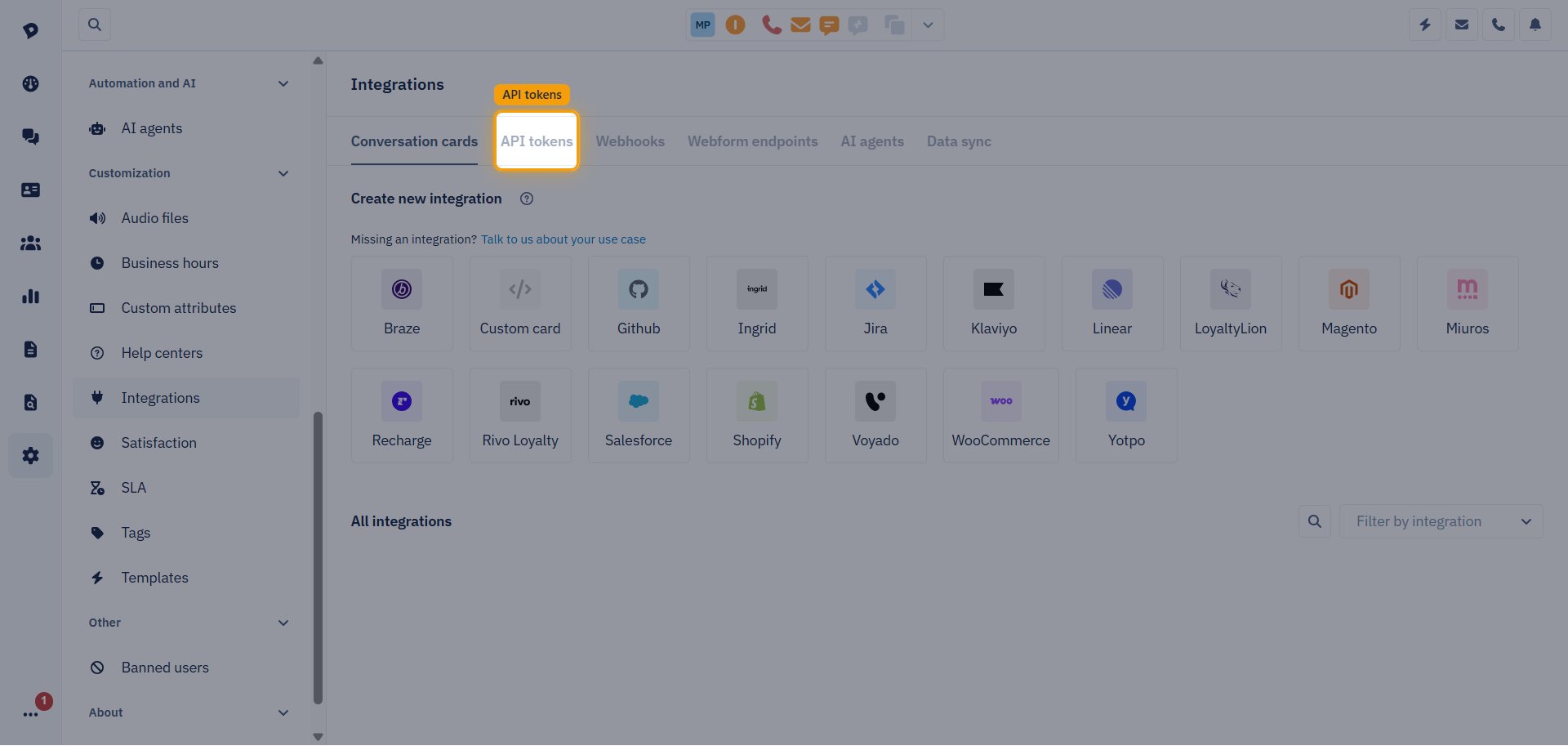
Open the API tokens tab
On the Integrations page, select the API tokens tab.
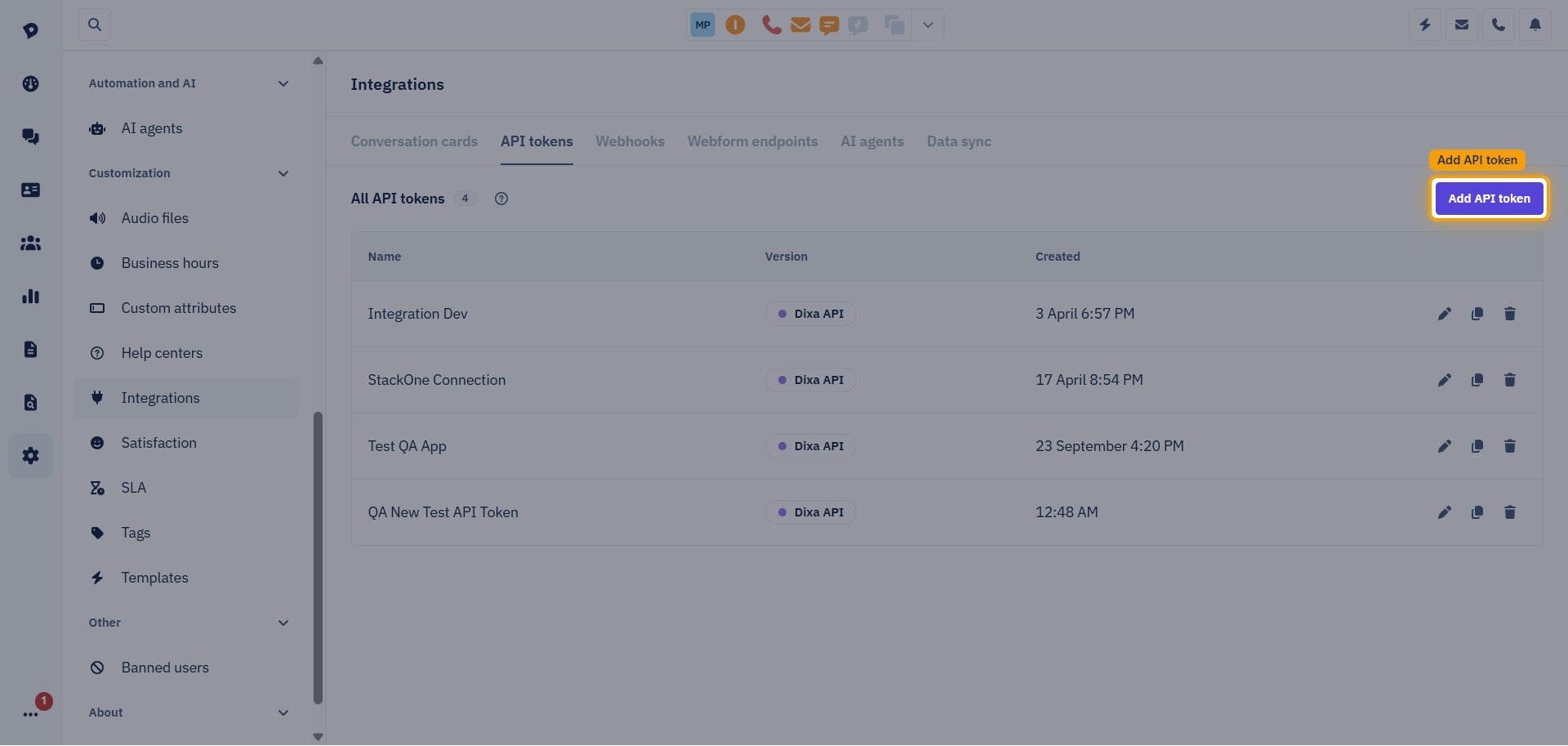
Add an API token
Click Add API token.
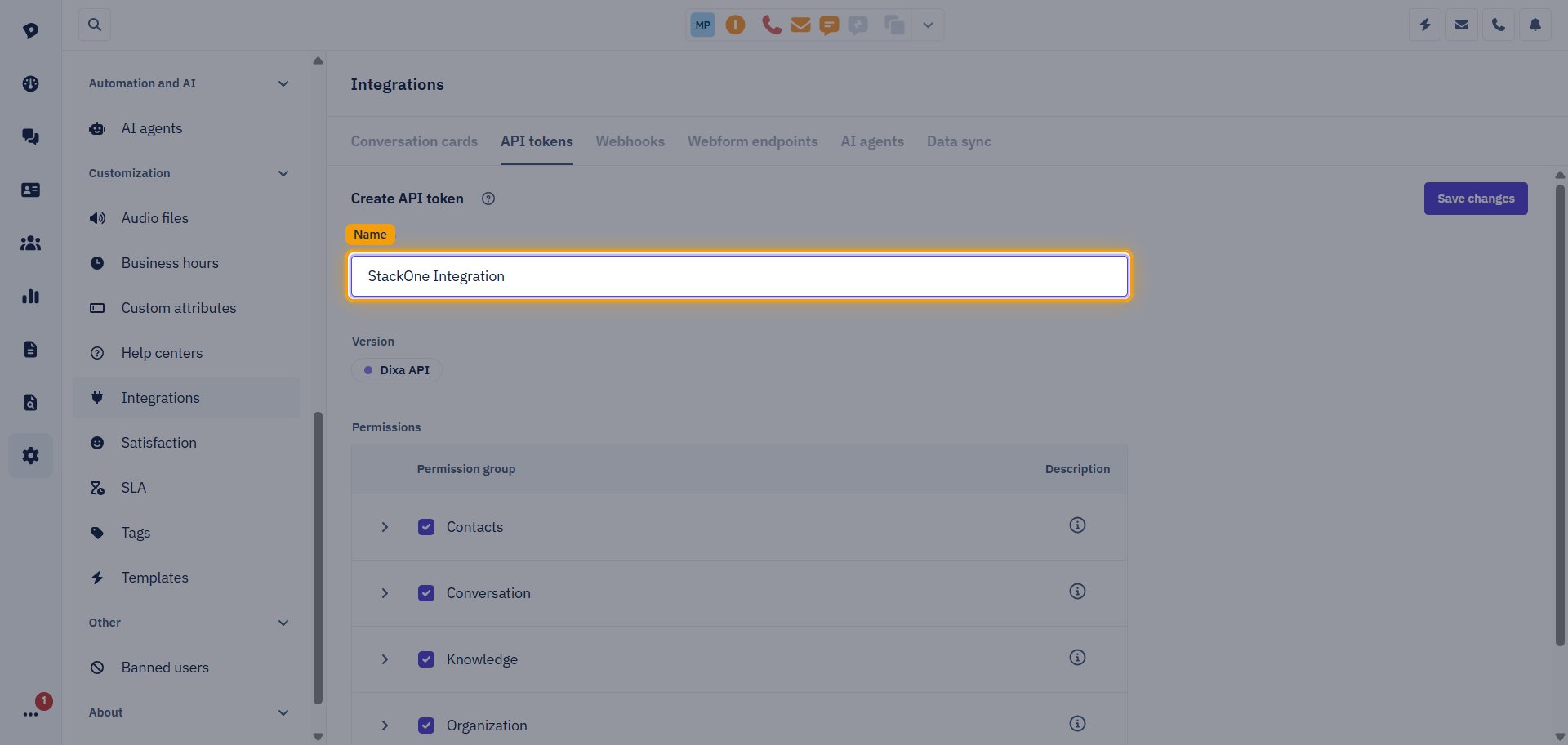
Name the token
On the Create API token page, enter a name in the Name field, for example StackOne Integration. Leave Version set to Dixa API.
Select the permissions
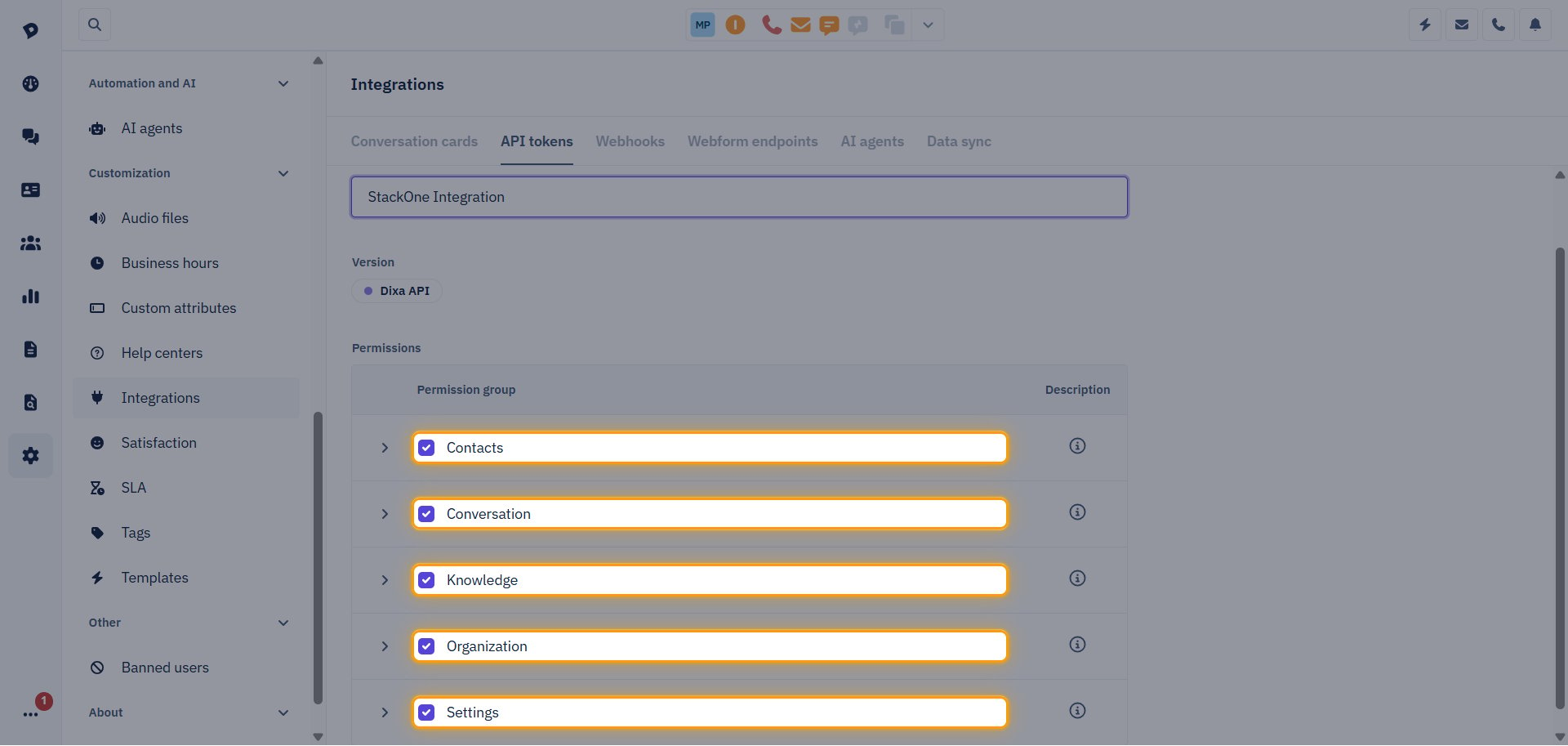
Under Permissions, select the checkbox for every Permission group so StackOne can use all of the connector’s actions:
- Contacts
- Conversation
- Knowledge
- Organization
- Settings
- Selecting a group selects every permission inside it. Click the arrow next to a group to see them.
Save the token
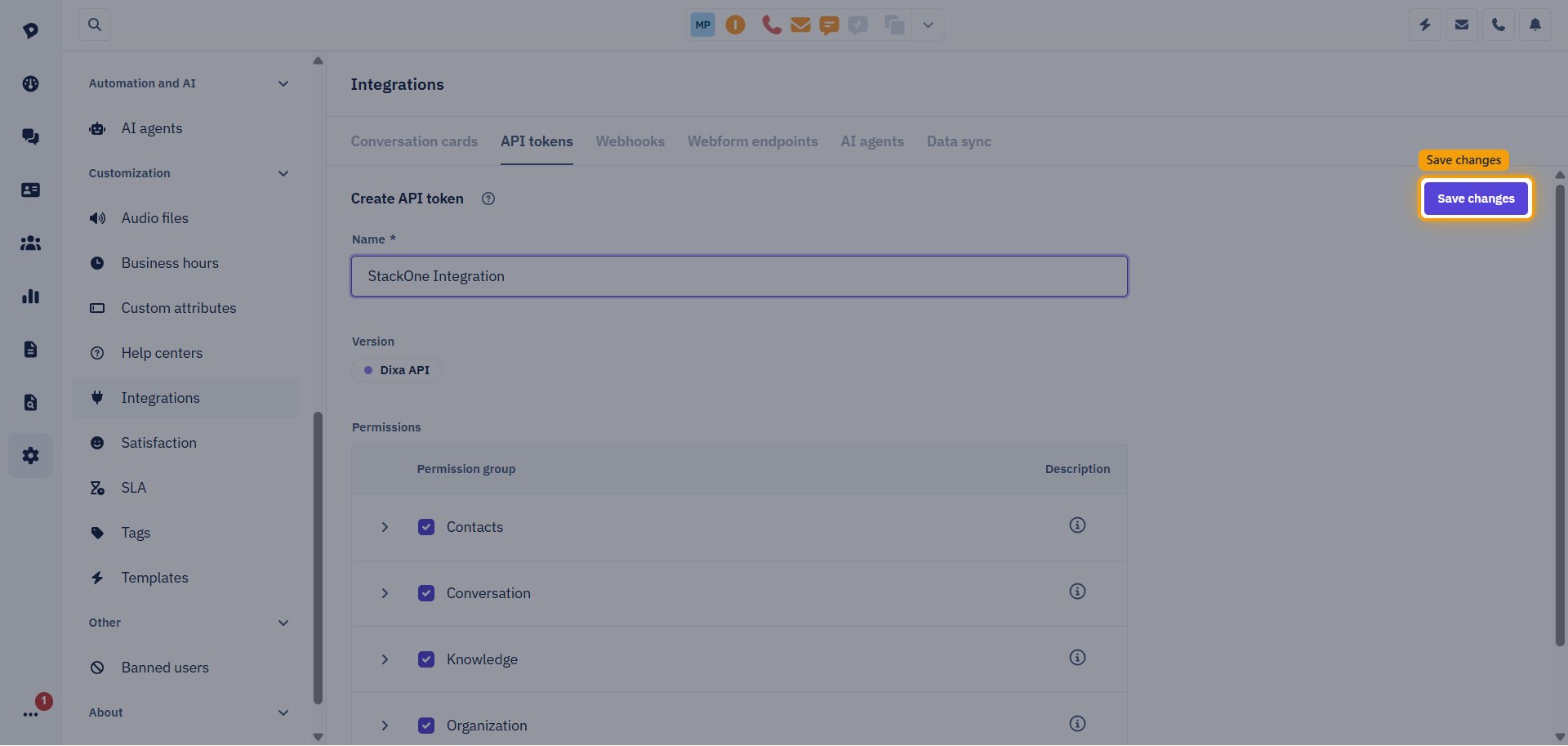
Click Save changes to create the token.
Copy the token
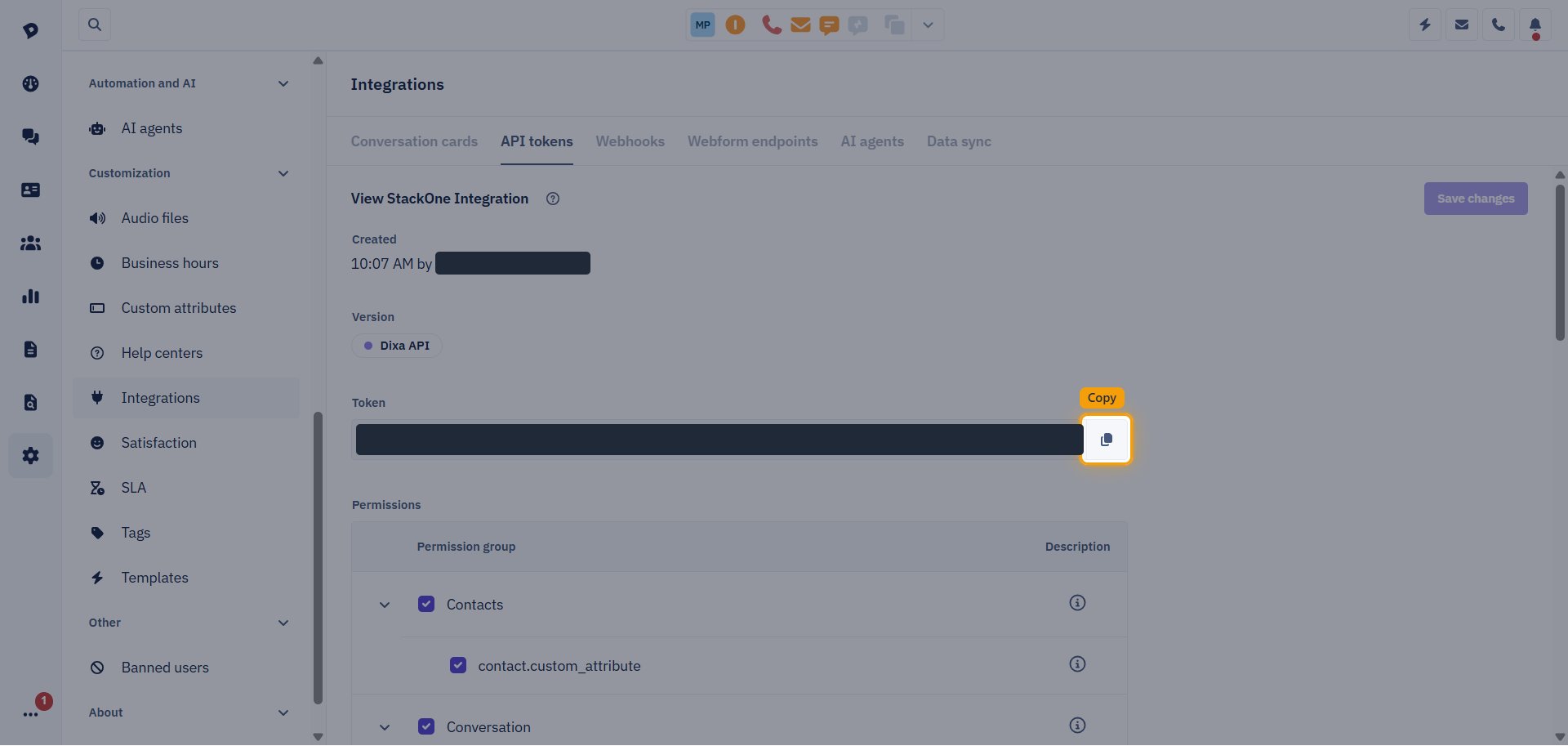
Your created token page appears and shows the new Token. Click the copy icon next to the Token field, then paste the value into the API Token field in StackOne Hub.
- The token is a long string that starts with
eyJ. - The token stays available on the API tokens tab, so you can copy it again later. Store it securely, as anyone with the token can access your Dixa data.
Linking the Account from the Hub
Navigate to the Hub
Fill out the fields
- API Token
Connect
- Click Connect
- If applicable, the provider will redirect you to a sign-in or authorization page. Complete the provider’s authorization flow.
- Once authorization is successful, you will see a confirmation popup
If the account linking is successful, you will see the newly linked account in your Accounts page.
Next Steps
Webhooks setup
Configure receiving Events for Dixa into StackOne.