

Find your workspace slug
The workspace slug identifies your Clarify workspace. Every account linked through this profile uses it.
1
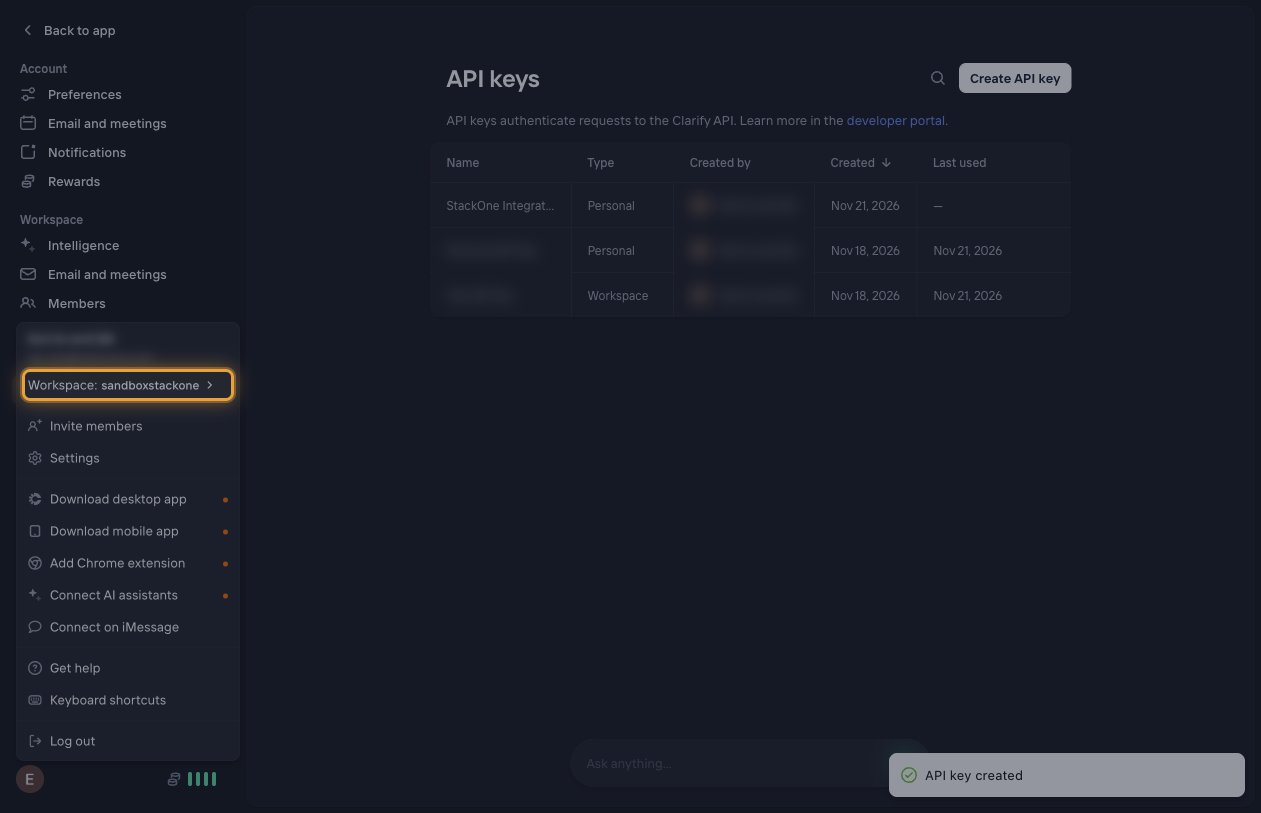
Copy the workspace slug
In Clarify, click your avatar in the bottom-left corner to open the user menu.
- Copy the Workspace: value to Workspace Slug in your Connector Profile.
- To connect accounts from different Clarify workspaces, use the Personal API Key (Multiple Companies) method instead.
Create the StackOne Connector Profile
1
Create a Connector Profile
Enable the connector and create a Connector Profile in your project. See Setup Connector Profile.
2
Link an Account
Once the Connector Profile is created, continue to link an account.