

Register an OAuth Application
Register an application in the BambooHR Developer Portal to enable OAuth 2.0 authentication.
1
Create an Application
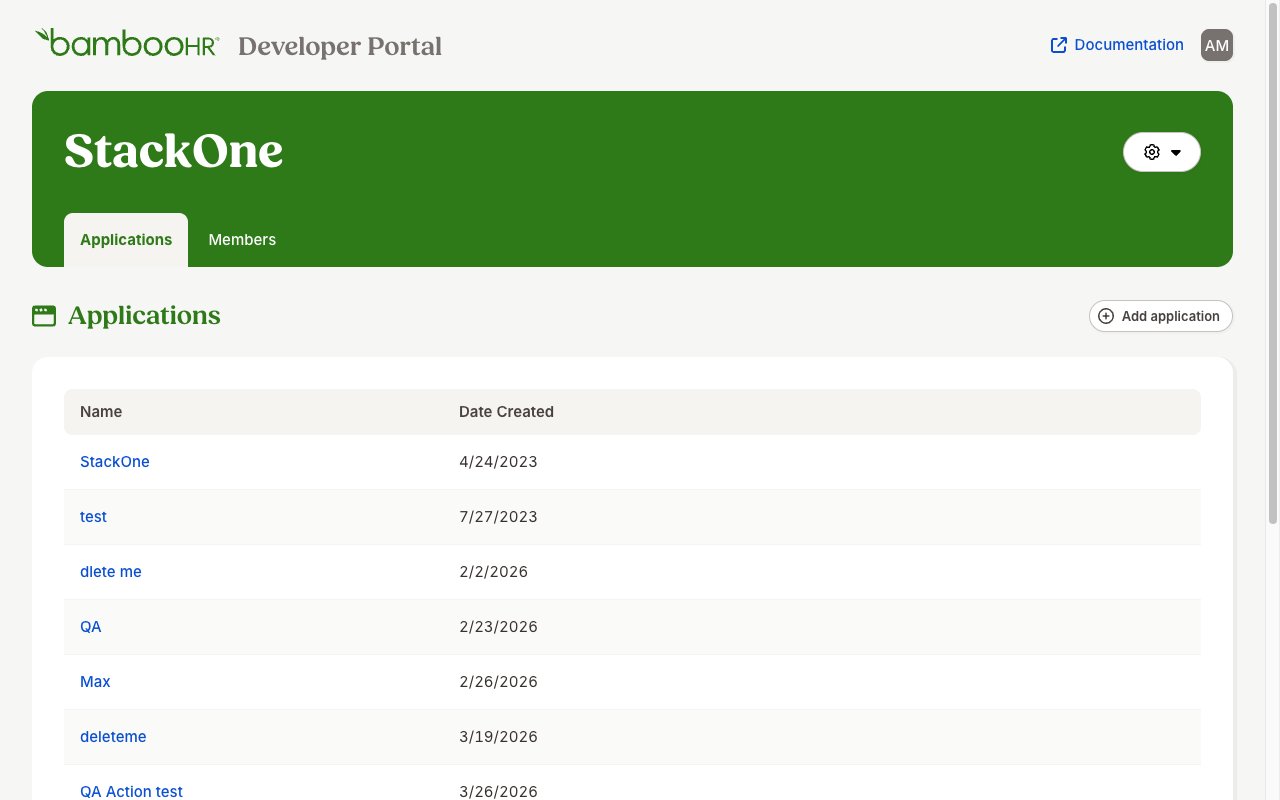
Sign in to the BambooHR Developer Portal.
- Click the Add application button in the top-right corner of the Applications list page.
- Enter
StackOne Integrationas the application name. - Click Create Application.
2
Configure Redirect URI
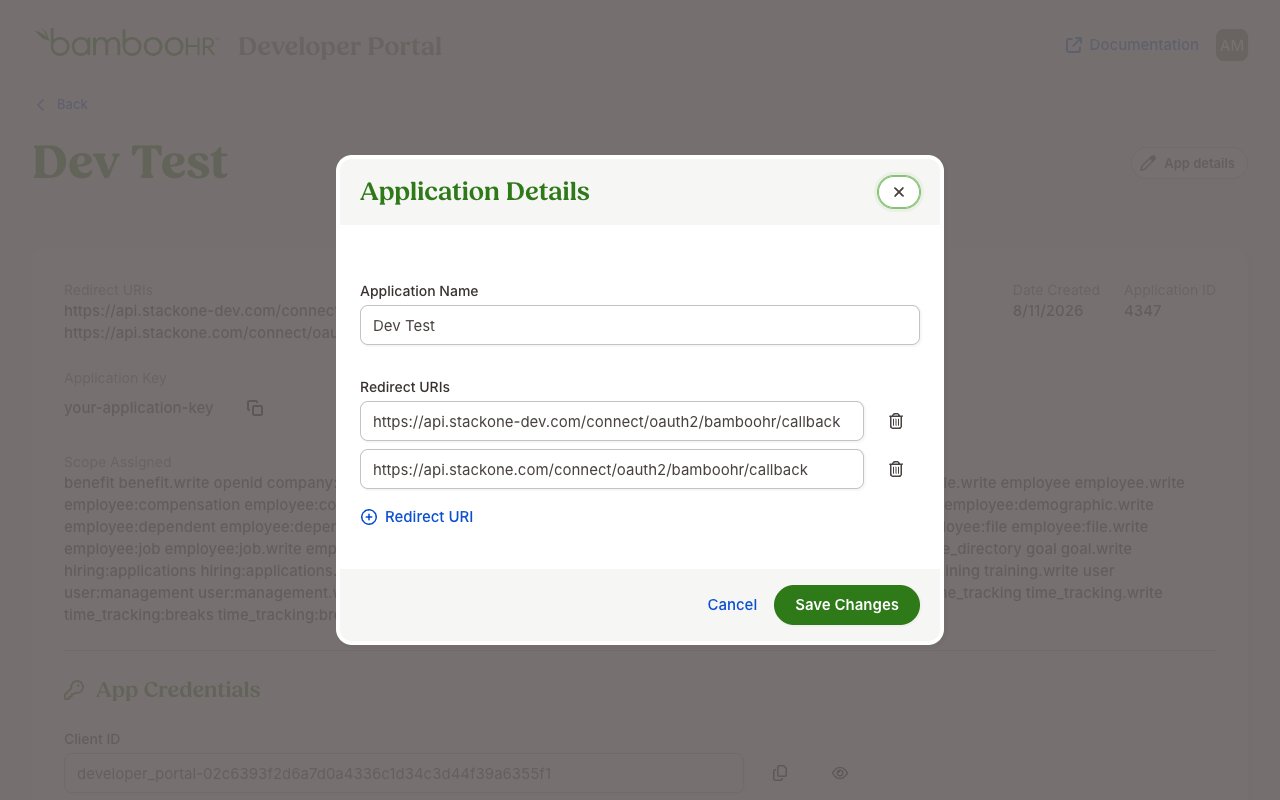
After being redirected to the app, click App details
- Redirect URIs: the Callback URL from your Connector Profile
- Click Save Changes.
3
Copy App Credentials
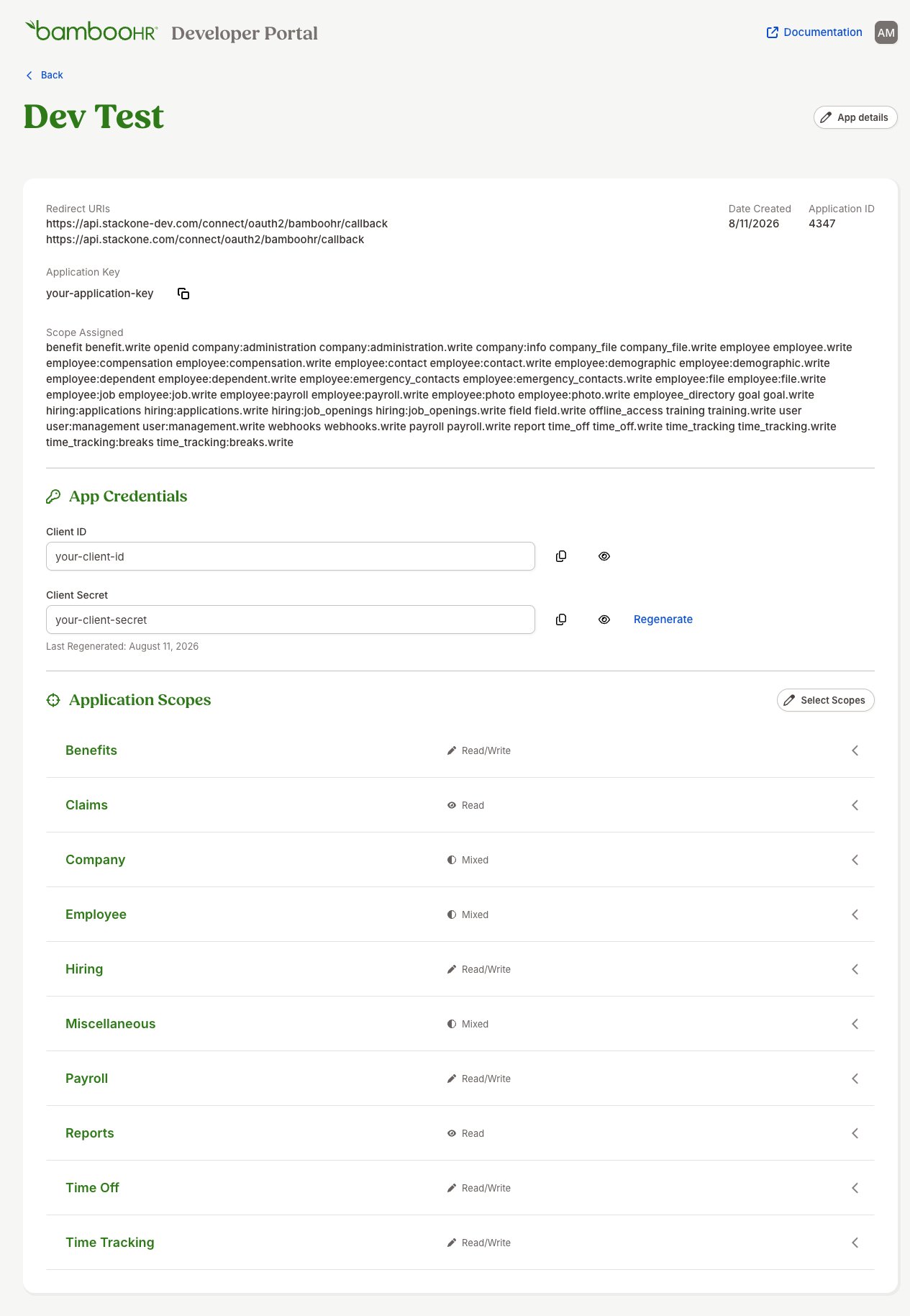
Under App Credentials, the Client ID and Client Secret are masked by default.
- Click the eye icon next to each value to reveal it.
- Copy the Client ID and Client Secret into your Connector Profile.
4
Select Application Scopes
Enables actions: Assign Time Off Policies, Clock In Employee, Clock Out Employee, Close Goal, Create Application Comment, Create Candidate, Create Company File Category, Create Employee, Create Employee Dependent, Create Employee File Category, Create Employee Training Record, Create Goal, Create Goal Comment, Create Hour Record, Create Or Update Clock Entries, Create Or Update Hour Entries, Create Or Update List Values, Create Project Task, Create Table Row, Create Time Off History Item, Create Time Off Request, Create Time Tracking Project, Create Training Category, Create Training Type, Create Webhook, Delete Clock Entries, Delete Company File, Delete Employee Training Record, Delete Goal, Delete Hour Entries, Delete Hour Record, Delete Table Row, Delete Training Type, Delete Webhook, Get Changed Employee IDs, Get Company Information, Get Dataset Data, Get Dataset Fields, Get Report, List Company Holidays, List Datasets, List Employees Directory, List Project Tasks, List Reports, List Shift Differentials, List Time Tracking Projects, Reopen Goal, Request Custom Report, Update Applicant Status, Update Company File, Update Employee, Update Employee Dependent, Update Employee Training Record, Update Goal, Update Hour Record, Update Table Row, Update Time Off Balance, Update Time Off Request Status, Update Webhook, Upload Company File, Upload Employee File, Upload Employee Photo
On the App details page, scroll down to the Application Scopes section. Enable openid, offline_access and every scope listed.
Create the StackOne Connector Profile
1
Create a Connector Profile
Enable the connector and create a Connector Profile in your project. See Setup Connector Profile.
2
Link an Account
Once the Connector Profile is created, continue to link an account.