

Create an app and copy its Bearer Token
A Bearer Token gives app-level read access to public X data without a user signing in. A new app shows its Bearer Token once, when you create it.
Sign in to the X Developer Console
Sign in to your X Developer Console account with your X account.
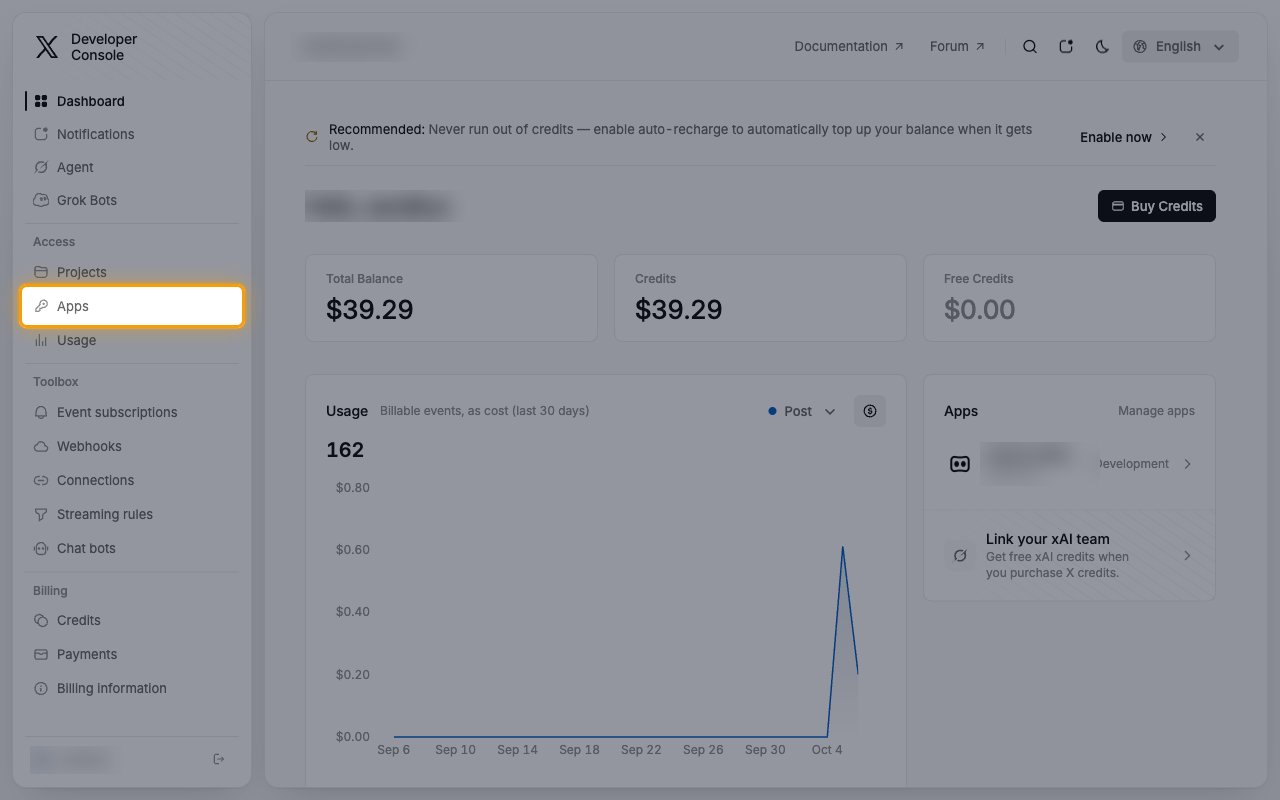
- In the left sidebar, under Access, click Apps.
Start a new app
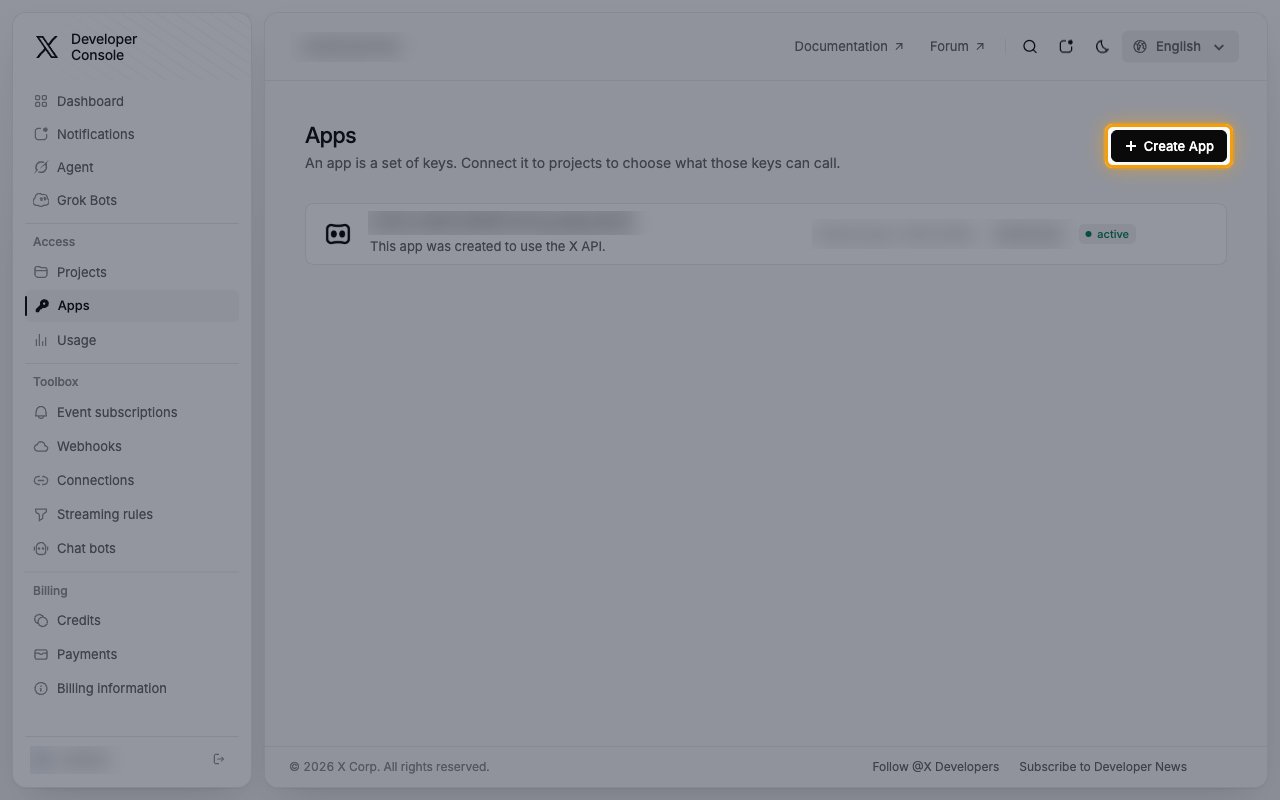
On the Apps page, click Create App. If you already have an app, skip to the next section to regenerate its Bearer Token.
Name the app and create it
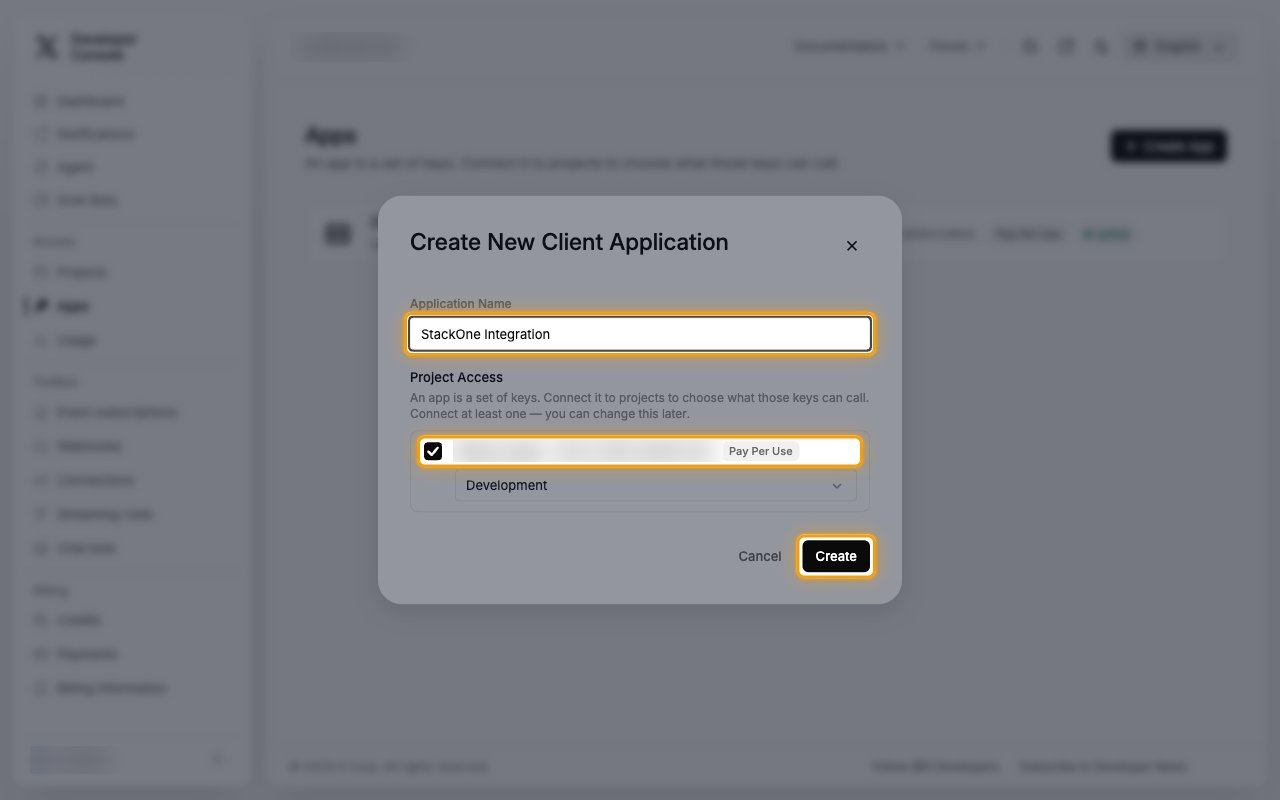
In the Create New Client Application dialog, enter the app details.
- Application Name:
StackOne Integration - Under Project Access, keep your project selected so the app’s keys can call the X API.
- Click Create.
Copy the Bearer Token
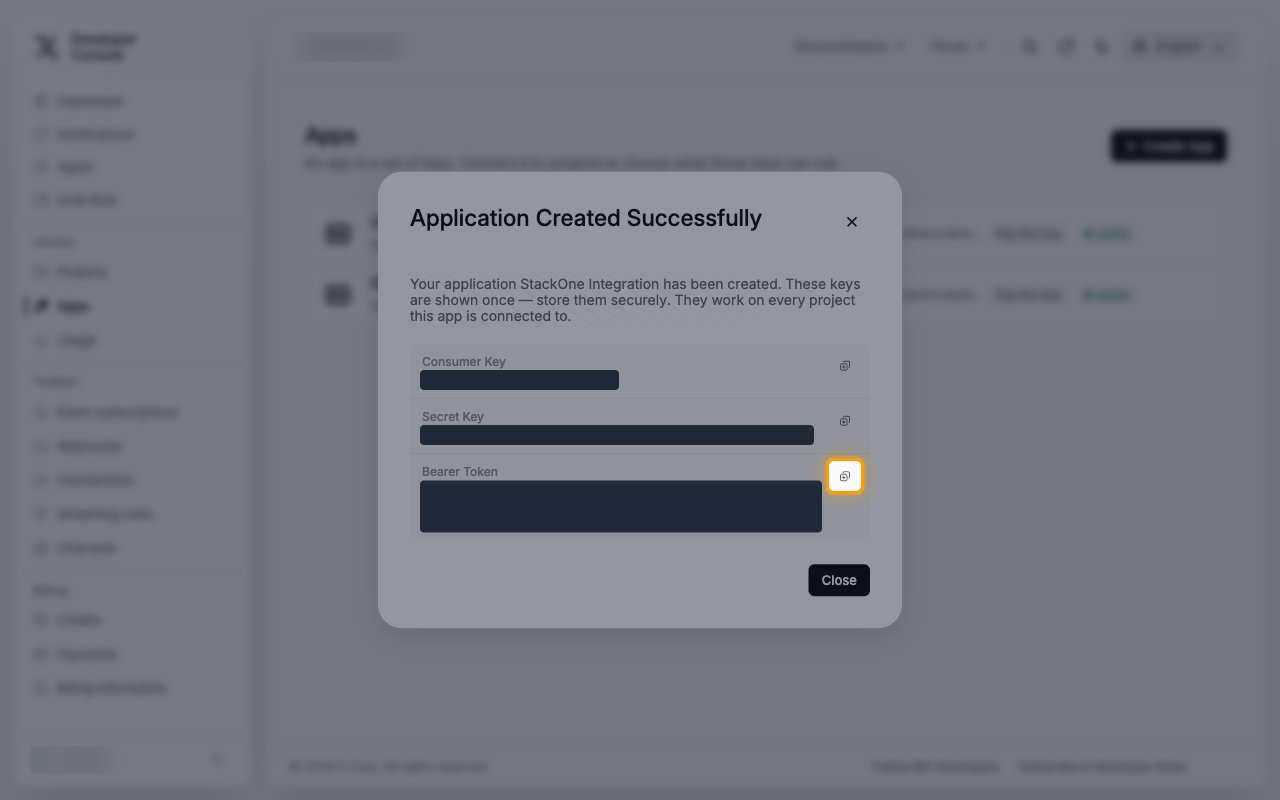
In the Application Created Successfully dialog, click the copy button next to Bearer Token.
- Paste it into the Bearer Token field in StackOne Hub.
- These keys are shown only once. Store the Bearer Token securely for use later, then click Close.
Regenerate the Bearer Token of an existing app
Use this if your app already exists or you no longer have its Bearer Token.
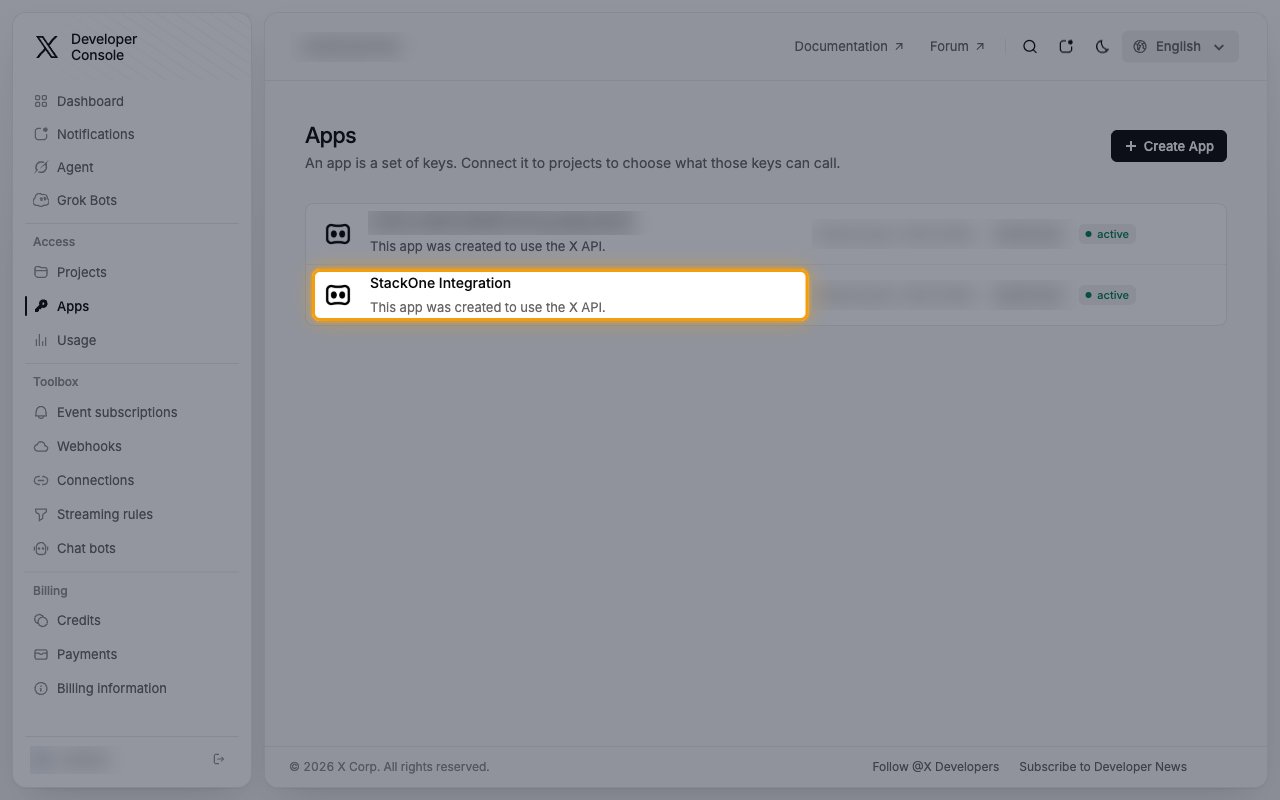
Open your app
On the Apps page, click the app you want to use.
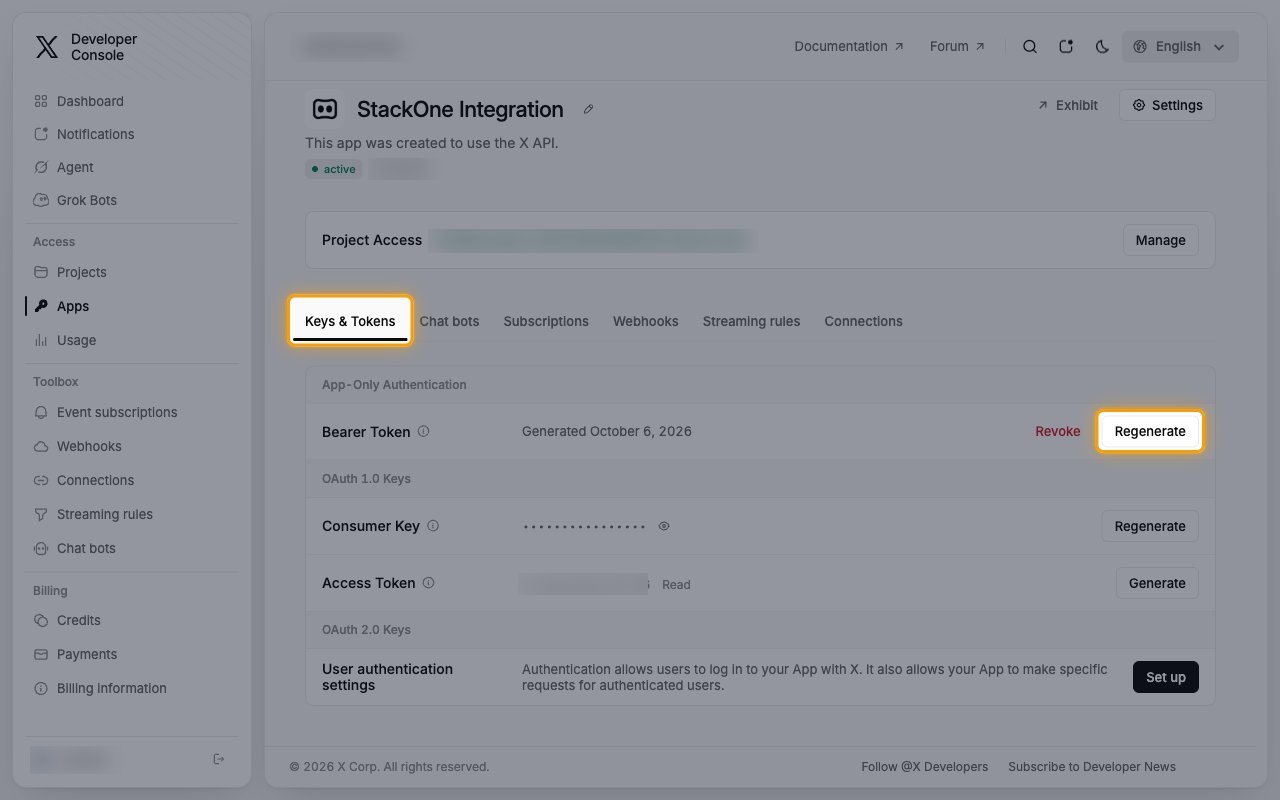
Generate a new Bearer Token
On the Keys & Tokens tab, under App-Only Authentication, click Regenerate next to Bearer Token.
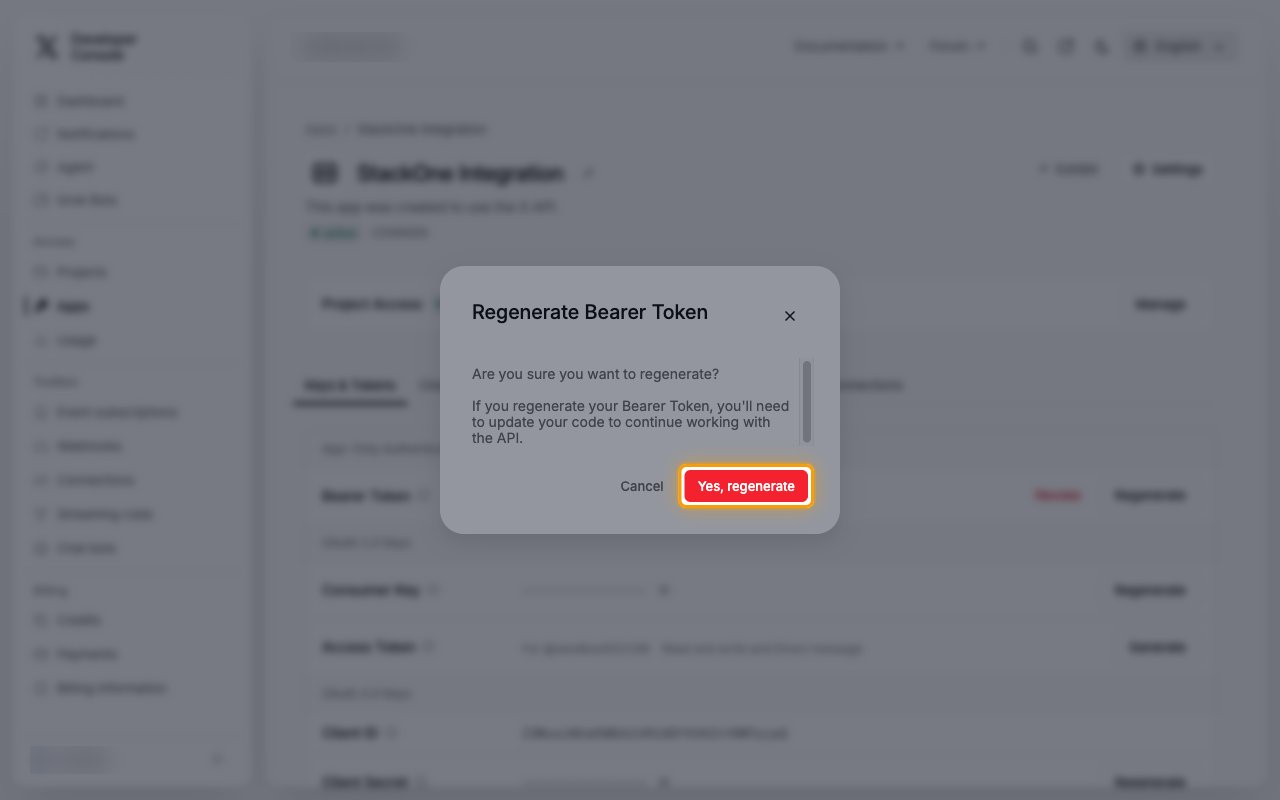
Confirm the regeneration
In the Regenerate Bearer Token dialog, click Yes, regenerate.
- Regenerating replaces the previous Bearer Token. Anything still using the old token stops working.
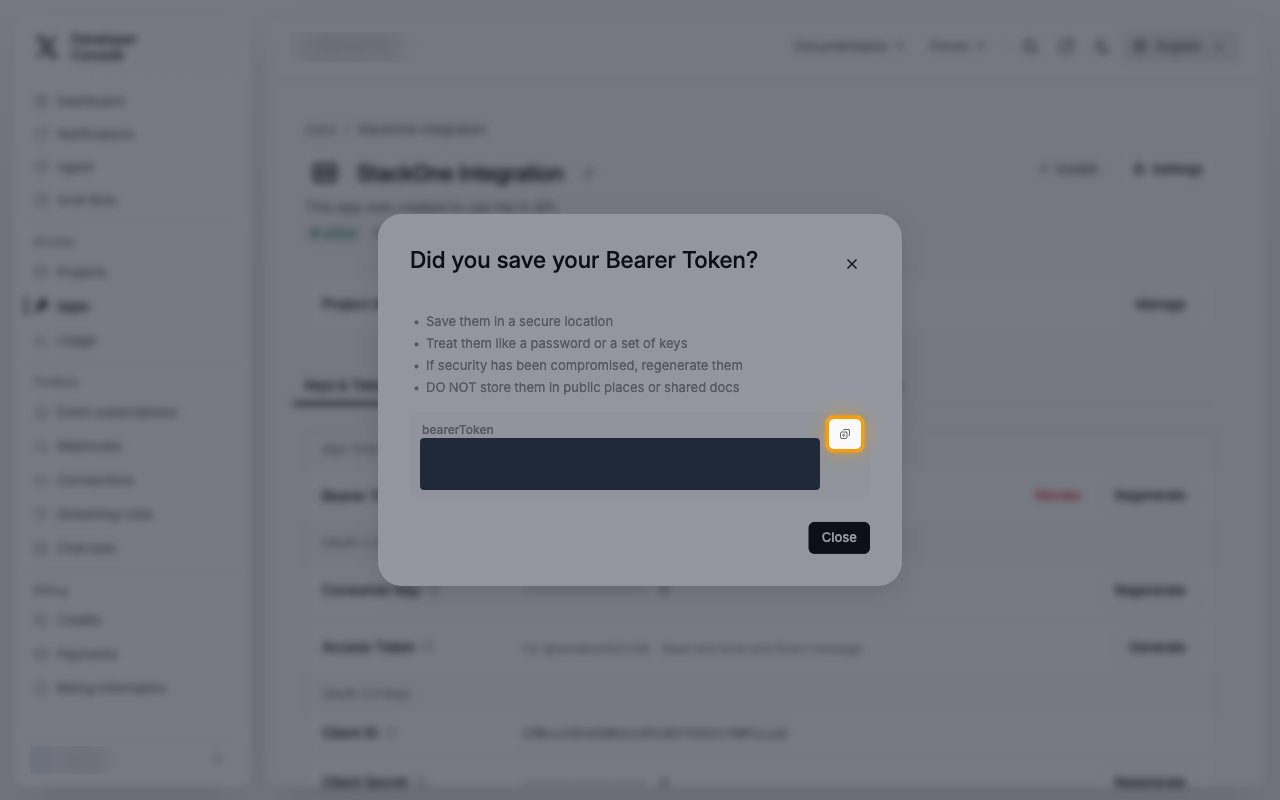
Copy the new Bearer Token
In the Did you save your Bearer Token? dialog, click the copy button next to the token.
- Paste it into the Bearer Token field in StackOne Hub.
- The Bearer Token is only displayed once and cannot be retrieved later. Store it securely for use later, then click Close.
Linking the Account from the Hub
Navigate to the Hub
Fill out the fields
- Bearer Token
Connect
- Click Connect
- If applicable, the provider will redirect you to a sign-in or authorization page. Complete the provider’s authorization flow.
- Once authorization is successful, you will see a confirmation popup
If the account linking is successful, you will see the newly linked account in your Accounts page.