

Register an owner-only OAuth 2.0 client on Meta-Wiki
The Access Token is issued by an owner-only OAuth 2.0 client on Meta-Wiki. An owner-only client is approved automatically and is usable immediately by the account that created it, and the access token it issues is long-lived (it does not expire).
Enter the application details
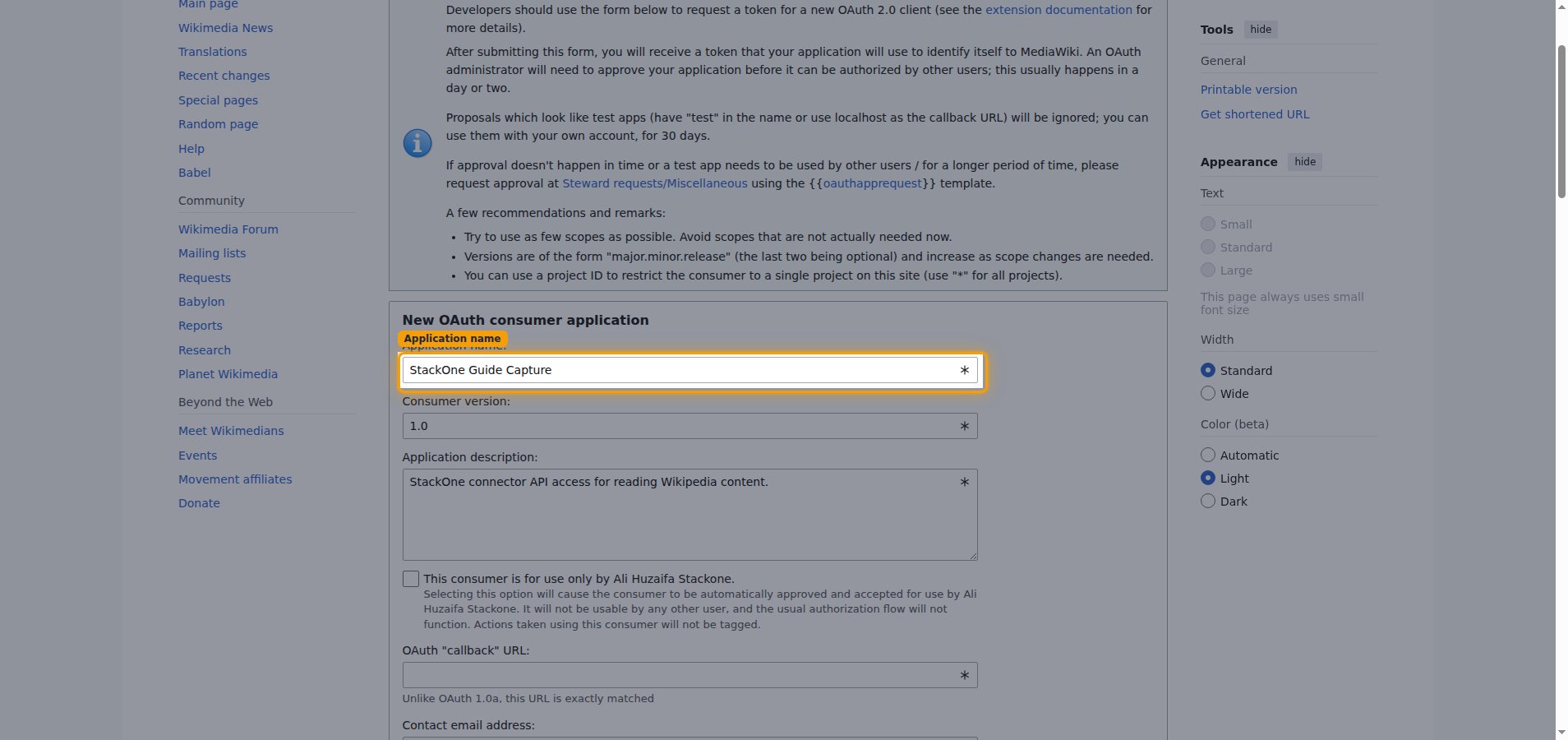
Sign in to your Meta-Wiki account, then open the OAuth consumer registration page. If the link does not open the form directly, navigate there via Special pages → OAuth consumer registration → Propose new OAuth 2.0 client. In the New OAuth consumer application section, describe your client.
- Application name: enter a descriptive name — for example,
StackOne. - Consumer version: leave as
1.0. - Application description: briefly describe how the client is used.
- Applicable project: leave as
*to allow all projects. - Allowed IP ranges: leave the default (
0.0.0.0/0and::/0), which allows requests from any IP address. - Allowed pages for editing: leave blank unless you need to restrict editing to specific pages.
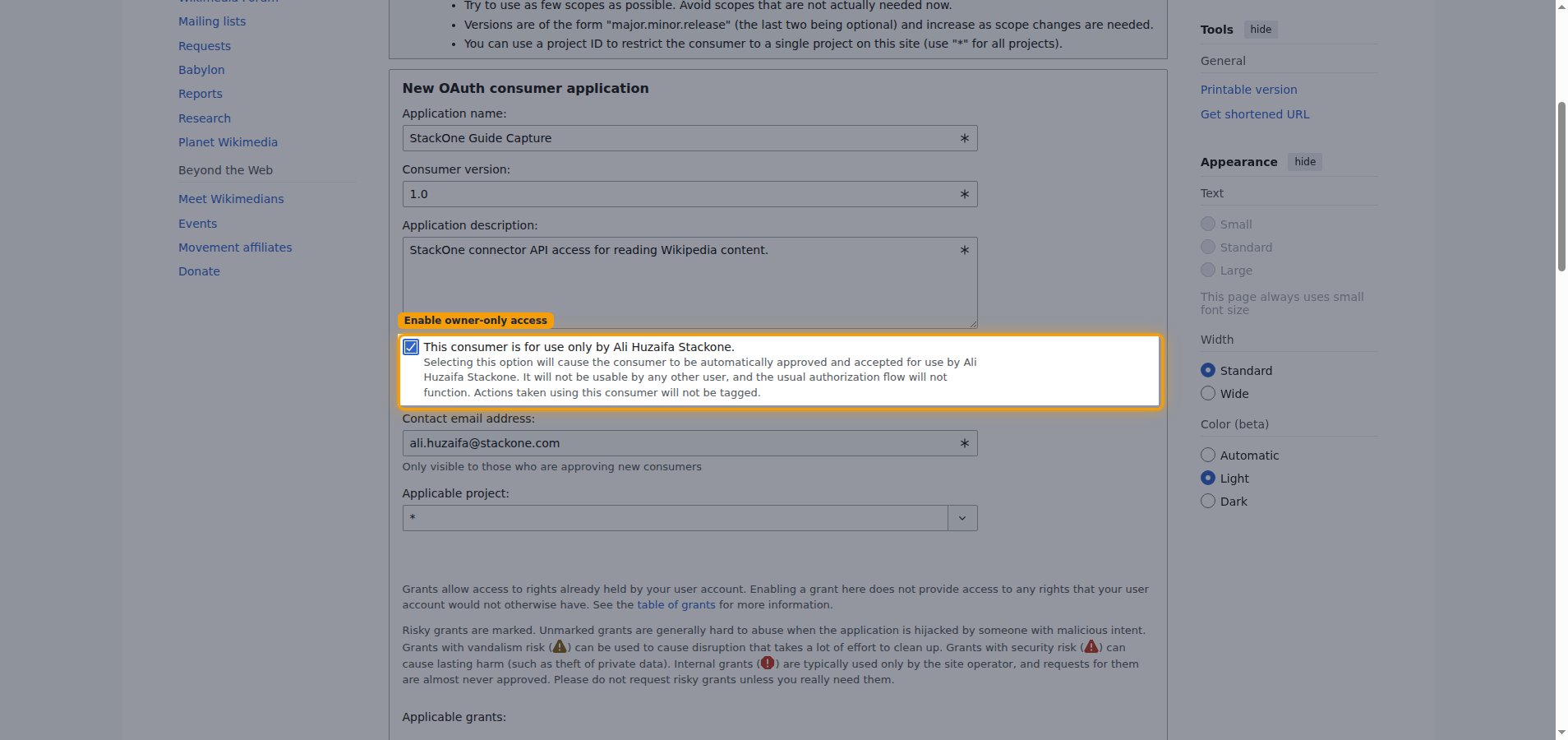
Enable owner-only access
Check This consumer is for use only by [your username]. Selecting this option causes the client to be automatically approved and accepted for use by your account, so no administrator review is needed.
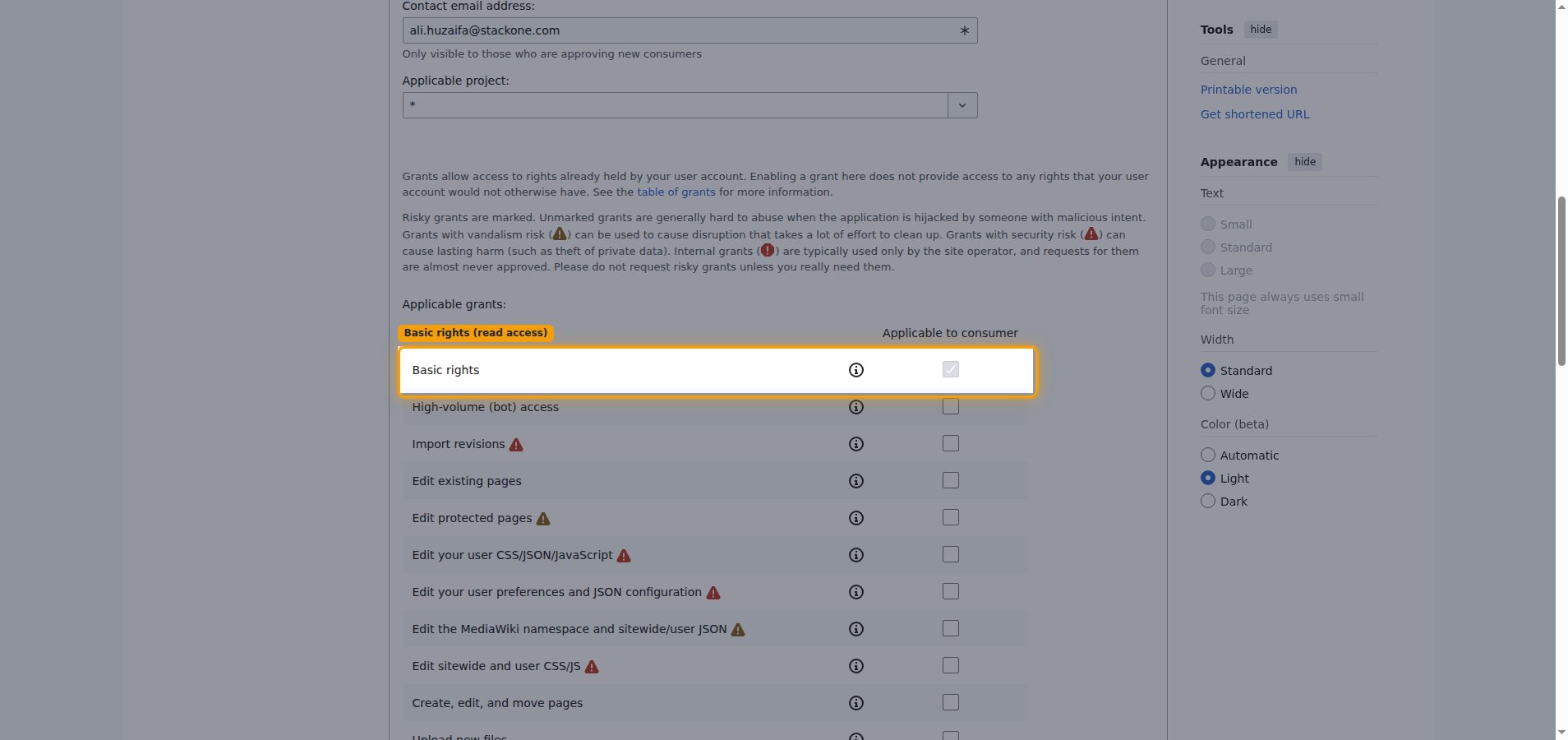
Check the read permissions
Under Applicable grants:, Basic rights is enabled by default and is sufficient for reading Wikipedia content. Leave the other, higher-risk grants unchecked.
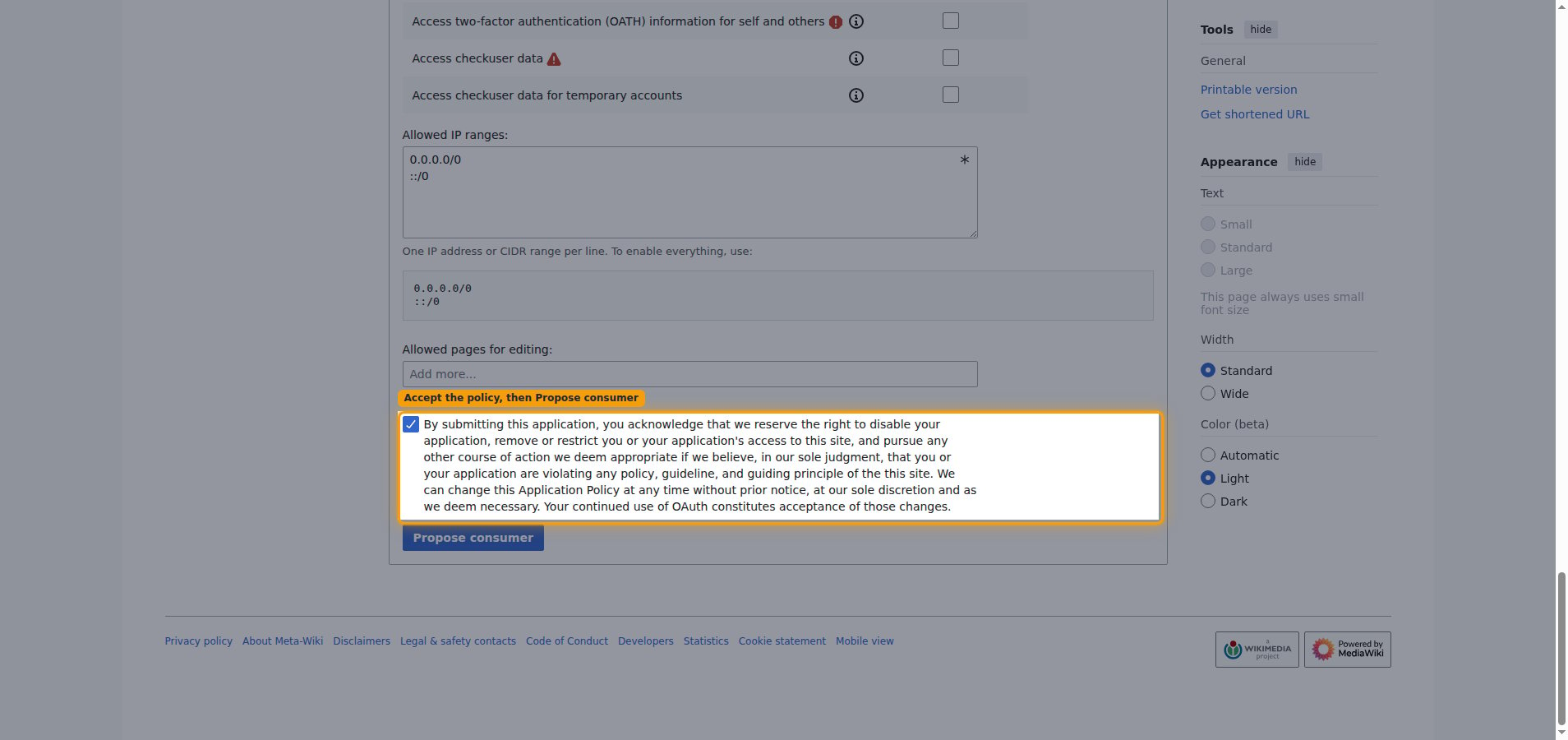
Accept the policy and submit
Check the application policy acknowledgement — the By submitting this application, you acknowledge… statement — then click Propose consumer. This checkbox is required; the form will not submit until it is ticked.
Copy your access token
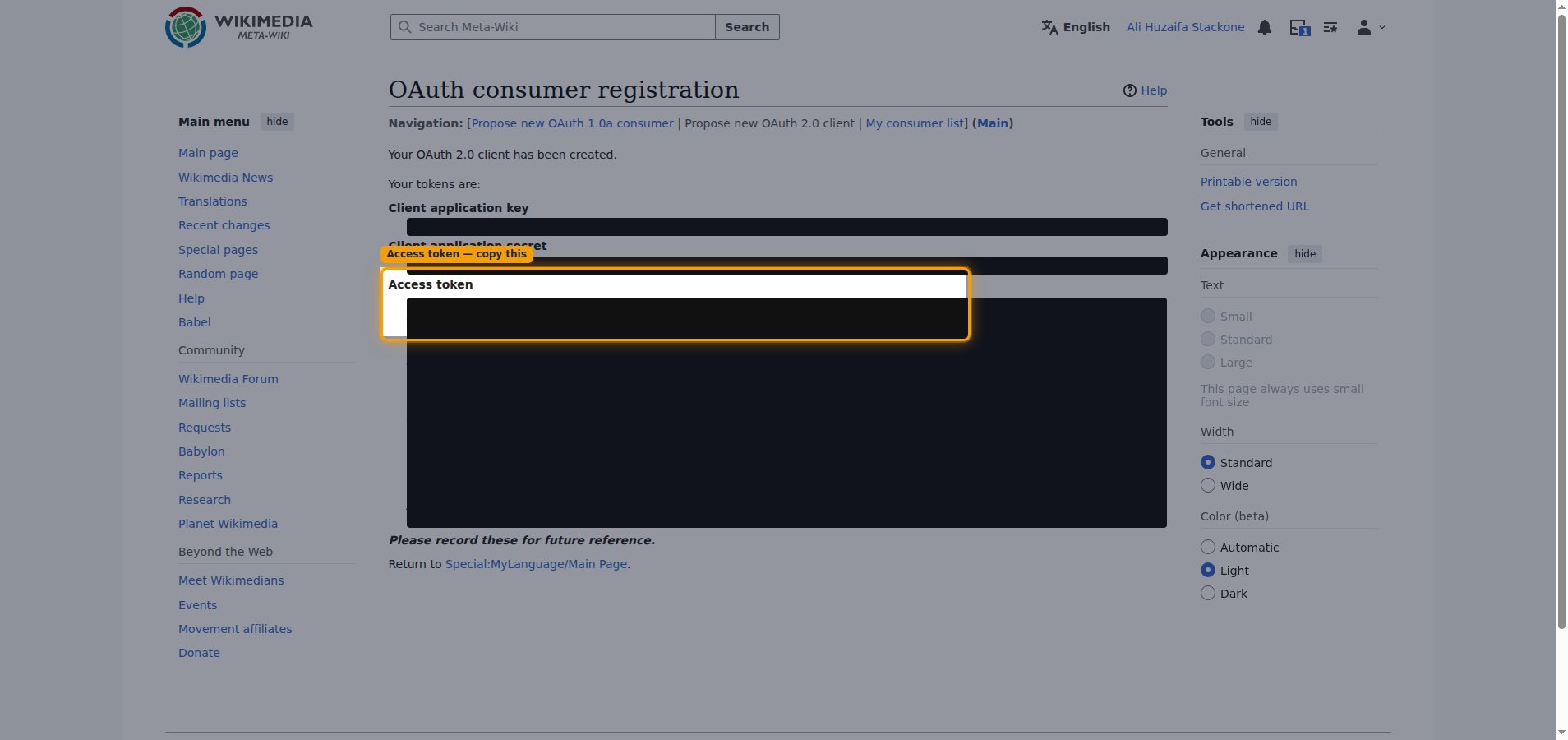
Meta-Wiki shows Your OAuth 2.0 client has been created. with Your tokens are: listing the Client application key, Client application secret, and Access token.
- Copy the Access token value and paste it into the Access Token field in StackOne Hub.
- The tokens are displayed only once and cannot be retrieved later — record them now.
- The access token is long-lived and does not expire, so no periodic renewal is required.
Choose your language edition
Your language edition selects which language edition of Wikipedia this connection reads from.
Select the Language Code
The Language Code field is a dropdown listing every available Wikipedia edition.
- Open the Language Code dropdown in StackOne Hub and select your edition.
- Each option shows the language name and its code — the subdomain before
.wikipedia.org(for example,enforhttps://en.wikipedia.org). - Common choices: English (en), Spanish (es), French (fr), German (de), Japanese (ja).
Linking the Account from the Hub
Navigate to the Hub
Fill out the fields
- Access Token
- Language Code
Connect
- Click Connect
- If applicable, the provider will redirect you to a sign-in or authorization page. Complete the provider’s authorization flow.
- Once authorization is successful, you will see a confirmation popup
If the account linking is successful, you will see the newly linked account in your Accounts page.