

Get your WhoisXML API key
WhoisXML API uses a single account API key that works across every subscribed product (WHOIS, DNS Lookup, IP Geolocation, Email Verification, and more). Copy it from your account dashboard and paste it into StackOne Hub.
Sign in to your WhoisXML API account
Sign in to your WhoisXML API account using the email and password for your WhoisXML API account.
Open the account menu
Click your profile icon in the top-right corner of the dashboard to open the account menu.
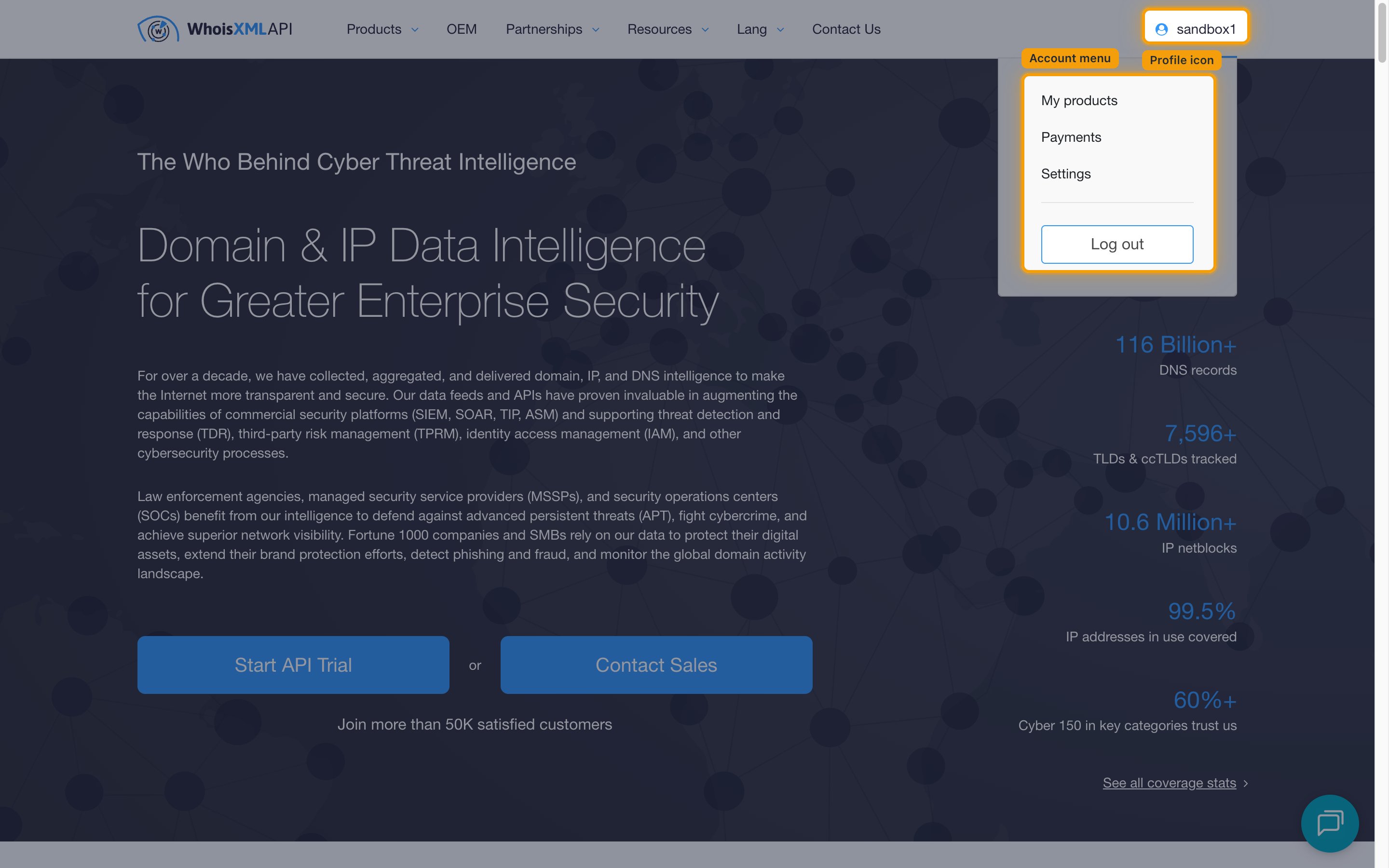
Open the My products page
Select My products from the menu. Your key is displayed at the top of the page beside the Your API key: label.
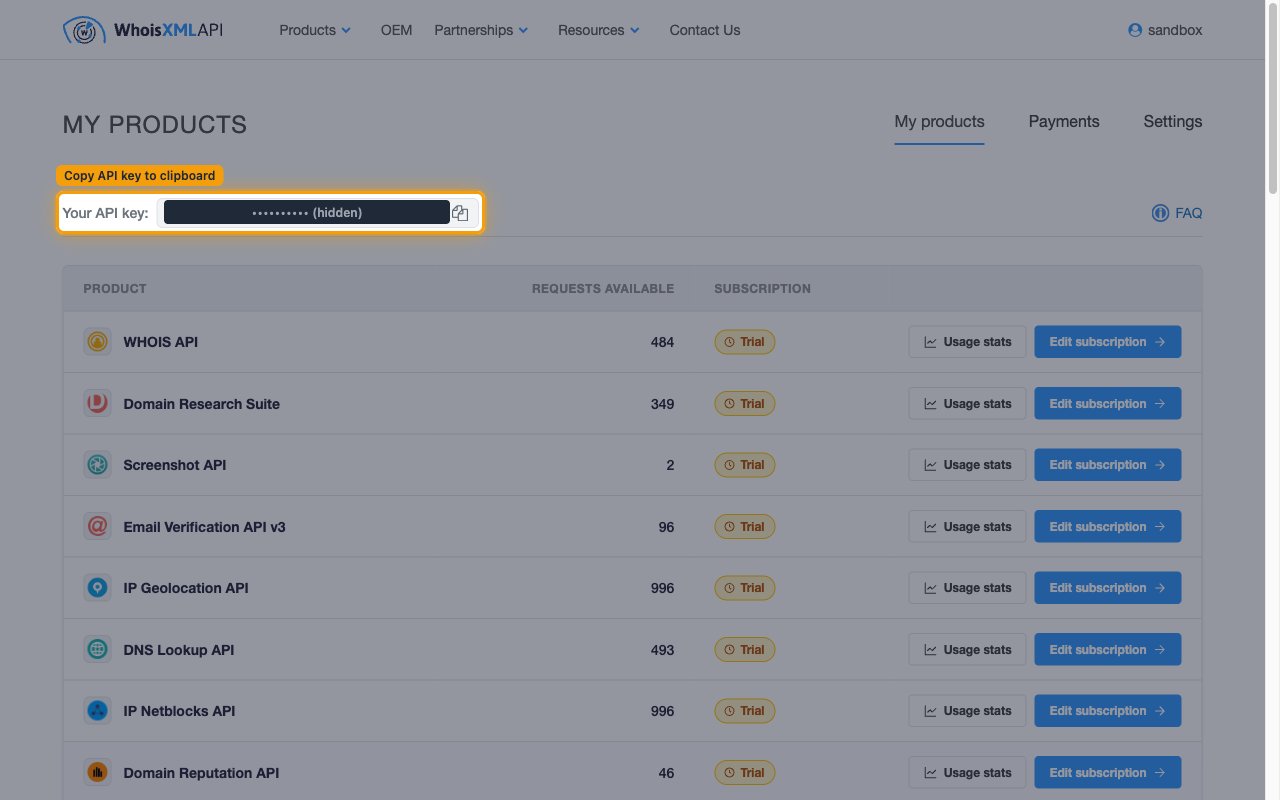
Copy your API key
Click the Copy API key to clipboard button next to Your API key: to copy the key, then paste it into the API Key field in StackOne Hub.
- Format:
at_followed by a long alphanumeric string (for exampleat_xxxxxxxxxxxxxxxxxxxxxxxxxxxxx). - The key is always available on the My products page, so you can return here to copy it again at any time.
- The same key authenticates every WhoisXML product on your account, and each request draws credits from that product’s subscription.
Linking the Account from the Hub
Navigate to the Hub
Fill out the fields
- API Key
Connect
- Click Connect
- If applicable, the provider will redirect you to a sign-in or authorization page. Complete the provider’s authorization flow.
- Once authorization is successful, you will see a confirmation popup
If the account linking is successful, you will see the newly linked account in your Accounts page.