

Find your WhatsApp Business Account ID
The WhatsApp Business Account ID (WABA ID) identifies the WhatsApp account whose phone numbers, templates, and webhooks the connection uses.
Copy the ID in Business Settings
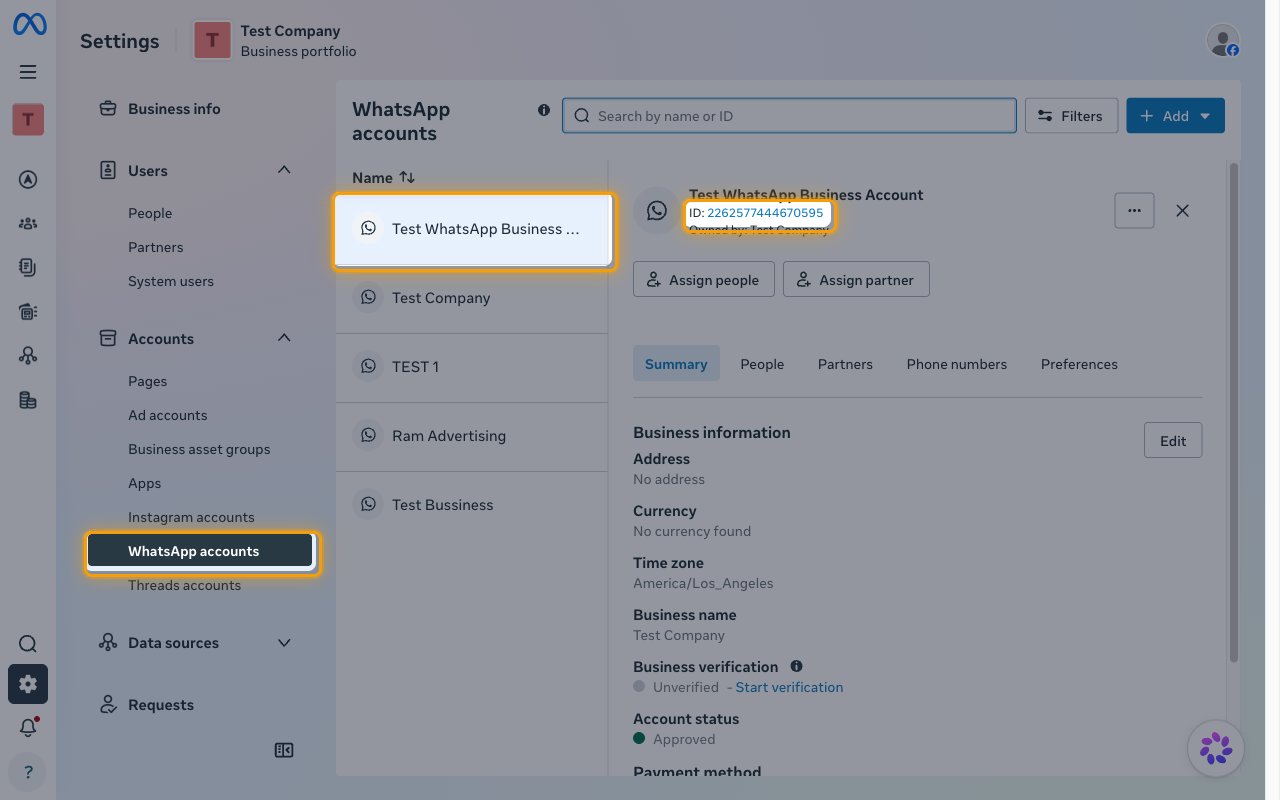
Go to Meta Business Settings and open Accounts > WhatsApp accounts.
- Select your WhatsApp account.
- Copy the number shown after ID: and paste it into the WhatsApp Business Account ID field in StackOne Hub.
- Format: a numeric ID such as
102290129340398
Find your Phone Number ID (optional)
The Phone Number ID is the ID Meta assigns to a business phone number, not the phone number itself. When it is set, actions that send messages, upload media, or manage a phone number use it by default. Leave it empty to pass phone_number_id on each action instead, or look it up later with the Get WhatsApp Business Account Phone Numbers action.
Open the Phone numbers tab
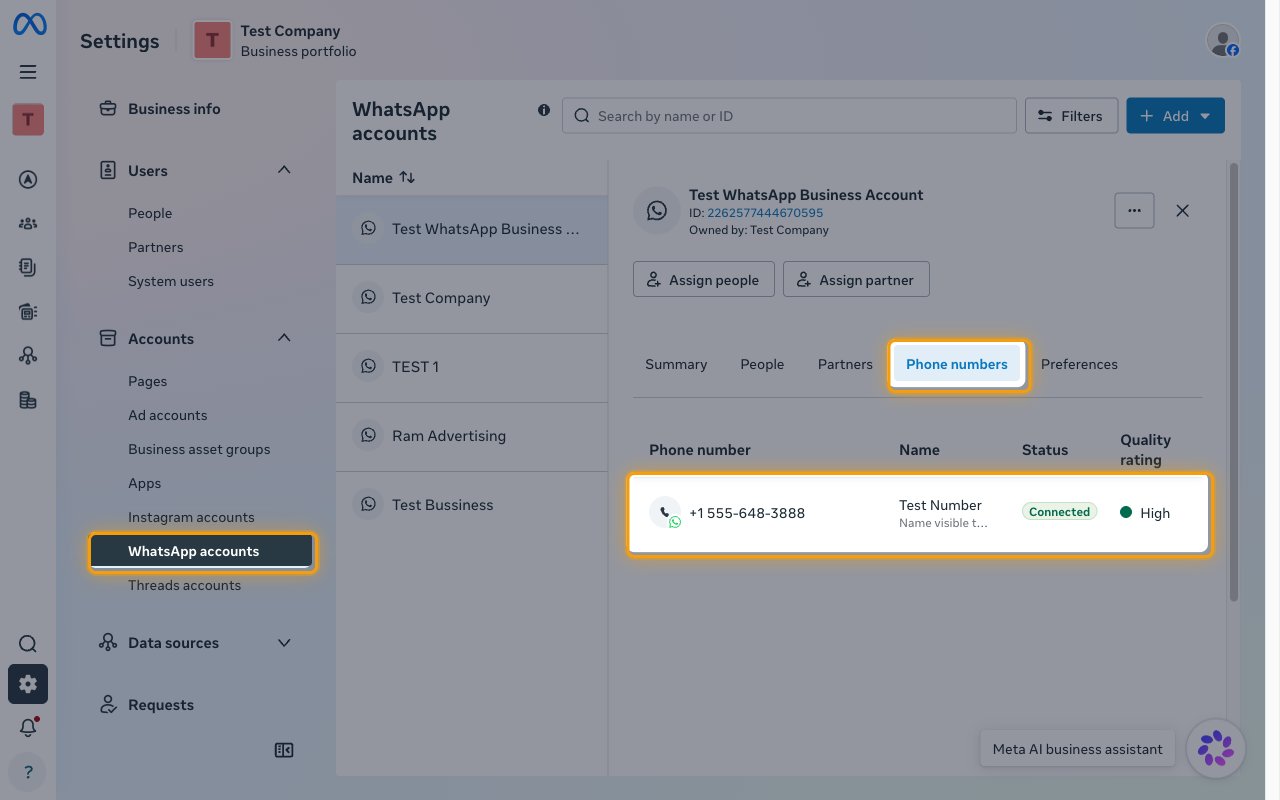
In Business Settings, open Accounts > WhatsApp accounts, select the same WhatsApp account you used for the WABA ID, and open the Phone numbers tab.
- Click the phone number you want to send from.
Copy the Phone Number ID
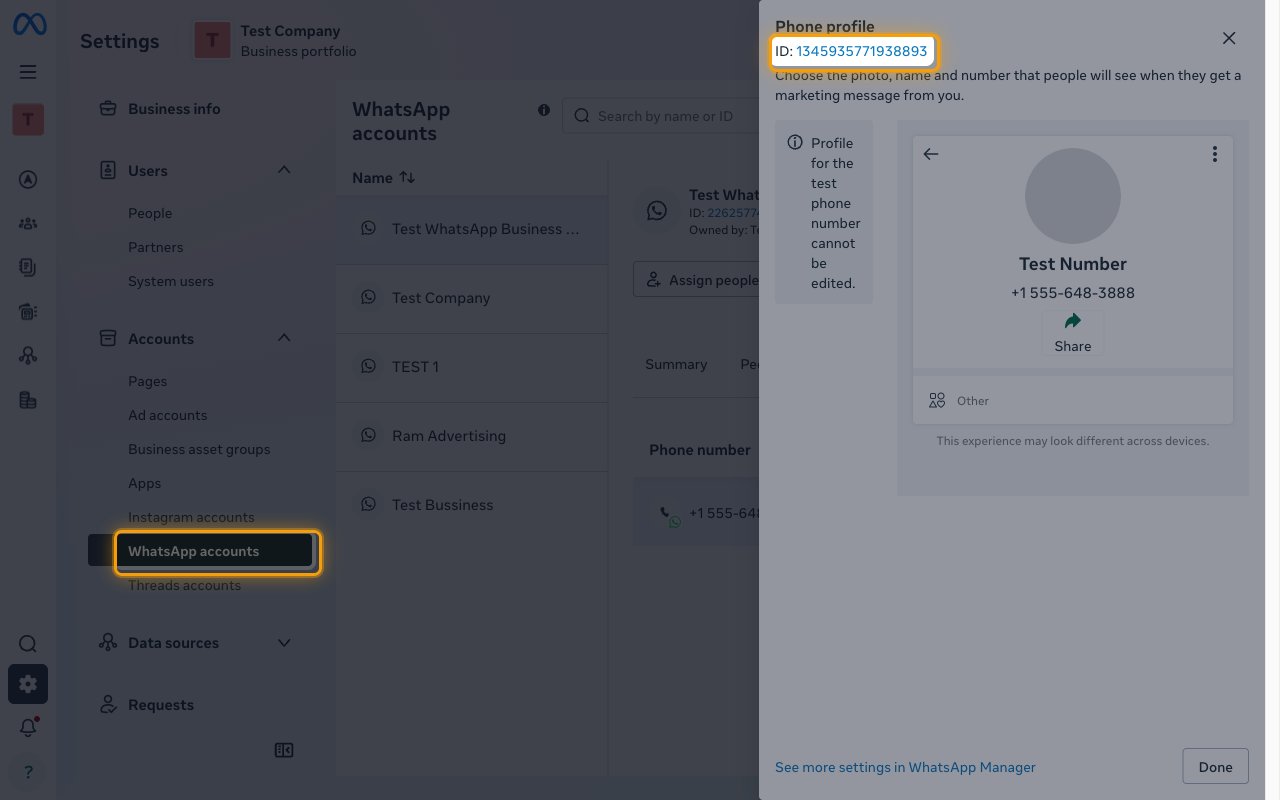
The Phone profile panel opens with the Phone Number ID shown after ID:.
- Copy the number shown after ID: and paste it into the Phone Number ID field in StackOne Hub.
- Click Done to close the panel.
- Format: a numeric ID such as
106540352242922
Use your Native Webhook URL
Native Webhook URL is generated by StackOne for this account after it connects and identifies the account to StackOne. To receive WhatsApp events, set it as the callback URL in your Meta app’s WhatsApp webhook configuration and subscribe to the webhook fields you need, as described in the WhatsApp Business events setup guide.
Linking the Account from the Hub
Navigate to the Hub
Fill out the fields
- WhatsApp Business Account ID
- Phone Number ID (Optional)
Connect
- Click Connect
- If applicable, the provider will redirect you to a sign-in or authorization page. Complete the provider’s authorization flow.
- Once authorization is successful, you will see a confirmation popup
If the account linking is successful, you will see the newly linked account in your Accounts page.
Next Steps
Webhooks setup
Configure receiving Events for WhatsApp Business into StackOne.