

Prerequisites
The connector should already be set up, with a Connector Profile and a Linked Account. See Getting Started on the Weights & Biases connector page.1. Get your W&B team slug
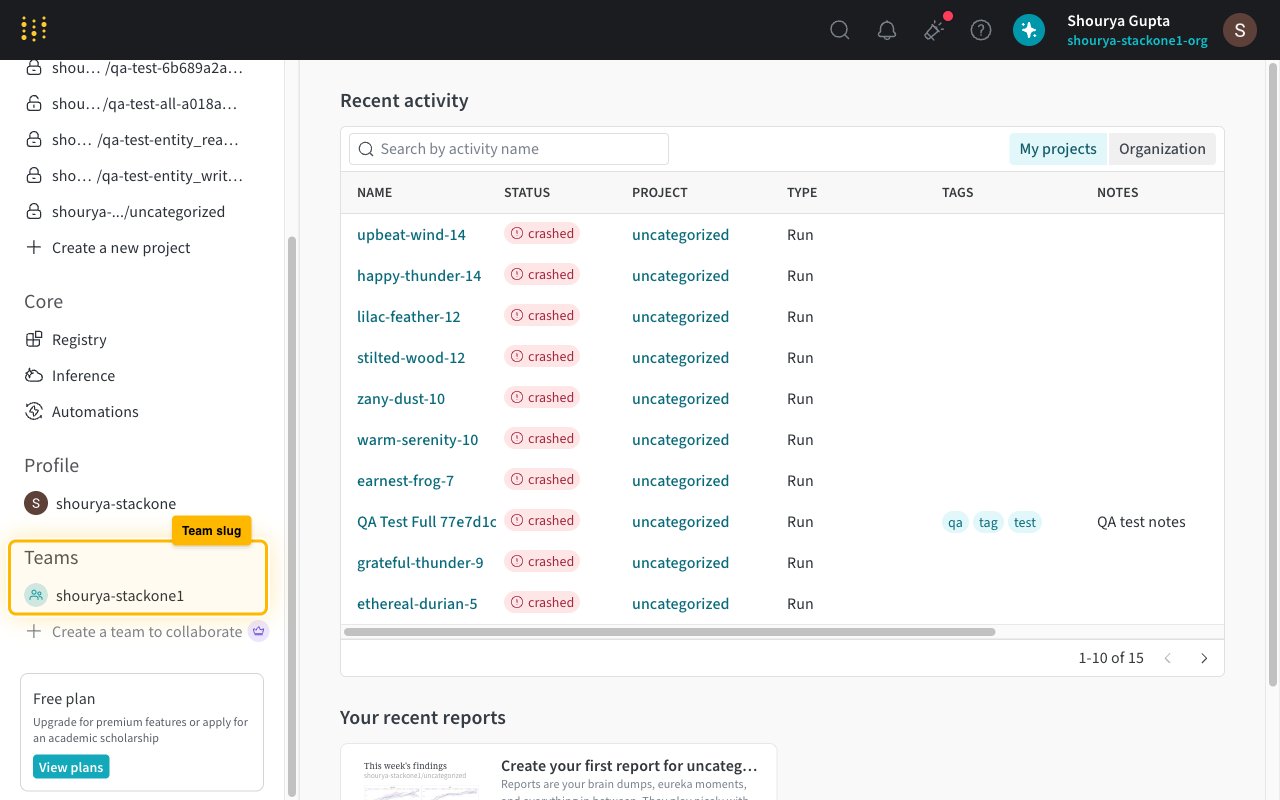
The team slug is the segment right after wandb.ai/ in any W&B URL. It also appears in the left sidebar of the W&B home page.
Copy it from any W&B URL
Open a team or project page. The part right after wandb.ai/ is your team slug — for https://wandb.ai/acme-research/model-training the slug is acme-research.
Or read it from the sidebar
Open wandb.ai/home. In the left sidebar, the Teams section lists every team you belong to — each entry is a team slug. Pick the one you want events for.
2. Get your W&B project names
Project names are the URL segment right after your team slug. StackOne registers one webhook trigger per project per event, so list them comma-separated.
Copy a name from any project URL
Navigate to a project. The URL pattern is https://wandb.ai/<team>/<project> — the <project> part is the name to paste.
Or open your team's projects list
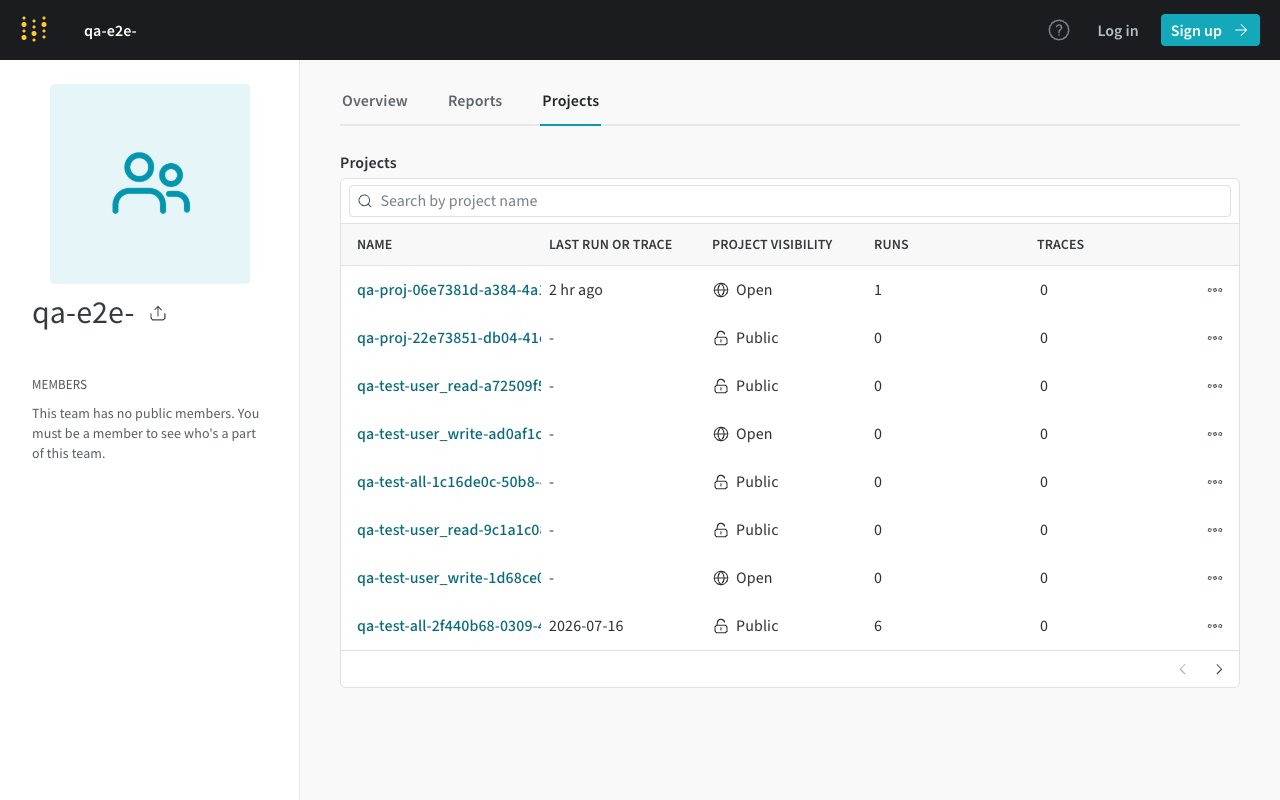
Go to https://wandb.ai/<team>/projects (swap in your team slug). The Name column lists every project — each value is exactly what you paste into the connection.
Enter them comma-separated
In W&B Project Names, enter one or more names separated by commas with no spaces — for example model-training,data-pipeline,experiments. Toggling an event on then creates one trigger per project.
3. What happens after you enable an event
StackOne handles all W&B provisioning through the GraphQL API — no clicks in the W&B UI are needed after connect time.
One webhook per team + one trigger per project
Each event you enable creates one webhook integration on your team (visible under Team Settings → Webhooks) and one automation trigger per project (visible in the team’s Automations tab). Toggling the event off removes both.
The API key must belong to a team admin
Creating integrations and triggers requires the API-key holder to be an admin or owner of the team named in W&B Team. A non-admin key will fail when you enable an event.
Payloads are unsigned by default
StackOne registers webhooks without a signing secret because W&B requires Team Secrets to be created manually in the UI (no public secrets API). Delivery authenticity relies on the unguessable callback URL. To turn on HMAC-SHA256 signatures, create a Team Secret in Team Settings → Secrets and edit the auto-generated integration to reference it — the X-Wandb-Signature header will then carry HMAC-SHA256(rawBody, secretValue) hex-encoded.