

Create the Vercel Integration
A Vercel Integration belongs to the team that creates it. Its API scopes decide what each linked account can read and change.
Start the integration
Sign in to the Vercel Integrations Console with the team that will own the integration.
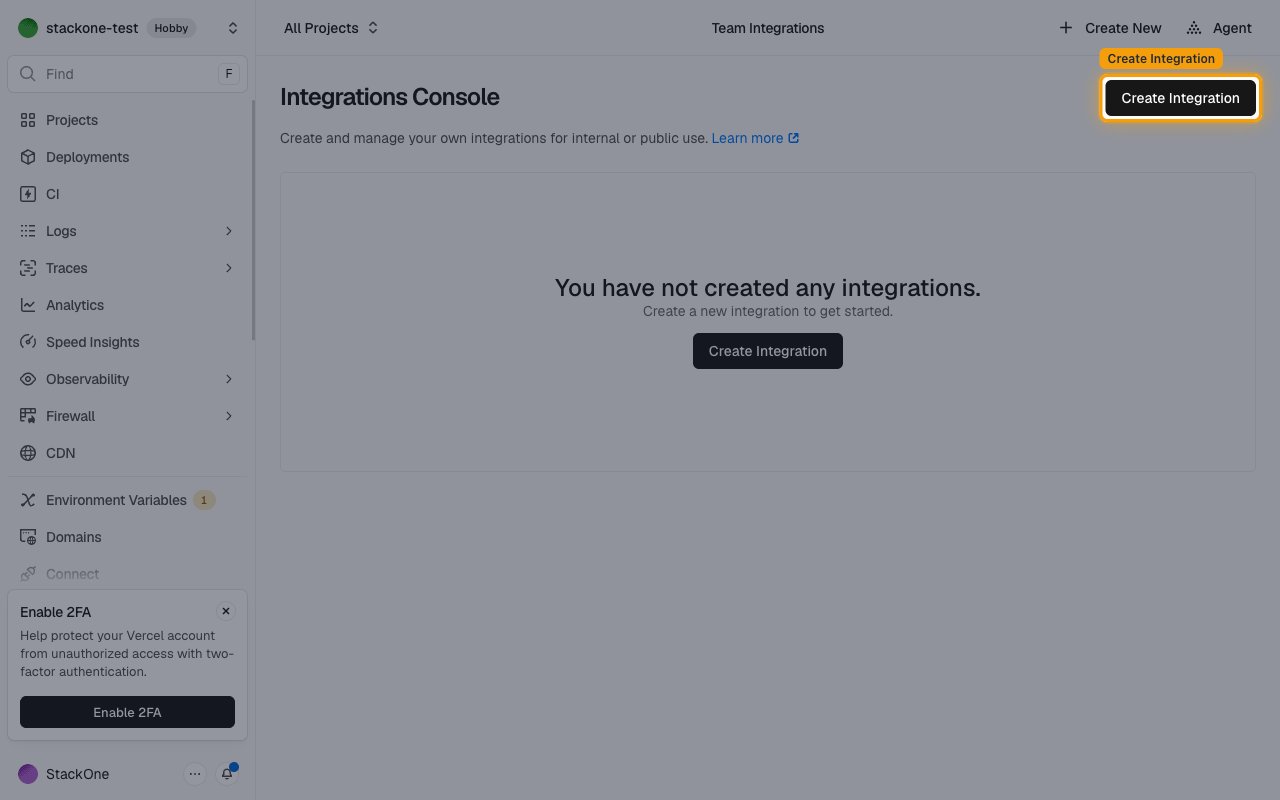
- Click Create Integration.
Fill in the profile
Complete the Profile section of the form.
- Name: A unique name for the integration, such as
StackOne Integration - Logo: Your logo
- Category: The category that fits your product
- Short Description: Short summary of the integration
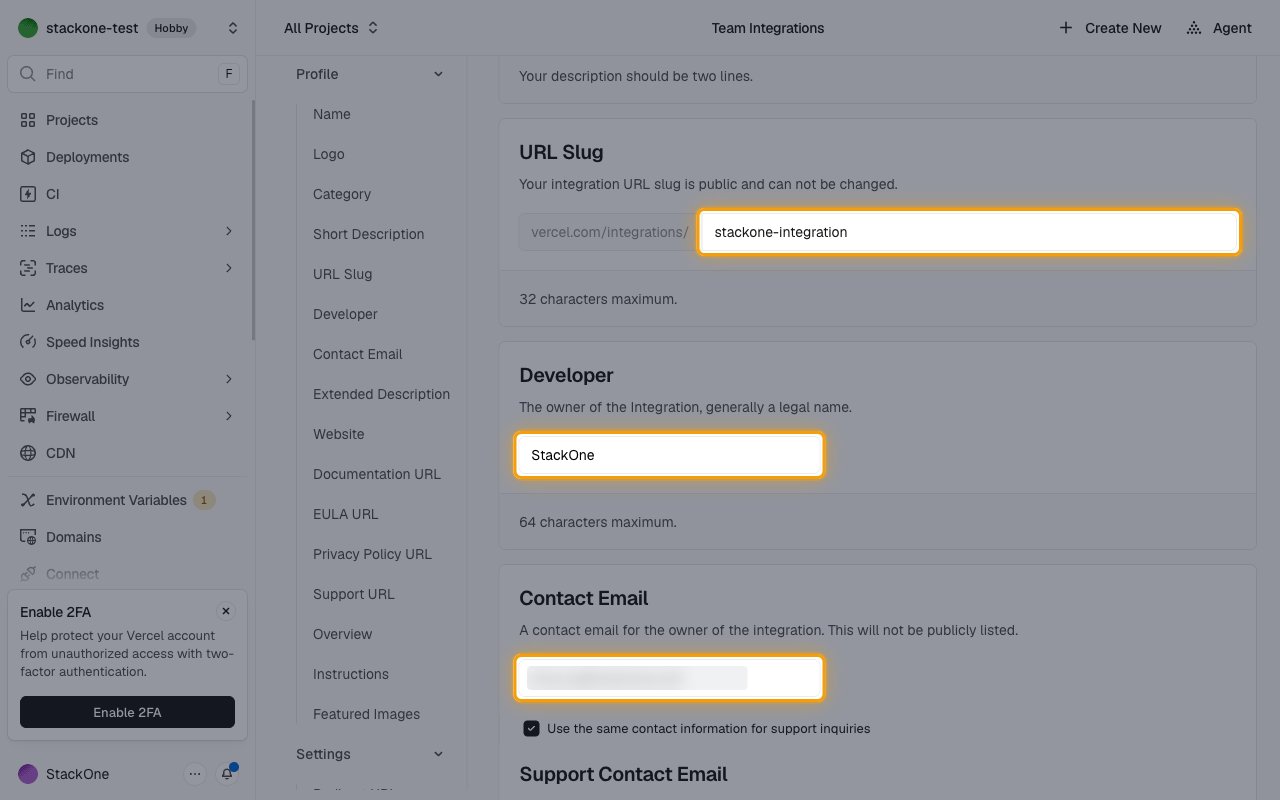
- URL Slug: A unique slug, such as
stackone-integration - Copy the URL Slug to Integration URL Slug in your Connector Profile.
- Format: the part after
vercel.com/integrations/ - Example:
stackone-integration - Developer: Your company’s legal name
- Contact Email: Email address of the integration owner
- Optionally, select Use the same contact information for support inquiries.
- Website, Documentation URL, EULA URL, Privacy Policy URL and Support URL: Links to your own pages
- Overview: Short description of what the integration does
- Featured Images: At least one image of your product
Set the redirect URL
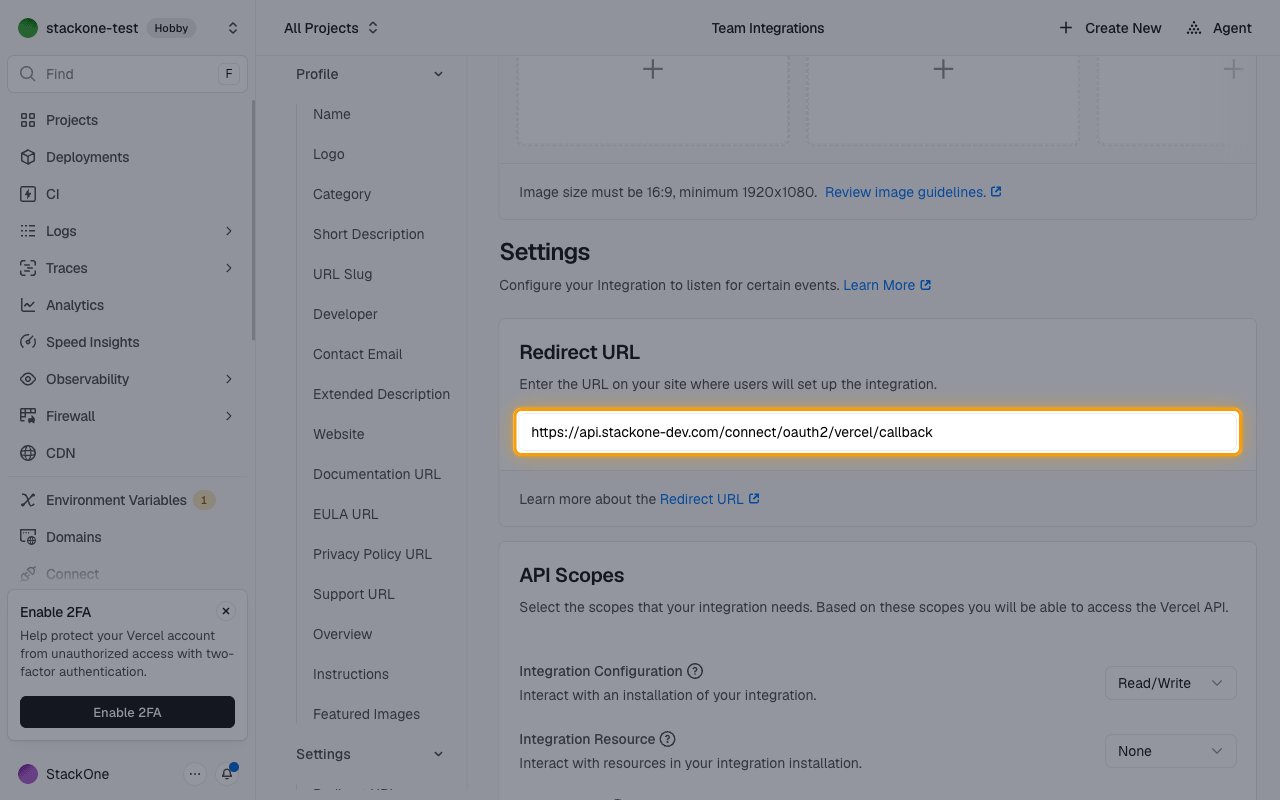
Under Settings, in Redirect URL, enter the Callback URL from your Connector Profile.
Choose the API scopes
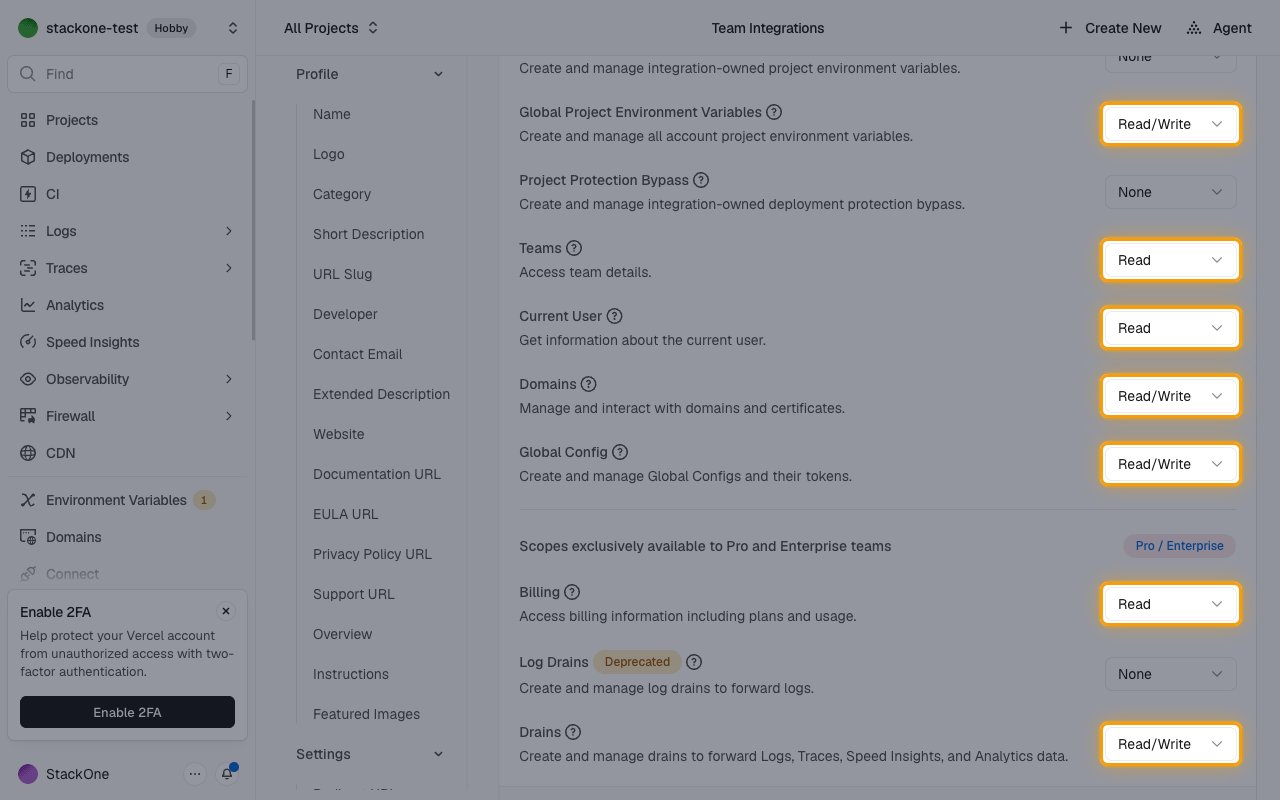
Under API Scopes, set each scope listed to Read or Read/Write to match its suffix. Where both appear, choose Read/Write.
- Billing and Drains are under Scopes exclusively available to Pro and Enterprise teams. Leave them at None unless every team that connects is on Pro or Enterprise.
Create the integration
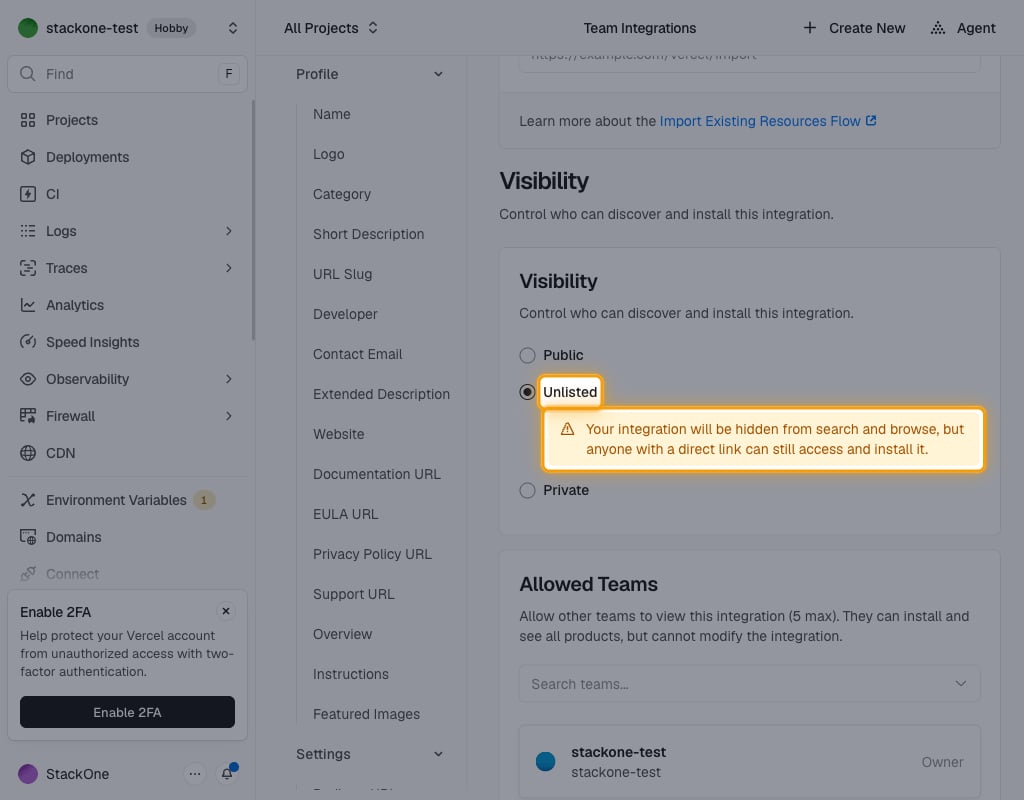
Under Visibility, select Unlisted so any team can install the integration from the link StackOne opens, without a Marketplace listing.
- Under Integration Agreement, select I accept.
- Click Create.
Copy credentials
In the Integrations Console, click Manage next to the integration.
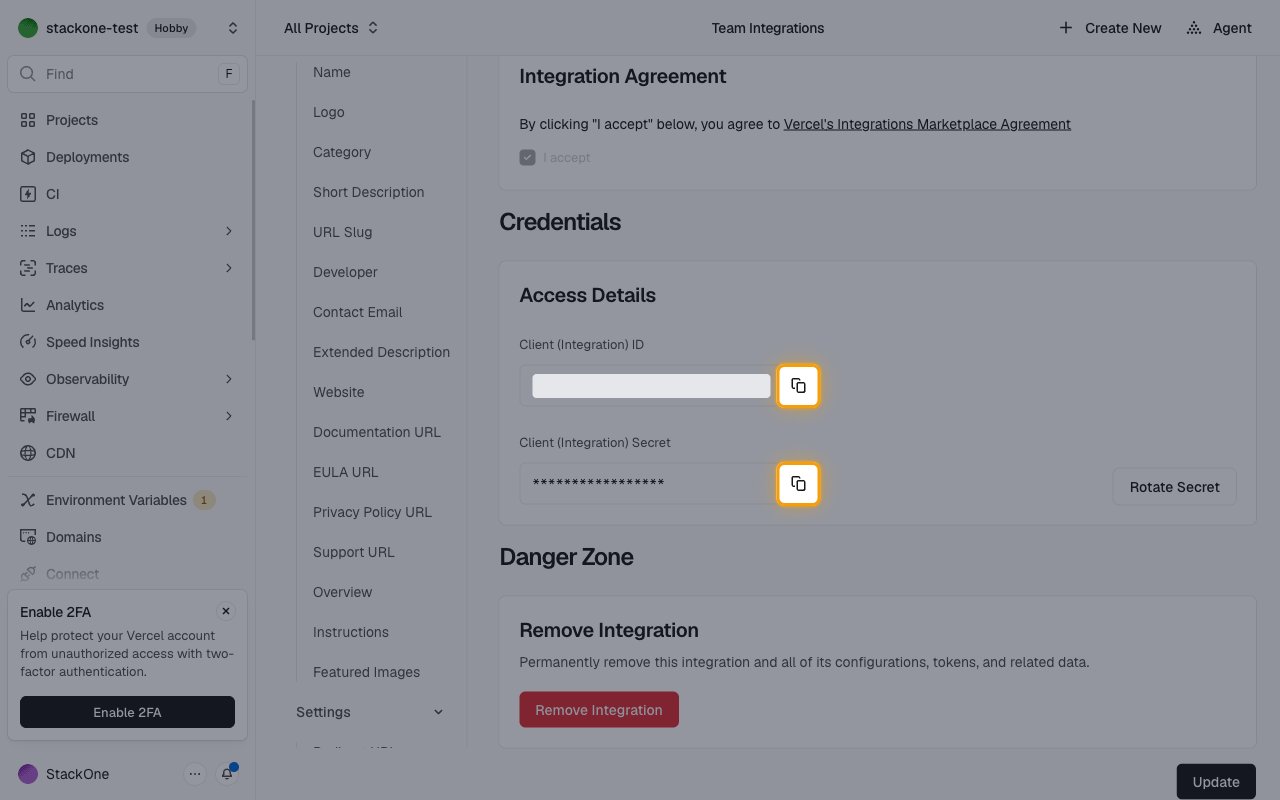
- Under Access Details, copy the Client (Integration) ID to Client ID in your Connector Profile.
- Copy the Client (Integration) Secret to Client Secret in your Connector Profile.
Create the StackOne Connector Profile
Create a Connector Profile
Link an Account