

Getting your API key
Twelve Data issues a personal API key with every account, including the free Basic plan. The key inherits the API credit limits and plan-gated features of your Twelve Data plan.
1
Sign in to Twelve Data
Sign in to your Twelve Data account.
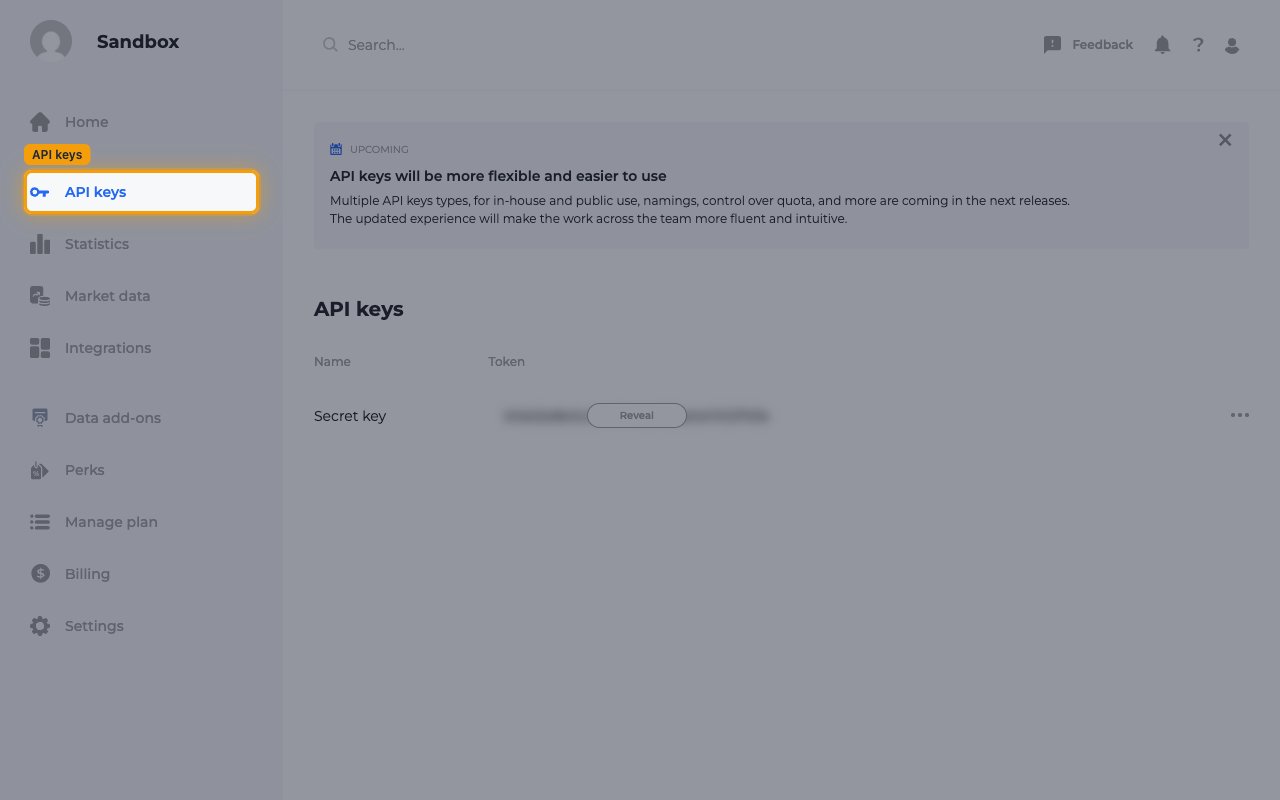
- In the left sidebar, click API keys.
- If you don’t have an account yet, create one on the Twelve Data registration page. No payment details are needed for the Basic plan.
2
Find your secret key
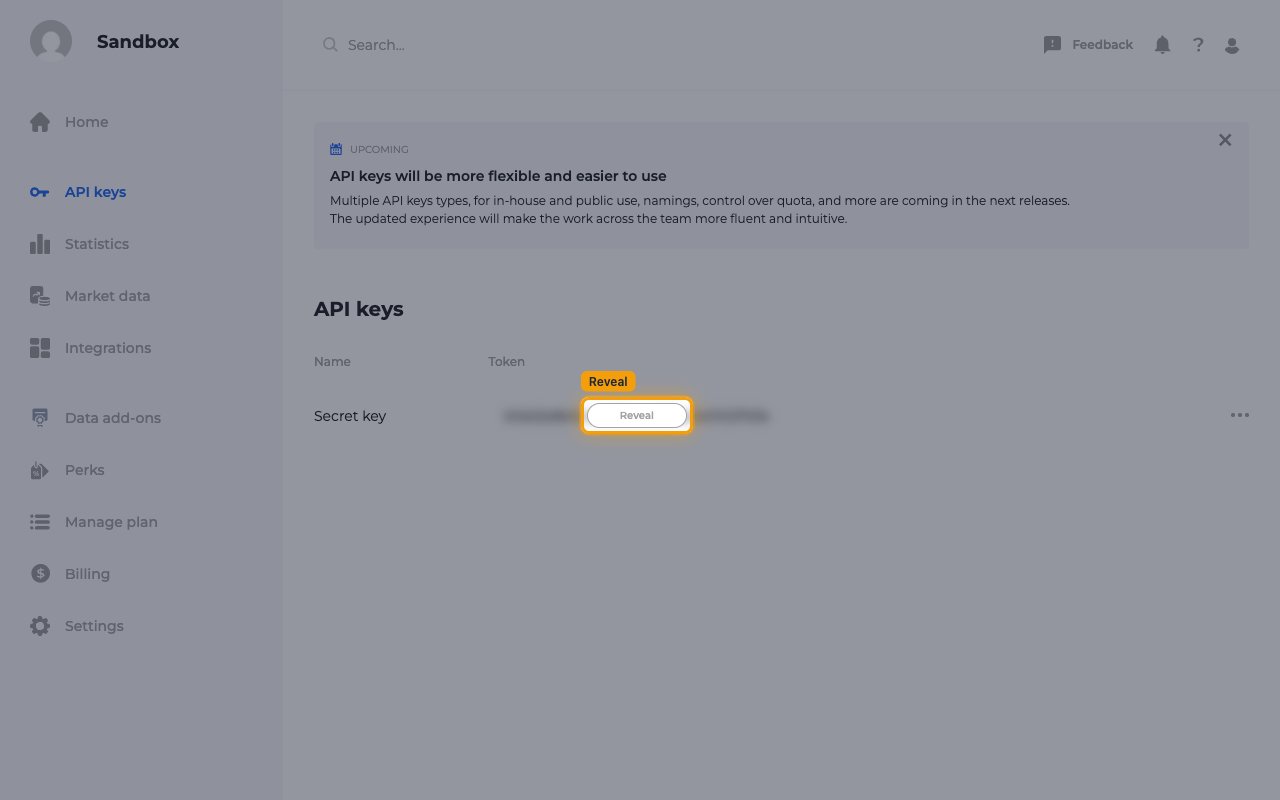
In the API keys table, find the Secret key row. Its Token value is hidden by default.
- Click Reveal to show the token.
3
Copy the API key
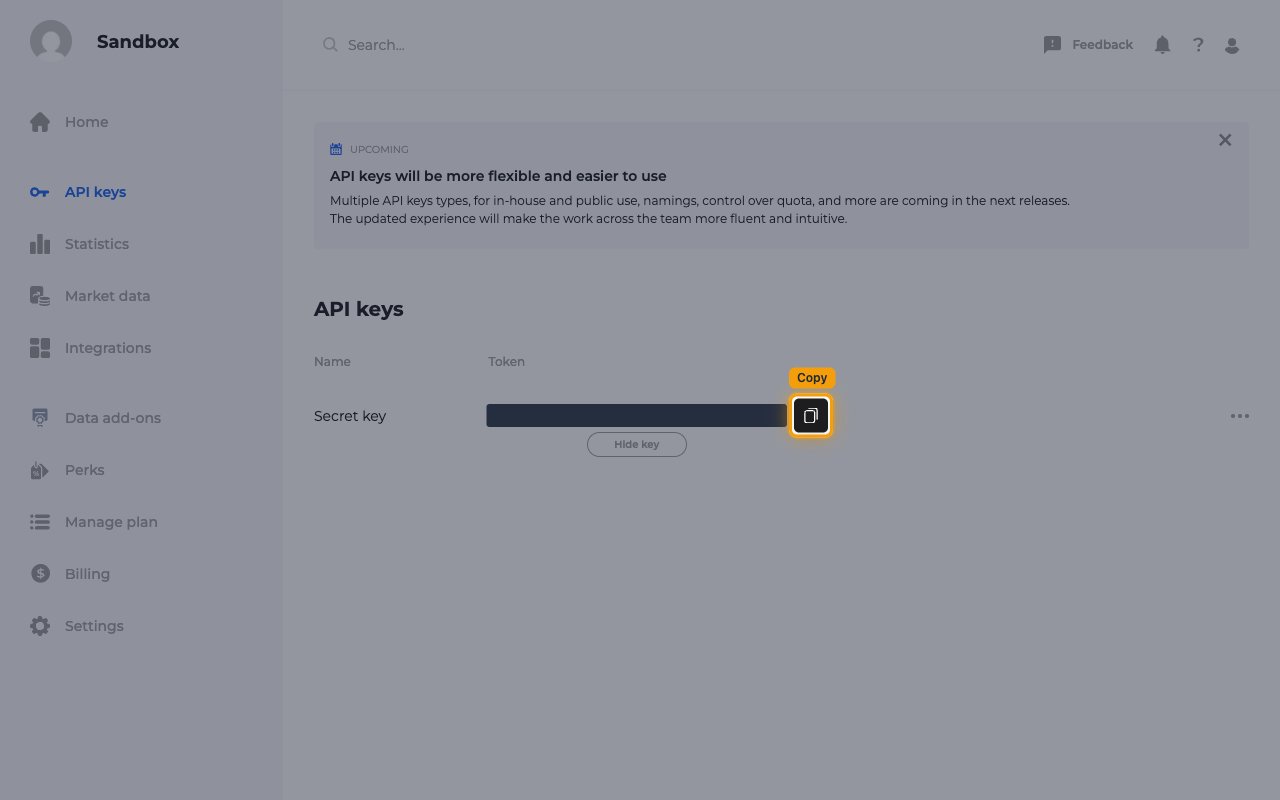
Click the copy button next to the revealed token to copy your API key.
- Paste it into the API Key field in StackOne Hub.
- Click Hide key when you’re done so the token is no longer shown on screen.
- Keep this key private. Anyone who has it can spend your plan’s API credits.
Link the Account
1
Connect
- Click Connect.
- If applicable, the provider will redirect you to a sign-in or authorization page. Complete the provider’s authorization flow.
- Once authorization is successful, you will see a confirmation popup.
2
Use Actions
Connect an AI platform to the linked account’s actions. See AI Platforms.Other ways to call actions are listed in Protocols & SDKs.