

Get your API token
Your Toggl Track API token authenticates your account with StackOne. Every Toggl Track user has one by default.
1
Sign in to Toggl Track
Sign in to your Toggl Track account.
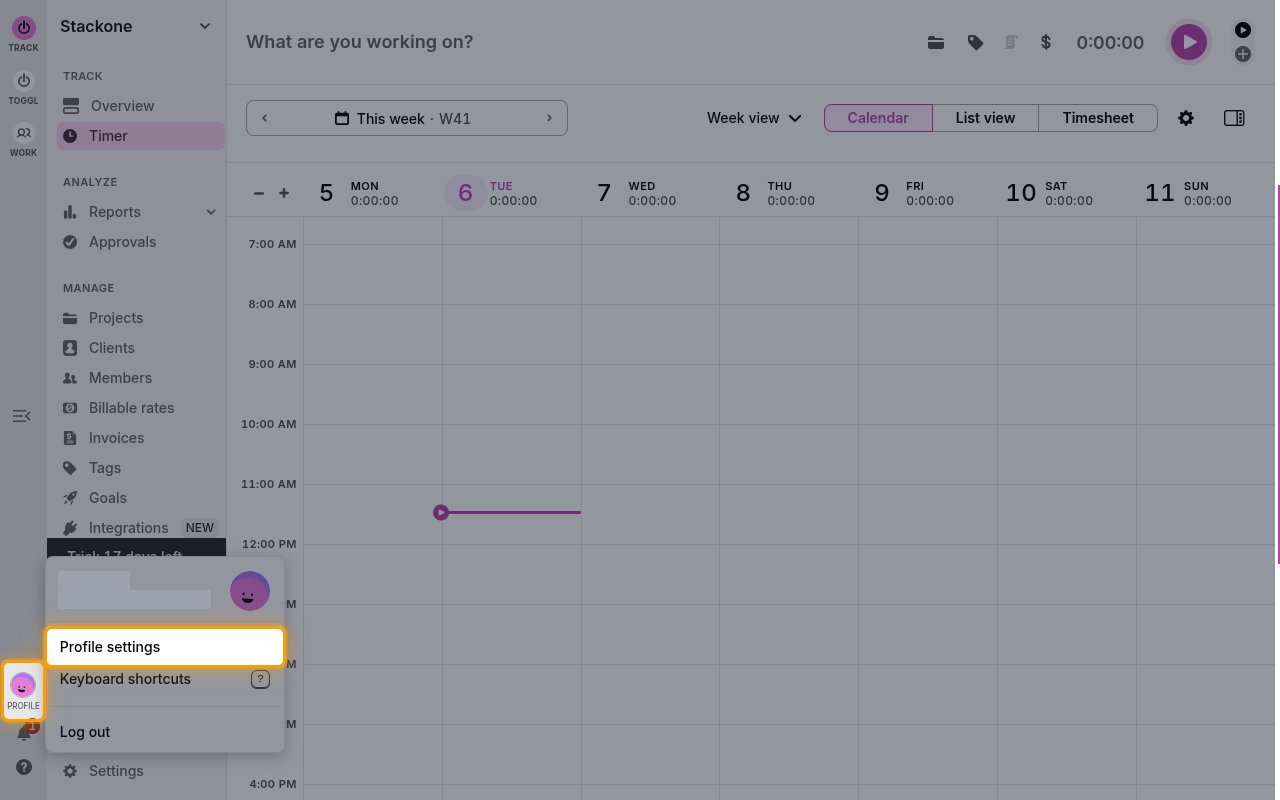
- Click Profile at the bottom of the left sidebar.
- Select Profile settings to open the My Profile page.
2
Copy your API token
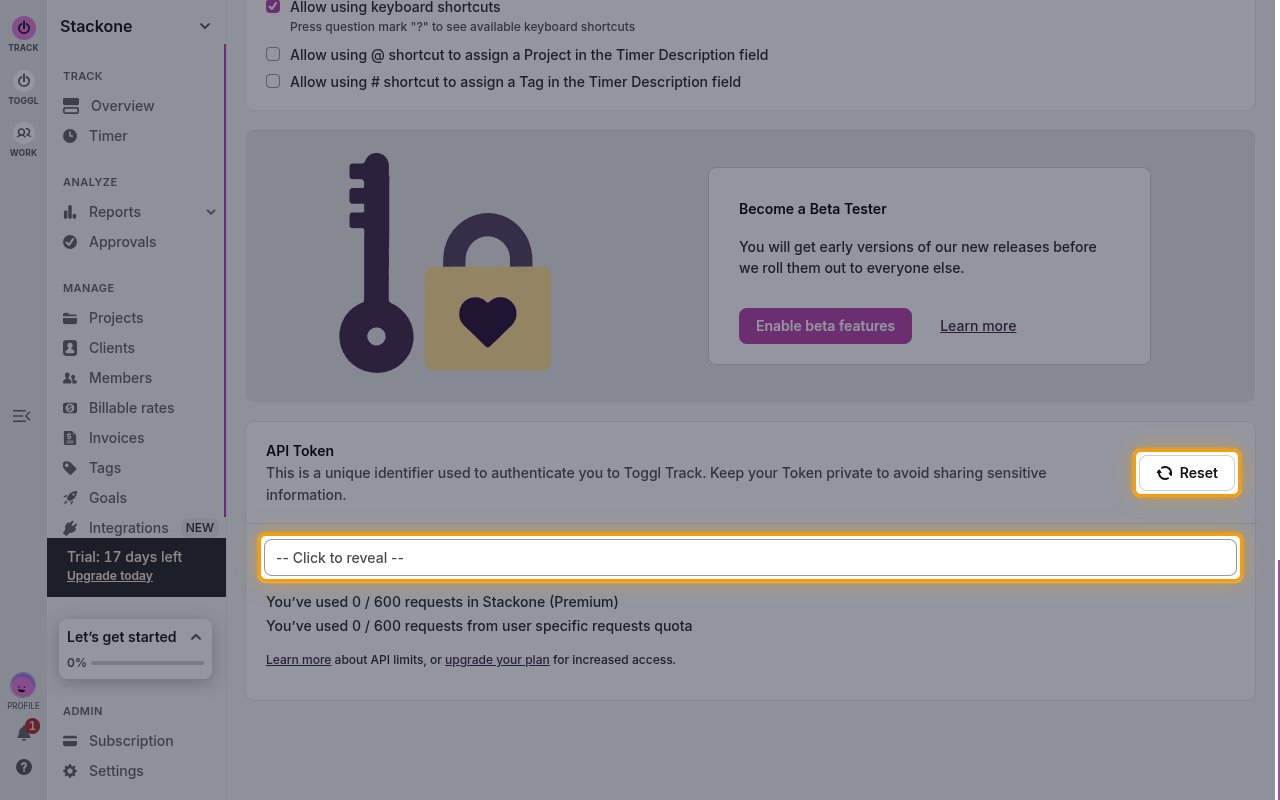
Scroll to the bottom of the My Profile page to the API Token section.
- Click the — Click to reveal — field to display your token, then copy it.
- Only click Reset if you need a new token. Resetting invalidates the current token for every integration that uses it.
- Store it securely for use later.
Linking the Account from the Hub
1
Navigate to the Hub
Use one of the three Linking Account Methods to access the Hub.
2
Fill out the fields
Fill out the following fields using details from your provider:
- API Token
3
Connect
- Click Connect
- If applicable, the provider will redirect you to a sign-in or authorization page. Complete the provider’s authorization flow.
- Once authorization is successful, you will see a confirmation popup
If the account linking is successful, you will see the newly linked account in your Accounts page.
Next Steps
Webhooks setup
Configure receiving Events for Toggl into StackOne.