

Copying your API token
Every Todoist account has a personal API token in its integration settings. The token belongs to the account that copies it, so sign in as the user whose data you want to connect.
1
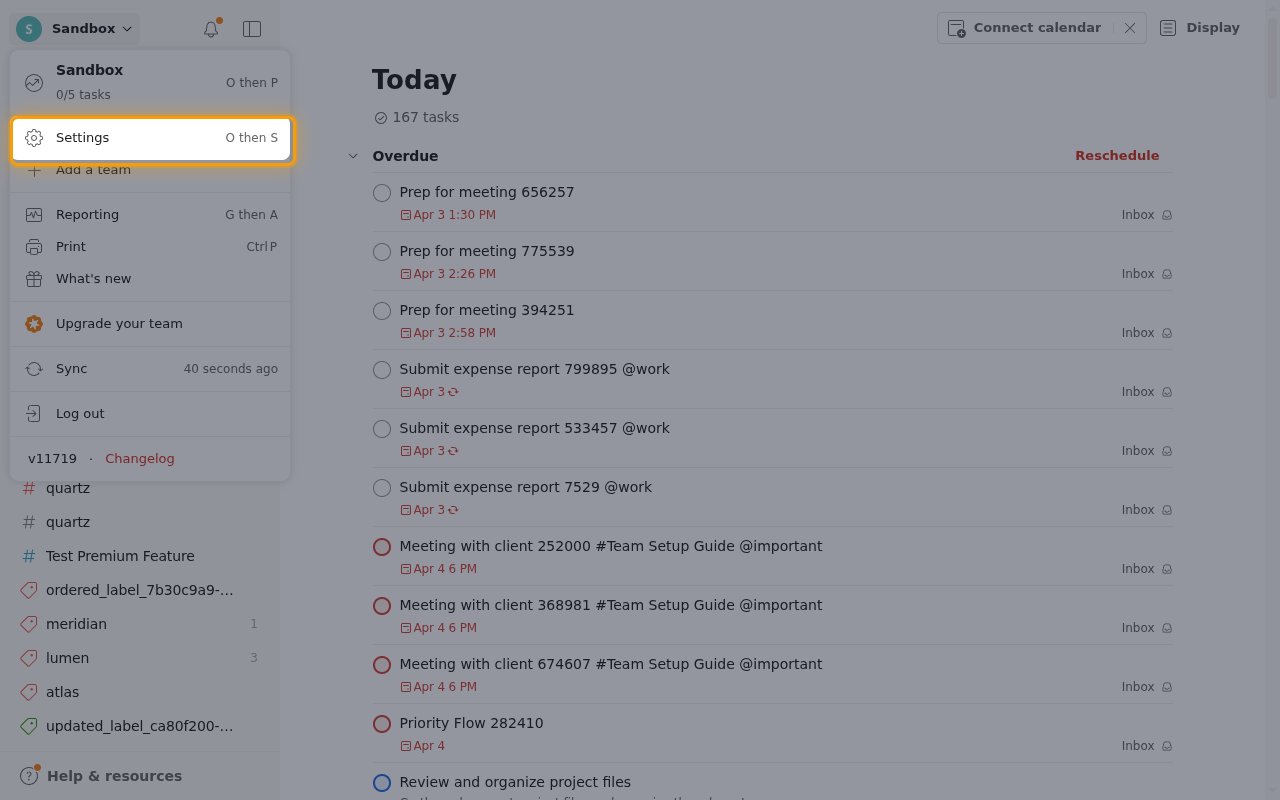
Sign in to Todoist
Sign in to your Todoist account.
- Click your name in the top-left corner to open the account menu.
- Select Settings.
2
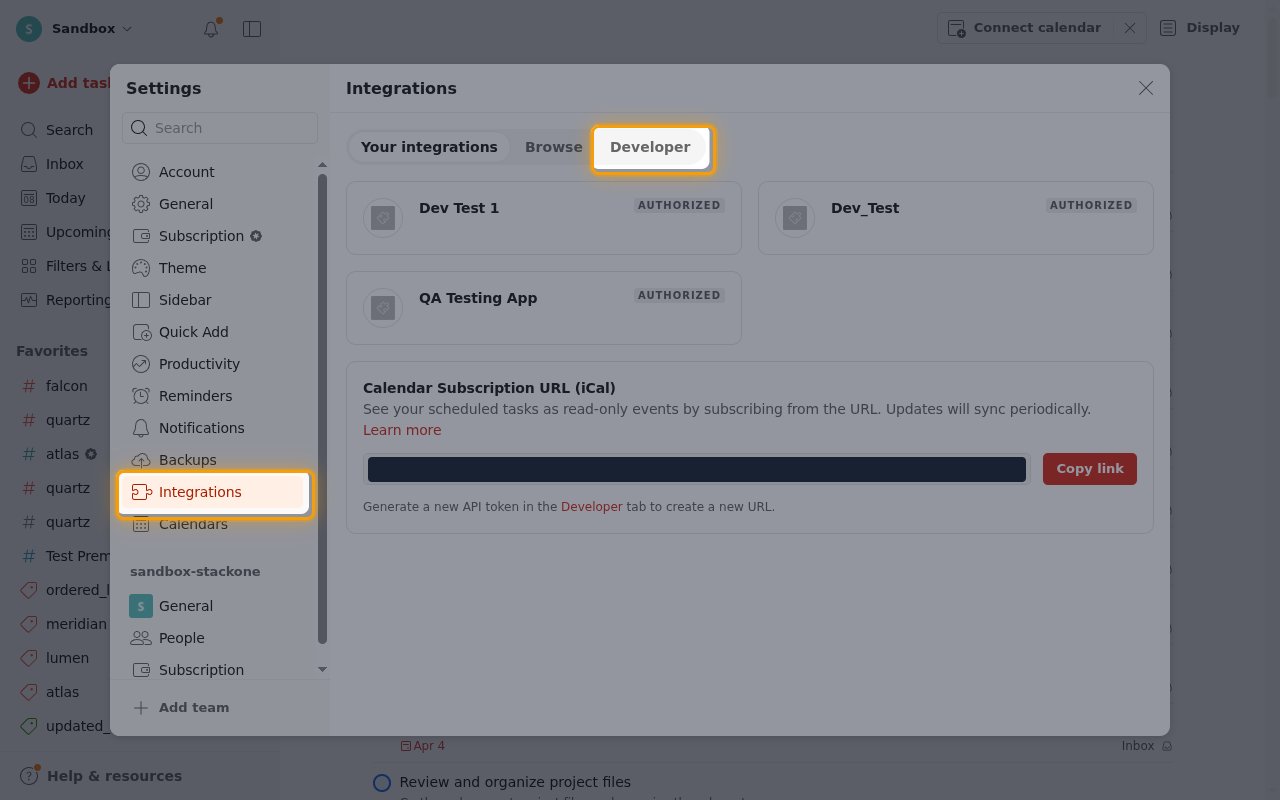
Open the Developer tab
In the Settings sidebar, select Integrations.
- Click the Developer tab at the top of the Integrations page.
3
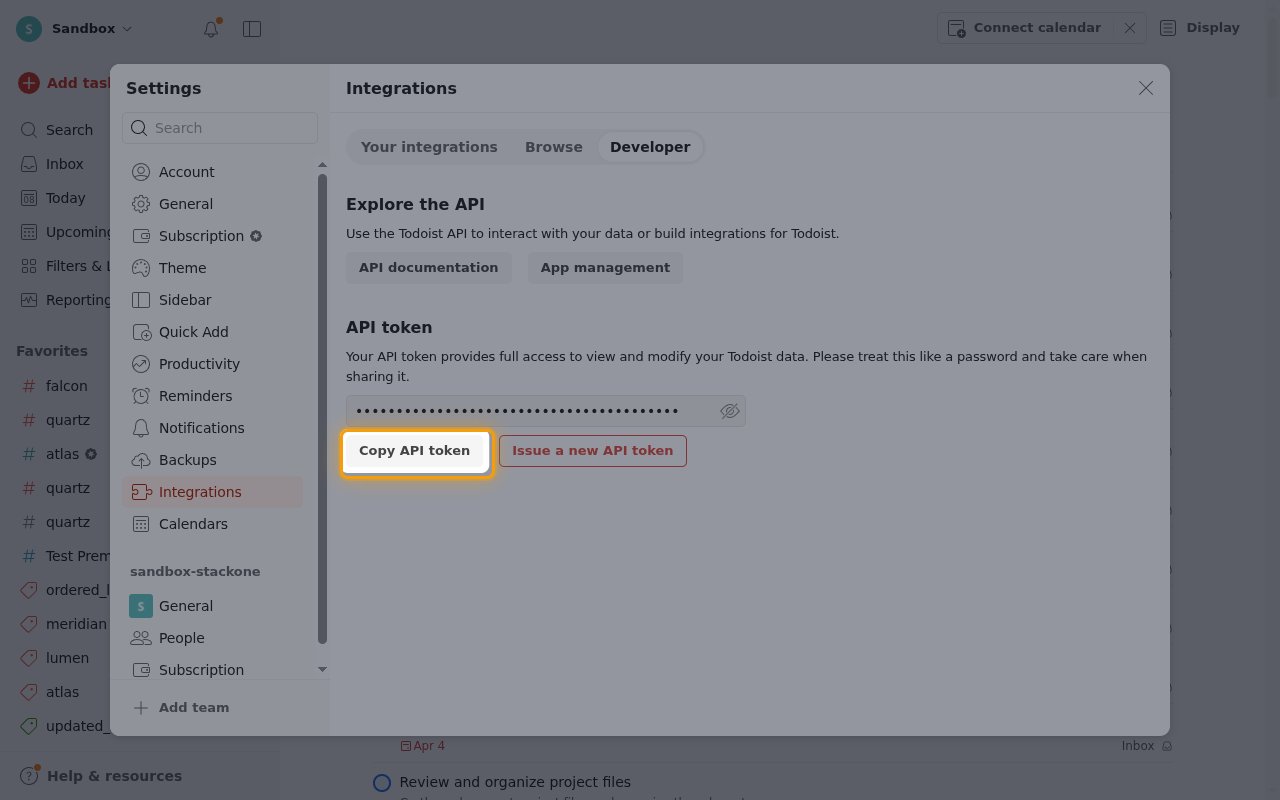
Copy the API token
The API token section shows your token, hidden by default.
- Click Copy API token.
- Paste it into the API Token field in StackOne Hub.
- Store the token securely for use later.
Linking the Account from the Hub
1
Navigate to the Hub
Use one of the three Linking Account Methods to access the Hub.
2
Fill out the fields
Fill out the following fields using details from your provider:
- API Token
3
Connect
- Click Connect
- If applicable, the provider will redirect you to a sign-in or authorization page. Complete the provider’s authorization flow.
- Once authorization is successful, you will see a confirmation popup
If the account linking is successful, you will see the newly linked account on your Accounts page.
Next Steps
Webhooks setup
Configure receiving Events for Todoist into StackOne.