

Prerequisites
The connector should already be set up, with a Connector Profile and a Linked Account. See Getting Started on the Ticket Tailor connector page.Webhook setup
Ticket Tailor has no API for managing webhooks, so each event is added once in your Ticket Tailor box office using the StackOne Native Webhook URL. Ticket Tailor sends one event type per webhook, so you create one webhook for each event you want StackOne to receive.
Copy the Native Webhook URL
The Native Webhook URL is generated once an account has been linked.
- Open the linked Ticket Tailor account in StackOne.
- Copy the value from Native Webhook URL.
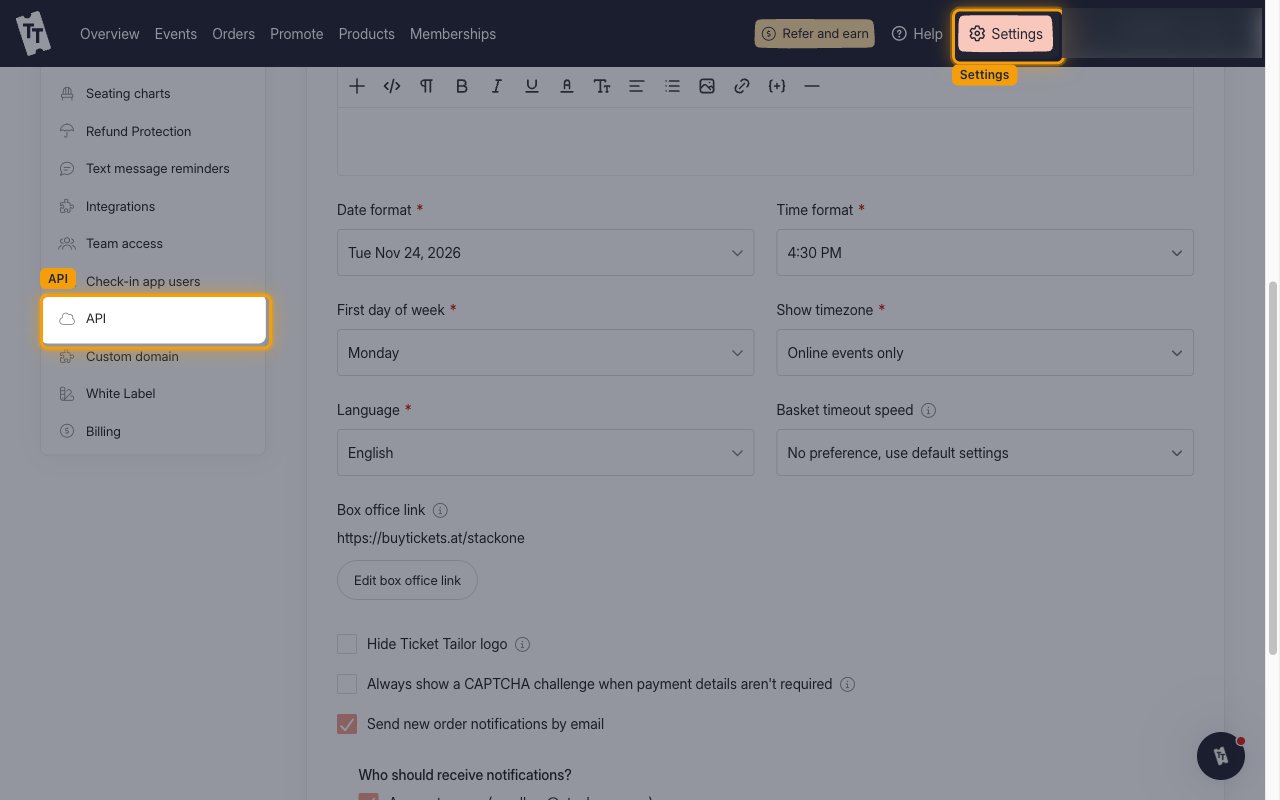
Open the API settings
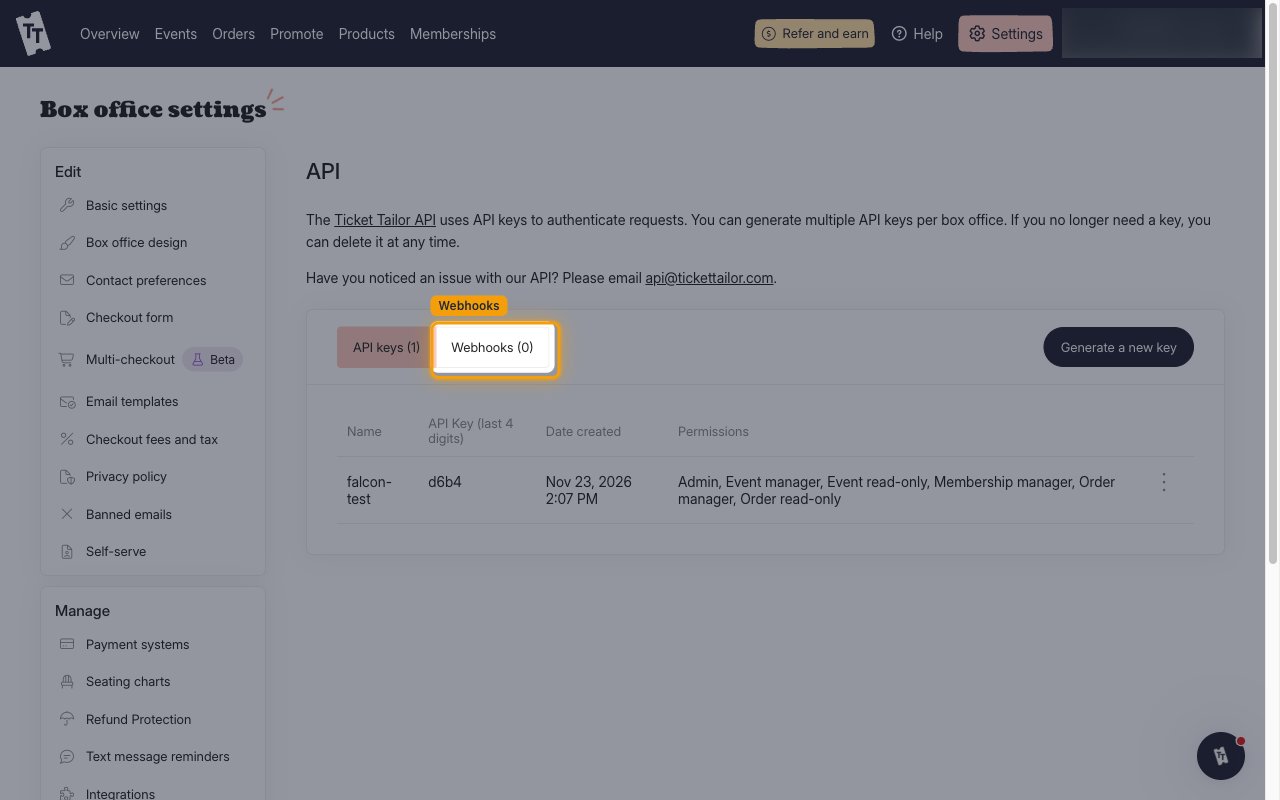
Open the webhooks tab
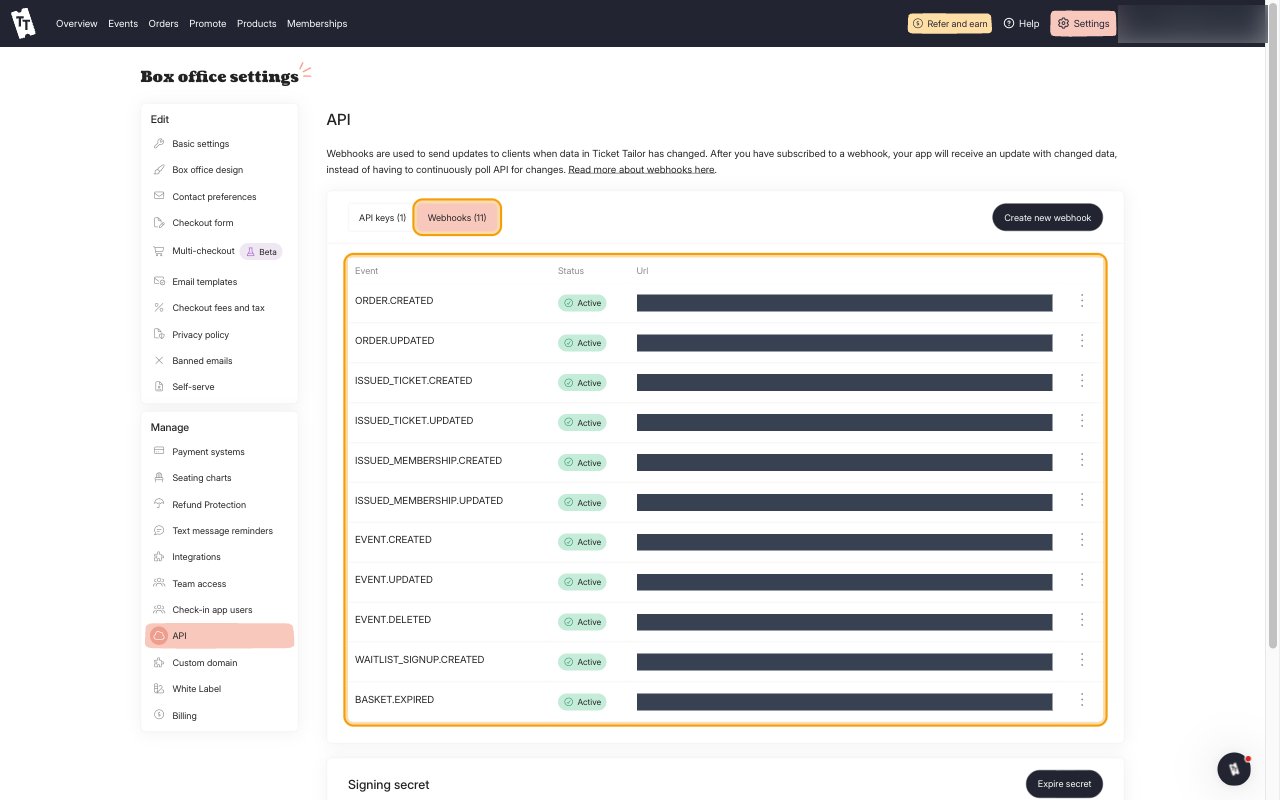
On the API page, click the Webhooks (0) tab. The number shows how many webhooks the box office already has.
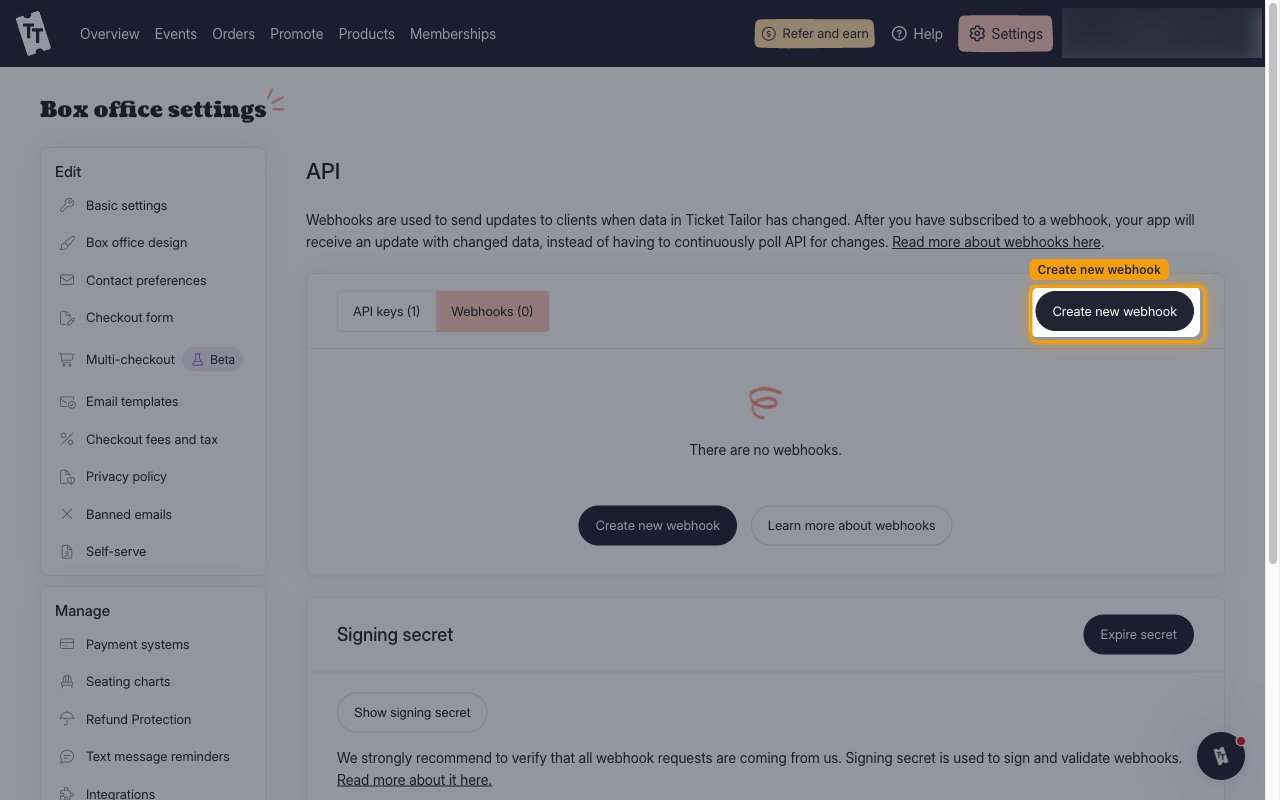
Start a new webhook
Click Create new webhook.
- If Ticket Tailor shows Verification required, enter the 5 digit code sent to your account email and click Verify. You won’t be asked again for one hour.
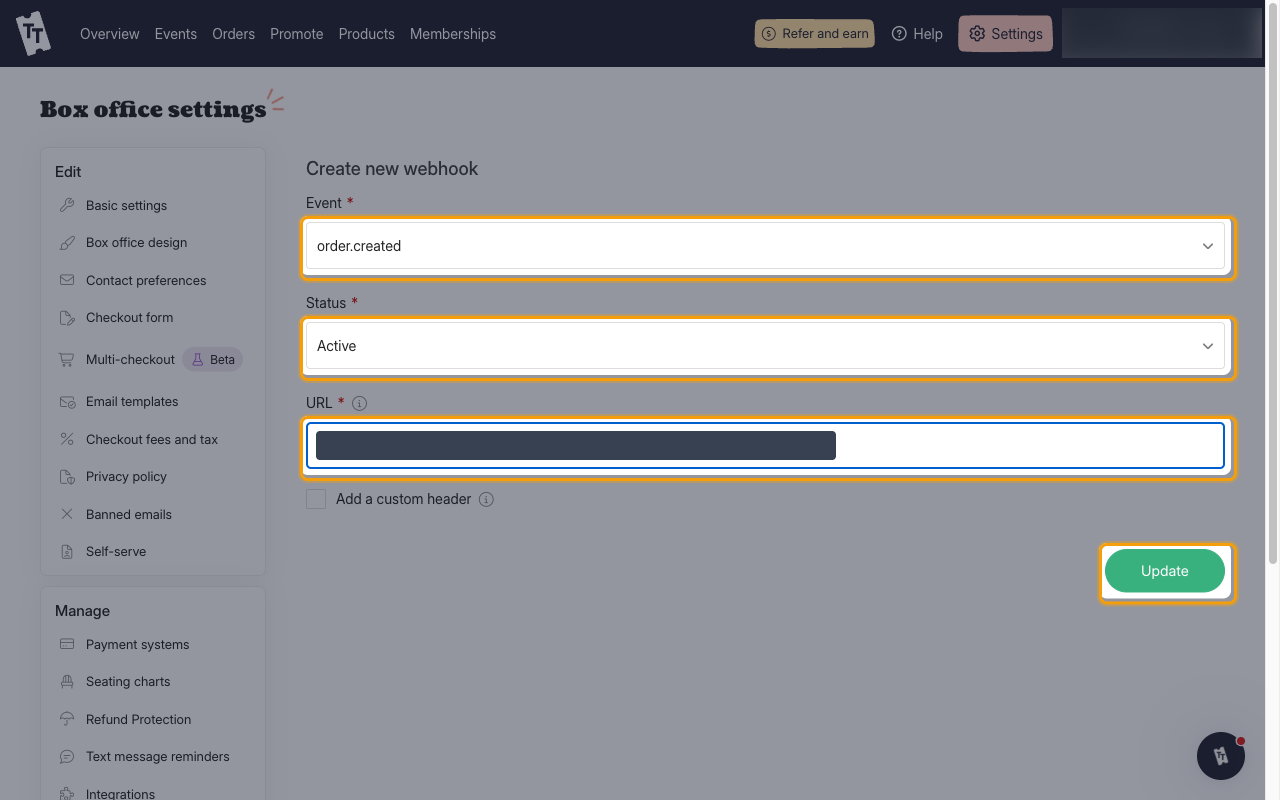
Add the webhook details
Fill in the Create new webhook form.
- Event: the event to send, for example
order.created - Status: Active
- URL: the Native Webhook URL you copied from StackOne
- Leave Add a custom header unchecked.
- Click Update to save the webhook.
Repeat for each event
Create one webhook for every event you want StackOne to receive, using the same Native Webhook URL each time. The Webhooks tab lists each event with its Status set to Active.
Available webhook events
The following Ticket Tailor events can be enabled. Only events that have a webhook in Ticket Tailor and are enabled in StackOne are delivered.
Order events
Events related to orders placed in the box office.
- Order Created (
order.created) — Fired when a new order is placed. - Order Updated (
order.updated) — Fired when an order changes, including when it is canceled. - Basket Expired (
basket.expired) — Fired when a buyer entered their details at checkout but the basket expired before they completed the order.
Issued ticket events
Events related to individual tickets held by attendees.
- Issued Ticket Created (
issued_ticket.created) — Fired when a ticket is issued, through an order or directly. - Issued Ticket Updated (
issued_ticket.updated) — Fired when an issued ticket changes, including when it is voided.
Issued membership events
Events related to memberships issued to members.
- Issued Membership Created (
issued_membership.created) — Fired when a membership is issued to a member. - Issued Membership Updated (
issued_membership.updated) — Fired when an issued membership changes, including when it is voided.
Event and waitlist events
Events related to event dates and their waitlists.
- Event Created (
event.created) — Fired when an event date is created in an event series. - Event Updated (
event.updated) — Fired when an event date changes. - Event Deleted (
event.deleted) — Fired when an event date is deleted. - Waitlist Signup Created (
waitlist_signup.created) — Fired when someone joins the waitlist of an event.
Delivery format
Each request carries one event as JSON with id, created_at, event, resource_url and payload, where payload is the full record (for example the order or issued ticket). Ticket Tailor retries failed deliveries with increasing intervals for up to 72 hours, so the same event can arrive more than once.