

Find your Terraform Host
Your Terraform Host depends on whether you use Terraform Cloud or Terraform Enterprise.
- Terraform Cloud: use
https://app.terraform.io - Terraform Enterprise: use your self-hosted instance URL
- Format:
https://{your-instance}.example.com - Example:
https://terraform.yourcompany.com - Copy the Terraform Host across.
Generate an API Token
Create a user API token to authenticate with the Terraform API.
1
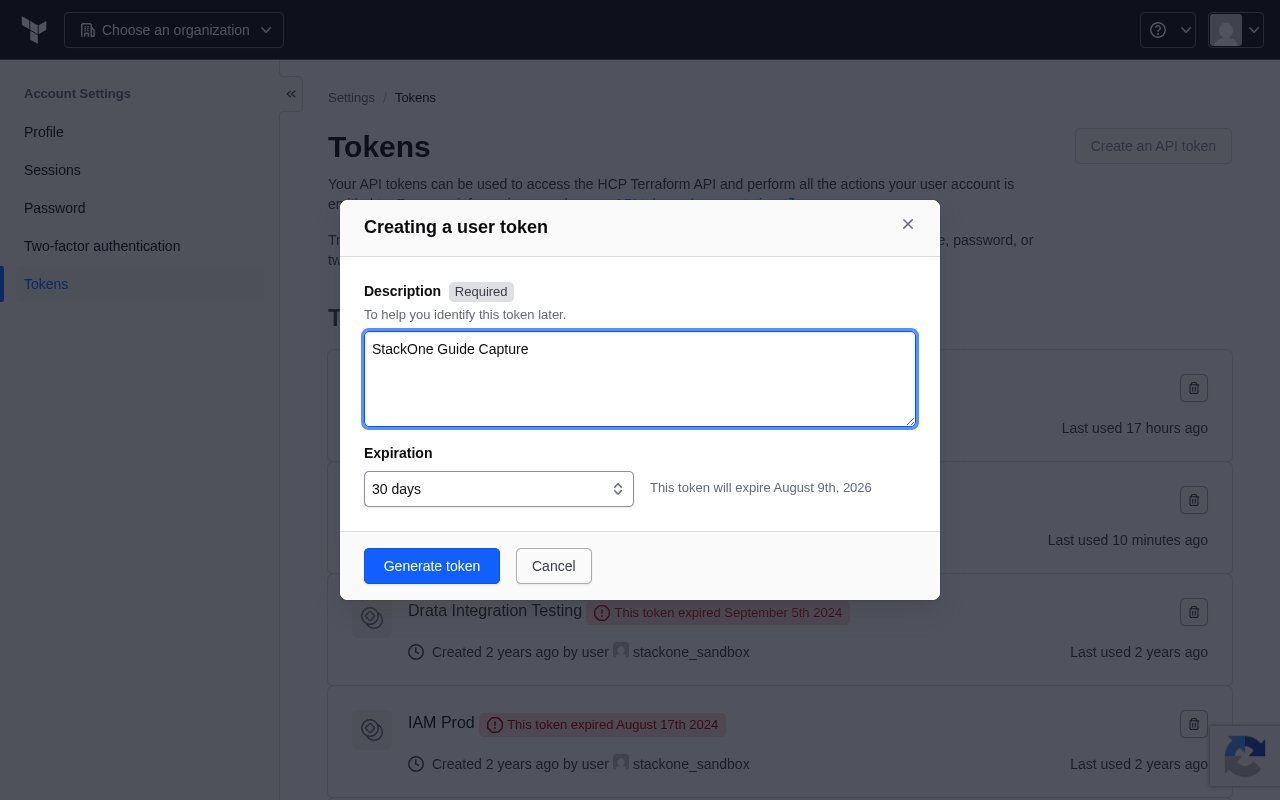
Create the token
Sign in to your HCP Terraform account or your Terraform Enterprise instance, click your user icon in the top-right corner, then open Account settings > Tokens.
- Click Create an API token.
- Description:
StackOne Integration - Expiration: choose when the token expires (the default is 30 days)
- Click Generate token.
2
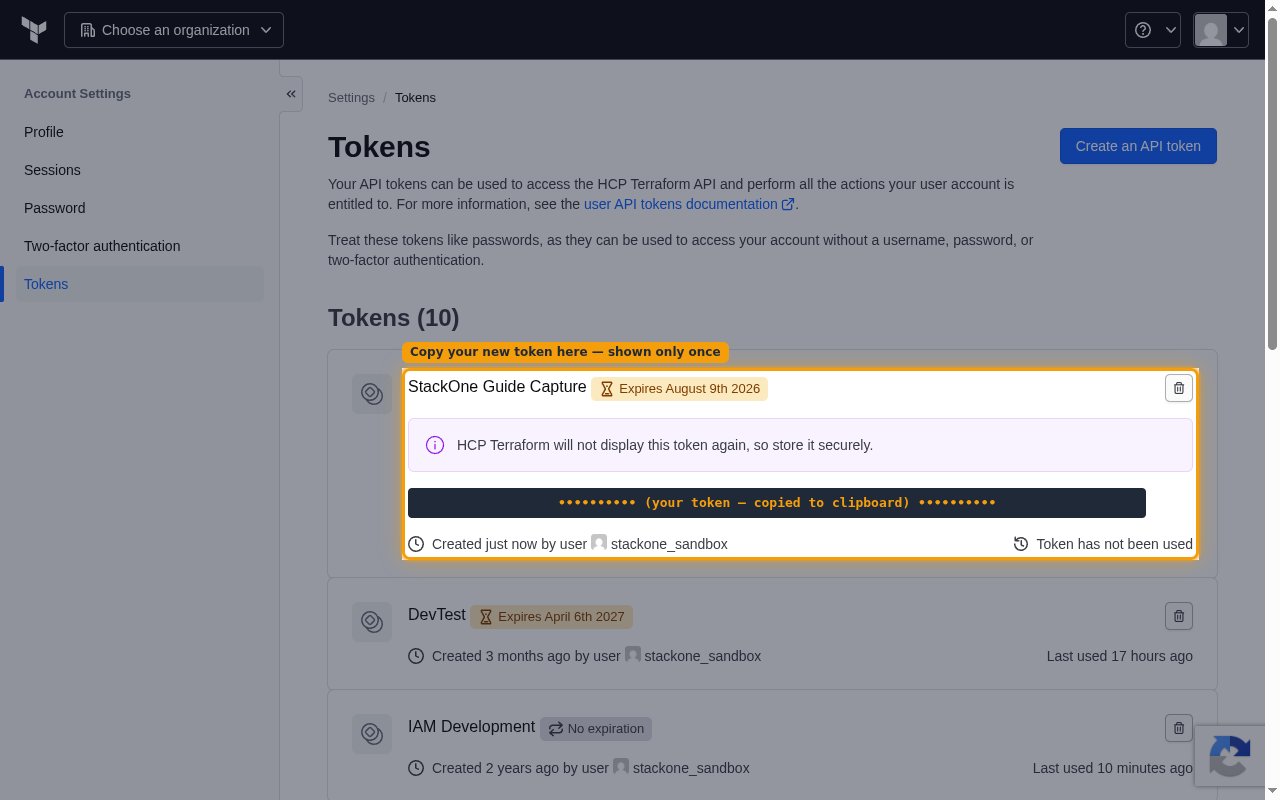
Copy the token
The new token is displayed inline on the Tokens page. Copy the API Token across.
- Click the copy button next to the token.
- HCP Terraform shows the token only once.
Link the Account
1
Connect
- Click Connect.
- If applicable, the provider will redirect you to a sign-in or authorization page. Complete the provider’s authorization flow.
- Once authorization is successful, you will see a confirmation popup.
2
Use Actions
Connect an AI platform to the linked account’s actions. See AI Platforms.Other ways to call actions are listed in Protocols & SDKs.
Next Steps
Webhooks setup
Configure receiving Events for Terraform into StackOne.