

Determine Your Terraform Host
Identify your Terraform instance host based on your deployment type. This is the value you enter in the Terraform Host field in StackOne Hub.
Find Your Terraform Host
Your Terraform Host depends on whether you use Terraform Cloud or Terraform Enterprise.
- Terraform Cloud - Use
https://app.terraform.io - Terraform Enterprise - Use your self-hosted instance URL
- Format:
https://{your-instance}.example.com - Example:
https://terraform.yourcompany.com - Paste this value into the Terraform Host field in StackOne Hub.
Generate an API Token
Create a user API token to authenticate with the Terraform API.
Open Account Settings
Sign in to your HCP Terraform account or your Terraform Enterprise instance, then open your account settings.
- Click your user icon in the top-right corner
- Select Account settings
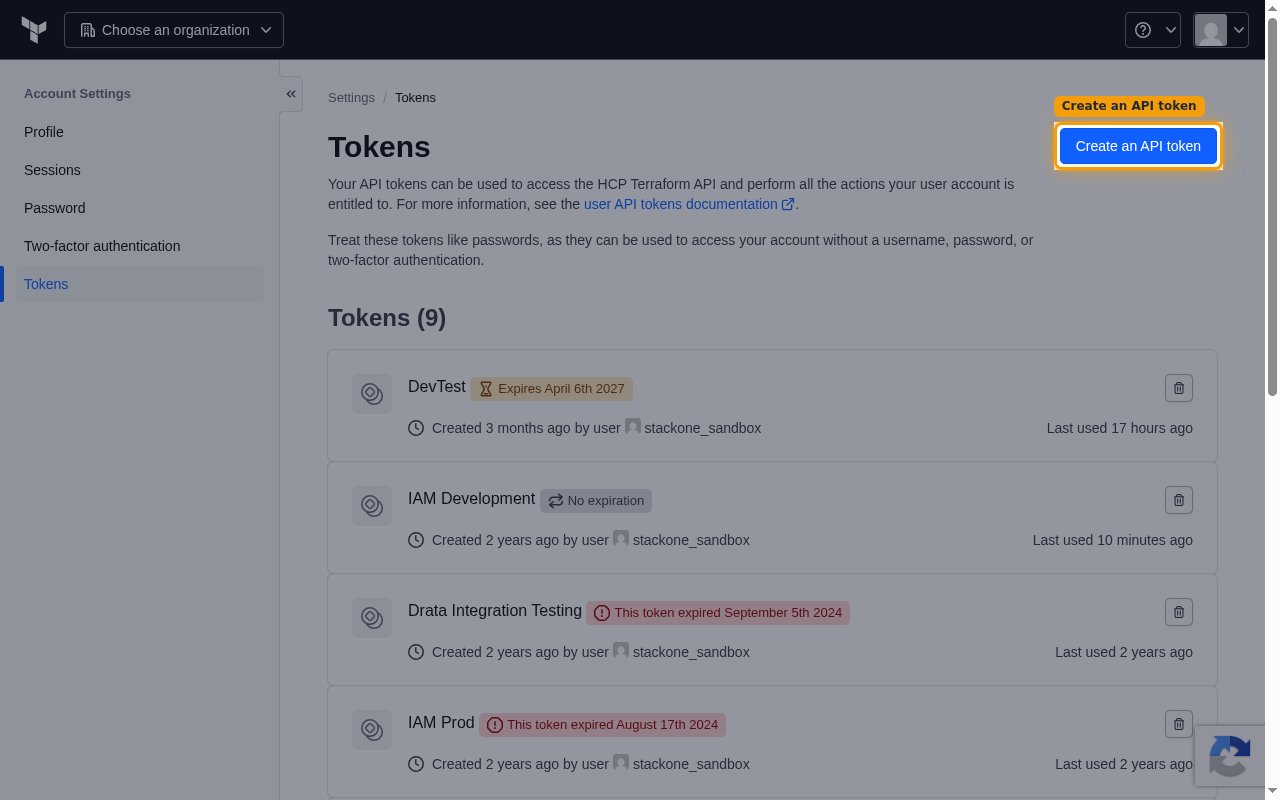
Open the Tokens page
In the Account Settings sidebar, click Tokens, then click Create an API token.
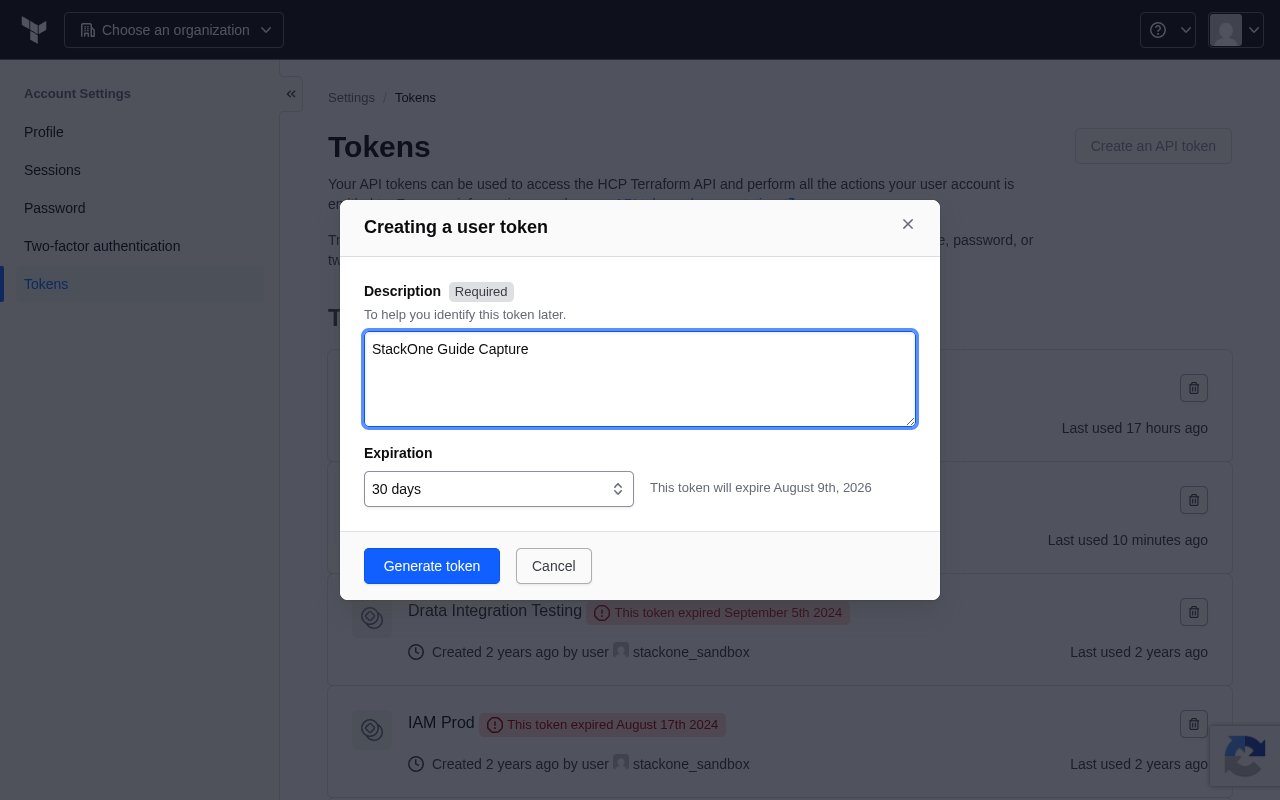
Create the token
In the Creating a user token dialog, fill in the details and generate the token.
- Enter a Description to help you identify this token later (e.g.
StackOne Integration) - Choose an Expiration for the token (the default is 30 days)
- Click Generate token
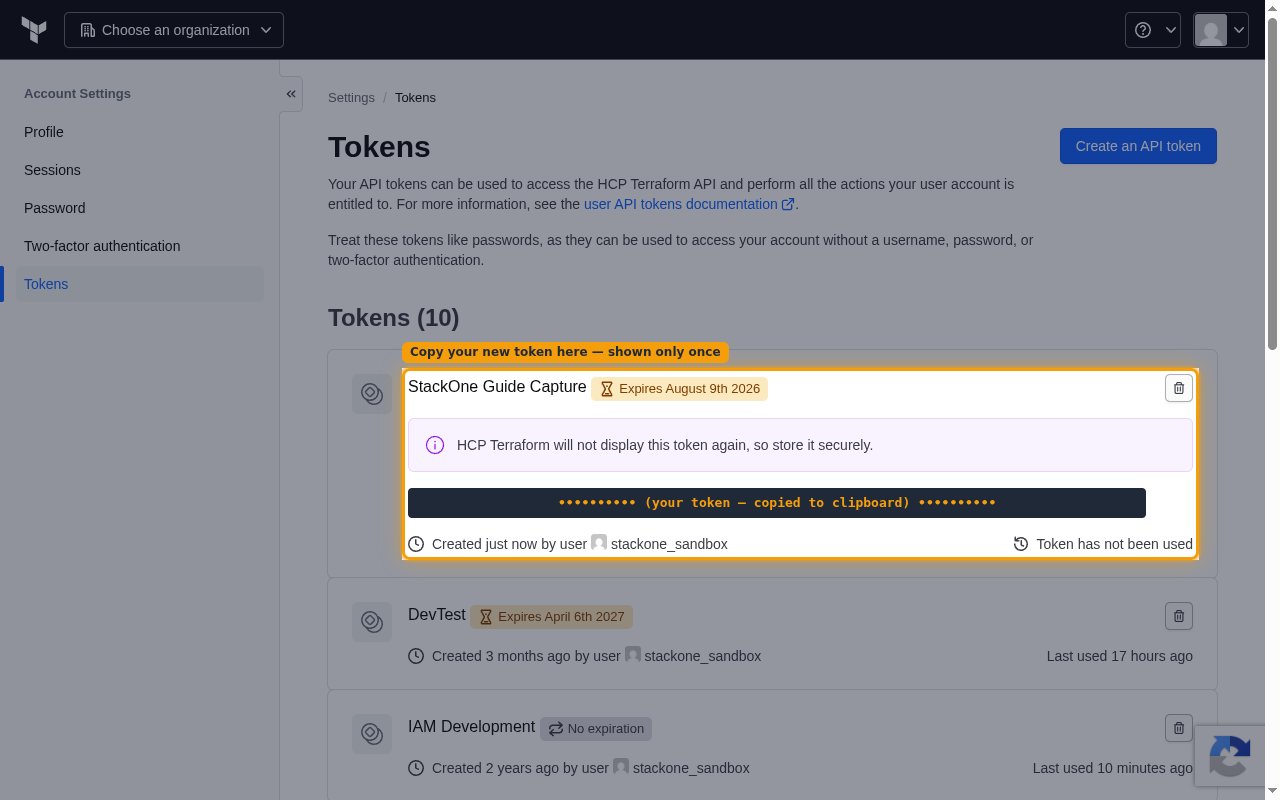
Copy and store the token
After you click Generate token, the new token is displayed inline on the Tokens page. Copy it and store it securely for use in StackOne.
- Copy the token from the Tokens page immediately using the copy button next to it
- HCP Terraform will not display this token again, so store it securely. The token is shown once and cannot be retrieved later — if you lose it, you must delete it and create a new one.
- Paste the token into the API Token field in StackOne Hub.
Linking the Account from the Hub
Navigate to the Hub
Fill out the fields
- Terraform Host
- API Token
Connect
- Click Connect
- If applicable, the provider will redirect you to a sign-in or authorization page. Complete the provider’s authorization flow.
- Once authorization is successful, you will see a confirmation popup
If the account linking is successful, you will see the newly linked account in your Accounts page.
Next Steps
Webhooks setup
Configure receiving Events for Terraform into StackOne.