

Create your bot token
Telegram bot tokens are issued by @BotFather, the official bot for creating and managing bots. Create a bot in the Telegram app to obtain a token.
Open BotFather in Telegram
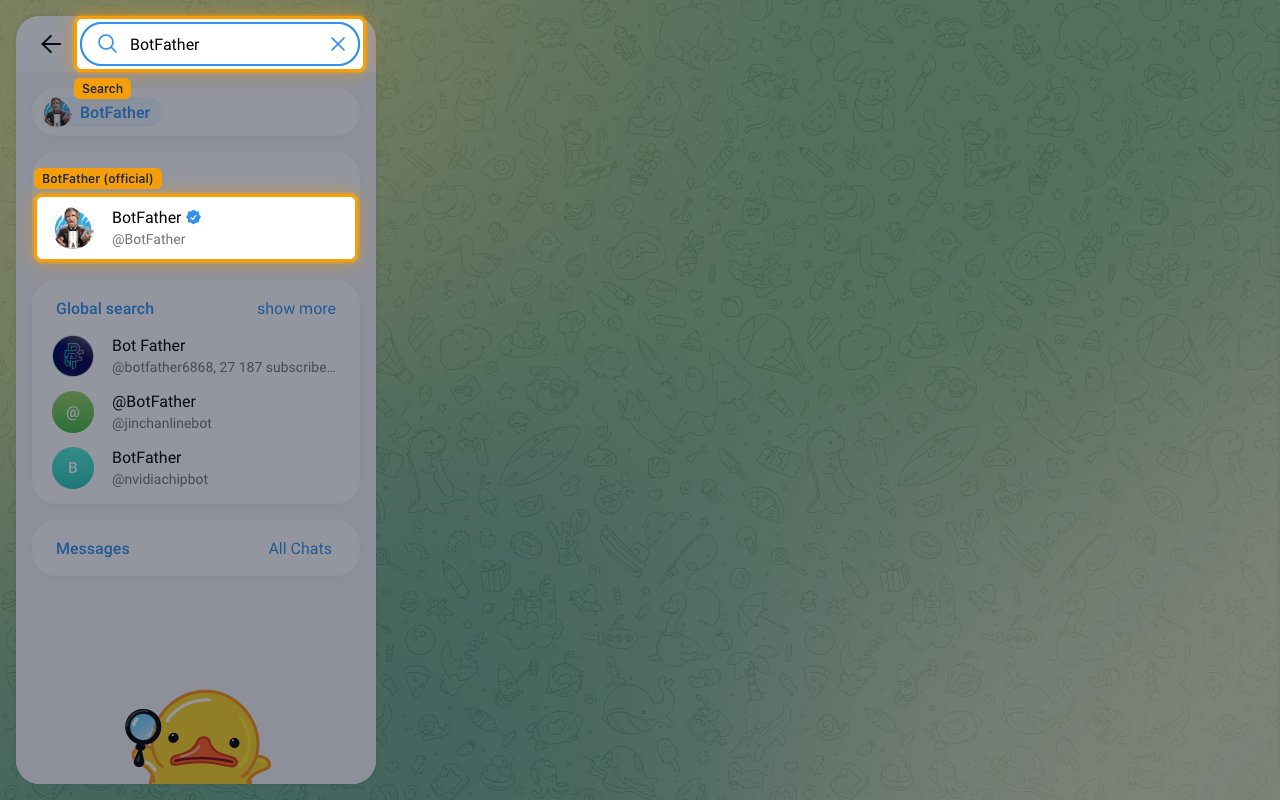
Open Telegram and start a chat with BotFather — the official account for creating bots. You can also open Telegram Web, search for BotFather, and select the verified @BotFather result.
- Confirm the account shows the verified blue checkmark — avoid unofficial look-alike accounts. Only the verified @BotFather can create bots.
Create a new bot
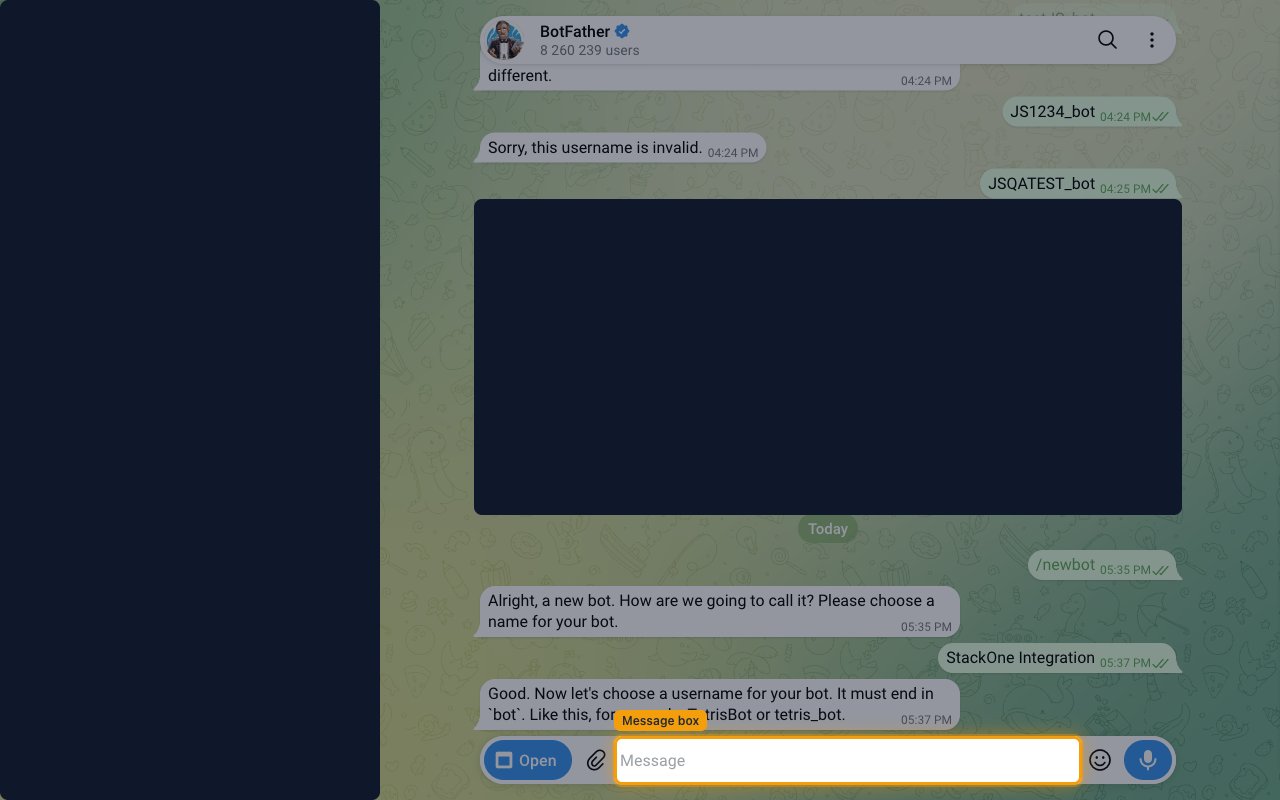
In the chat with BotFather, send the /newbot command and follow the prompts.
- When BotFather replies Alright, a new bot. How are we going to call it? Please choose a name for your bot., send the display name for your bot.
- When BotFather replies Good. Now let’s choose a username for your bot. It must end in
bot., send a username that ends inbot— for example,my_stackone_bot. It must be 5–32 characters and contain only Latin letters, numbers, and underscores. - The username cannot be changed later, so choose it carefully.
Copy your bot token
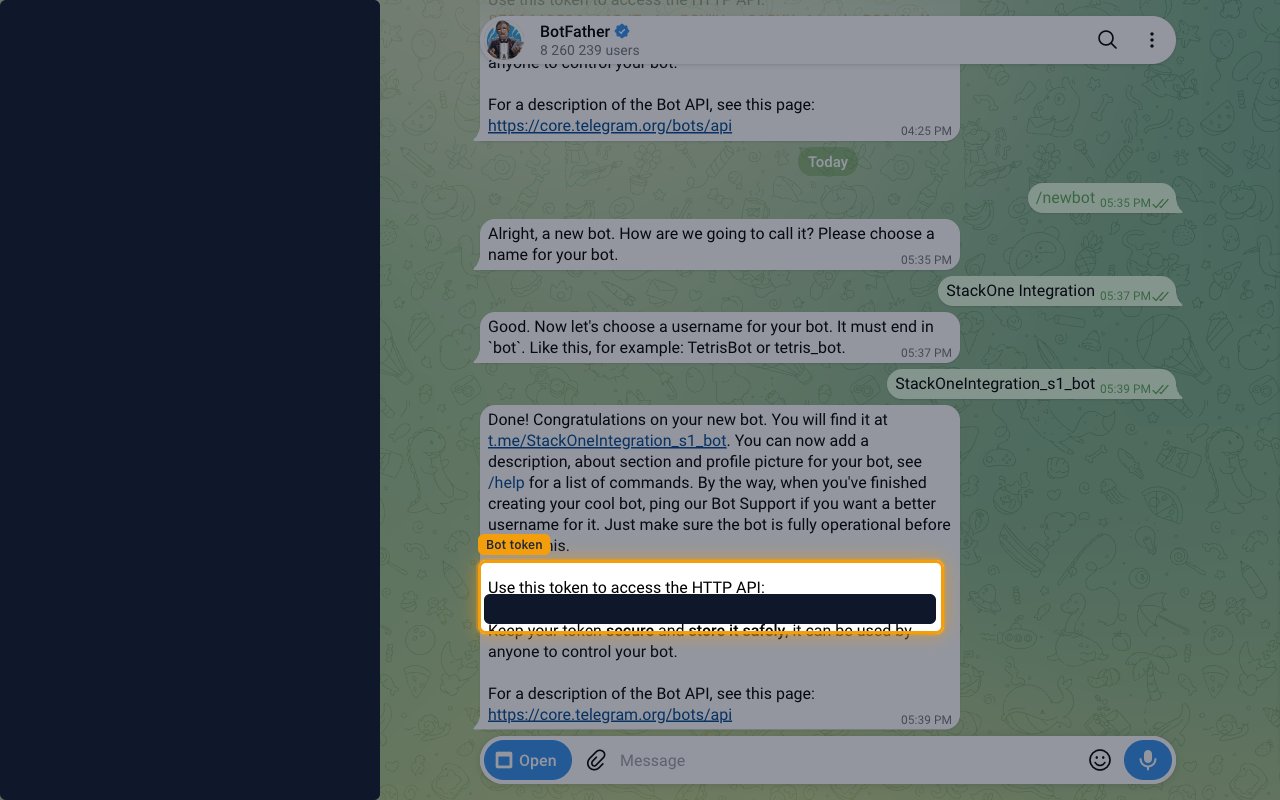
BotFather replies Done! Congratulations on your new bot. and shows the token under Use this token to access the HTTP API:. Copy the full token and paste it into the Bot Token field in StackOne Hub.
- Format:
<bot_id>:<secret> - Example:
123456789:ABCDefGHijklmNOpqrstuvwXYZ - Store the token securely for use later. You can retrieve or regenerate it anytime through @BotFather.
Linking the Account from the Hub
Navigate to the Hub
Fill out the fields
- Bot Token
Connect
- Click Connect
- If applicable, the provider will redirect you to a sign-in or authorization page. Complete the provider’s authorization flow.
- Once authorization is successful, you will see a confirmation popup
If the account linking is successful, you will see the newly linked account in your Accounts page.
Next Steps
Webhooks setup
Configure receiving Events for Telegram into StackOne.