

Prerequisites
The connector should already be set up, with a Connector Profile and a Linked Account. See Getting Started on the Tailscale connector page.Webhook subscription
StackOne creates one webhook for your whole tailnet when you connect the account, subscribed to the events you turn on in StackOne. StackOne deletes the webhook when you disconnect. You do not need to add a webhook in the Tailscale admin console.
- API Key connections need nothing more. The API access token already has the permissions of the user who generated it.
- OAuth 2.0 connections need the
webhooksscope on the OAuth client. Without it, Tailscale refuses to create the webhook.
Add the webhooks scope to the OAuth client
Select the webhooks scope when you create the OAuth client for StackOne. Skip this section if you connect with an API Key.
Open Trust credentials
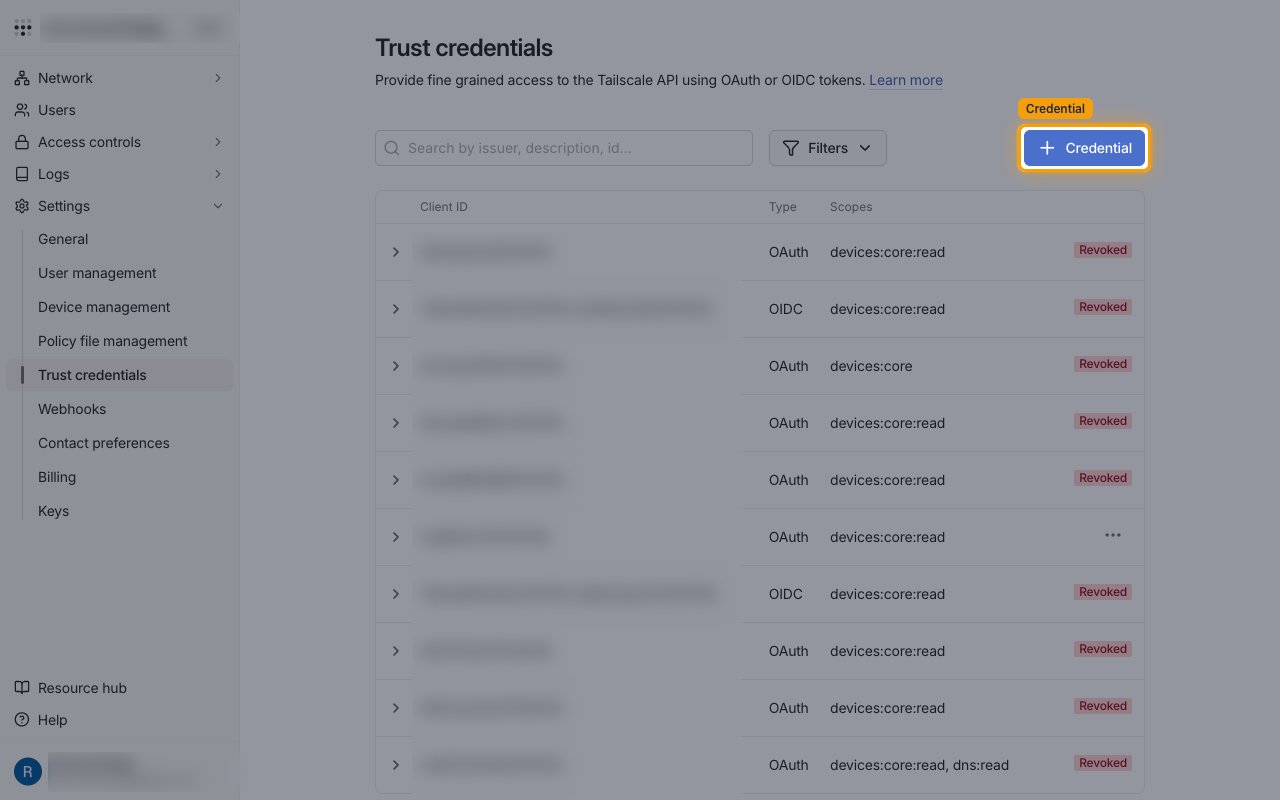
Sign in to your Tailscale admin console. Open Trust credentials under Settings, then select Credential.
Choose OAuth
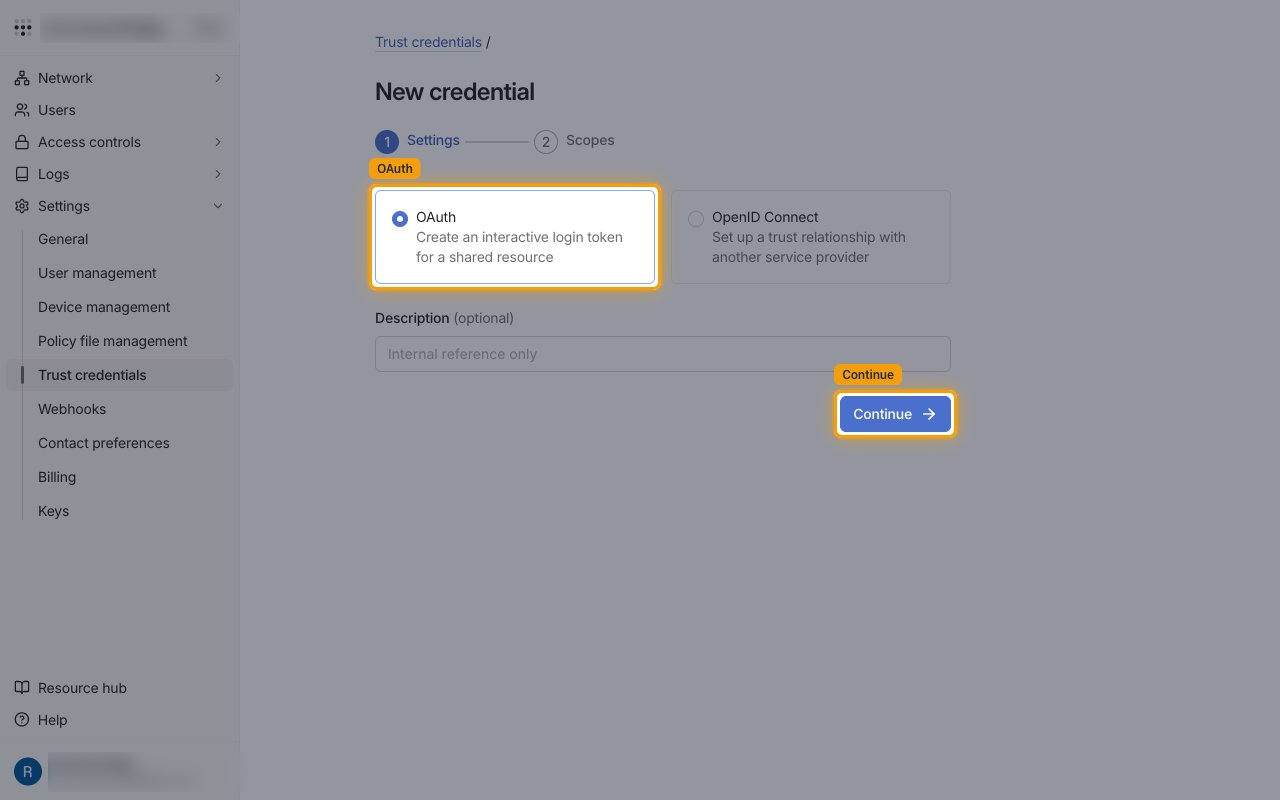
On the New credential page, select OAuth, then select Continue.
Select the webhooks scope
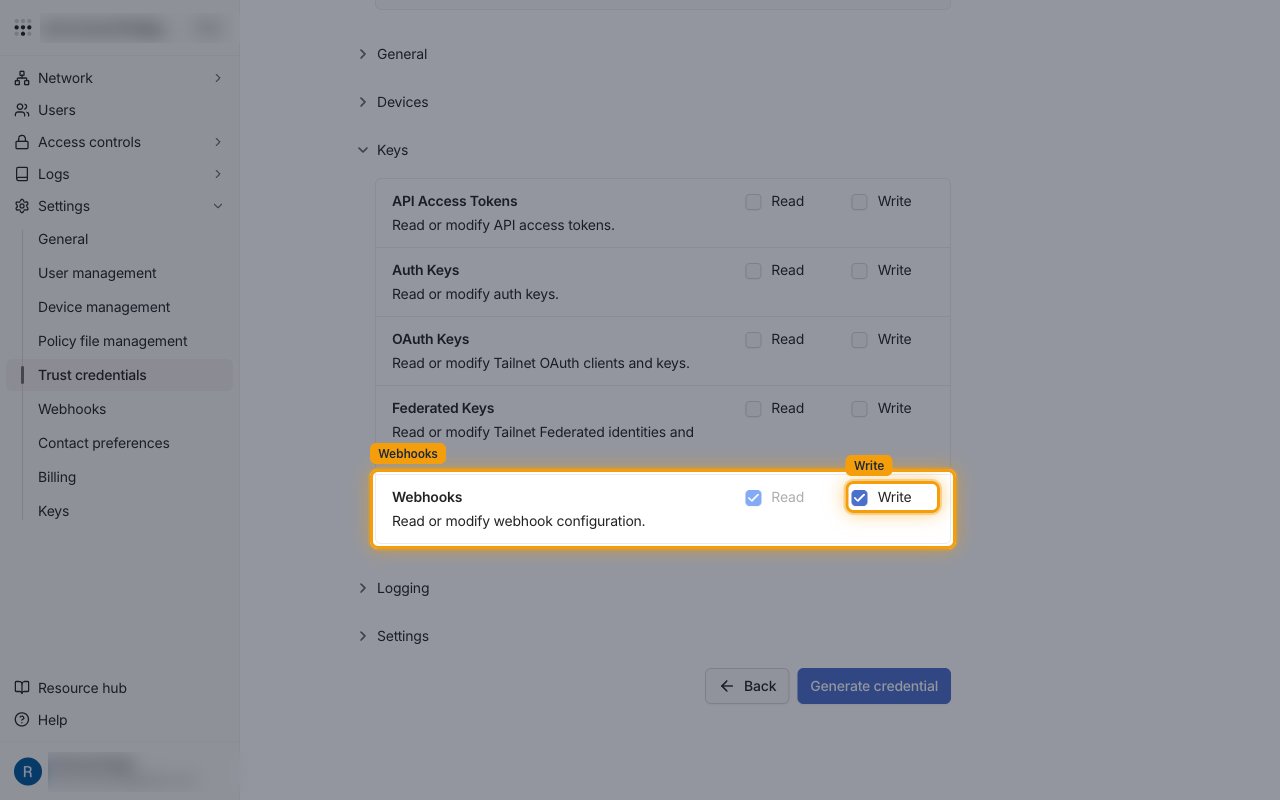
On the Scopes step, expand Keys and select Write for Webhooks. Read is selected with it. Add the other scopes your connection needs, then select Generate credential.
- Write is needed because StackOne creates and deletes the webhook.
Available webhook events
The following Tailscale events can be enabled. Only events selected in StackOne are included in the webhook subscription, so Tailscale does not deliver the others.
Test event
Sent only when an admin tests the webhook.
- Active Check (
webhook.test) — Fired when an admin sends a test event to the webhook from Tailscale.
Device events
Events related to devices (nodes) in the tailnet.
- Device Created (
device.created) — Fired when a device is added to the tailnet. - Device Needs Approval (
device.needs_approval) — Fired when a new device is waiting for an admin to approve it. Pre-approved devices skip it. - Device Approved (
device.approved) — Fired when an admin approves a device. - Device Key Expiring (
device.key_expiring) — Fired when a device key will expire in less than one day. - Device Key Expired (
device.key_expired) — Fired when a device key has expired. - Device Deleted (
device.deleted) — Fired when a device is removed, including automatic removal of ephemeral devices. - Device Signed (
device.signed) — Fired when a trusted device signs a device. Tailnet Lock only. - Device Needs Signature (
device.needs_signature) — Fired when a device needs a signature from a trusted device. Tailnet Lock only. - Subnet Router IP Forwarding Disabled (
device.subnet_ip_forwarding_disabled) — Fired when a subnet router advertises routes but has IP forwarding turned off. - Exit Node IP Forwarding Disabled (
device.exit_node_ip_forwarding_disabled) — Fired when an exit node has IP forwarding turned off.
User events
Events related to users in the tailnet.
- User Created (
user.created) — Fired when a user joins the tailnet. - User Needs Approval (
user.needs_approval) — Fired when a new user is waiting for an admin to approve them. - User Approved (
user.approved) — Fired when an admin approves a user. - User Suspended (
user.suspended) — Fired when a user is suspended. - User Restored (
user.restored) — Fired when a suspended user is restored. - User Deleted (
user.deleted) — Fired when a user is removed from the tailnet. - User Role Updated (
user.role_updated) — Fired when a user’s role changes.
Tailnet events
Events related to the tailnet as a whole.
- Policy File Updated (
policy_file.updated) — Fired when the tailnet policy file (ACLs) changes. - Webhook Updated (
webhook.updated) — Fired when the webhook is changed. Tailscale always sends it. - Webhook Deleted (
webhook.deleted) — Fired when the webhook is deleted. Tailscale always sends it.
Delivery format
Details of how Tailscale delivers events to StackOne.
Batched payloads
Each request is a list of events. Tailscale can send several events in one request, and StackOne routes each event to its own handler. Every event carries its type, timestamp, tailnet name, a short message and an event-specific data object.
Signature
Tailscale signs each request with HMAC-SHA256 in the Tailscale-Webhook-Signature header. StackOne does not check it, because Tailscale returns the signing secret only once, when the webhook is created. The account’s unique webhook URL identifies the connection instead.
Retries
Events usually arrive within a few seconds. A delivery that gets no response or a 3xx, 4xx or 5xx response is retried every hour for up to 24 hours.