

Prerequisites
The connector should already be set up, with a Connector Profile and a Linked Account. See Getting Started on the Swagger connector page.Copy your Native Webhook URL
The Native Webhook URL is the endpoint SwaggerHub posts events to. It is generated per connection and shown on the connected account.
Copy the Native Webhook URL from StackOne
Open the connected Swagger account in StackOne Hub and copy the read-only Native Webhook URL value. It is only available after the account has been connected.
Add the webhook to an API in SwaggerHub
Webhooks are configured per API version from the API’s Integrations tab.
Sign in to Swagger
Sign in to your Swagger account with your SmartBear ID.
Open the API Integrations tab
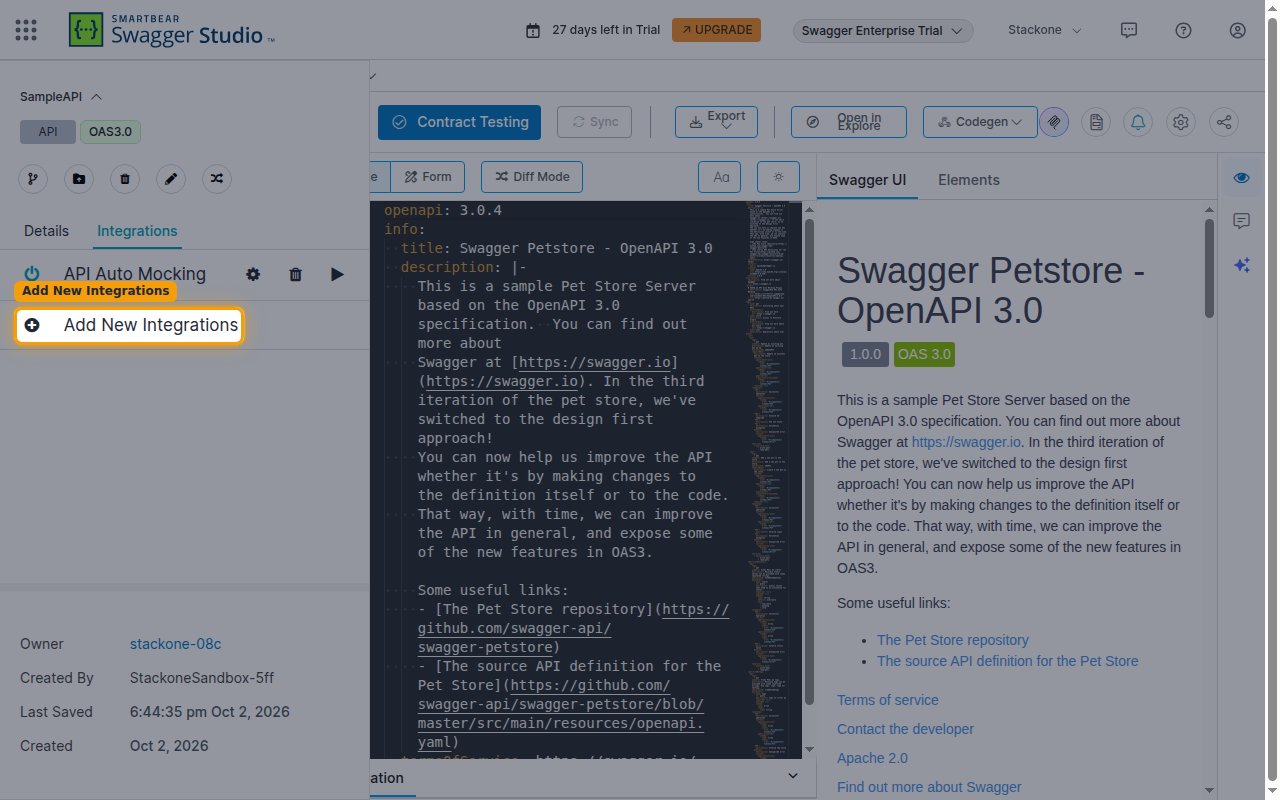
Open the API (and version) you want to monitor in Swagger Studio. Click the API name at the top-left to open the API panel, then select the Integrations tab and click Add New Integrations.
Choose Webhook
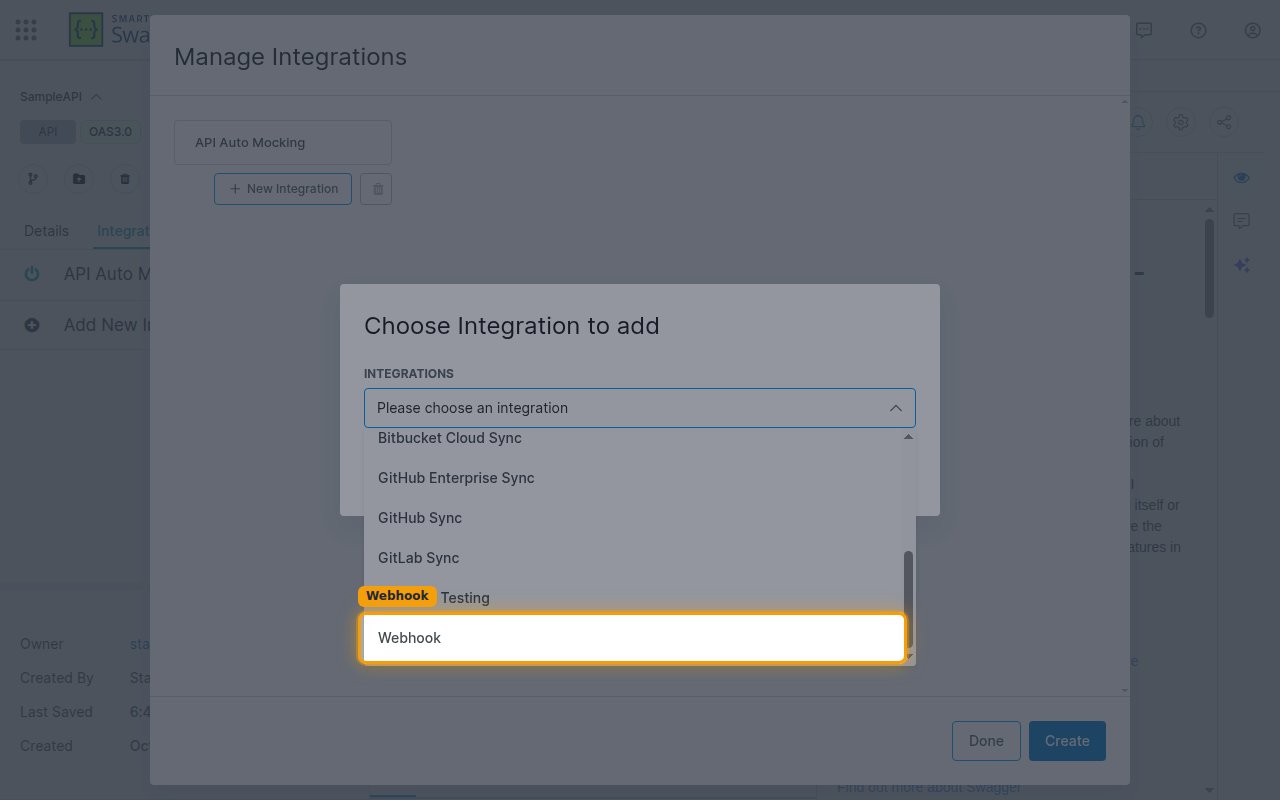
In the Choose Integration to add dialog, open the Choose integration dropdown, select Webhook, and click Add.
Fill in the webhook form
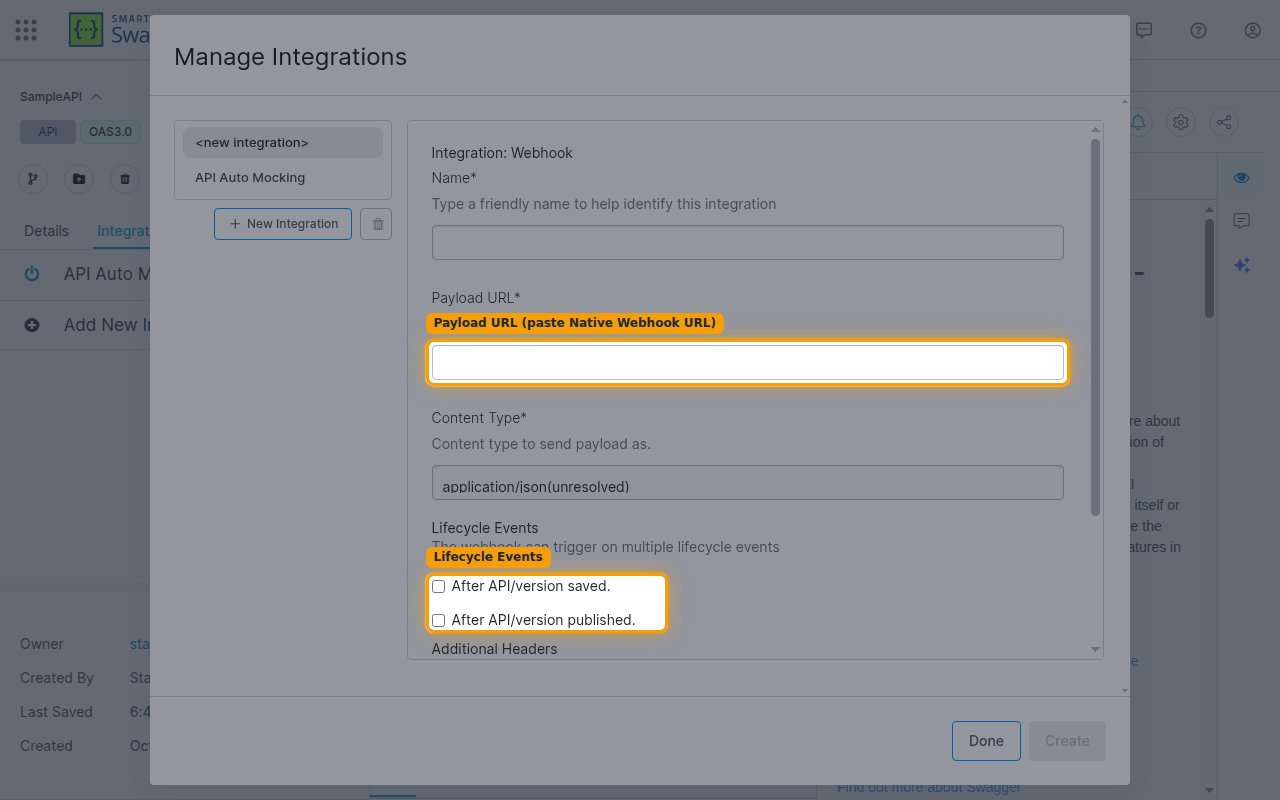
In the Integration: Webhook form, enter a Name, then in the Payload URL field paste the Native Webhook URL you copied from StackOne. Set Content Type to application/json(unresolved) (or application/json(resolved) to resolve $refs in the delivered definition).
- Under Lifecycle Events, tick After API/version saved. and After API/version published. to receive both events.
- Leave Enabled checked.
Create the webhook
Click Create, then Done. SwaggerHub will POST to the Payload URL after the API version is saved and after it is published.
Available webhook events
Under Lifecycle Events on the webhook form you choose which API-version events to receive (tick both to get everything).
API lifecycle events
Events fired for the API version the webhook is attached to.
- API Version Saved (
after_api_version_saved) — Fired after an API version is created or saved (the definition changed). - API Version Published (
after_api_version_published) — Fired after an API version is published.
Delivery format
Details of how SwaggerHub delivers events to StackOne.
Single JSON object
Each delivery is a single JSON object (not batched) containing path (the API resource path, e.g. /apis/{owner}/{api}/{version}), action (the lifecycle event), and definition (the full API definition). There is no signature header and no timestamp in the payload.