

Prerequisites
The connector should already be set up, with a Connector Profile and a Linked Account. See Getting Started on the Supabase connector page.Configure a Supabase Database Webhook
This connector uses Manual Webhooks. You must create a Database Webhook in the Supabase Dashboard for each table you want events from — storage.objects (files), storage.buckets (buckets), and/or auth.users (users) — pointing each webhook at the StackOne Native Webhook URL shown on this connection. Repeat the steps below once per table.
Copy the Native Webhook URL
Before configuring the webhook, copy the Native Webhook URL from the Linked account.
- The URL is shown in the Native Webhook URL field on the Linked account — it is only available after the connection has been created.
- Copy the full URL and keep it ready for the webhook configuration step.
Enable Database Webhooks on your project
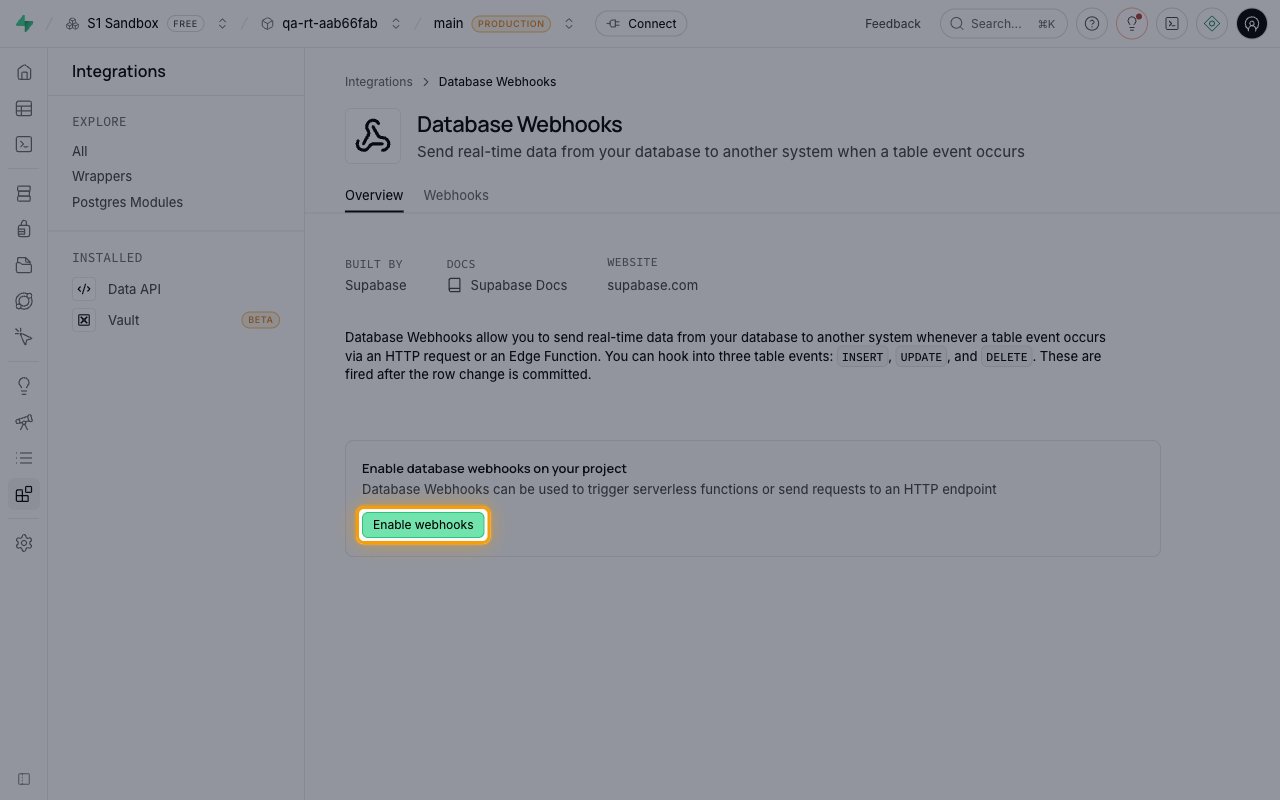
In the Supabase Dashboard, open your project, click Integrations in the left sidebar, and select Database Webhooks. If webhooks have not been enabled yet, the Overview tab shows Enable database webhooks on your project — click Enable webhooks.
- This is a one-time step per project. Once enabled, Database Webhooks appears under Installed in the Integrations sidebar.
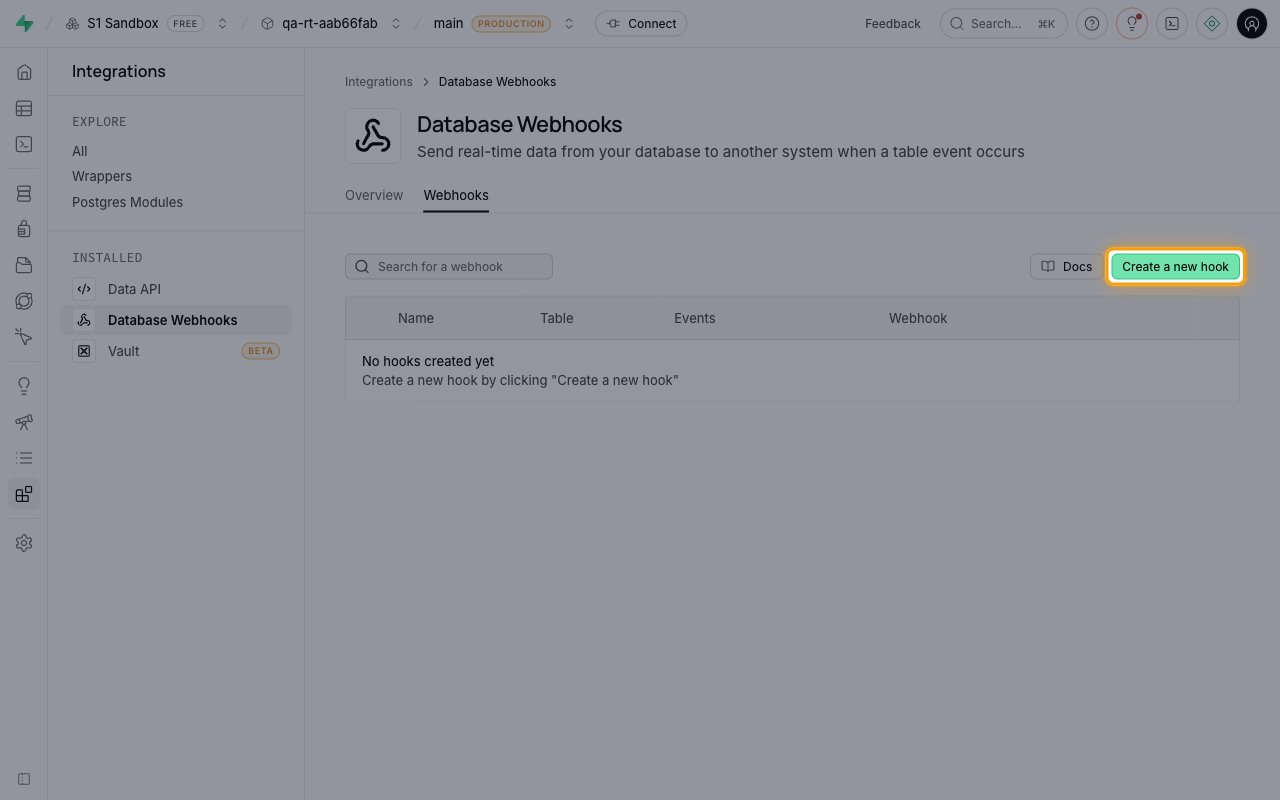
Create a new hook
Open the Webhooks tab and click Create a new hook.
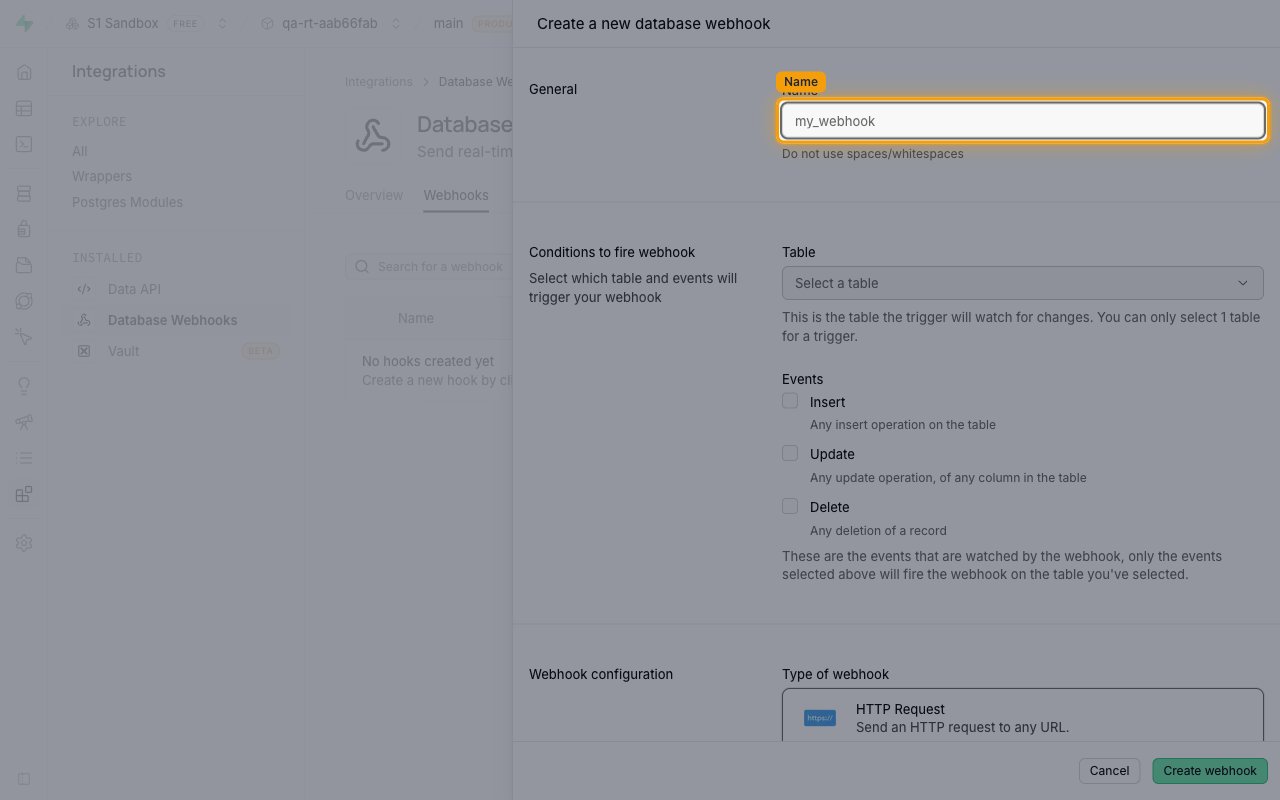
Enter a webhook name
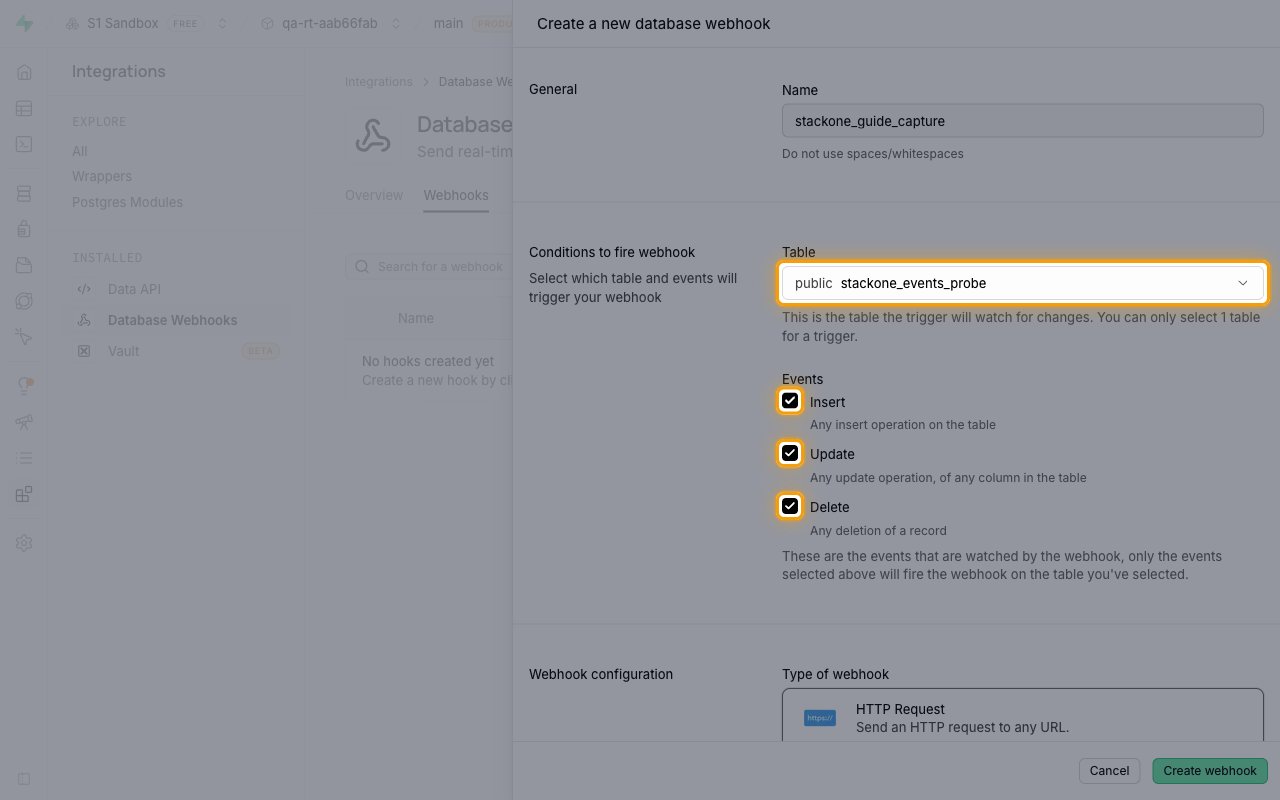
In the Create a new database webhook panel, under General, enter a descriptive Name (e.g. stackone_events).
- Do not use spaces/whitespaces in the name.
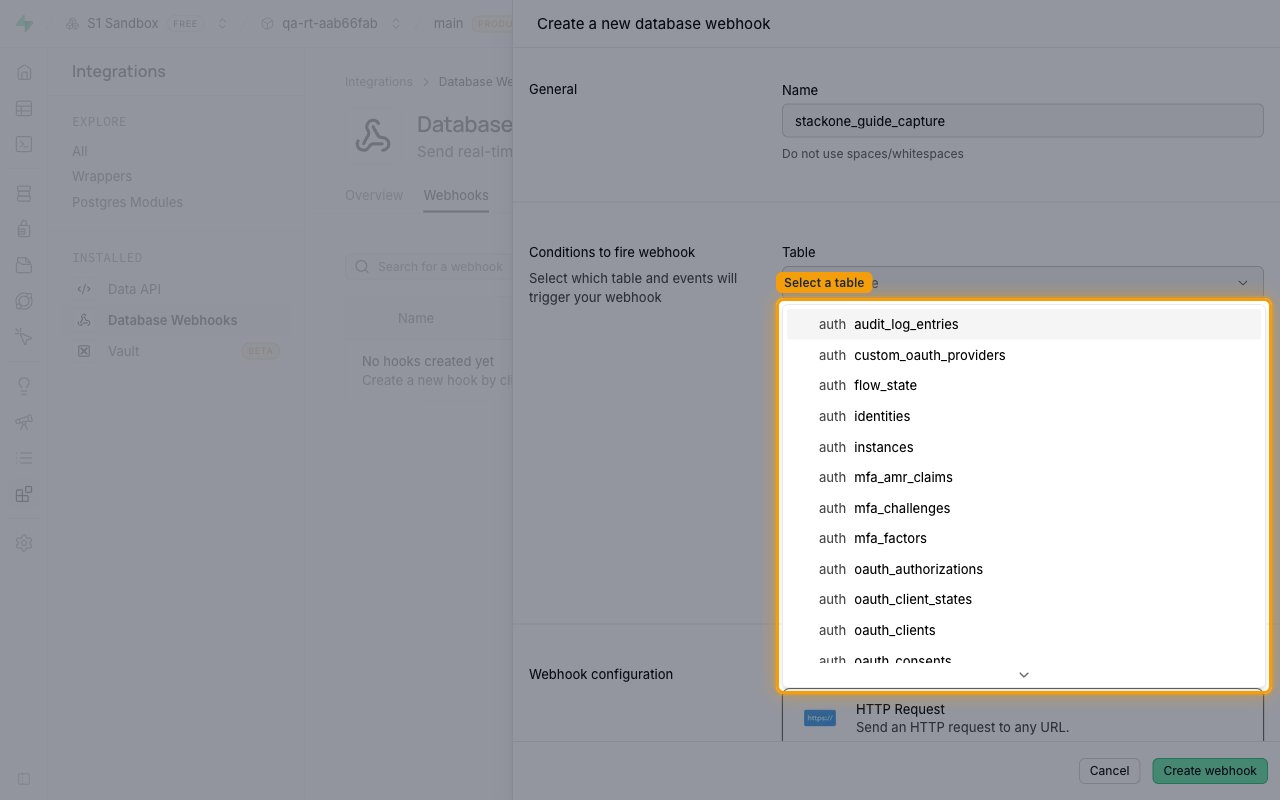
Select the table to watch
Under Conditions to fire webhook, open the Table dropdown (Select a table) and pick the table whose events you want to receive.
objectsin thestorageschema — file events (Supabase Storage keeps every file in this table).bucketsin thestorageschema — bucket events.usersin theauthschema — user lifecycle events.- You can only select 1 table for a trigger — create one webhook per table.
- Deliveries from any other table are ignored by StackOne.
Select the events
Under Events, tick the operations that should fire the webhook.
- Insert — Any insert operation on the table
- Update — Any update operation, of any column in the table
- Delete — Any deletion of a record
- Only the events selected here will fire the webhook on the table you’ve selected.
Configure the HTTP request target
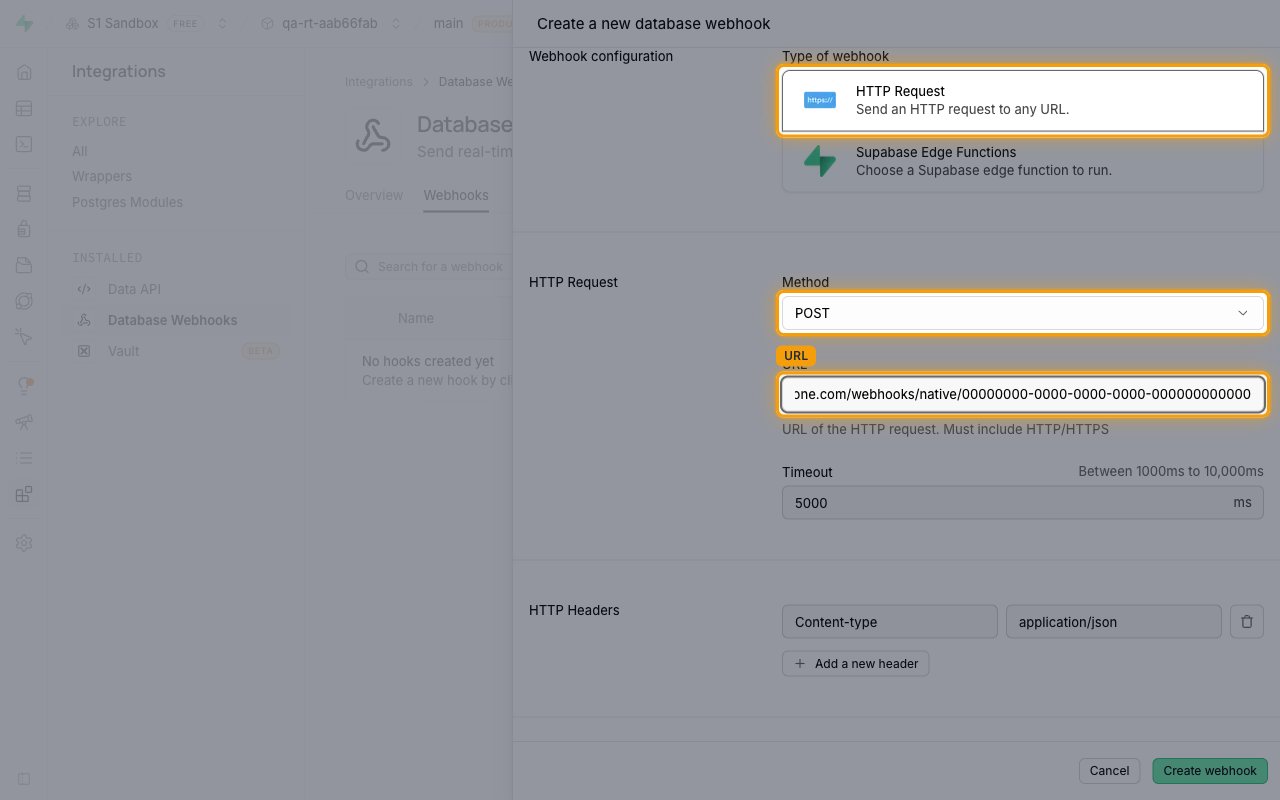
Under Webhook configuration, keep Type of webhook set to HTTP Request. In the HTTP Request section, set Method to POST and paste the Native Webhook URL you copied earlier into the URL field.
- The URL of the HTTP request must include HTTP/HTTPS.
- Leave the default HTTP Headers row
Content-type: application/jsonin place. - Timeout can stay at the default
5000ms (allowed range: between 1000ms to 10,000ms). - Optional: add a static secret header (e.g.
X-Supabase-Secret) via Add a new header for your own validation — StackOne does not verify it automatically.
Create the webhook
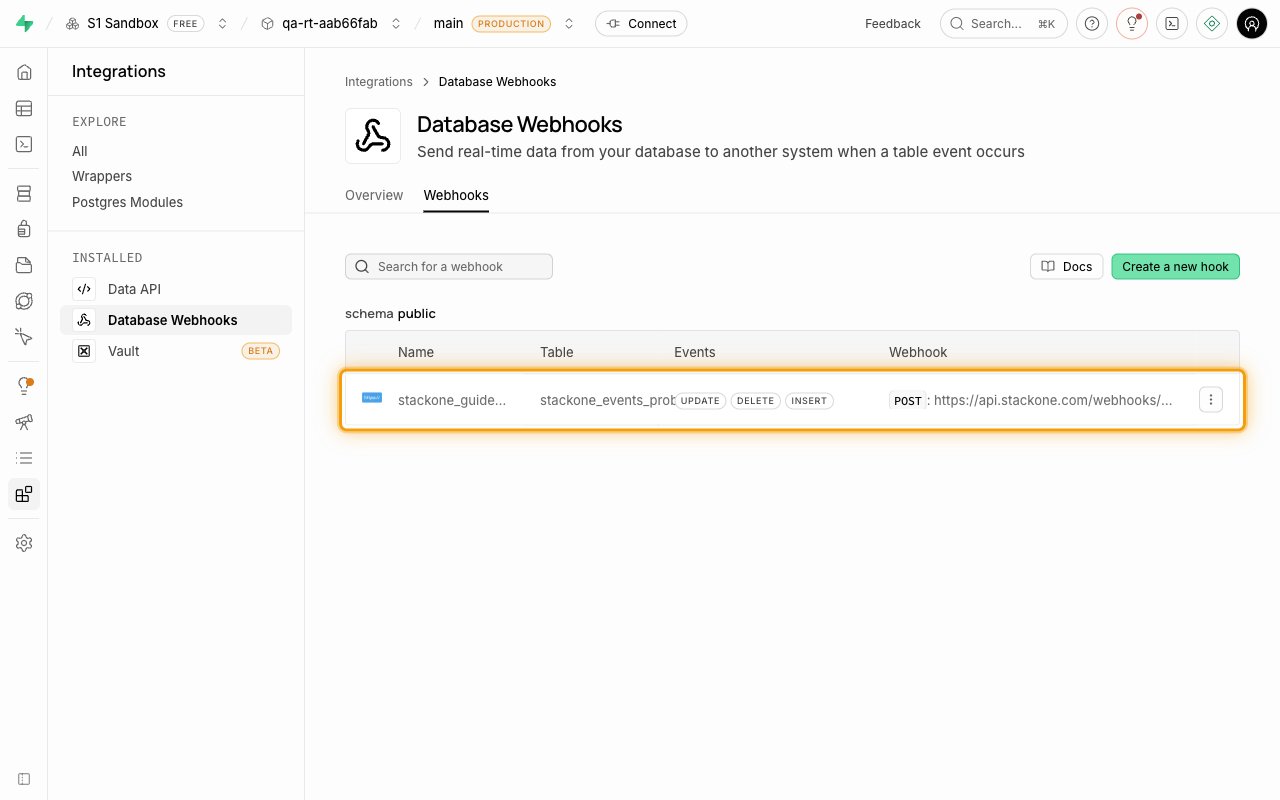
Click Create webhook. The new hook appears in the Webhooks list showing its Name, Table, Events, and the Webhook target URL.
Verify delivery
Trigger a write operation (insert, update, or delete a row) on the configured table and confirm the event arrives in StackOne.
- Supabase delivers webhooks asynchronously via the
pg_netextension. Delivery is best-effort — failed requests are not automatically retried. - You can inspect deliveries in the Supabase Dashboard Logs section, or by querying the
net._http_responsetable directly. - If no event arrives, verify the webhook URL is correct, the connection is active, and the webhook’s events include the operation you performed.
Available webhook events
The following Supabase events can be received. Only events enabled in StackOne are processed — deliveries for events that are not enabled, or from unsupported tables, are ignored.
User events
User lifecycle events from Supabase Auth. To receive them, configure a Database Webhook on the users table in the auth schema with the Insert, Update, and Delete events enabled.
- User Created (
INSERTonauth.users) — Fired when a new user signs up or is created. - User Updated (
UPDATEonauth.users) — Fired when a user record changes (profile, confirmation, ban, metadata) — and on every sign-in, since Supabase records the sign-in time on the user row. - User Deleted (
DELETEonauth.users) — Fired when a user is permanently deleted.
Storage object events
Events for files in Supabase Storage. To receive them, configure a Database Webhook on the objects table in the storage schema with the Insert, Update, and Delete events enabled.
- Storage Object Created (
INSERTonstorage.objects) — Fired when a file is uploaded to Supabase Storage. - Storage Object Updated (
UPDATEonstorage.objects) — Fired when a file is overwritten, moved, or its metadata changes. - Storage Object Deleted (
DELETEonstorage.objects) — Fired when a file is deleted from Supabase Storage.
Bucket events
Events for storage buckets. To receive them, configure a Database Webhook on the buckets table in the storage schema with the Insert, Update, and Delete events enabled.
- Bucket Created (
INSERTonstorage.buckets) — Fired when a storage bucket is created. - Bucket Updated (
UPDATEonstorage.buckets) — Fired when a bucket’s settings change (visibility, size limit, allowed types). - Bucket Deleted (
DELETEonstorage.buckets) — Fired when a storage bucket is deleted.