

Prerequisites
The connector should already be set up, with a Connector Profile and a Linked Account. See Getting Started on the Sumsub connector page.Send Sumsub events to StackOne
Sumsub sends webhooks to an HTTP address you add in the Sumsub Dashboard. Create one webhook that points at this account’s Native Webhook URL.
Copy the Native Webhook URL
Once the Sumsub account is connected, copy the Native Webhook URL shown on your Linked account in StackOne.
Create the webhook
Sign in to the Sumsub Dashboard, then open Dev space > Webhooks > Webhook manager.
- Click Create webhook.
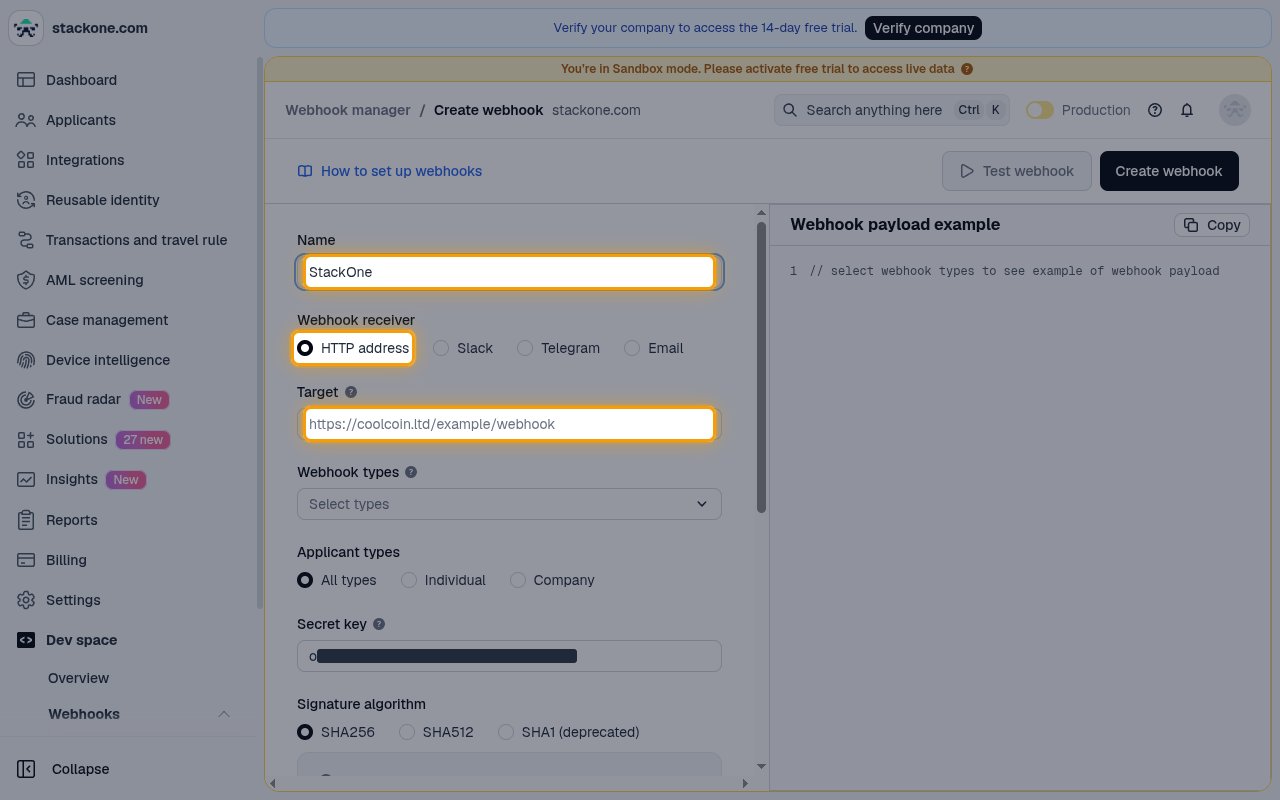
- Name: enter
StackOne - Webhook receiver: keep HTTP address selected
- Target: paste the Native Webhook URL
Select the event types
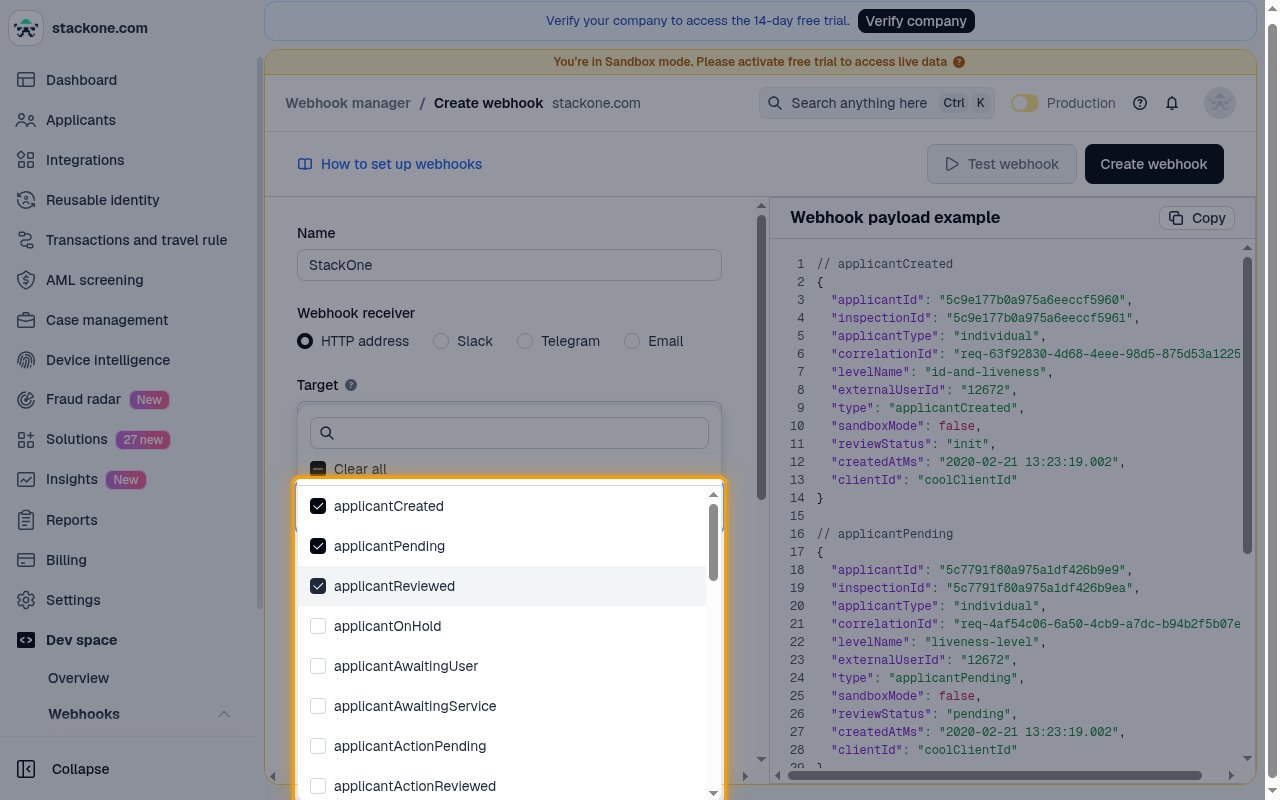
Open Webhook types and tick every type you want to receive. Each type is described in Available webhook events.
- Keep Applicant types set to All types, or pick Individual or Company to receive events for one applicant type only.
- Leave Secret key and Signature algorithm as they are. StackOne does not need them.
Save the webhook
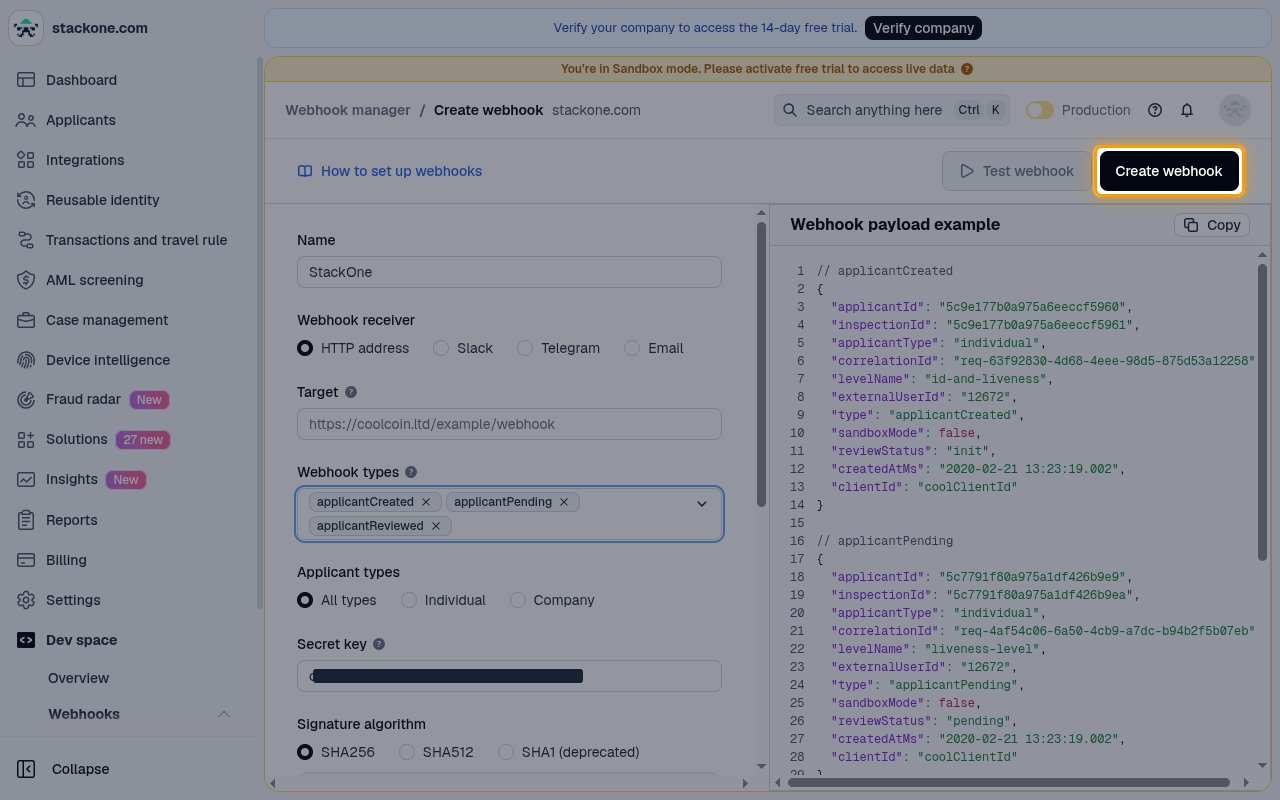
Click Create webhook. Sumsub starts sending the selected events right away.
- Test webhook sends a sample payload marked
testMode: true. It is only a connectivity check and is not a real event.
Available webhook events
Sumsub sends only the types ticked under Webhook types, and StackOne delivers only the events enabled in StackOne. Some types appear under Webhook types only when the related feature is enabled on your Sumsub account, such as Video identification or company verification.
Applicant events
Events about the applicant record and its review status.
- Applicant Created (
applicantCreated) — Fired when a new applicant record is created (through the WebSDK or MobileSDK, a verification link, the create applicant API or as a KYB beneficiary) - Applicant Pending (
applicantPending) — Fired when the applicant’s review status changes to pending (the applicant submits the level in the SDK, or is moved to pending via the API or Dashboard) - Applicant Reviewed (
applicantReviewed) — Fired when the applicant receives a final verification result, approved or rejected - Applicant On Hold (
applicantOnHold) — Fired when the applicant’s review status changes to onHold (routed to manual review, placed on hold by an operator, or a new watchlist match on an ongoing AML recheck) - Applicant Awaiting Service (
applicantAwaitingService) — Fired when the applicant’s review status changes to awaitingService while a workflow waits for a service result - Applicant Awaiting User (
applicantAwaitingUser) — Fired when the applicant’s review status changes to awaitingUser while a workflow waits for the applicant to act - Applicant Activated (
applicantActivated) — Fired when a previously deactivated applicant is reactivated - Applicant Deactivated (
applicantDeactivated) — Fired when the applicant is deactivated (a recoverable soft-delete; the applicant can be reactivated later) - Applicant Deleted (
applicantDeleted) — Fired when the applicant record is permanently deleted - Applicant Reset (
applicantReset) — Fired when the applicant is fully reset (checks, documents and the Video identification state are cleared, and the review status returns to init) - Applicant Steps Reset (
applicantStepsReset) — Fired when one or more of the applicant’s verification steps are reset without a full applicant reset - Applicant Level Changed (
applicantLevelChanged) — Fired when the applicant moves from one verification level to another - Applicant Risk Level Changed (
applicantRiskLevelChanged) — Fired when the applicant’s risk level changes - Applicant Personal Info Changed (
applicantPersonalInfoChanged) — Fired when the applicant’s personal information (info, fixedInfo, profile email or phone, or company information) is updated - Applicant Tags Changed (
applicantTagsChanged) — Fired when the applicant’s tags are updated (via the API, the Dashboard, a workflow node, an auto-check or a case action) - Applicant Personal Data Deleted (
applicantPersonalDataDeleted) — Fired when the applicant’s personal data or stored document images are permanently erased by a cleanup - Company Structure Changed (
companyStructureChanged) — Fired when the list of beneficiaries of a company applicant changes
Applicant action events
Events about applicant actions, such as payment method or crypto wallet checks.
- Applicant Action Pending (
applicantActionPending) — Fired when an applicant action’s review status changes to pending - Applicant Action Reviewed (
applicantActionReviewed) — Fired when an applicant action receives a verification result, approved or rejected - Applicant Action On Hold (
applicantActionOnHold) — Fired when an applicant action’s review status changes to onHold - Applicant Action Level Changed (
applicantActionLevelChanged) — Fired when a workflow level-change node moves an applicant action to a new verification level
Workflow events
Events about workflow runs on the applicant.
- Applicant Workflow Completed (
applicantWorkflowCompleted) — Fired when the applicant’s workflow run reaches its end and completes - Applicant Workflow Failed (
applicantWorkflowFailed) — Fired when the applicant’s workflow run fails
Verification session events
Events from verification links, the WebSDK, Video identification and reusable KYC share tokens.
- Verification Link Opened (
applicantVerificationLinkOpened) — Fired when the applicant opens a verification link or initializes the SDK for the first time - Verification Link SDK Event (
verificationLinkSdkEvent) — Fired when the applicant enters or completes a verification step in the SDK - Video Ident Status Changed (
videoIdentStatusChanged) — Fired when the review status of a Video identification call changes - Video Ident Composition Completed (
videoIdentCompositionCompleted) — Fired when the recording of a Video identification call is composed and stored - Applicant Share Token Consumed (
applicantShareTokenConsumed) — Fired when an applicant share token is consumed and the applicant’s data is reused - Applicant Share Token Failed (
applicantShareTokenFailed) — Fired when reusing applicant data with a share token fails
Delivery format
How Sumsub delivers events to StackOne.
One event per request
Each request carries one event as a flat JSON body. The type field names the event and applicantId names the applicant. Payloads contain no personal data.
- Sumsub retries failed deliveries five times and stops retrying on a
401,403or404response.