

Prerequisites
The connector should already be set up, with a Connector Profile and a Linked Account. See Getting Started on the Statuspage connector page.Enable webhook delivery
StackOne creates the Statuspage webhook subscriber for you when a Statuspage API Key account is connected with a Webhook Page ID and Webhook Contact Email, and removes it when the account is disconnected. You only need to allow webhook subscribers on the page and give StackOne the page ID.
Enable webhook subscribers
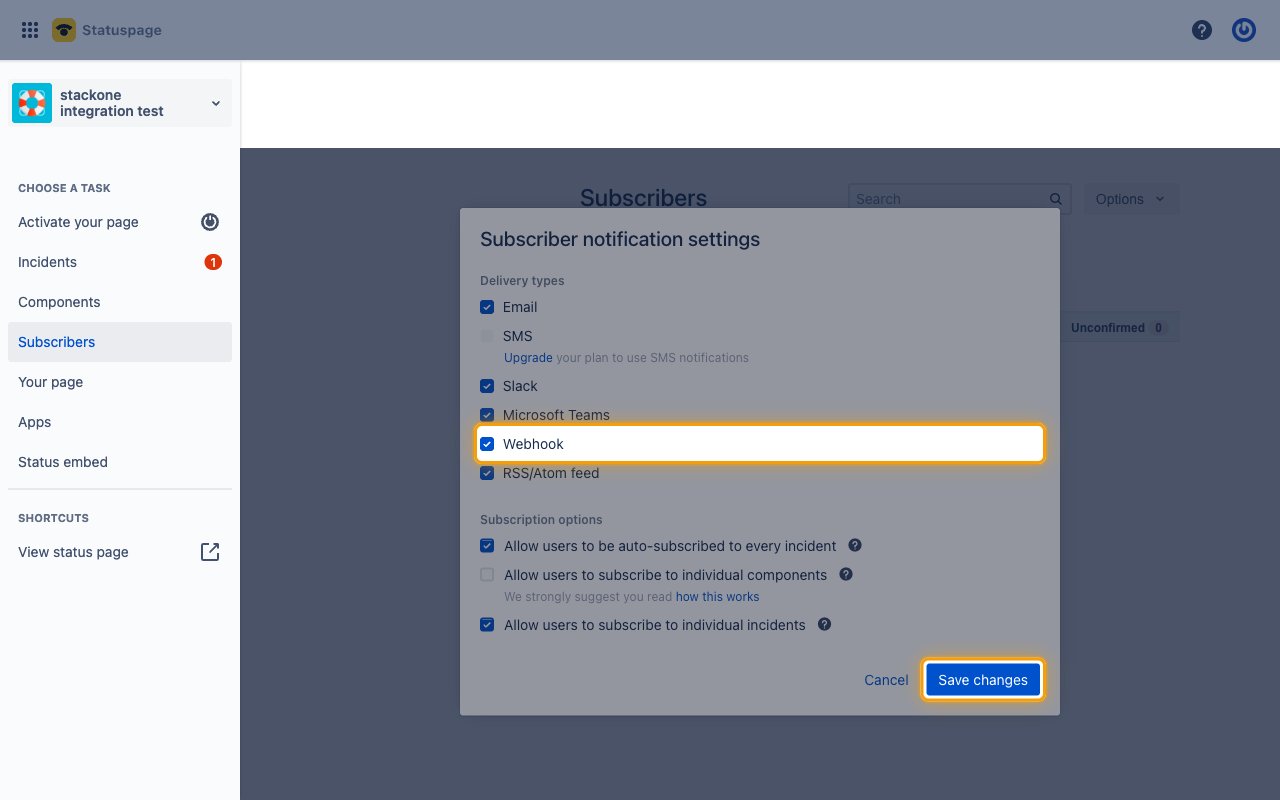
Sign in to Statuspage, open your page and click Subscribers in the sidebar.
- Click Options.
- Select Settings.
- Under Delivery types, tick Webhook.
- Click Save changes.
Copy the page ID
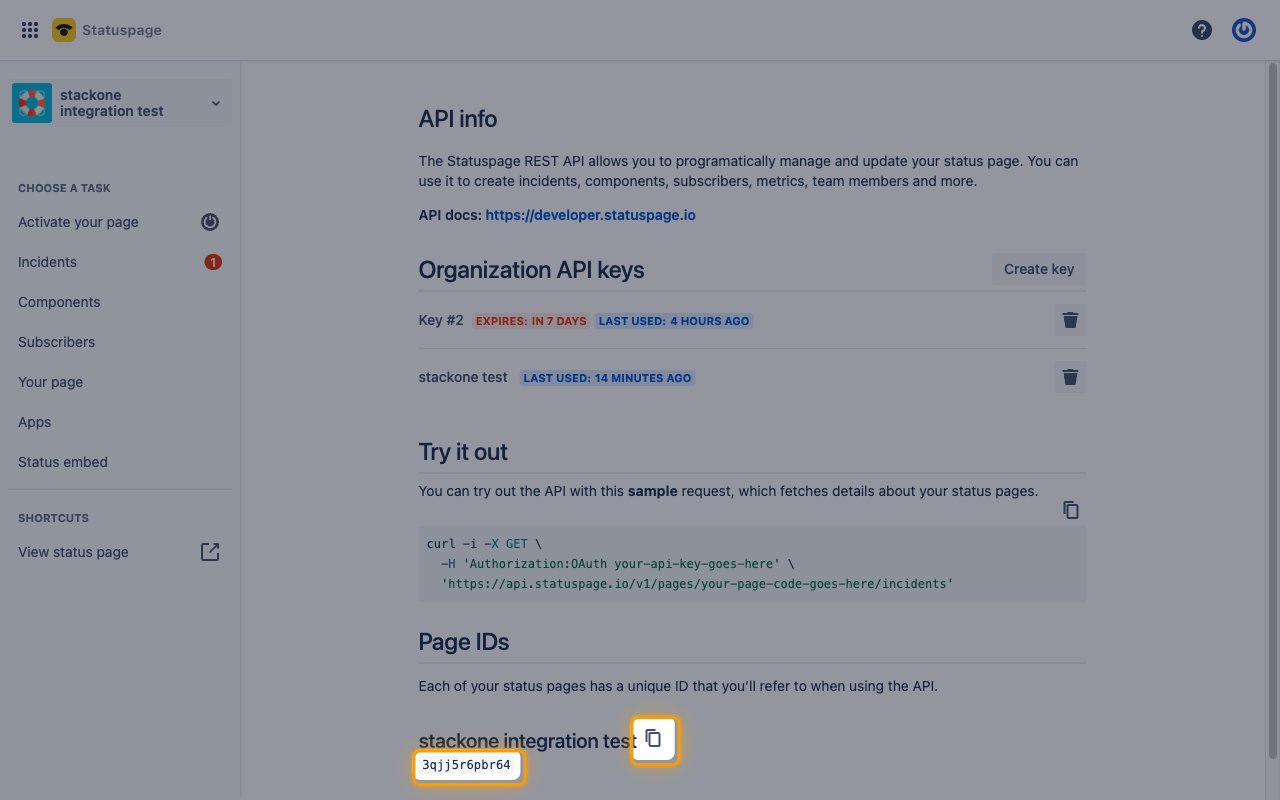
Click your profile icon in the top right, then select API info.
- Under Page IDs, click the copy icon next to your page’s name.
Add the webhook fields to the account
When you connect the Statuspage API Key account, fill in the webhook fields in StackOne Hub.
- Webhook Page ID: The page ID you copied
- Webhook Contact Email: Email address Statuspage contacts if webhook deliveries fail
Available webhook events
The following Statuspage events can be enabled. Statuspage sends every update on the page to the subscriber, and StackOne delivers only the events you enable.
Component events
Events related to the status of the page’s components.
- Component Status Updated (
component.status_updated) — Fired when a component changes status, not when it is renamed or moved
Incident and maintenance events
Events related to incidents and scheduled maintenance.
- Incident Updated (
incident.updated) — Fired when an incident is created or gets a new update - Scheduled Maintenance Updated (
maintenance.updated) — Fired when a scheduled maintenance is created or updated
Delivery format
Details of how Statuspage delivers events to StackOne.
- Each request carries one component or incident update for the whole page.
- Statuspage sends no event name, so StackOne routes each delivery by the shape of its payload.
- Statuspage does not sign deliveries.