

Create a Statuspage API key
A Statuspage API key gives access to every page in your Statuspage organization.
1
Open API info
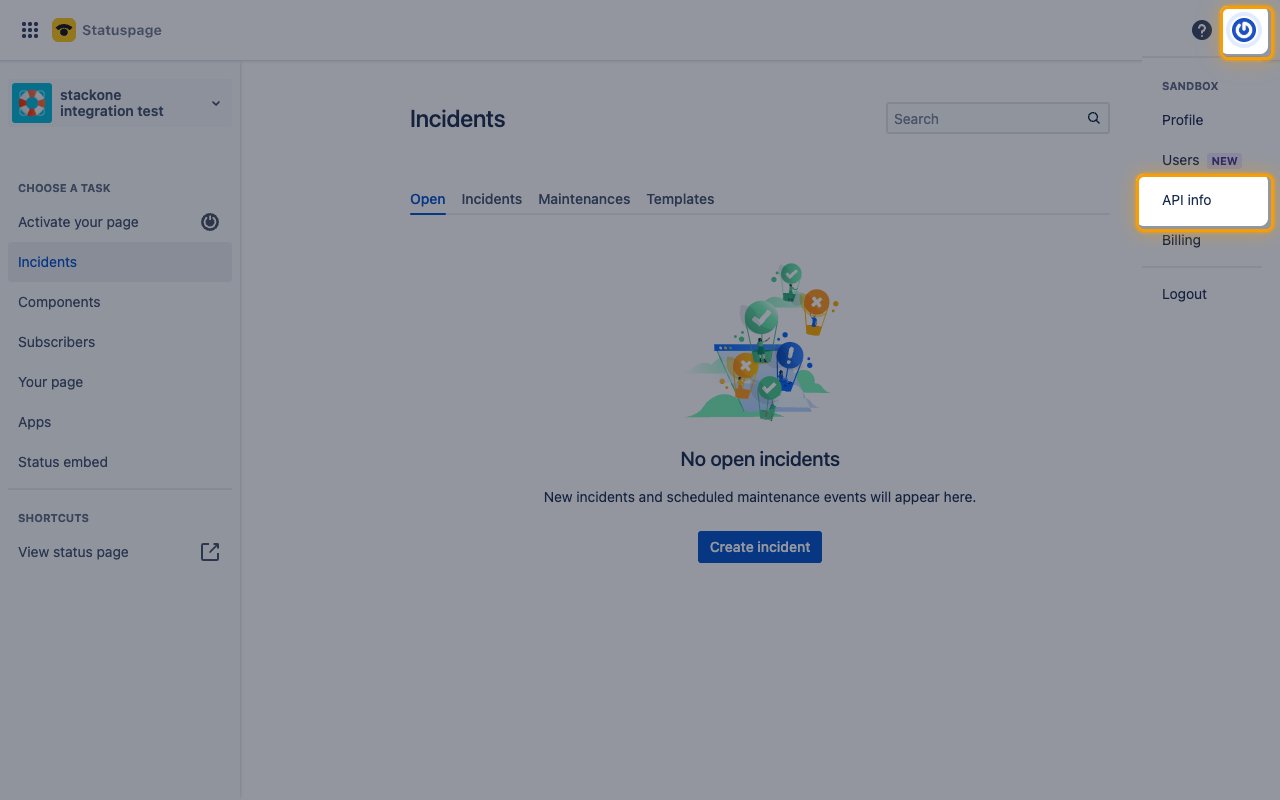
2
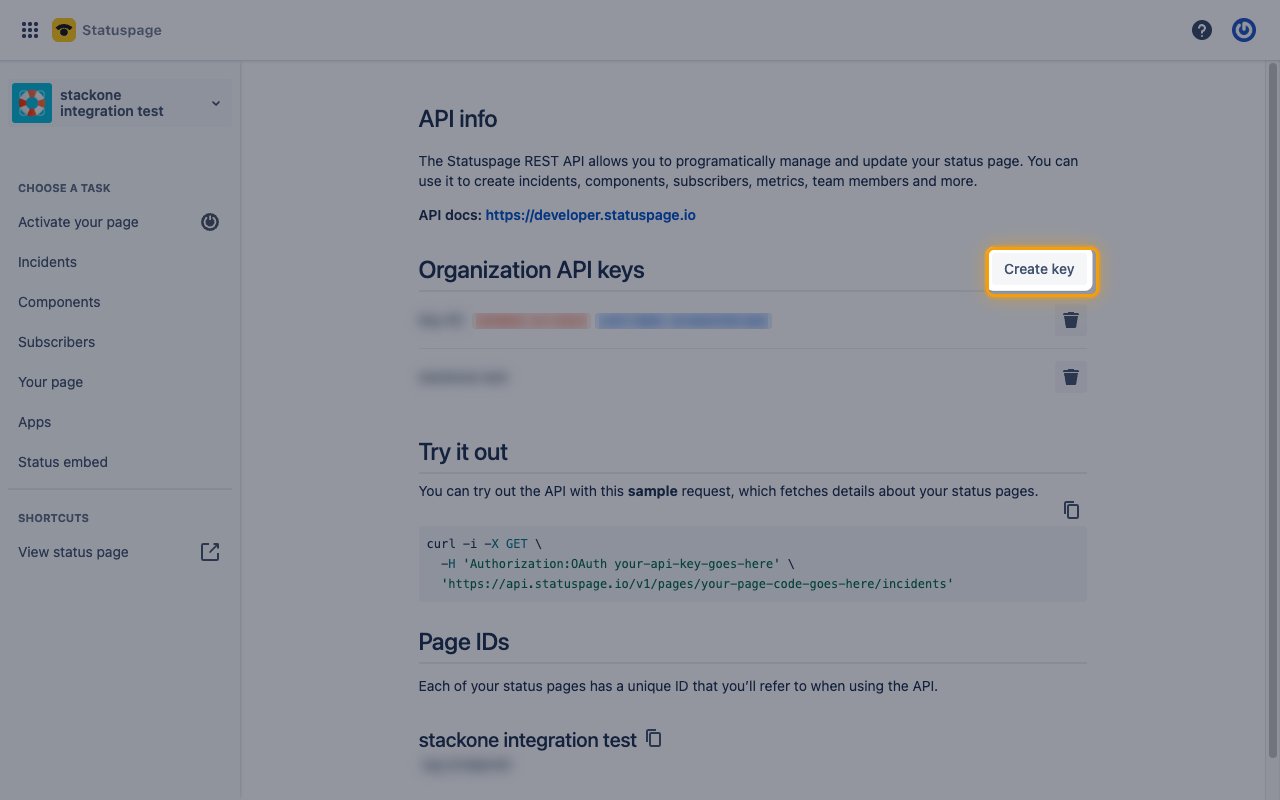
Start a new key
On the API info page, find the Organization API keys section.
- Click Create key.
3
Create the key
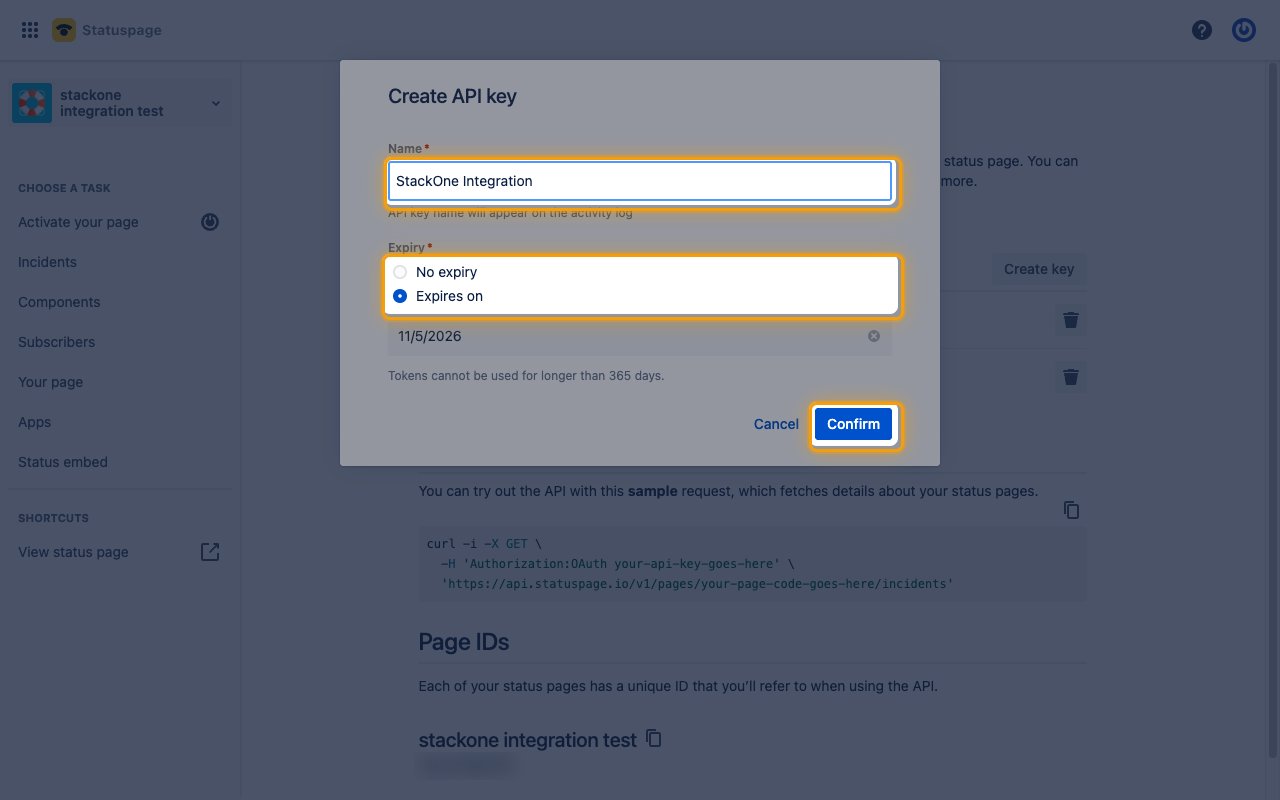
In Create API key, fill in the key details.
- Name:
StackOne Integration - Expiry: Expires on a date of your choice, or No expiry
- Click Confirm.
4
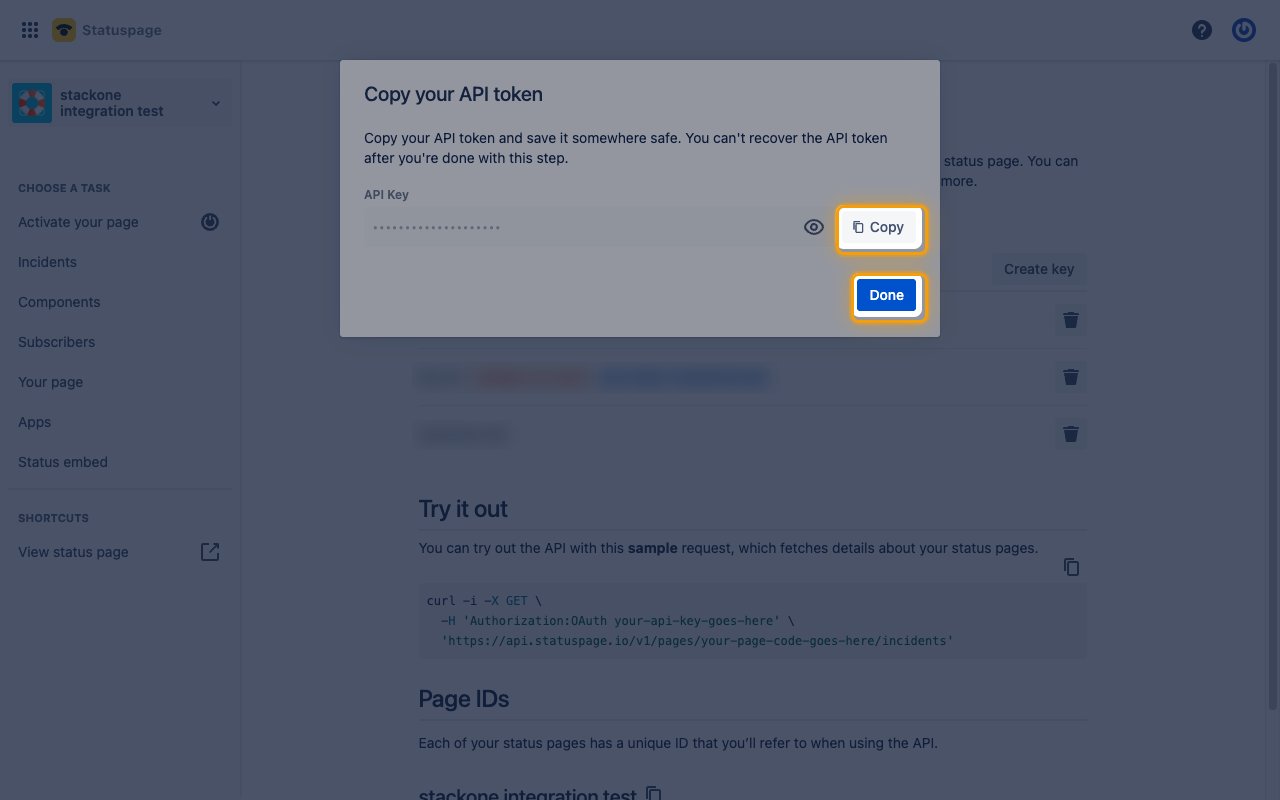
Copy the key
In Copy your API token, click Copy, then copy the API Key into StackOne Hub.
- Click Done.
- The API key is only displayed once and cannot be retrieved later.
Link the Account
1
Connect
- Click Connect.
- If applicable, the provider will redirect you to a sign-in or authorization page. Complete the provider’s authorization flow.
- Once authorization is successful, you will see a confirmation popup.
2
Use Actions
Connect an AI platform to the linked account’s actions. See AI Platforms.Other ways to call actions are listed in Protocols & SDKs.
Next Steps
Webhooks setup
Configure receiving Events for Statuspage into StackOne.