

Register an application on Stack Apps
The Stack Exchange API requires a free application key for public read access. Register
an application on Stack Apps to obtain the key.
Sign in to Stack Apps
Sign in to your Stack Exchange account.
- Go to the Stack Apps application registration page.
Register an application
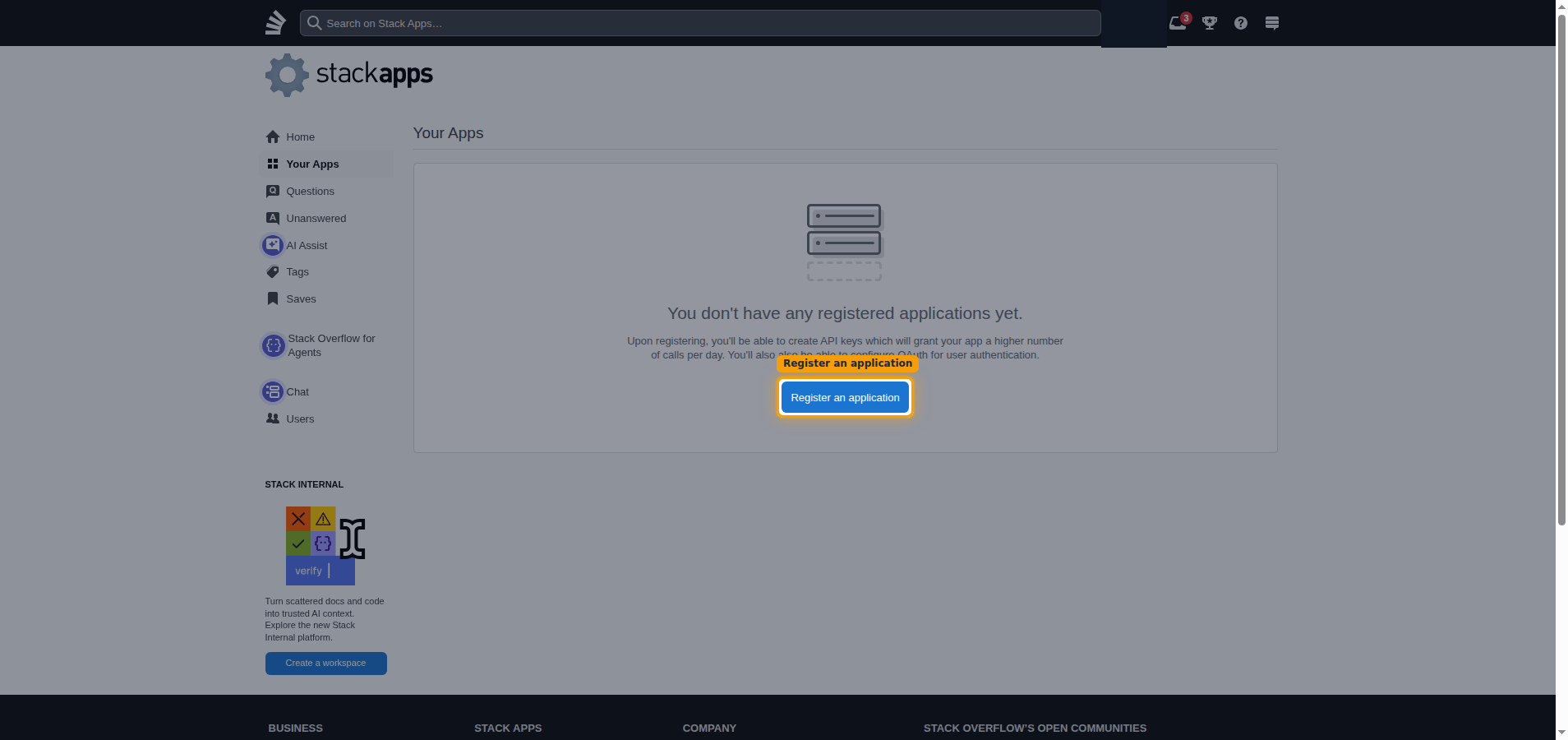
On the Your Apps page, click Register an application.
Enter the application details
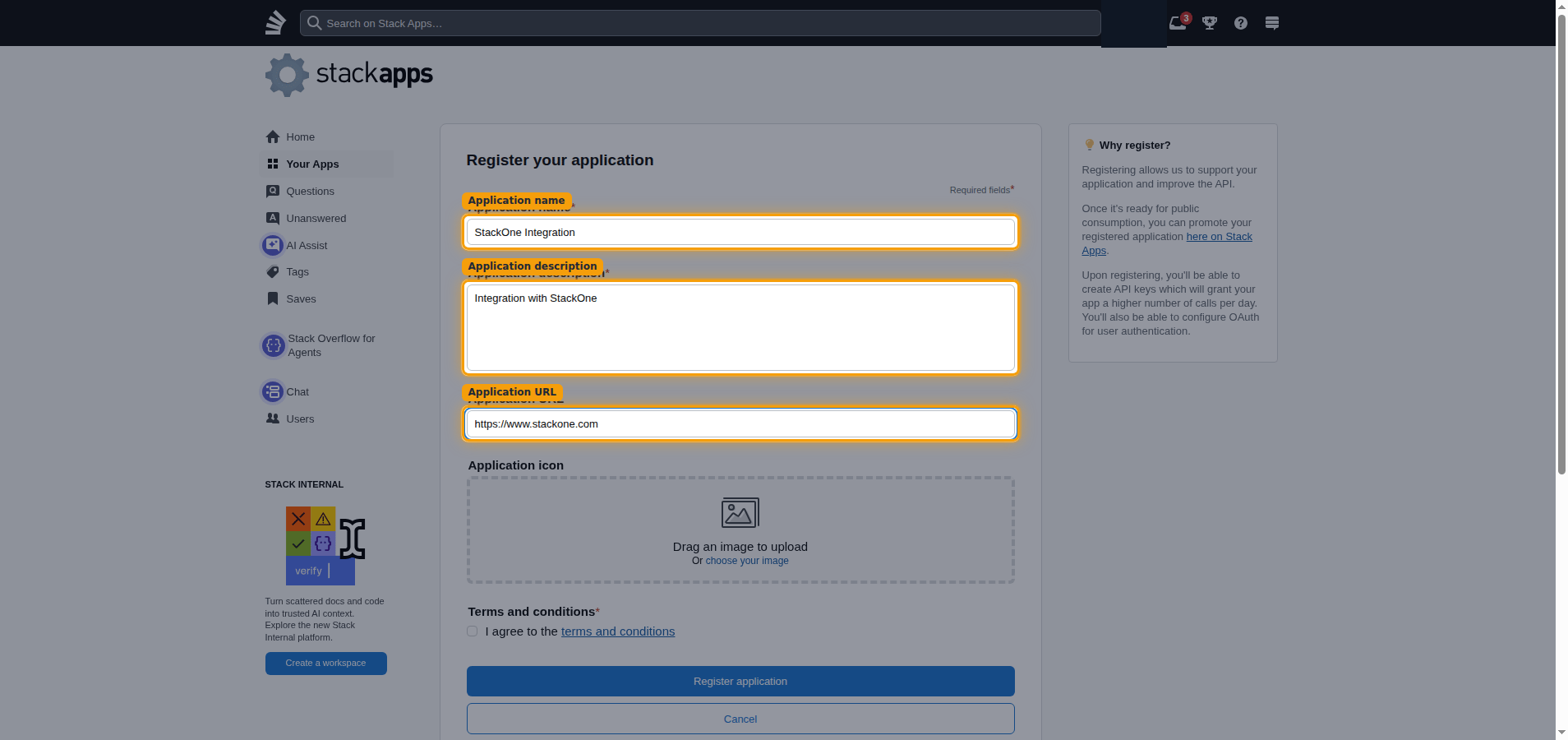
Complete the Register your application form.
- Application name:
StackOne Integration - Application description:
Integration with StackOne - Application URL:
https://www.stackone.com
Accept the terms and register
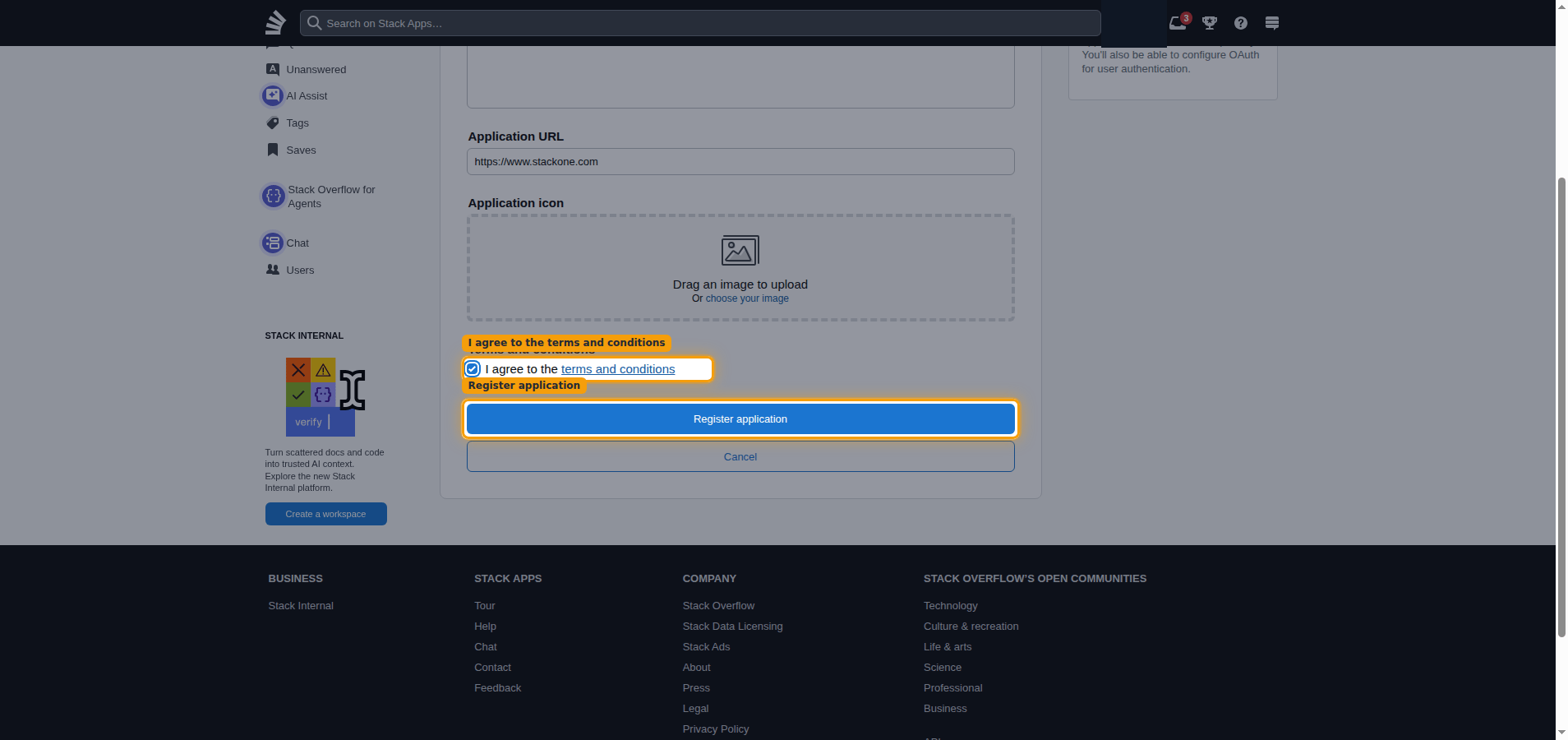
Select I agree to the terms and conditions, then click Register application.
Generate and copy your app key
Generate an API key for your registered application and paste it into StackOne Hub.
Generate a new API key
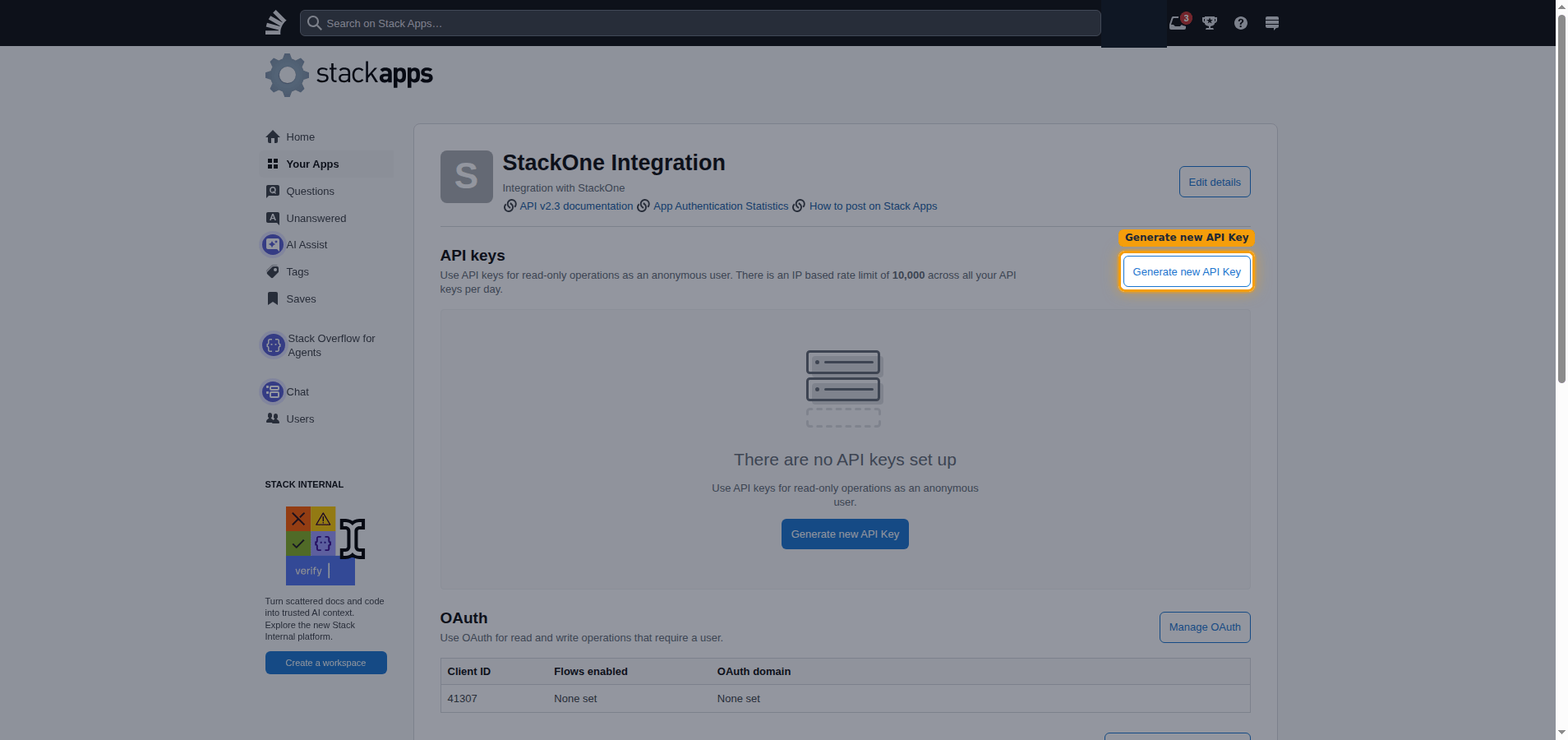
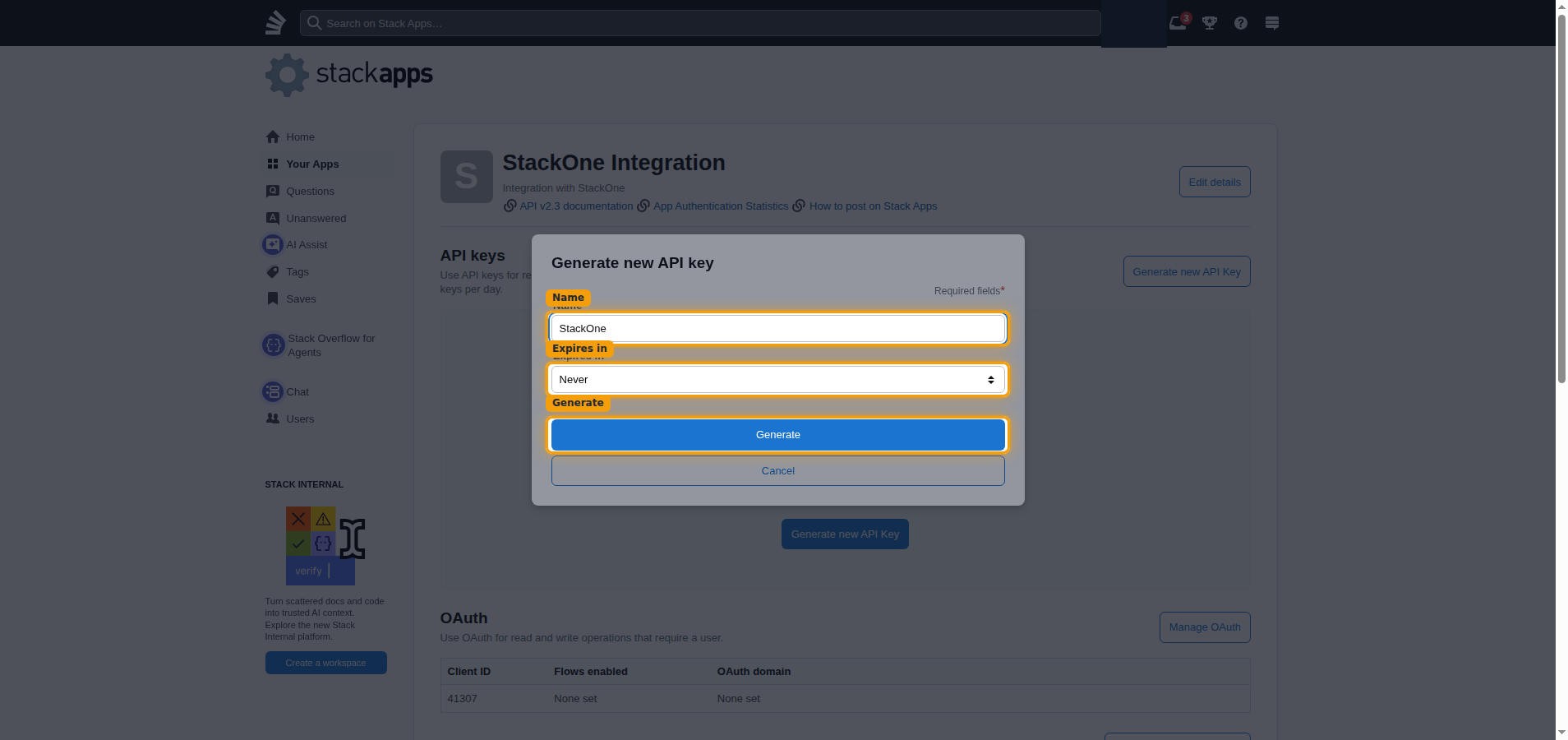
On your app dashboard, in the API keys section, click Generate new API Key.
Name the key and generate it
Enter a Name, choose Never under Expires in, then click Generate.
- Name:
StackOne
Copy the app key
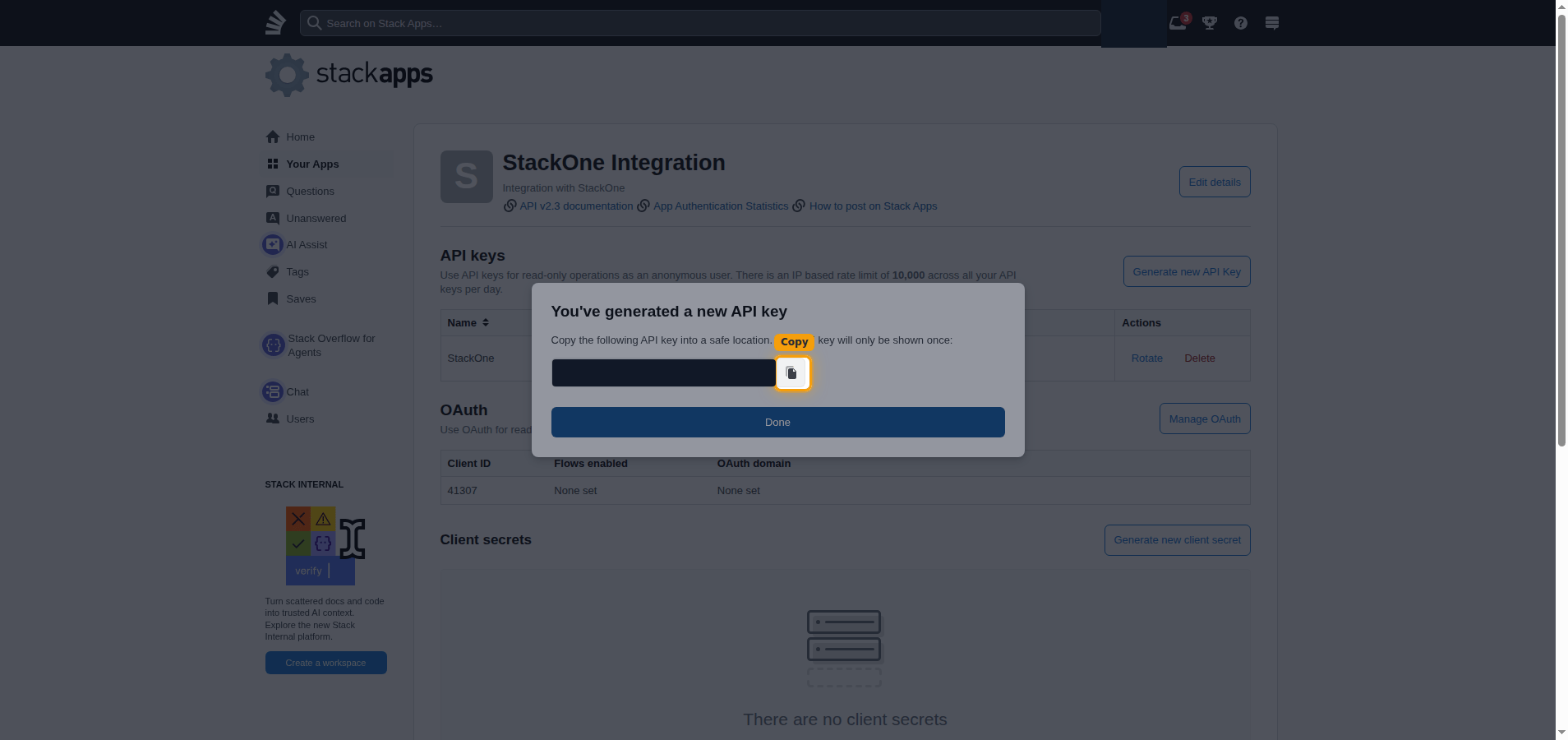
Copy the generated key with the copy button and paste it into the App Key field
in StackOne Hub.
- The API key is only displayed once and cannot be retrieved later.
- Store it securely for use later.
Linking the Account from the Hub
Navigate to the Hub
Fill out the fields
- App Key
Connect
- Click Connect
- If applicable, the provider will redirect you to a sign-in or authorization page. Complete the provider’s authorization flow.
- Once authorization is successful, you will see a confirmation popup
If the account linking is successful, you will see the newly linked account in your Accounts page.