

Find your API key
RiskOS issues a separate API key for each environment, and a key only works against the environment it belongs to. Sign in to the environment you are connecting.
1
Locate your active key
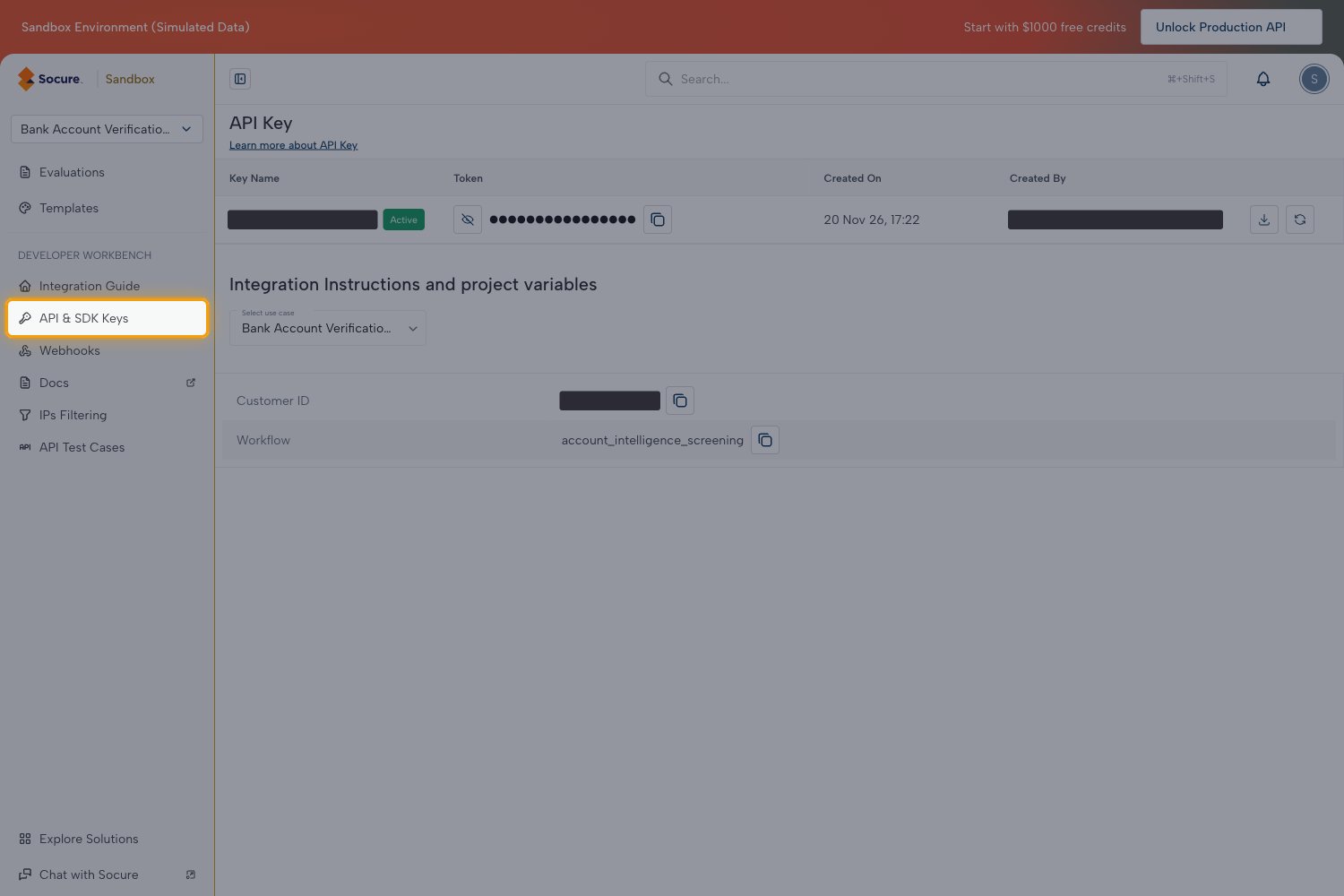
Sign in to the RiskOS dashboard for the environment you are connecting, then open API & SDK Keys under DEVELOPER WORKBENCH.
- Production — RiskOS production dashboard
- Sandbox — RiskOS sandbox dashboard
- Under API Key, find the row whose status is Active.
2
Copy the key into StackOne Hub
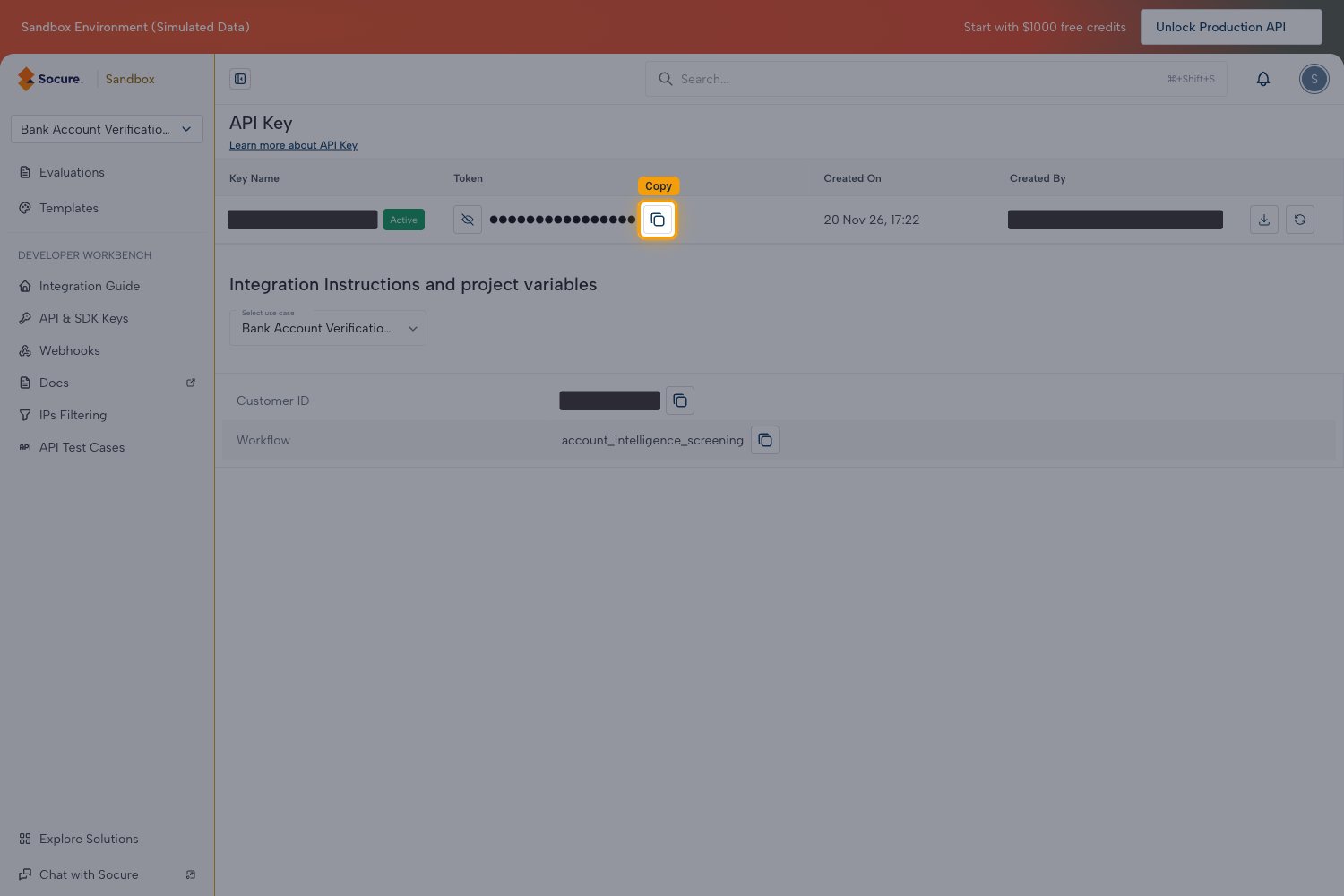
In the API Key table, click the copy icon beside the Token value, then paste it into StackOne Hub.
- RiskOS hides the token behind dots. The copy icon copies the full value.
Link the Account
1
Connect
- Click Connect.
- If applicable, the provider will redirect you to a sign-in or authorization page. Complete the provider’s authorization flow.
- Once authorization is successful, you will see a confirmation popup.
2
Use Actions
Connect an AI platform to the linked account’s actions. See AI Platforms.Other ways to call actions are listed in Protocols & SDKs.
Next Steps
Webhooks setup
Configure receiving Events for Socure into StackOne.