

Create an Account API Token in Smartling
A Smartling Account API Token provides the User Identifier, Token Secret, and Account UID this connector needs.
Sign in to Smartling
Sign in to your Smartling account with a user whose role and permissions the token should inherit.
- Open the Account Settings menu in the top-right corner, then under Integrations click API.
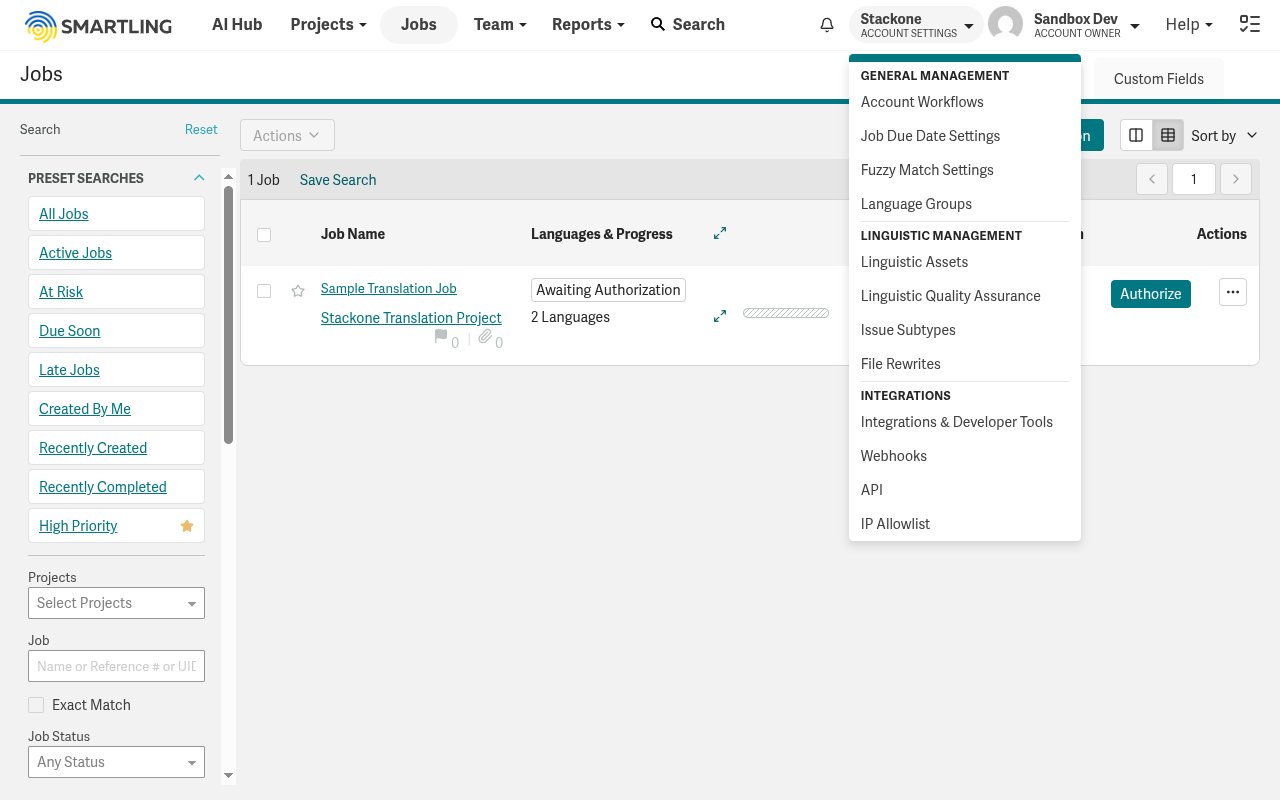
Open the API tokens page
The API V2.0 Tokens page lists your Account Tokens and shows your AccountUID.
- Note the AccountUID shown under Account Tokens — you will enter it in the Account UID field.
- In the Account Tokens section, click Create Token.
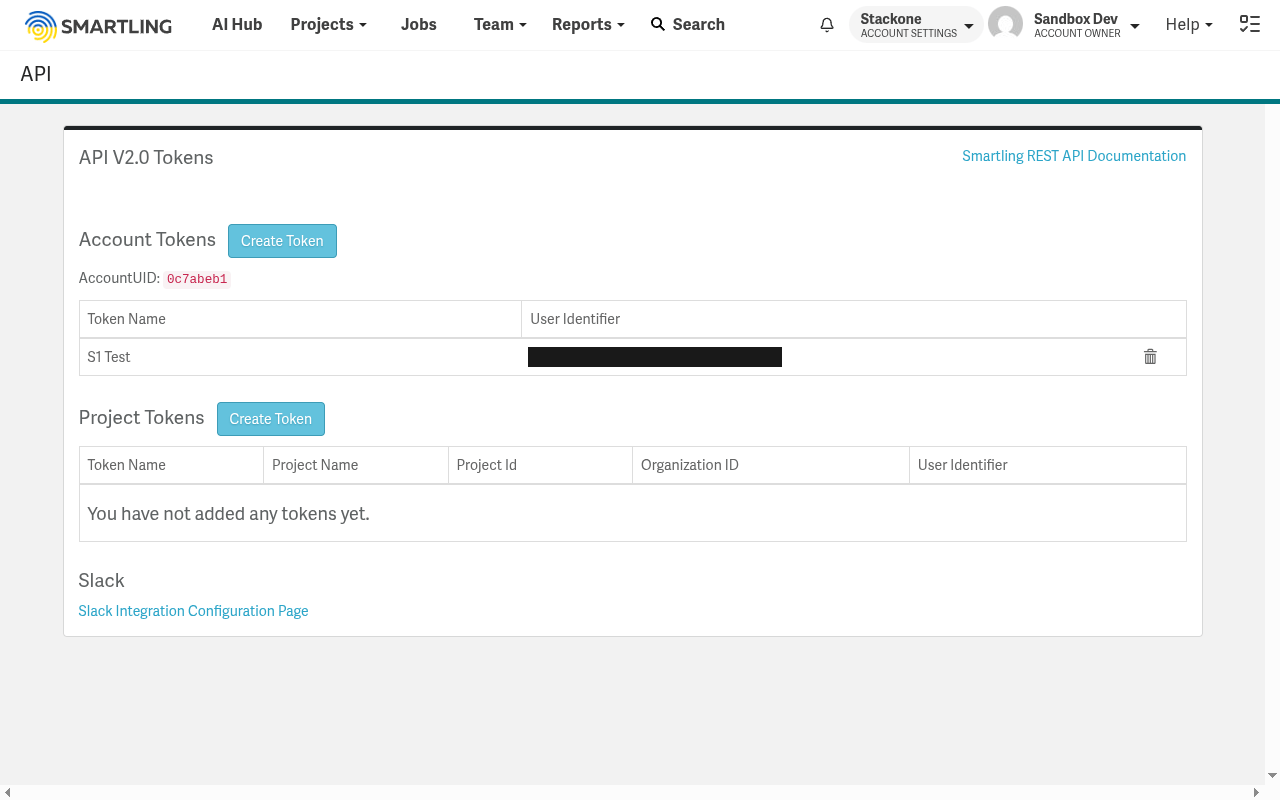
Create an account token
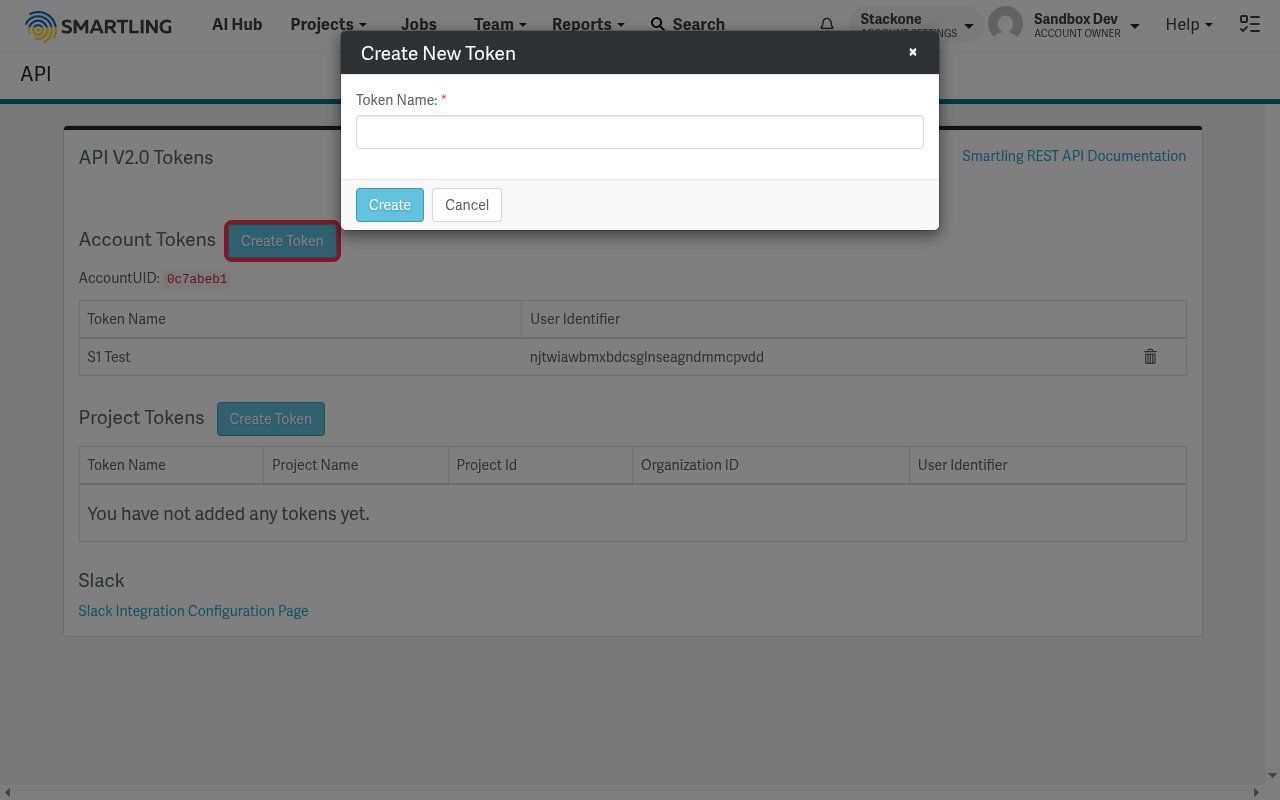
In the Create New Token dialog, enter a Token Name, then click Create.
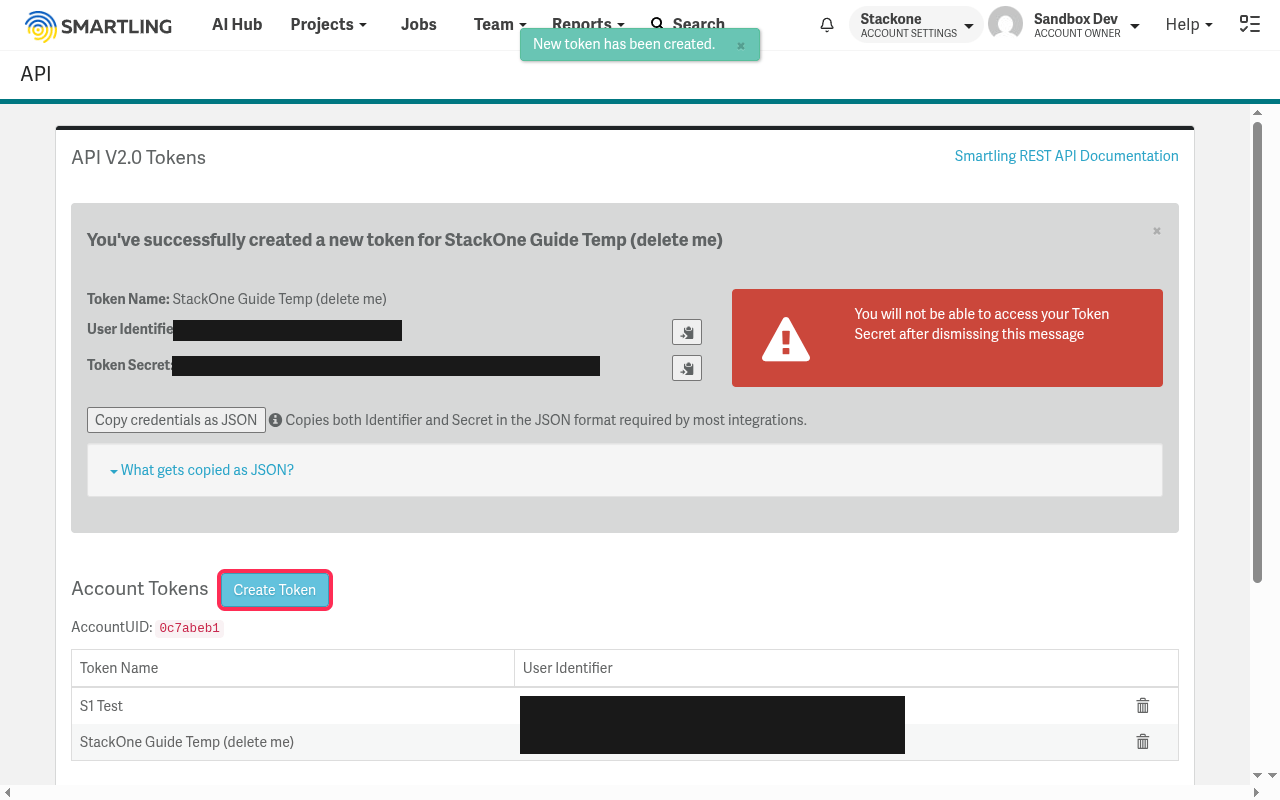
Copy your credentials
The confirmation screen displays your new token. Copy each value and store it securely before dismissing the message.
- Copy the User Identifier for the User Identifier field.
- Copy the Token Secret for the User Secret field. It is shown only once — you will not be able to access it after dismissing the message.
- Enter the AccountUID from the API tokens page in the Account UID field.
Linking the Account from the Hub
Navigate to the Hub
Fill out the fields
- Account UID
- User Identifier
- User Secret
Connect
- Click Connect
- If applicable, the provider will redirect you to a sign-in or authorization page. Complete the provider’s authorization flow.
- Once authorization is successful, you will see a confirmation popup
If the account linking is successful, you will see the newly linked account in your Accounts page.
Next Steps
Webhooks setup
Configure receiving Events for Smartling into StackOne.