

Generate an API key
Create an application in the signNow API Dashboard to get a non-expiring API key for the API Key field in StackOne Hub.
1
Sign in to signNow
Sign in to your signNow account.
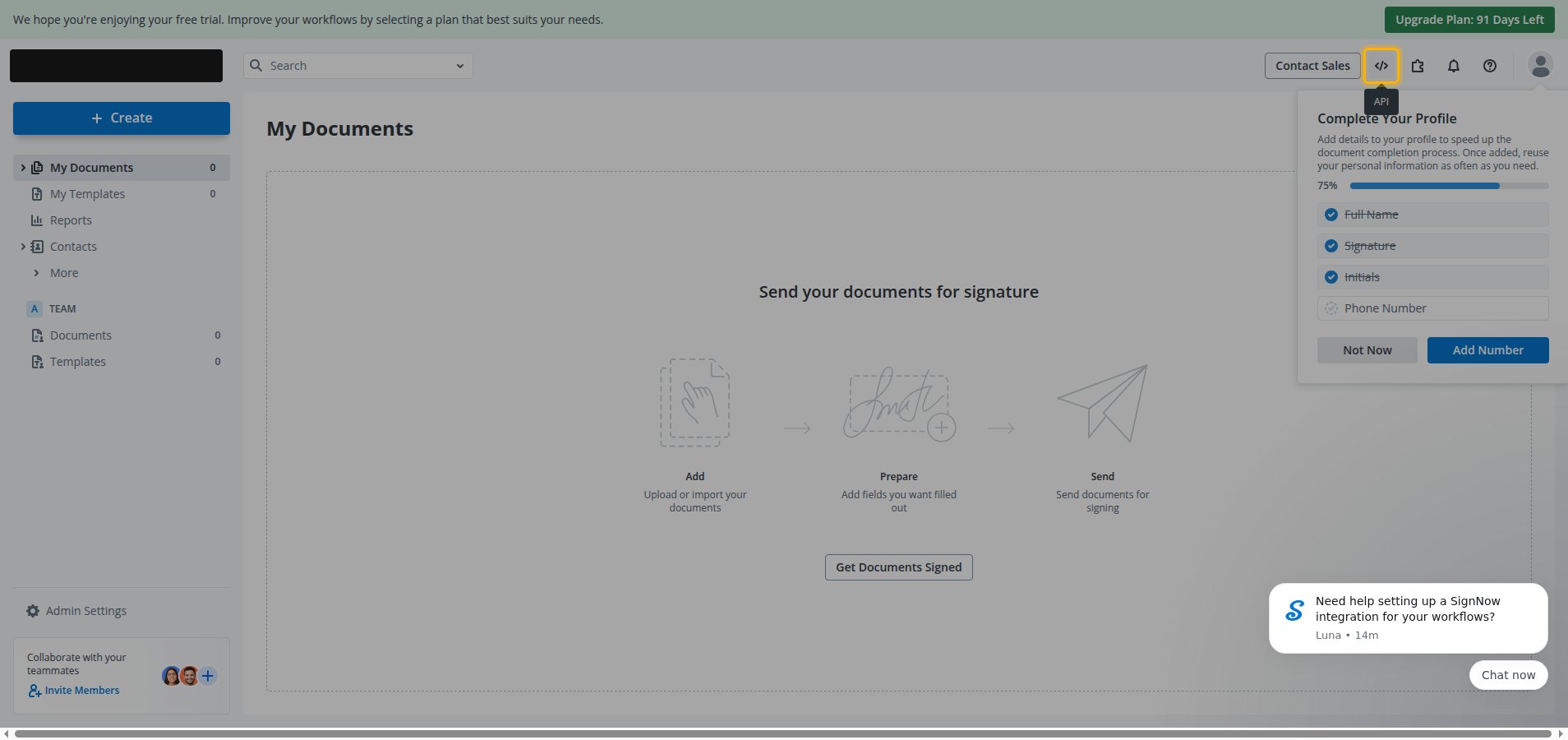
- Click the API icon in the top header to open the API Dashboard in a new tab.
2
Open the Apps and Keys page
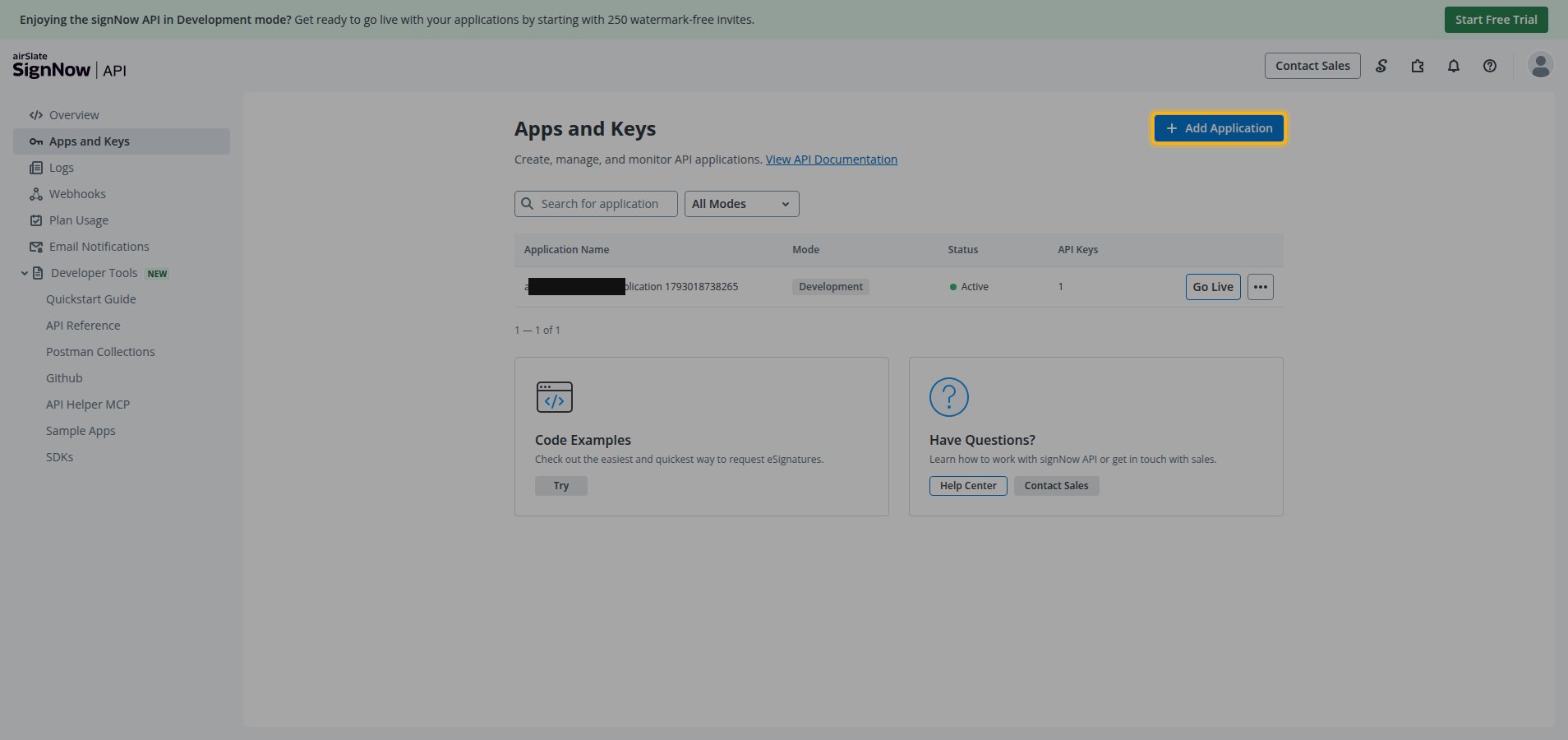
In the API Dashboard, select Apps and Keys from the left menu.
- Click Add Application.
3
Copy the API key
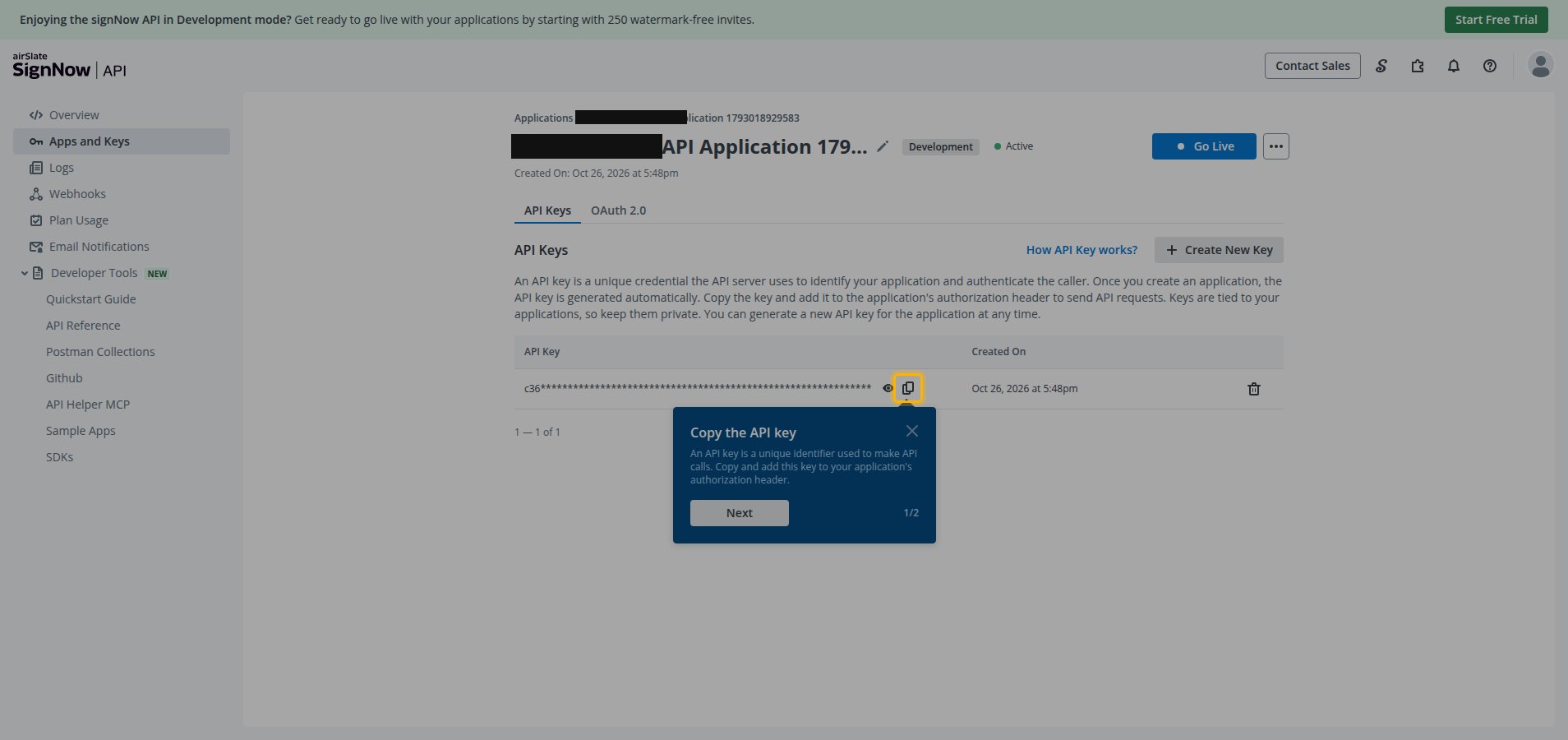
signNow creates the application immediately and opens its details page with the API Keys tab selected.
- In the API Key table, click the copy icon next to the generated key.
- This non-expiring API key is tied to the application and should be stored securely for use later.
Linking the Account from the Hub
1
Navigate to the Hub
Use one of the three Linking Account Methods to access the Hub.
2
Fill out the fields
Fill out the following fields using details from your provider:
- API Key
3
Connect
- Click Connect
- If applicable, the provider will redirect you to a sign-in or authorization page. Complete the provider’s authorization flow.
- Once authorization is successful, you will see a confirmation popup
If the account linking is successful, you will see the newly linked account on your Accounts page.