

Generating an API token
Shippo authenticates API requests with an account API token. Generate one from the Shippo dashboard and paste it into StackOne Hub.
1
Sign in to Shippo
Sign in to your Shippo account.
2
Open API settings
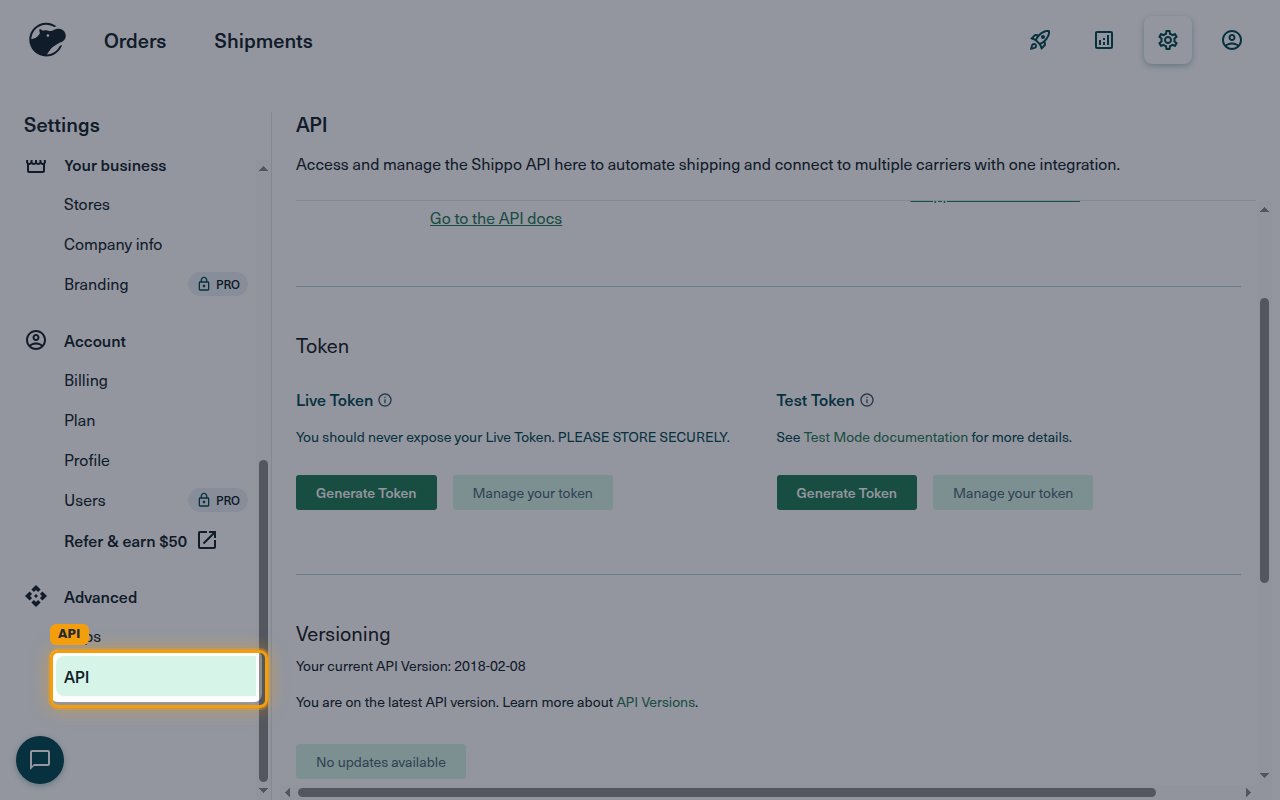
In the left sidebar under Advanced, select API.
3
Generate your API token
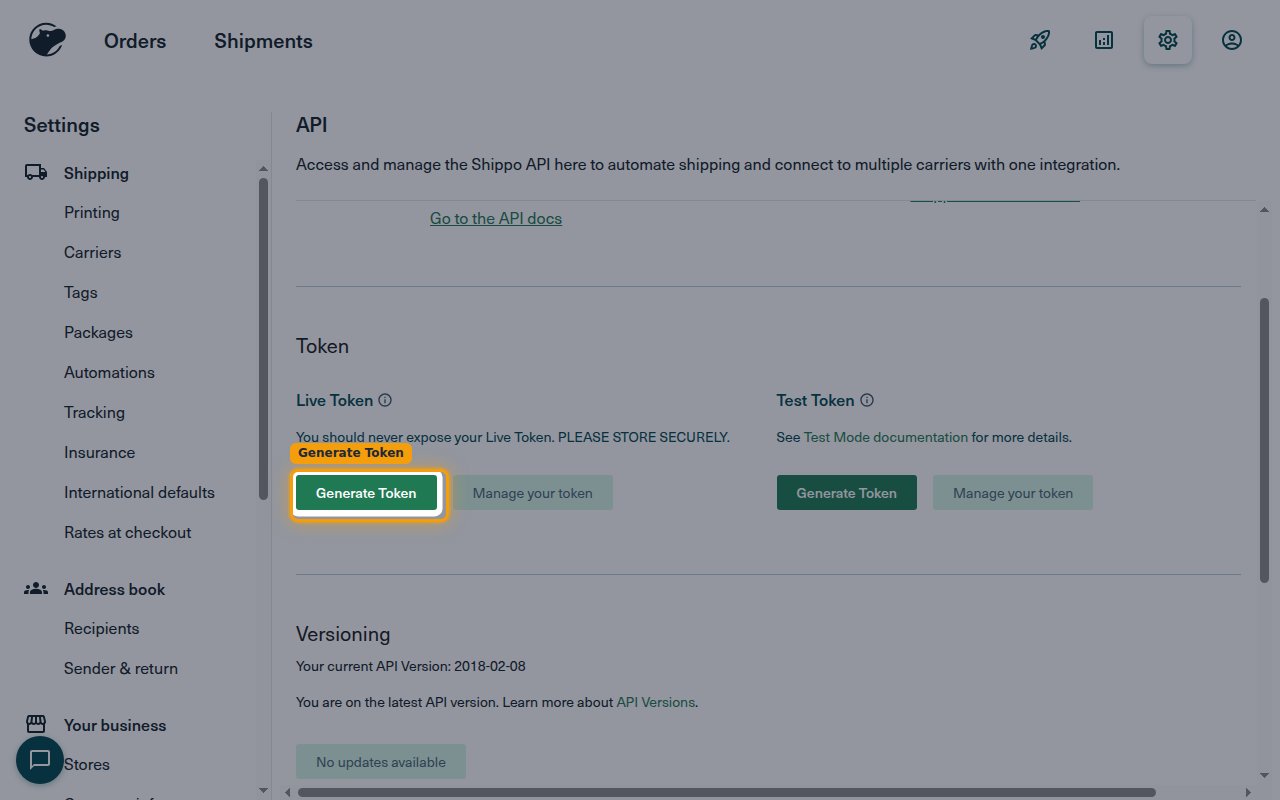
In the Token section under Live Token, click Generate Token, then copy the token that appears. You can generate a Test Token instead when you only need to test.
- Your Live Token grants full access to your account — store it securely and never expose it.
- The token is shown only once, so copy it right away. You can generate a new one at any time if you lose it.
- Paste the token into the API Token field in StackOne Hub.
Linking the Account from the Hub
1
Navigate to the Hub
Use one of the three Linking Account Methods to access the Hub.
2
Fill out the fields
Fill out the following fields using details from your provider:
- API Token
3
Connect
- Click Connect
- If applicable, the provider will redirect you to a sign-in or authorization page. Complete the provider’s authorization flow.
- Once authorization is successful, you will see a confirmation popup
If the account linking is successful, you will see the newly linked account on your Accounts page.