

Prerequisites
The connector should already be set up, with a Connector Profile and a Linked Account. See Getting Started on the SearchOS connector page.Retrieve the Native Webhook URL
The Native Webhook URL is generated once the SearchOS account has been linked. SearchOS has no webhook API, so you add it in SearchOS by hand.
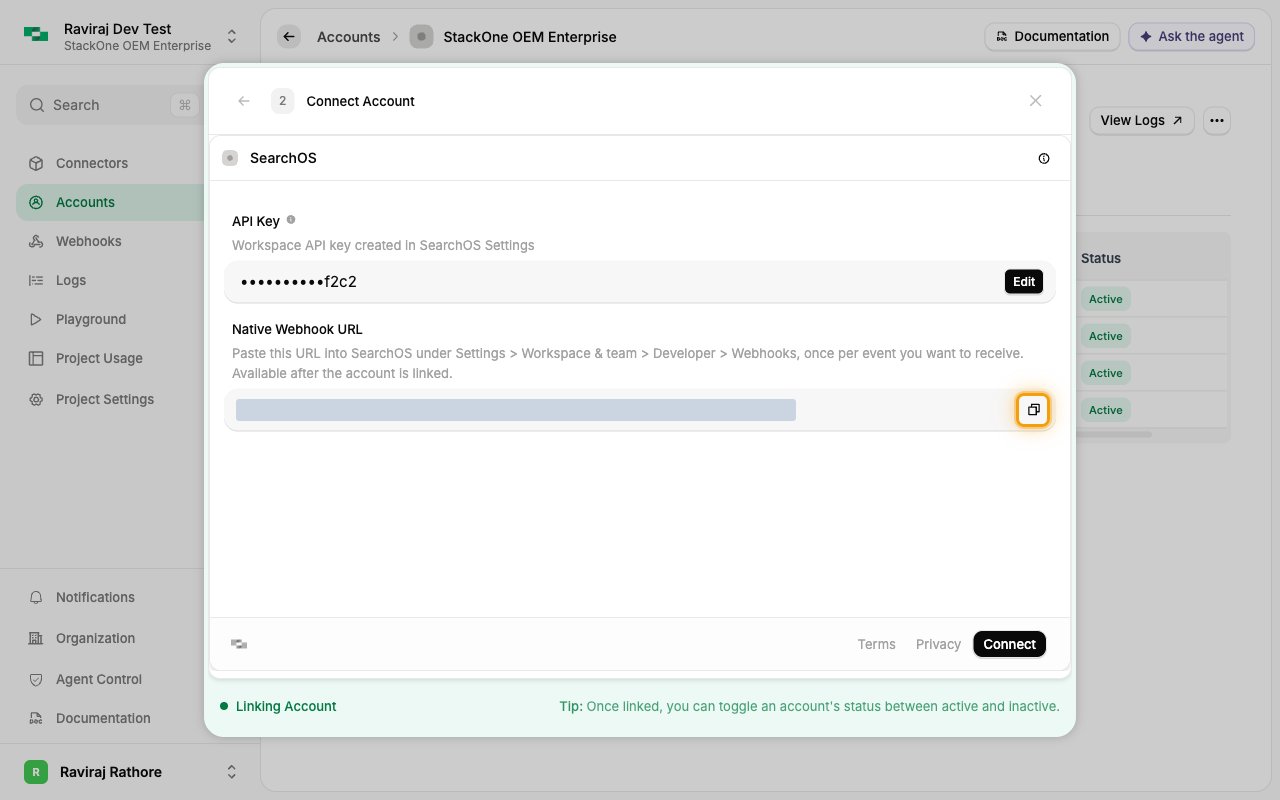
Copy the URL
Open the linked SearchOS account in StackOne, where the Native Webhook URL field shows the URL.
- Click the copy icon next to Native Webhook URL.
- The URL identifies your linked account, so paste it in full into SearchOS.
Adding the webhooks in SearchOS
SearchOS sends one event per webhook, so add one webhook for each event you want to receive.
Add a webhook
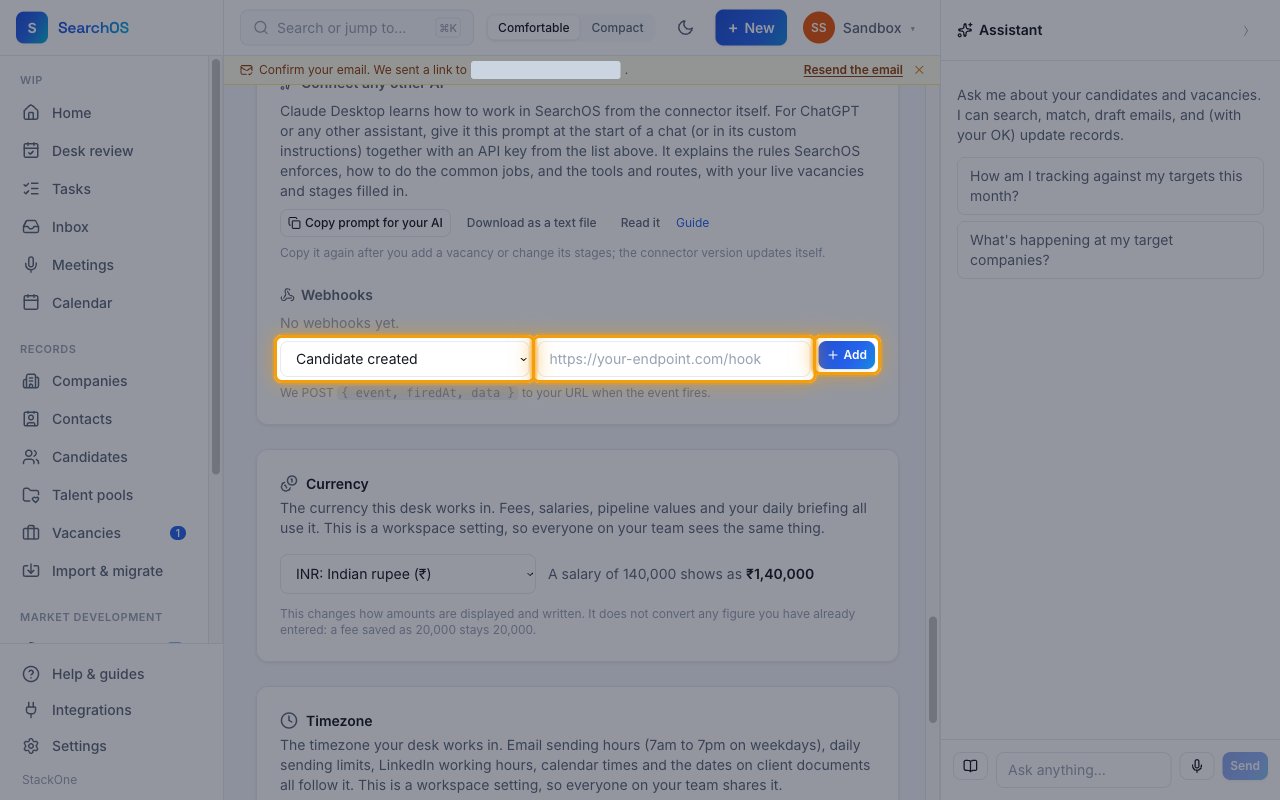
Sign in to your SearchOS account, then go to Settings > Workspace & team and scroll to Developer > Webhooks.
- Choose the event in the dropdown, for example Candidate created.
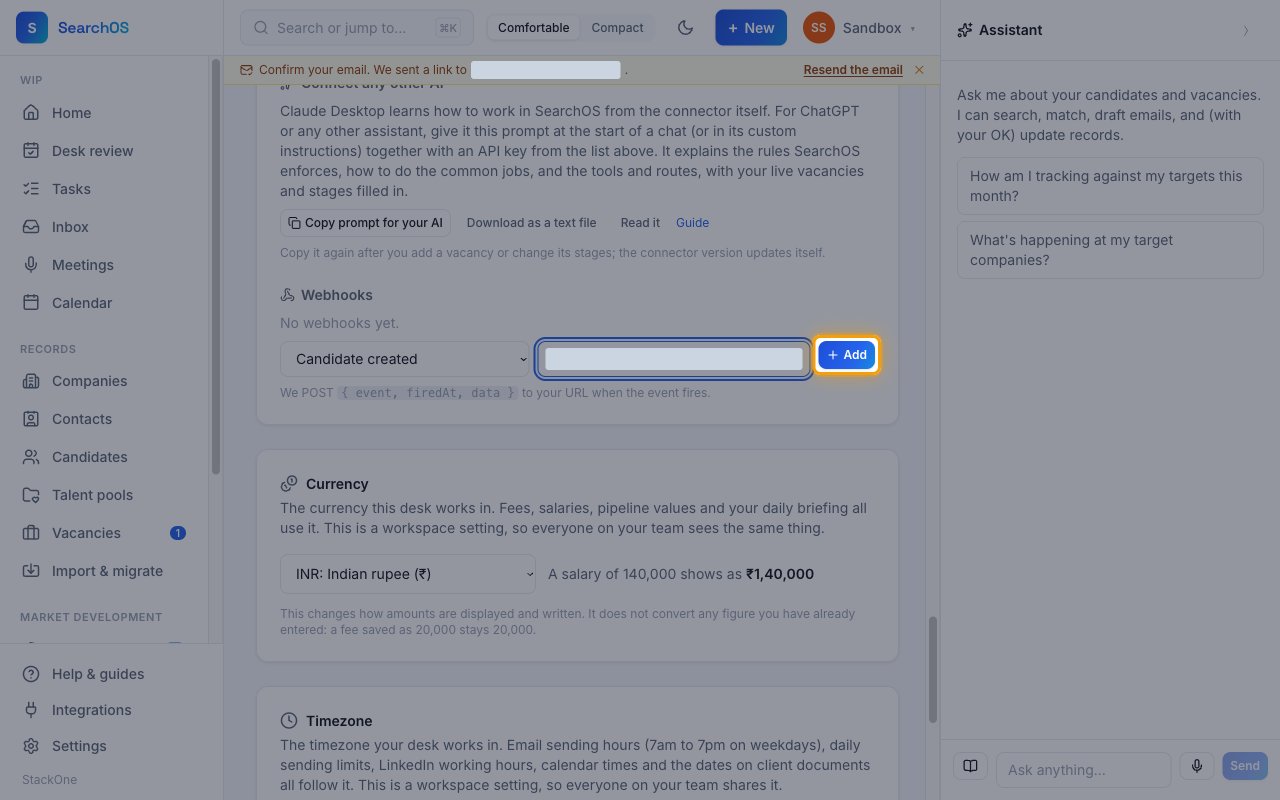
- Paste the Native Webhook URL into the URL field.
- Click Add.
Add the other events
Repeat for each remaining event, pasting the same Native Webhook URL each time.
- Careers application received
- Offer accepted
- Placement made
Check the webhooks
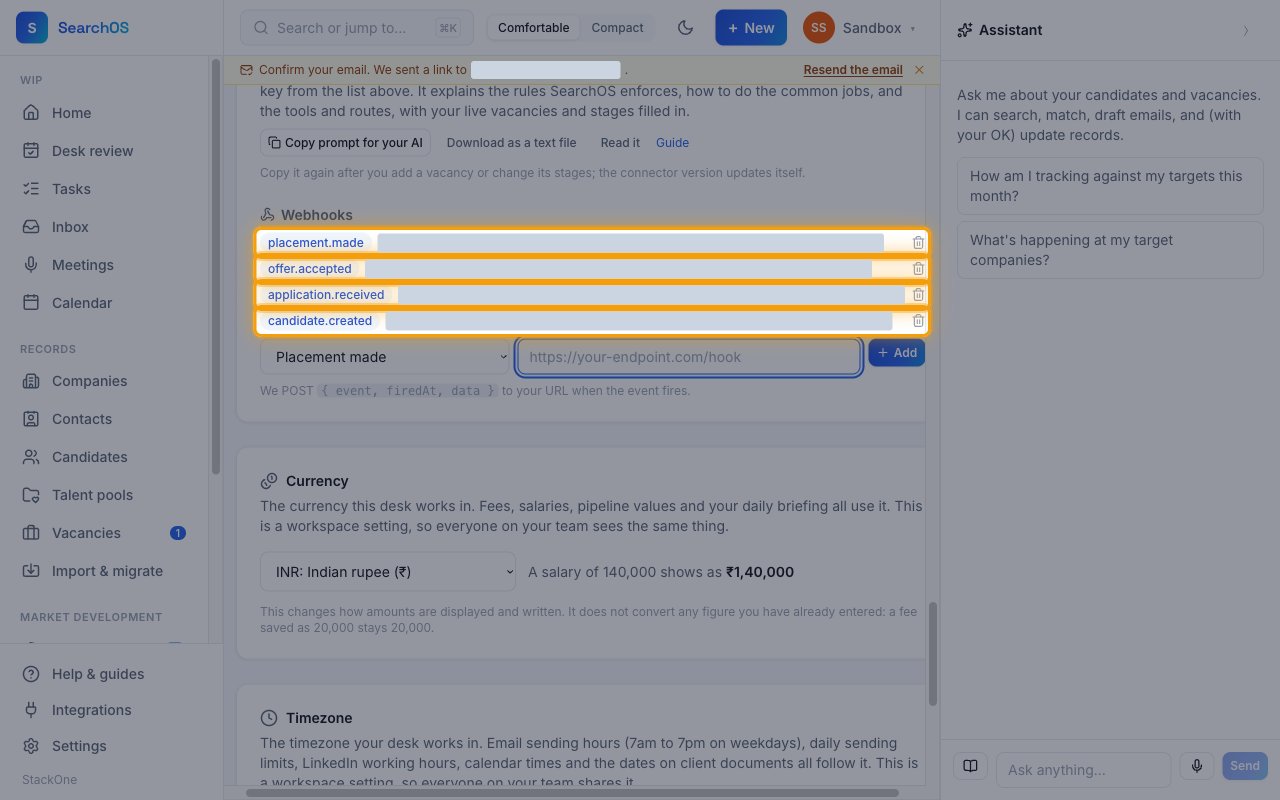
Each event you added appears in the Webhooks list with its code and URL. To stop an event, click the delete icon on its row.
Available webhook events
The following SearchOS events can be received. Only events you add in SearchOS and enable in StackOne are delivered.
Candidate events
Events related to candidates and careers-site applications.
- Candidate Created (
candidate.created) — Fired when a candidate is added through the app, the API or a CV import - Application Received (
application.received) — Fired when someone applies on a published vacancy’s careers page
Pipeline events
Events related to a vacancy’s pipeline.
- Offer Accepted (
offer.accepted) — Fired when a pipeline entry’s offer status is saved as Accepted - Placement Made (
placement.made) — Fired when a candidate moves to the Placed stage
Delivery format
Details of how SearchOS delivers events to StackOne.
One event per request
SearchOS POSTs one JSON event per request, shaped { event, firedAt, data }. Deliveries are not signed, and SearchOS sends no verification request.