

Subscribing to Scholar Sidekick
RapidAPI only forwards requests to Scholar Sidekick for applications subscribed to one of its plans. The subscription belongs to a RapidAPI application, and that application’s key is the one you connect with.
1
Choose a plan
Sign in to your RapidAPI account, then open the Scholar Sidekick pricing page.
- On the Basic plan, click Start Free Plan. Basic is free and allows 500 requests per month with a hard limit.
- For higher quotas, click Choose This Plan on Pro, Ultra or Mega instead.
- The plan applies to the application selected in RapidAPI, so subscribe with the same application whose key you will connect.
2
Confirm the subscription is active
Reload the Scholar Sidekick pricing page.
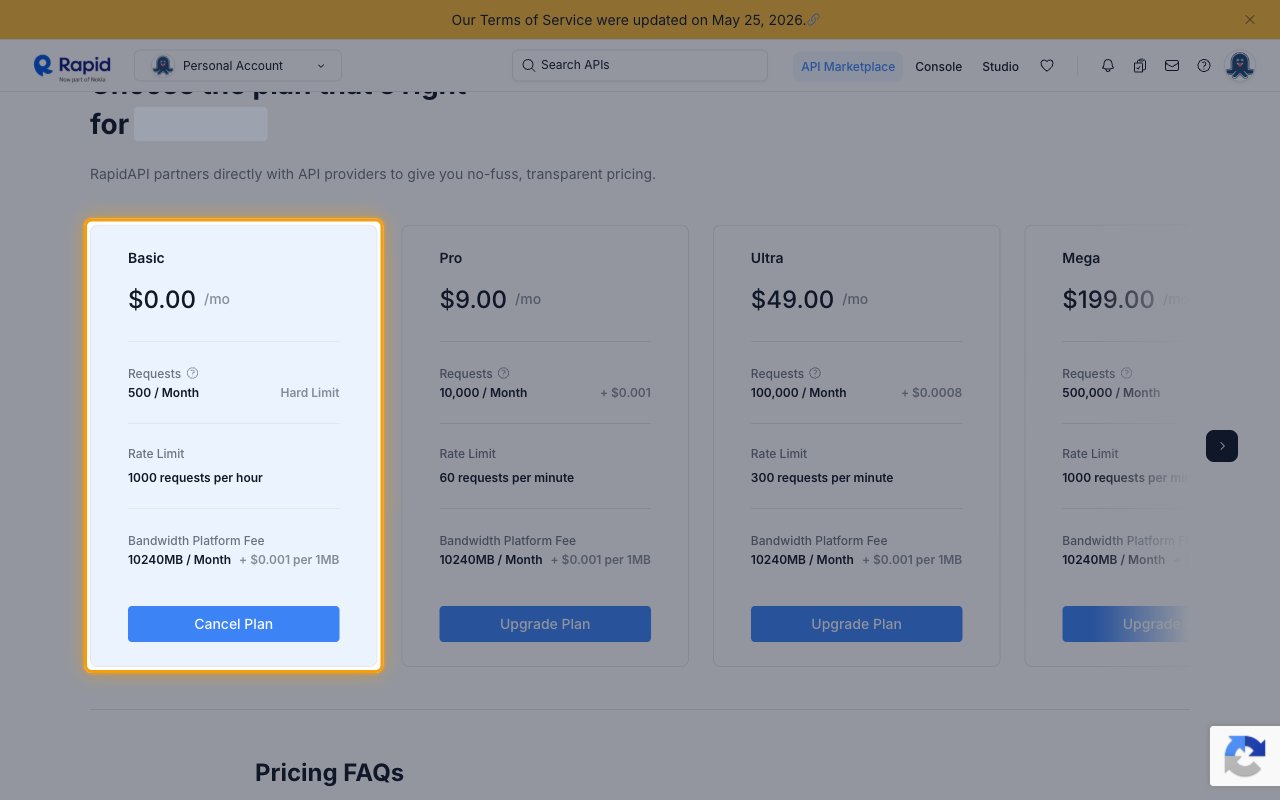
- Your subscribed plan now shows Cancel Plan, and the other plans show Upgrade Plan.
- If the account was already subscribed, you see this state straight away and can move on to copying the key.
- Keep the subscription in place for as long as the connection is used. Canceling it stops all requests.
Getting your RapidAPI key
Your RapidAPI key identifies the RapidAPI application you subscribed to Scholar Sidekick.
1
Copy the X-RapidAPI-Key
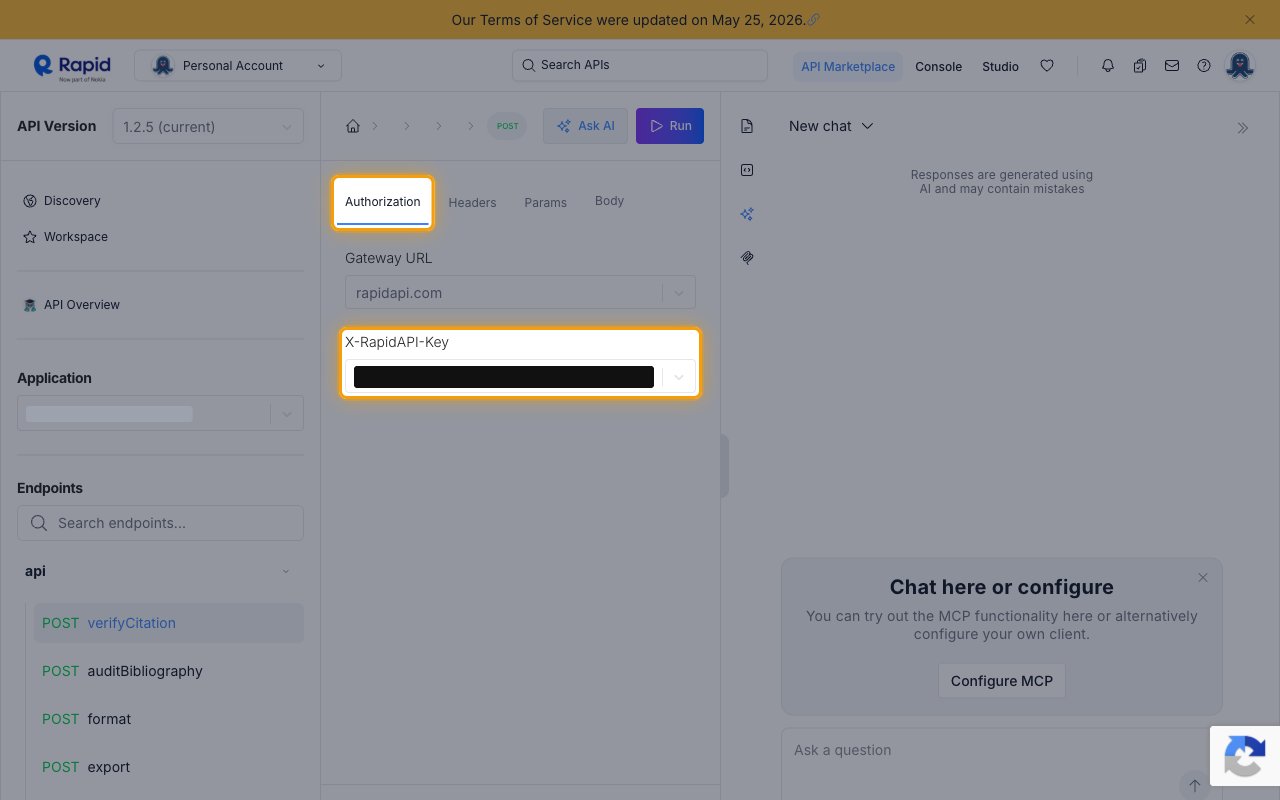
Open the Scholar Sidekick playground and select the Authorization tab.
- Under Application, select the application you subscribed to Scholar Sidekick.
- Copy the value shown under X-RapidAPI-Key.
- Paste it into the RapidAPI Key field in StackOne Hub.
- Store the key securely for use later. Anyone with it can spend your RapidAPI quota.
- Format: a 50-character string containing
mshandjsn
Linking the Account from the Hub
1
Navigate to the Hub
Use one of the three Linking Account Methods to access the Hub.
2
Fill out the fields
Fill out the following fields using details from your provider:
- RapidAPI Key
3
Connect
- Click Connect
- If applicable, the provider will redirect you to a sign-in or authorization page. Complete the provider’s authorization flow.
- Once authorization is successful, you will see a confirmation popup
If the account linking is successful, you will see the newly linked account on your Accounts page.