

Generate an API key
Create an API key in Salesloft to authenticate API requests.
1
Go to the Salesloft Developer Portal
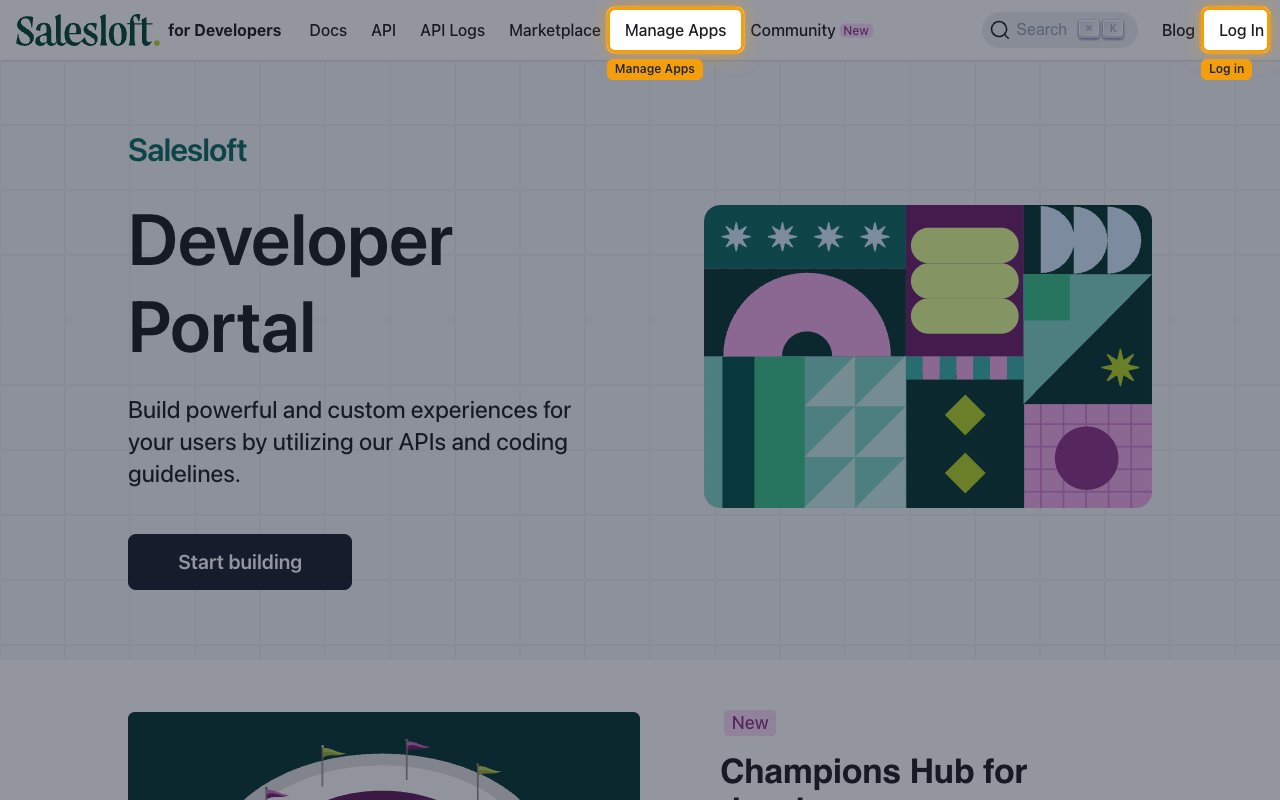
Sign in to the Salesloft Developer Portal and click Manage Apps in the top navigation bar.
2
Open Your Applications
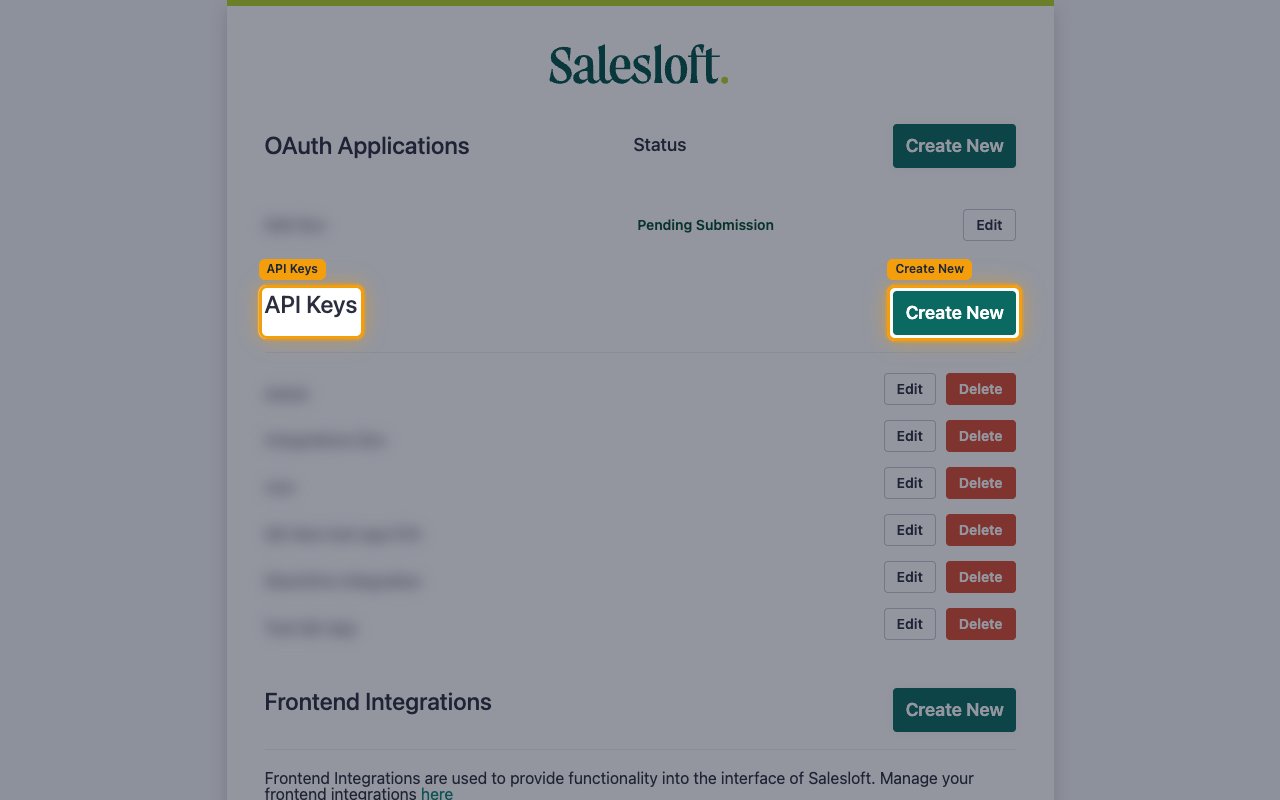
You are redirected to the Salesloft OAuth Applications page. In the API Keys section, click Create New.
3
Name your API key and select scopes
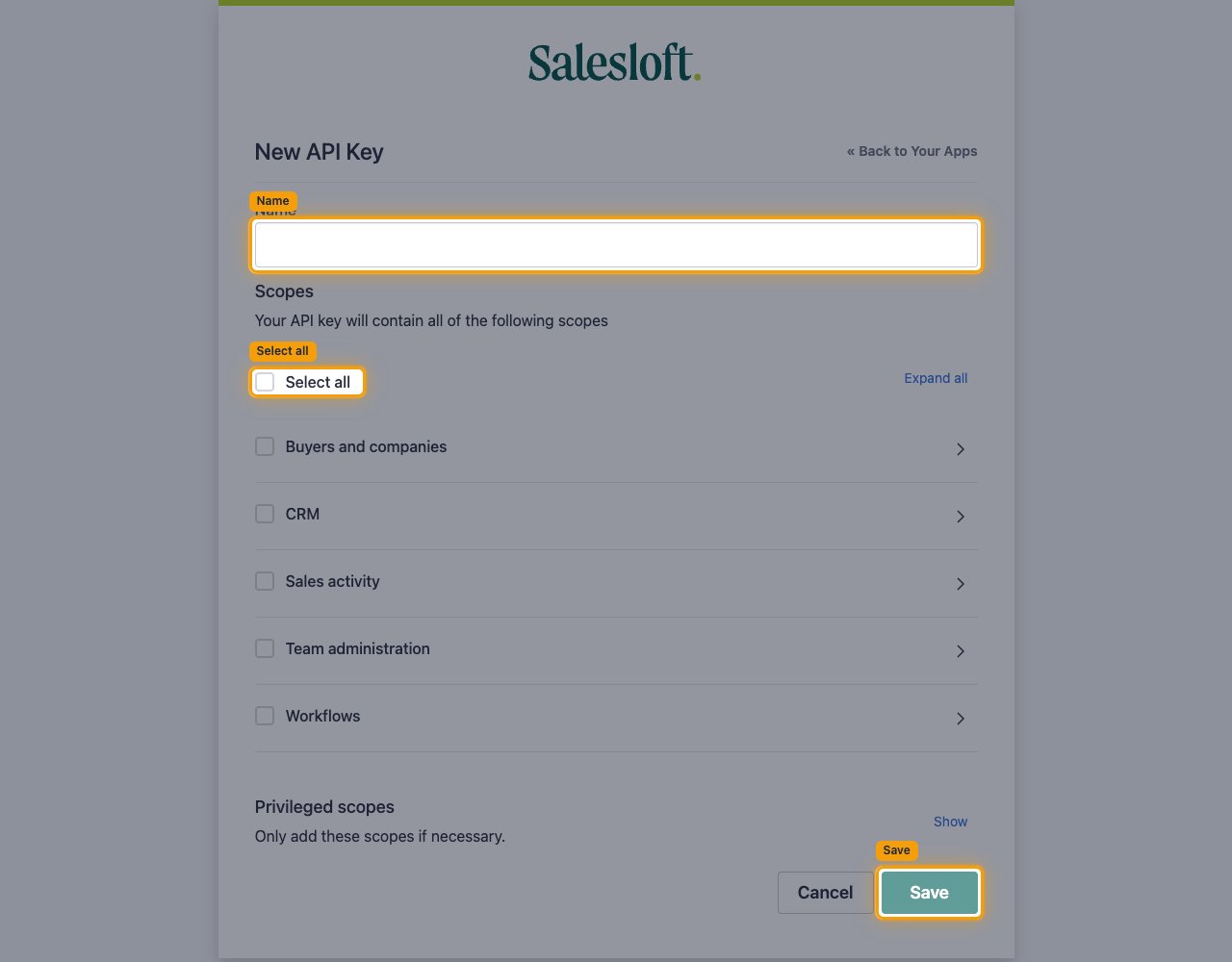
On the New API Key page, fill in the details.
- Enter a descriptive name, e.g.
StackOne Integration - Under Scopes, select the permissions required for your integration. Click Select all to grant all permissions, or select individual scope groups.
- Available scope groups: Buyers and companies, CRM, Sales activity, Team administration, Workflows
- Privileged scopes are hidden by default — click Show only if needed (e.g.
crm_id_person:write) - Click Save to generate the key.
4
Copy the API key
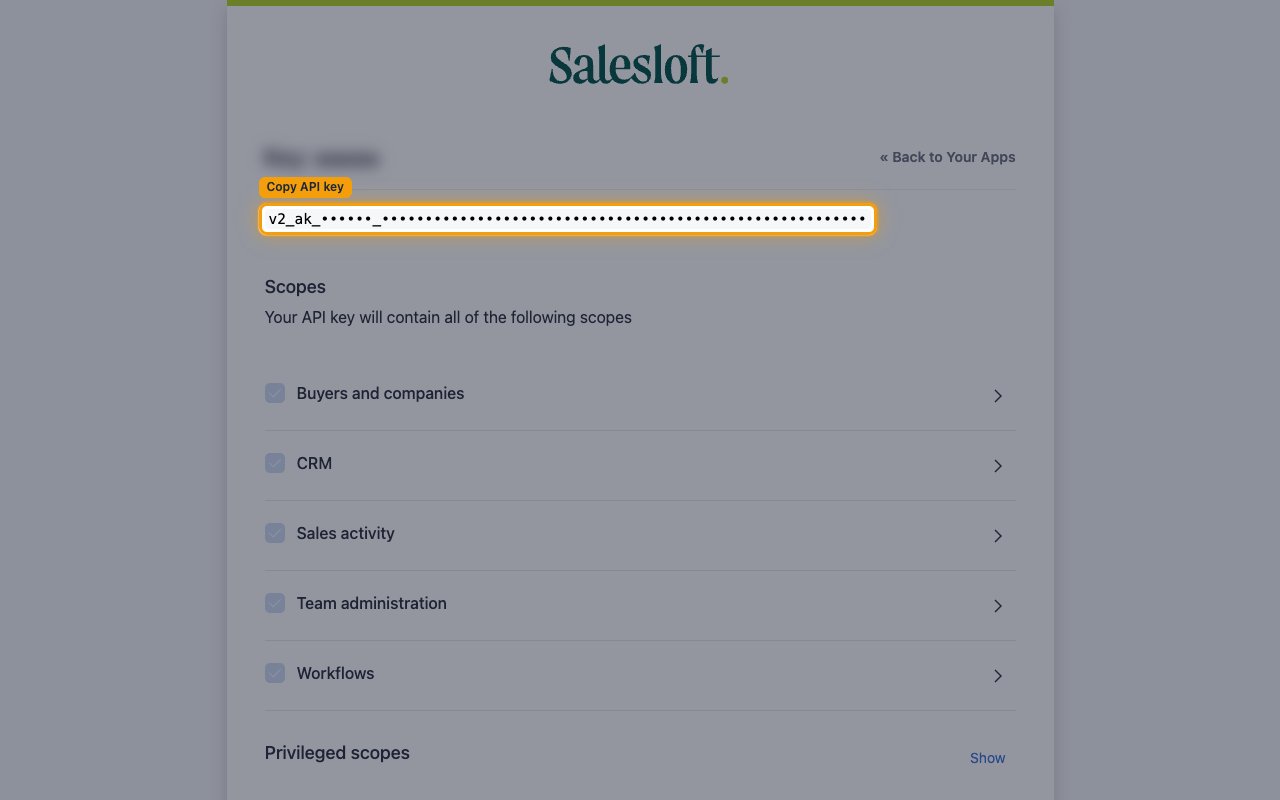
Copy the generated key and store it in a secure location. If you need it again later, return to the API Keys section and click the key’s name to view and copy it.
- The key format is:
v2_ak_[team_id]_[64-char-hex]
Linking the Account from the Hub
1
Navigate to the Hub
Use one of the three Linking Account Methods to access the Hub.
2
Fill out the fields
Fill out the following fields using details from your provider:
- API Key
3
Connect
- Click Connect
- If applicable, the provider will redirect you to a sign-in or authorization page. Complete the provider’s authorization flow.
- Once authorization is successful, you will see a confirmation popup
If the account linking is successful, you will see the newly linked account in your Accounts page.