

Enabling API Access
To connect Sage HR with StackOne, enable API access in your account and copy the generated API key.
Sign in to Sage HR
Sign in to your account from the Sage HR login page. You are taken to your company dashboard.
Open Settings
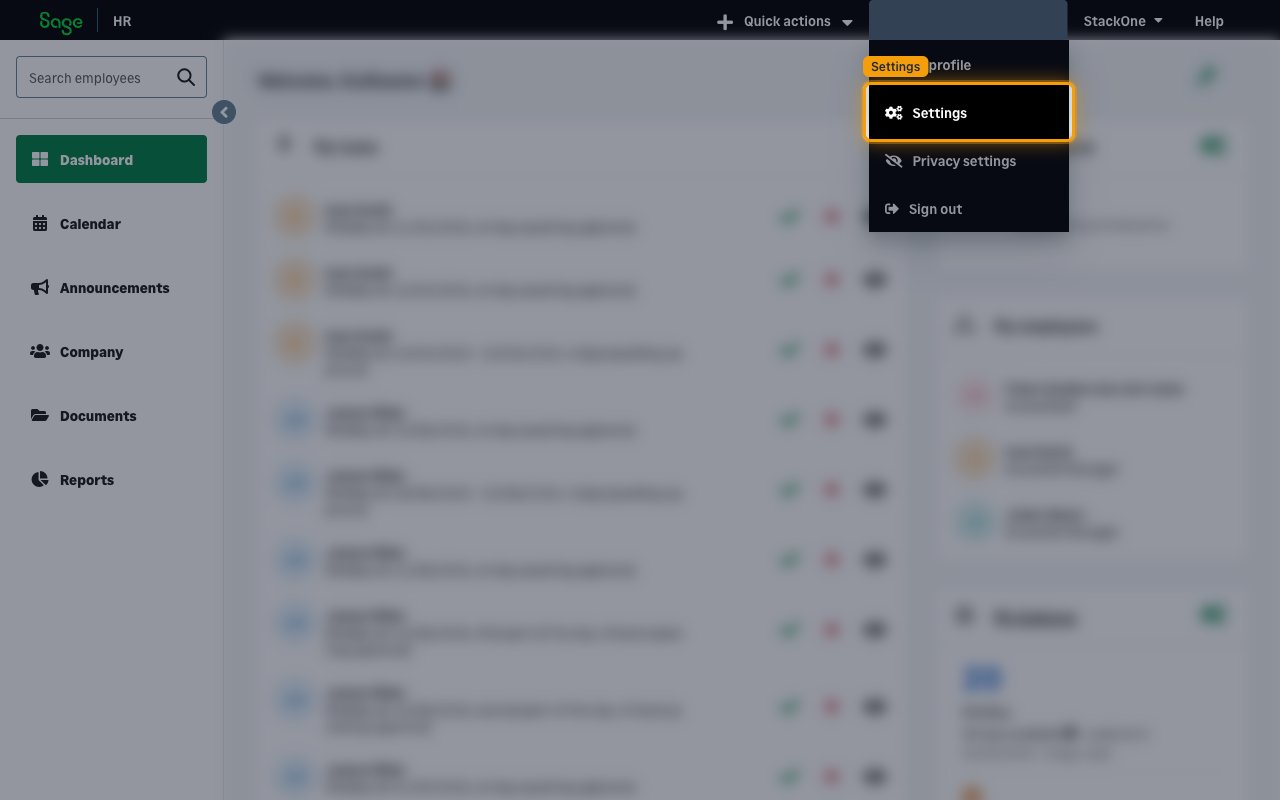
Click your name in the top-right corner of the global menu, then click Settings in the dropdown.
Open the API settings
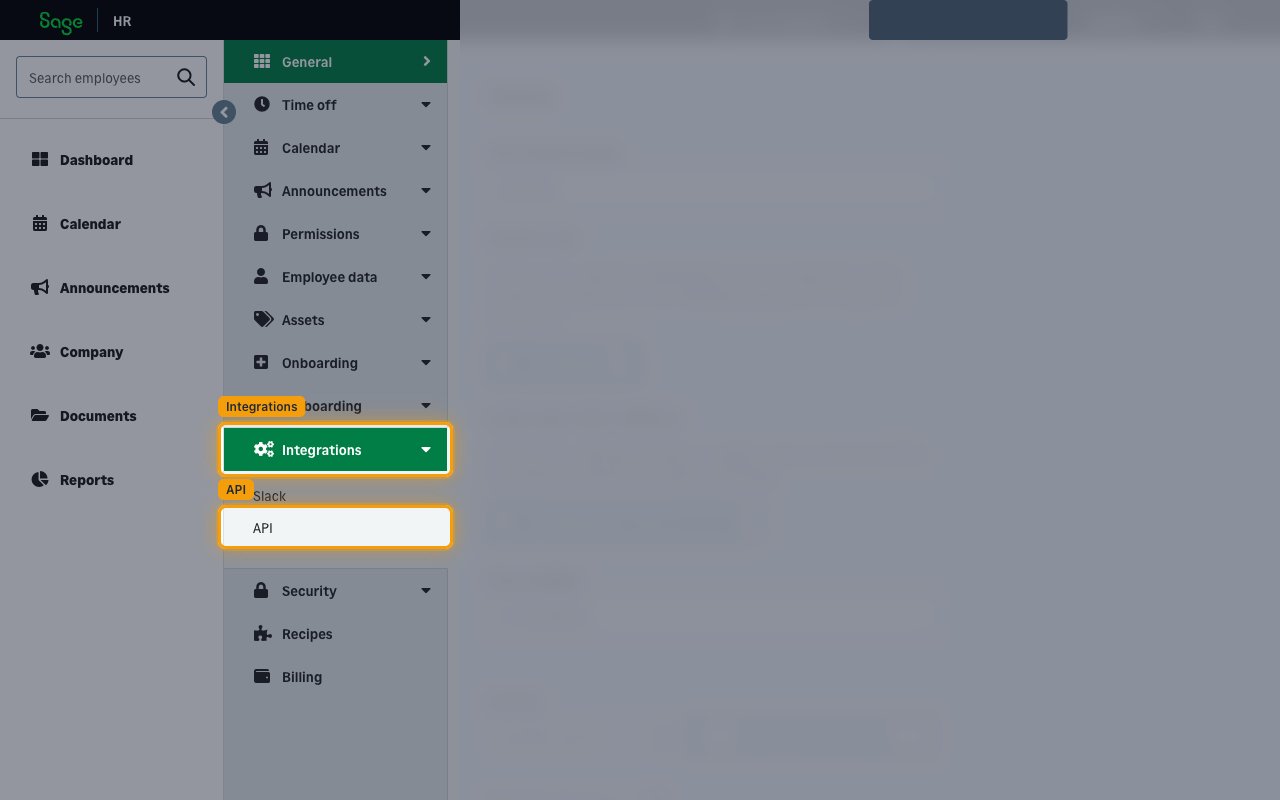
In the Settings sidebar on the left, click Integrations to expand it, then click API.
Enable API access
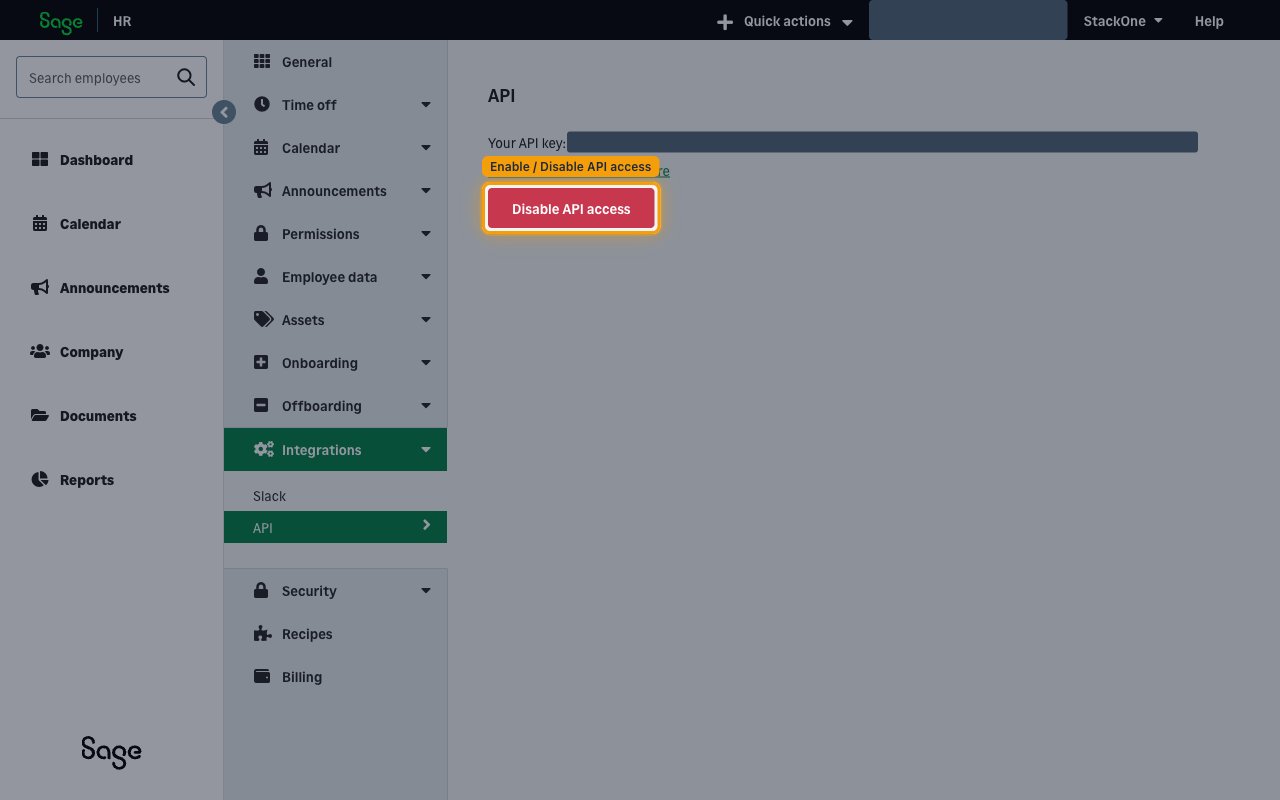
On the API page, click Enable API Access to turn on API access and generate your API key.
- If API access is already enabled, the button instead shows Disable API access — do not click it. You can copy your existing key directly (disabling and re-enabling regenerates the key and breaks existing connections).
Copy the API key
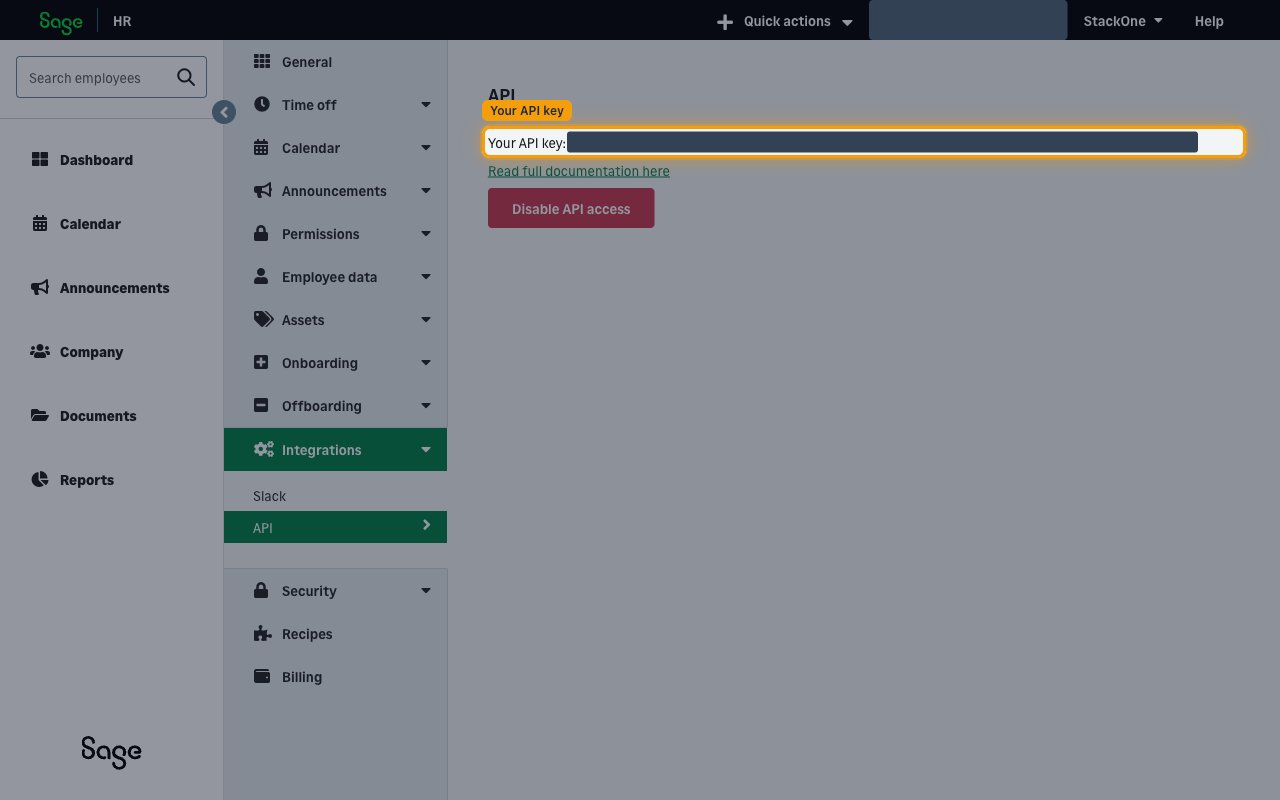
Copy the value shown next to Your API key: and paste it into the API Key field in StackOne Hub. Store it securely and keep it confidential, as it grants access to your Sage HR data.
- The key stays available on this API page, so you can return here to copy it again at any time.
- Use Read full documentation here on the same page to open the Sage HR API reference.
Finding your subdomain
Your subdomain identifies your Sage HR instance and is taken from the address you use to reach Sage HR.
Find your subdomain
Your subdomain is the text before .sage.hr in your Sage HR web address. Paste it into the Subdomain field in StackOne Hub.
- Format:
https://{subdomain}.sage.hr - Example: for
https://mycompany.sage.hr, the subdomain ismycompany
Linking the Account from the Hub
Navigate to the Hub
Fill out the fields
- Subdomain
- API Key
Connect
- Click Connect
- If applicable, the provider will redirect you to a sign-in or authorization page. Complete the provider’s authorization flow.
- Once authorization is successful, you will see a confirmation popup
If the account linking is successful, you will see the newly linked account in your Accounts page.