

Prerequisites
The connector should already be set up, with a Connector Profile and a Linked Account. See Getting Started on the Saba connector page.Retrieve StackOne Native Webhook URL
The Native Webhook URL is generated once an account has been linked.
- Open the linked account in StackOne.
- Copy the value from Native Webhook URL.
Create a webhook template
Saba limits the request URL of a Webhook Action to 255 characters, and the Native Webhook URL is longer. Saba joins a template URL and the action URL into one address, so split the Native Webhook URL across the two.
Add the template
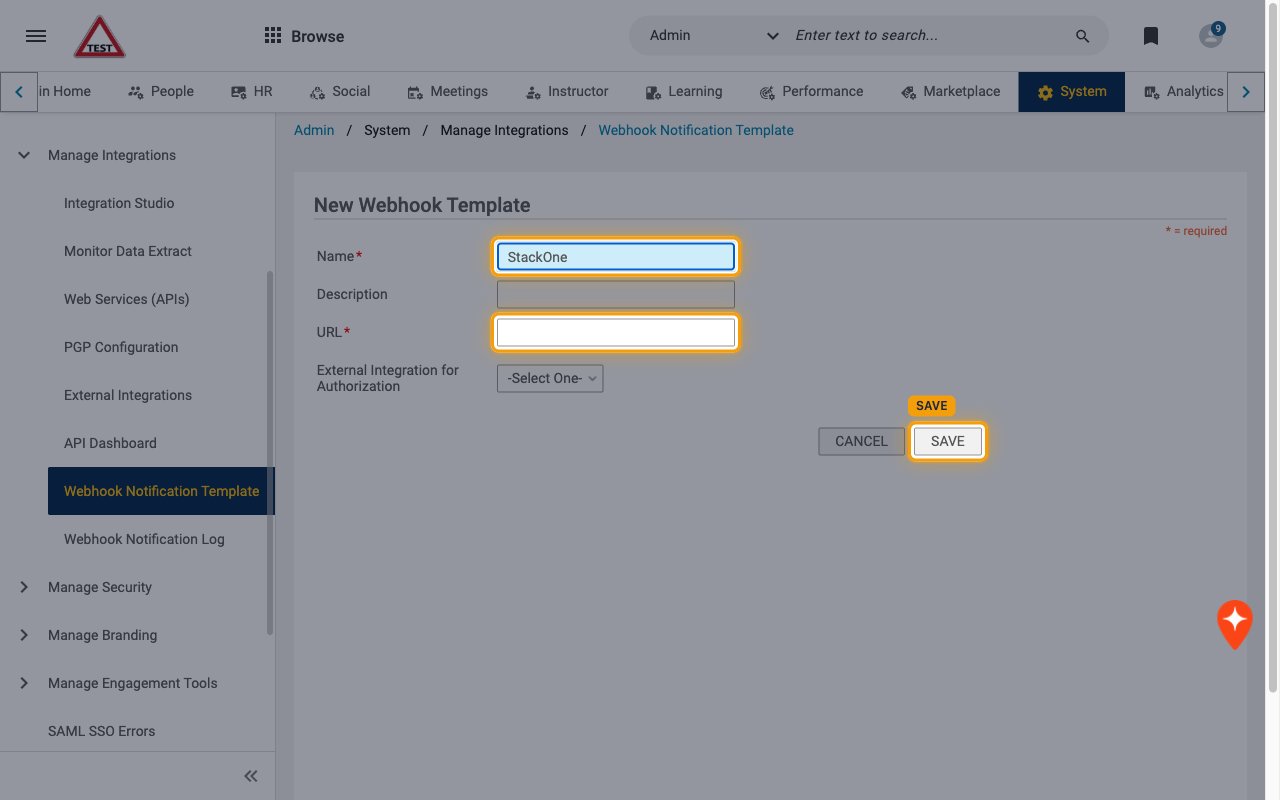
Go to Admin > System > Manage Integrations > Webhook Notification Template and click Add Template.
- Enter a Name, for example
StackOne. - In URL, paste the Native Webhook URL up to, but not including, the
?(the part that ends with the long code after/events/). - Leave External Integration for Authorization set to -Select One- and click SAVE.
Add a webhook action to a Saba notification
Saba sends a webhook when a Webhook Action is attached to a triggered notification event. Repeat these steps for every notification you want StackOne to receive.
Open the notification event
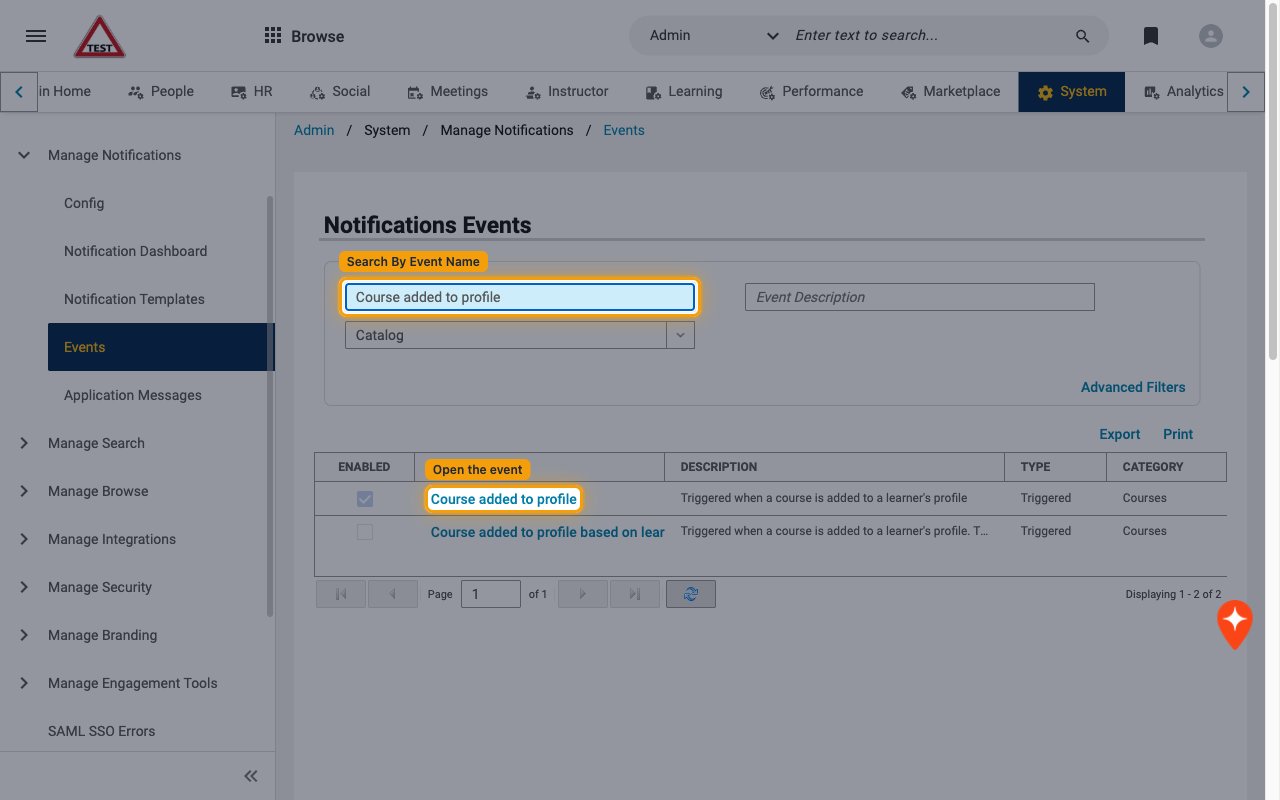
Go to Admin > System > Manage Notifications > Events.
- Type the notification name in Search By Event Name and press Enter.
- Click the event name, for example Course added to profile.
Create a new event action
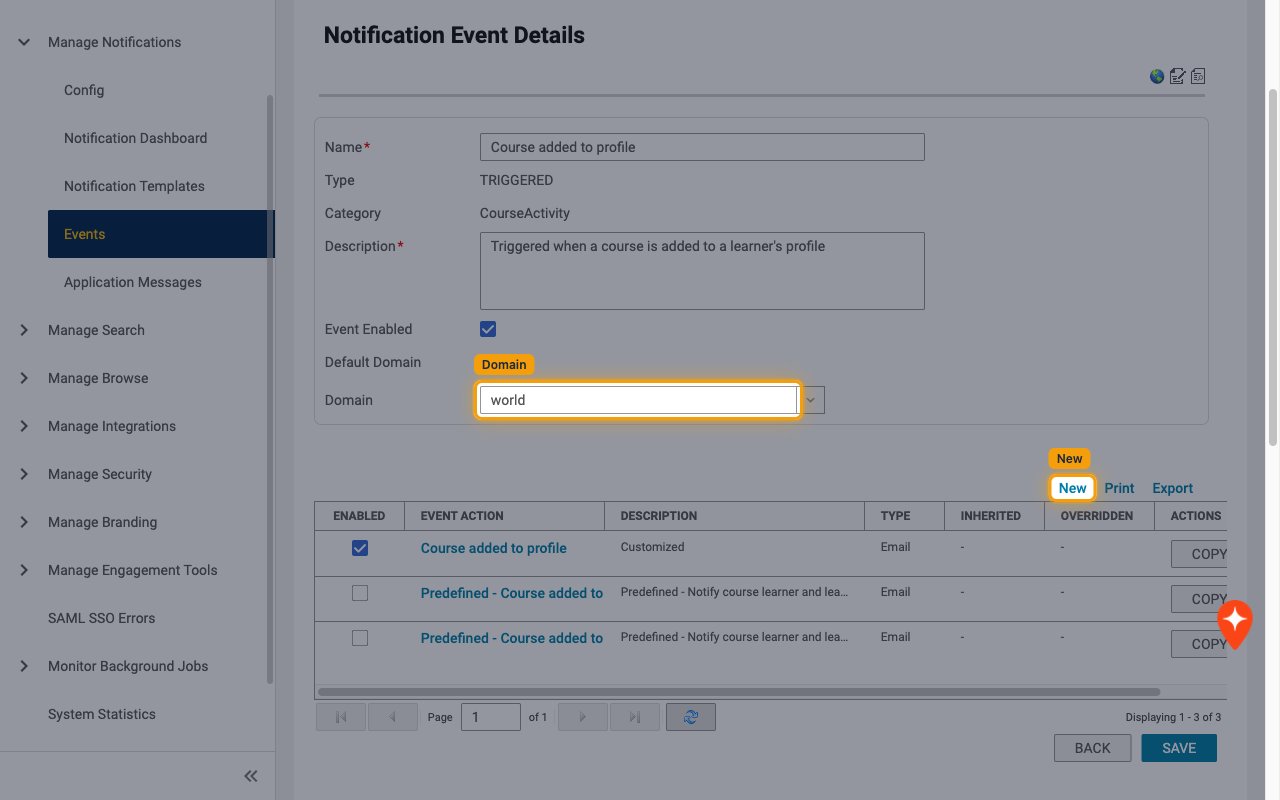
On Notification Event Details, set Domain to your top-level domain (usually world), then click New.
- While the Saba Webhook Action feature is in preview, each notification event allows only one Webhook Action across all domains, so add it at the top-level domain.
Choose the webhook type
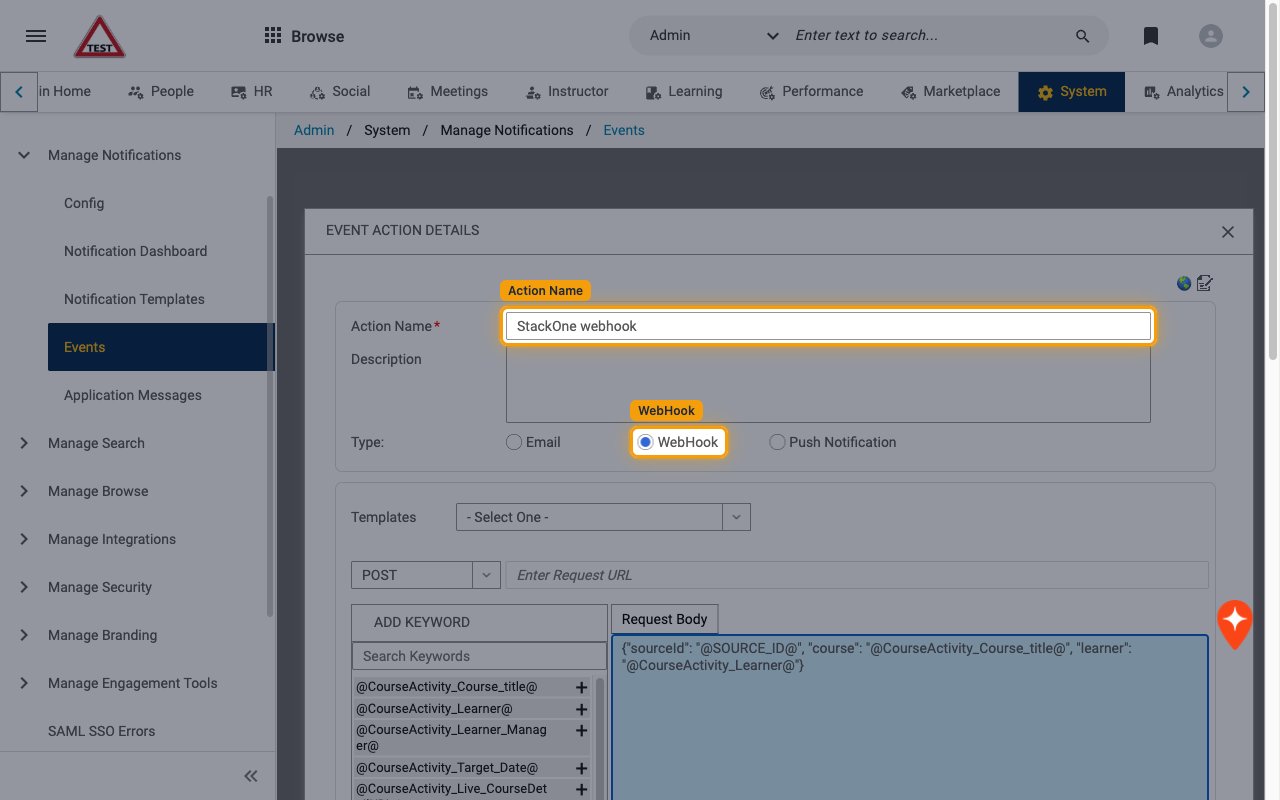
In EVENT ACTION DETAILS, enter an Action Name (for example StackOne webhook) and select WebHook for Type:.
Configure the request
Point the action at StackOne and send a JSON body.
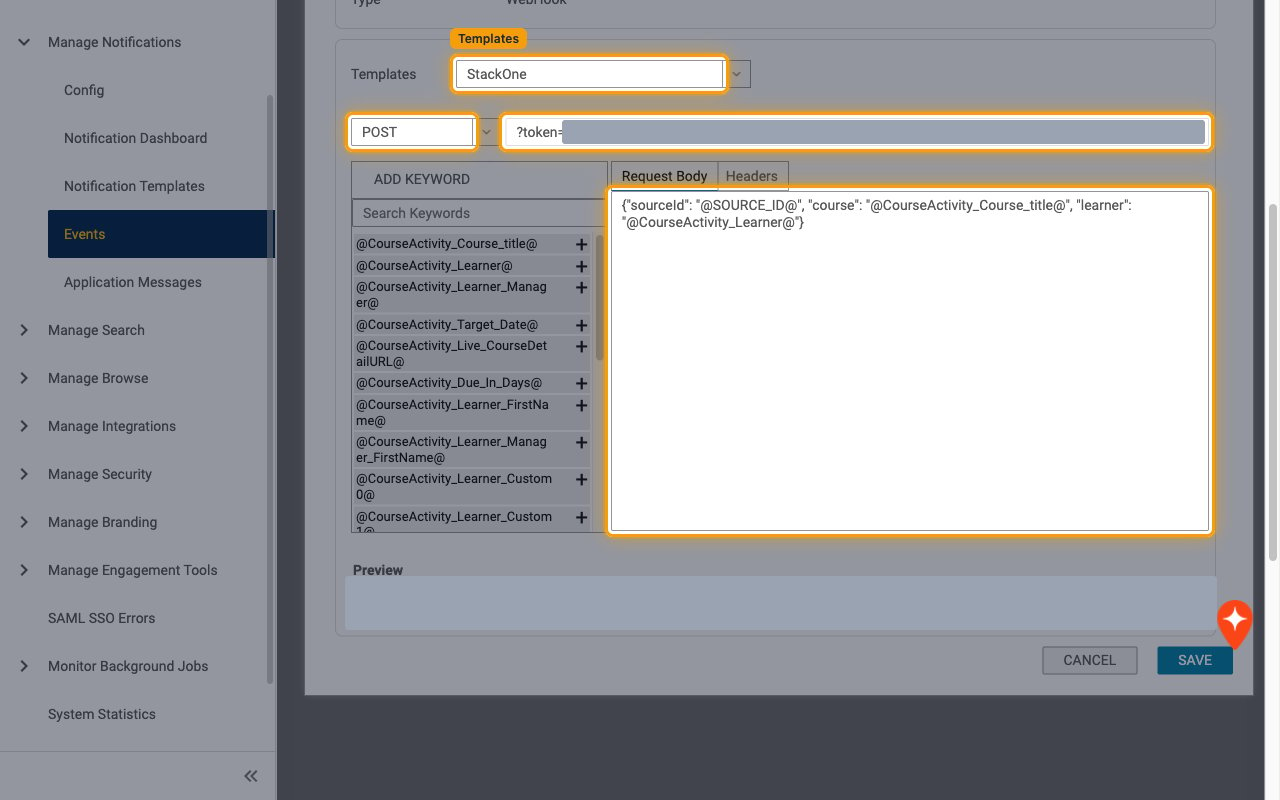
- In Templates, select the template you created.
- Select POST in the method dropdown.
- In Enter Request URL, paste the rest of the Native Webhook URL, starting with
?token=. Preview shows the full joined URL, which must match the Native Webhook URL exactly. - In Request Body, write a JSON body. Include
"sourceId": "@SOURCE_ID@"so StackOne receives the ID of the record that triggered the notification, then add any keywords from ADD KEYWORD you need, for example{"sourceId": "@SOURCE_ID@", "course": "@CourseActivity_Course_title@", "learner": "@CourseActivity_Learner@"}.@SOURCE_ID@is not listed under ADD KEYWORD; type it in.
Save the event action
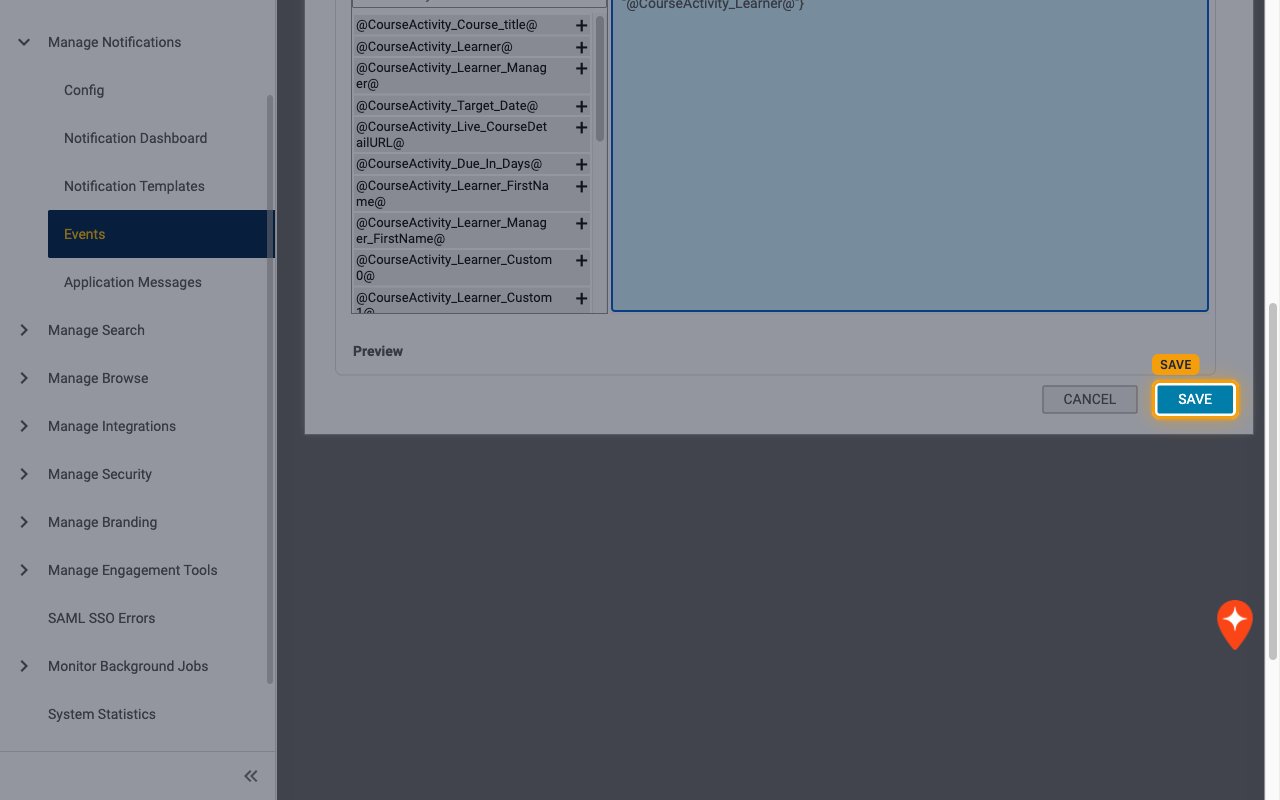
Click SAVE. The Headers tab only appears after the action has been saved once.
Add the JSON content type header
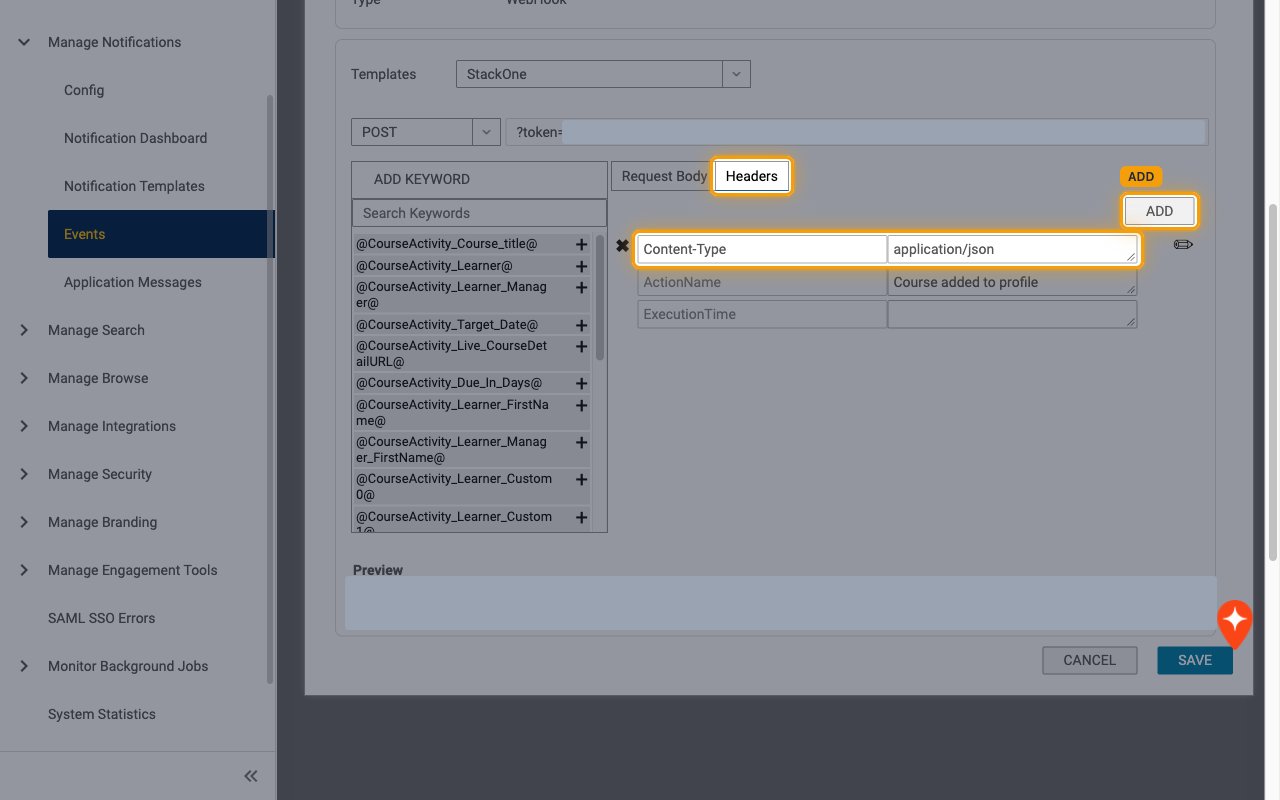
If EVENT ACTION DETAILS closed, click the action name in the event action list to reopen it. Open the Headers tab, click ADD, enter Name Content-Type and Value application/json, click SAVE in ADD HEADER, then click SAVE on the action.
- Without this header Saba sends the body as plain text and StackOne receives the event with no data.
- Saba always adds the ActionName (notification name) and ExecutionTime headers itself. StackOne routes the event on ActionName.
Enable the event action
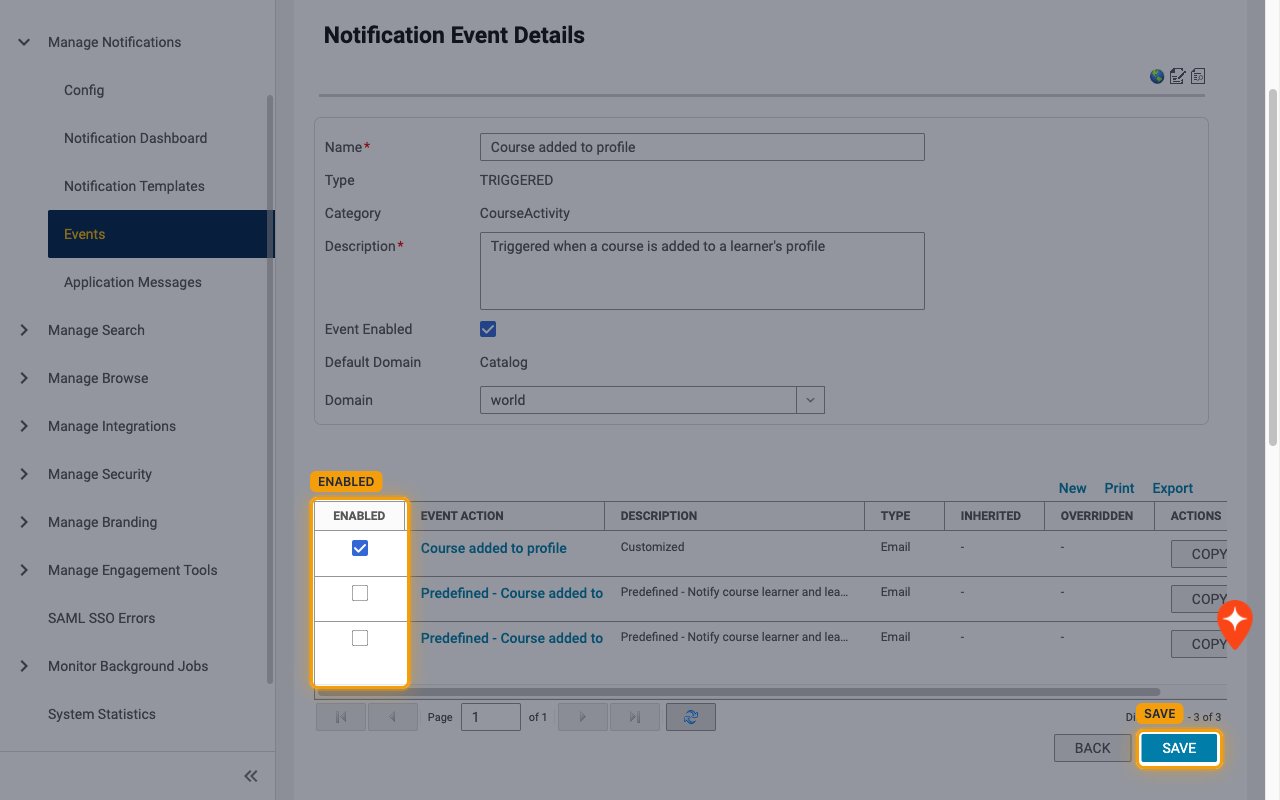
In the event action list, make sure the new action is ticked in the ENABLED column, then click SAVE.
Available webhook events
The following Saba events can be enabled. Saba only sends events for notifications that have an enabled Webhook Action, and only events selected in StackOne are delivered.
Learning events
Events related to courses on learner profiles.
- Course Added to Profile (
course.added_to_profile) — Fired when a course is added to a learner’s profile, for example when an admin assigns it from Assign Course. A learner registering for a course fires the Web-Based Class Registration notifications instead
Compensation events
Events related to compensation plans, cycles and worksheets.
- Compensation Allocation Approval Required (
compensation_plan.approval_required) — Fired when approval is required for a compensation allocation - Compensation Plan Assigned (
compensation_plan.assigned) — Fired when a compensation worksheet is available for budget allocation - Compensation Worksheet Approved by All Approvers (
compensation_worksheet.approved_by_all) — Fired when every approver in the approval chain has approved a compensation worksheet - Compensation Worksheet Approved by an Approver (
compensation_worksheet.approved_by_any) — Fired when any approver in the approval chain approves a compensation worksheet - Compensation Worksheet Returned to Manager (
compensation_worksheet.returned_to_manager) — Fired when a compensation worksheet is returned to the manager - Compensation Worksheet Reopened (
compensation_worksheet.reopened) — Fired when a compensation administrator reopens a compensation worksheet - Compensation Plan Cycle Completed (
compensation_plan_cycle.completed) — Fired when a compensation plan cycle is marked complete
Other notification events
Any other triggered notification with a Webhook Action.
- Notification (the notification name, for example
Ad hoc transcript in pending approval state) — Fired when any other Saba triggered notification with a Webhook Action runs. The event type is the ActionName header value
Delivery format
Details of how Saba delivers events to StackOne.
One request per notification
Saba sends one HTTP request each time a notification with a Webhook Action fires, always in the site’s default locale. The body is the Request Body you configured, so StackOne passes it through unchanged as the event data. The record ID is the sourceId body field (from @SOURCE_ID@, for example a registration ID beginning with regdw). The ExecutionTime header uses Saba’s own format (for example 2026.10.05 06:24:03 AM EDT), so the event date is the time StackOne received the request. Saba does not sign requests and does not retry automatically.