

Create an Account Access Token
Account Access Tokens authenticate account-level Rollbar API requests such as managing projects, teams, users, and invitations. Create one from your Rollbar account settings and paste it into StackOne Hub.
Sign in and select your account
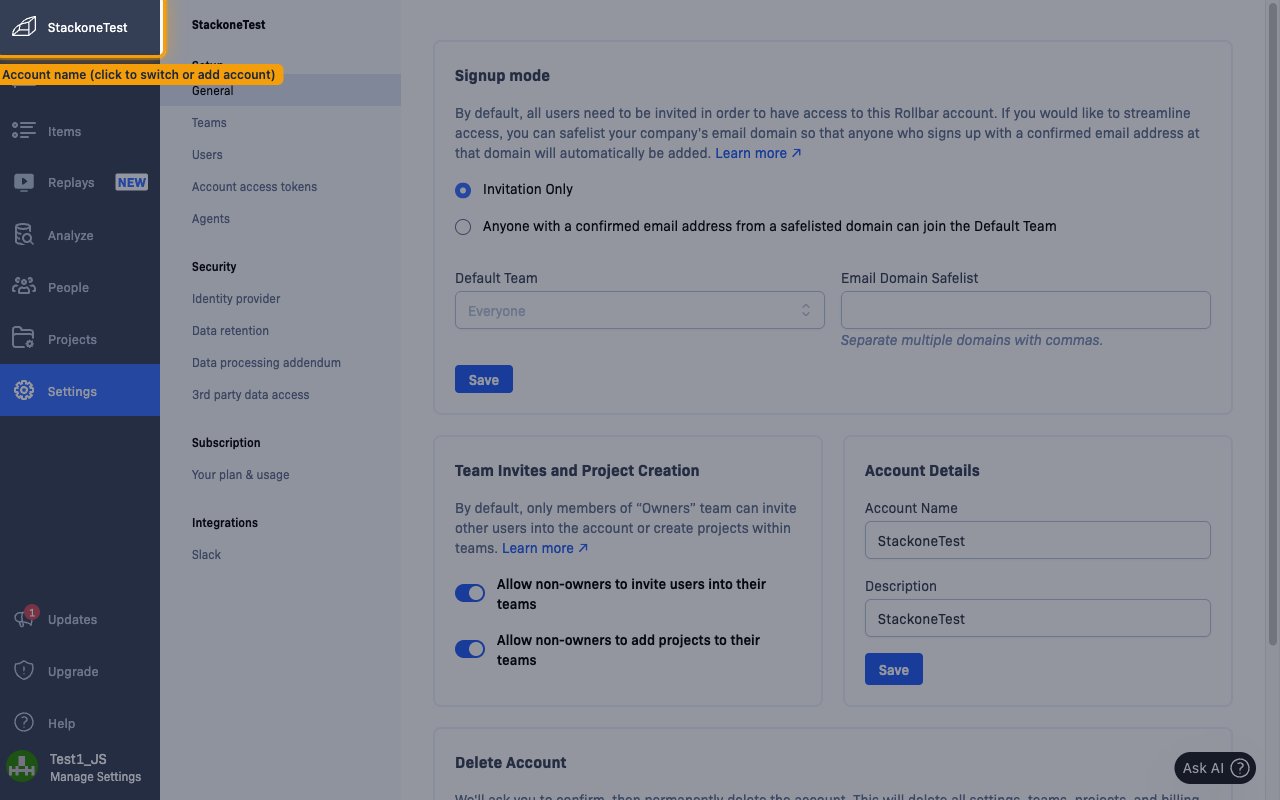
Sign in to the Rollbar dashboard. By default, your account page opens after sign-in. To switch to a different account or add a new one, click the account name in the top-left corner.
Open Account access tokens
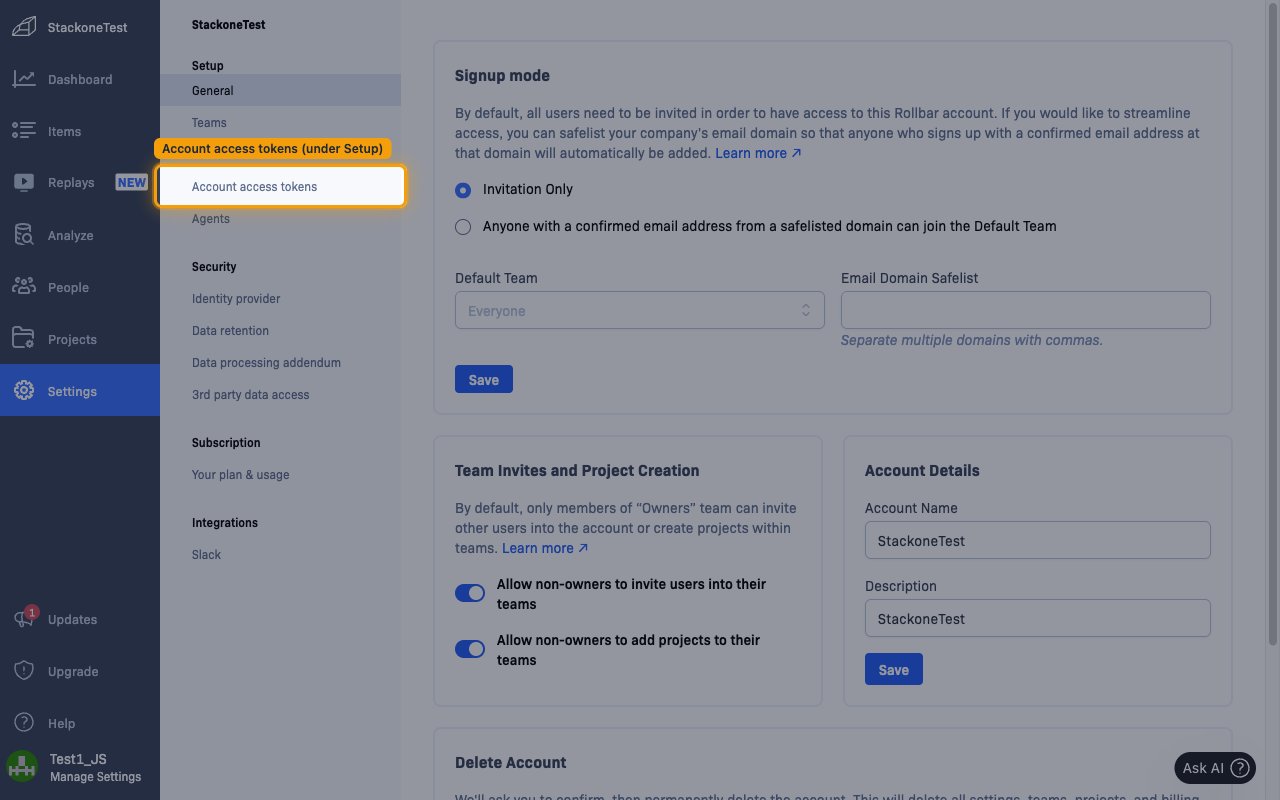
In the left sidebar, click Settings, then under the Setup section click Account access tokens.
Create a new token
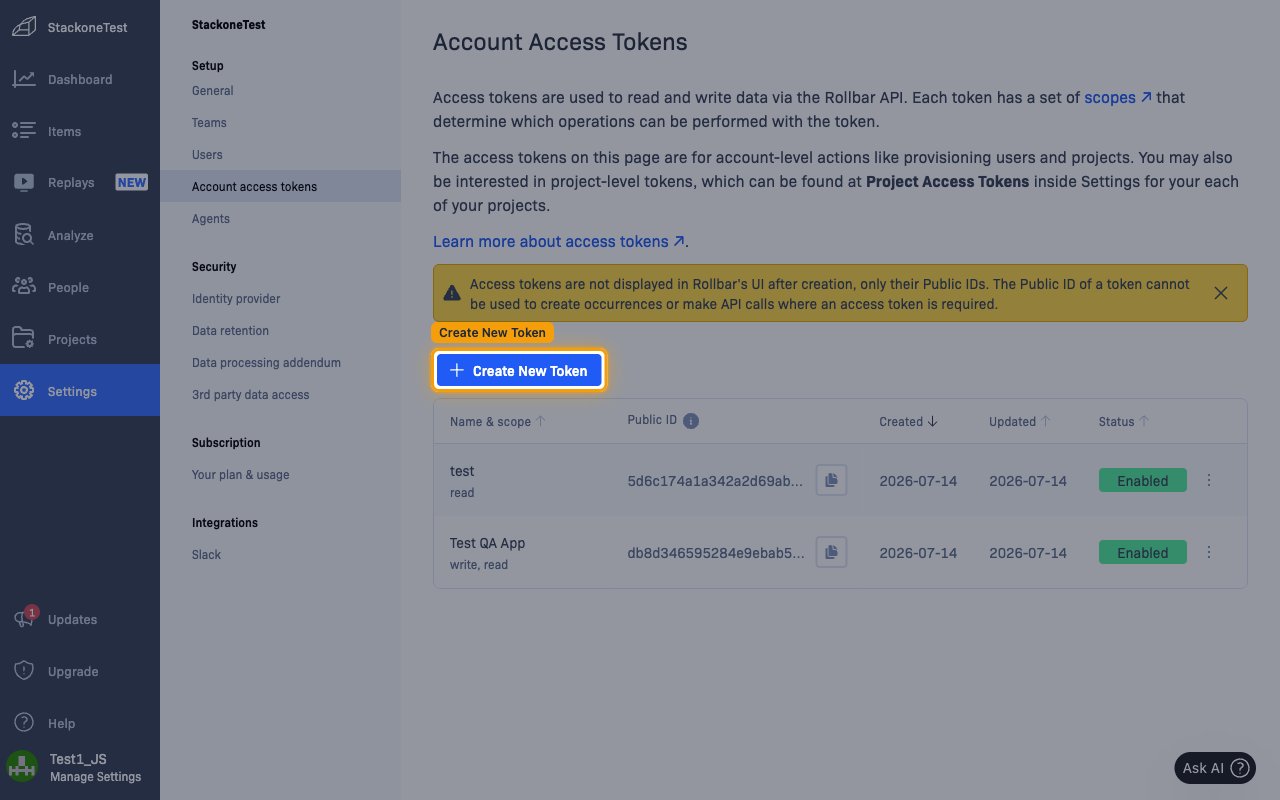
On the Account Access Tokens page, click + Create New Token.
Configure and create the token
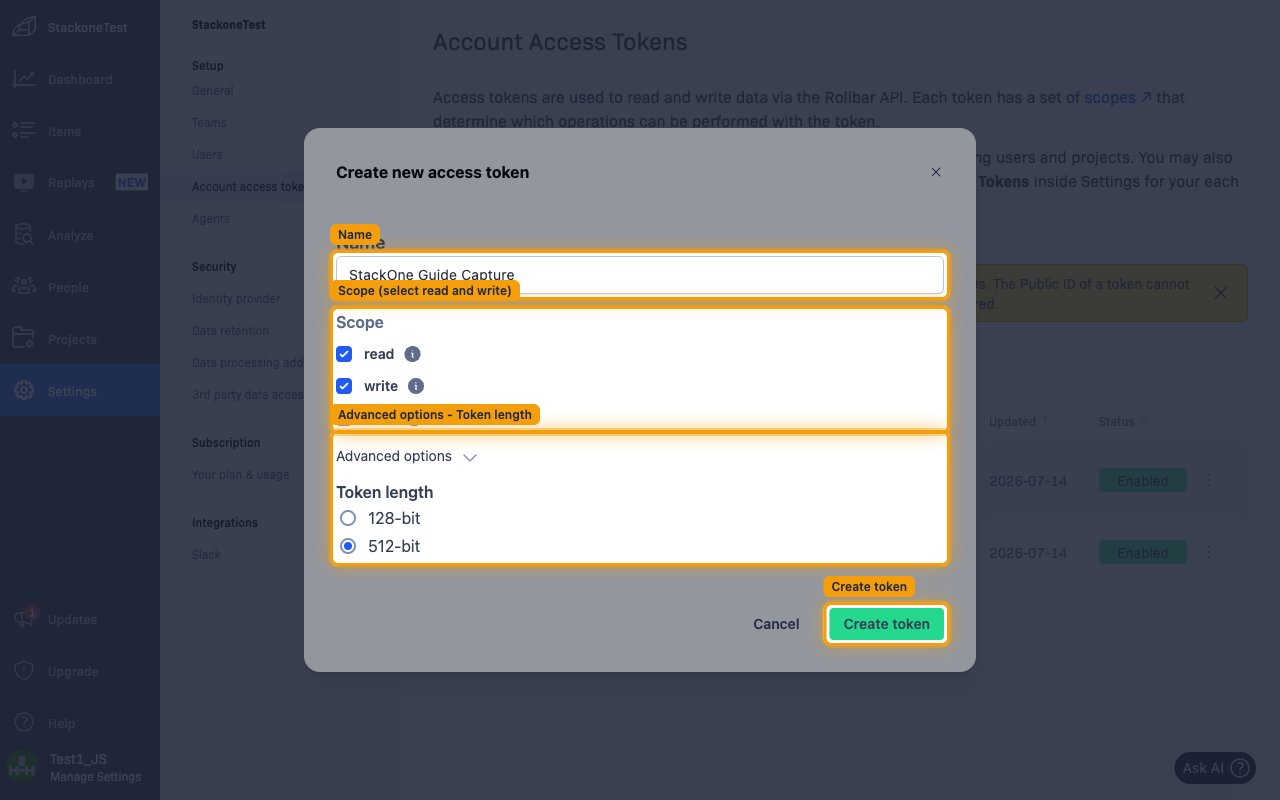
In the Create new access token dialog, configure the token, then click Create token:
- Name — enter a descriptive name (for example,
StackOne Integration). - Scope — select read and write for full access, or read only for read-only access.
- Advanced options — optionally expand this to set the Token length (128-bit or 512-bit).
- Click Create token to generate the token.
Copy the token
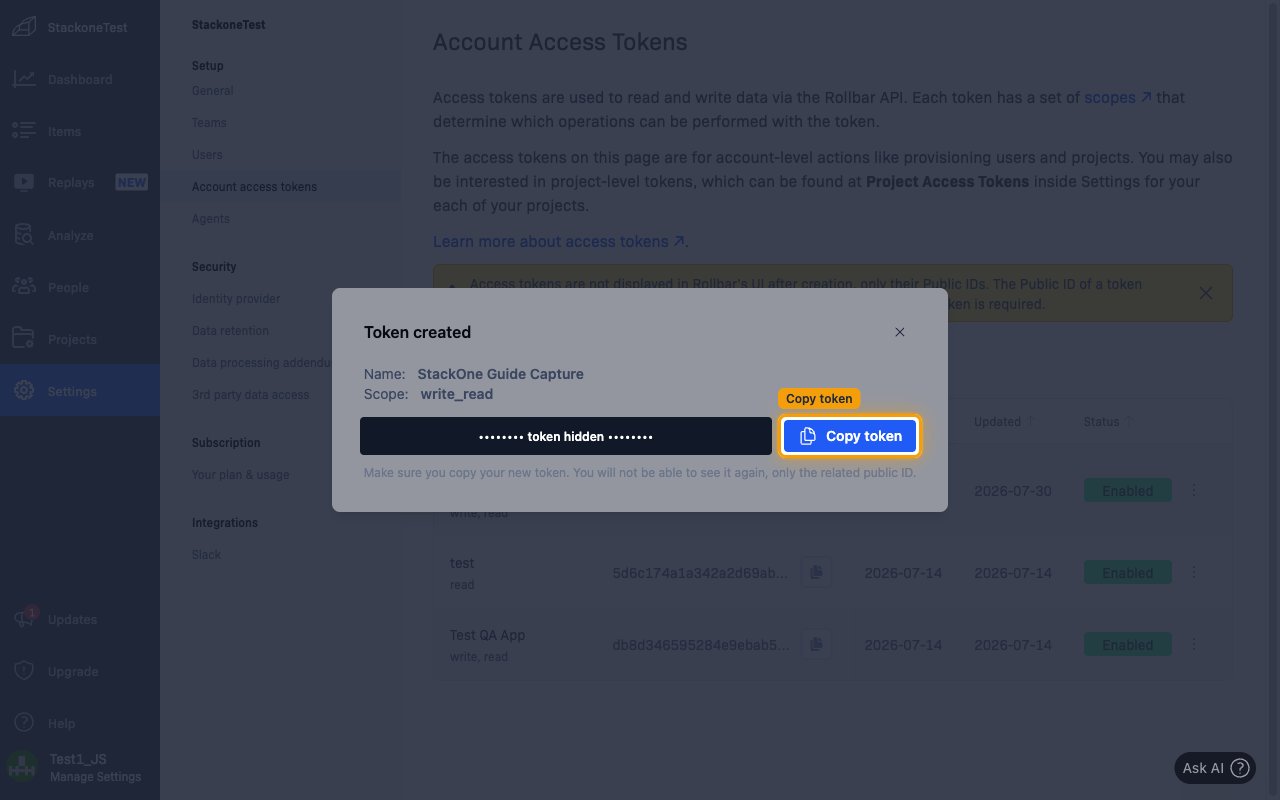
In the Token created dialog, click Copy token and store the value securely. Paste it into the Account Access Token field in StackOne Hub.
- The token is only displayed once — you will not be able to see it again, only the related Public ID.
- A token’s Public ID cannot be used to make API calls, so the full token value cannot be recovered once the dialog is closed.
Link the Account
Connect
- Click Connect.
- If applicable, the provider will redirect you to a sign-in or authorization page. Complete the provider’s authorization flow.
- Once authorization is successful, you will see a confirmation popup.
Use Actions
Next Steps
Webhooks setup
Configure receiving Events for Rollbar into StackOne.