

Accessing your API key
Your Recurly private API key authenticates StackOne against your Recurly site.
Sign in to Recurly
Sign in to your Recurly account.
- If you have access to more than one site, select the site you want to connect.
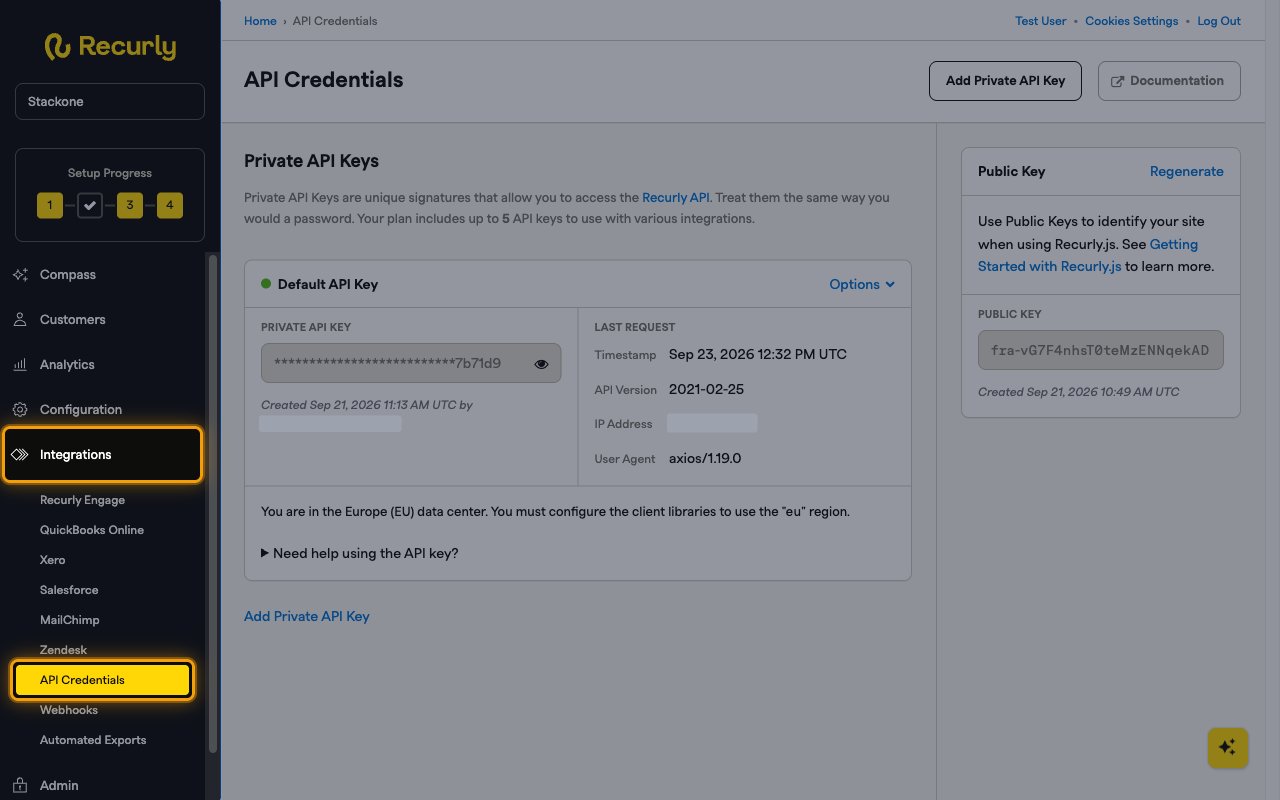
Open API credentials
In the left sidebar, click Integrations, then select API Credentials.
- Or go directly to the API Credentials page
Copy your API key
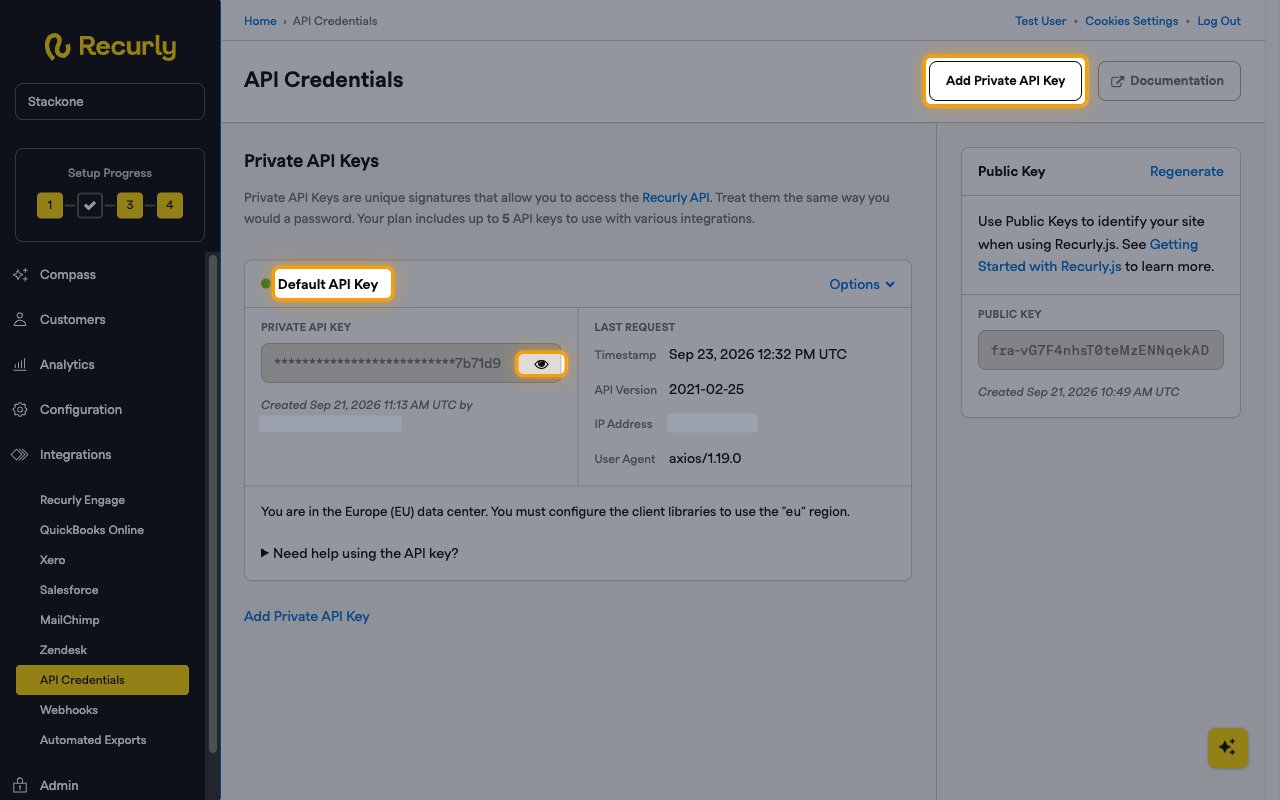
Under Private API Keys, use the existing Default API Key or create a dedicated key for StackOne.
- To use the existing key, find the Default API Key card.
- To create a dedicated key instead, click Add Private API Key at the top right of the page and save it.
- In the Private API Key field, click the eye icon to reveal the key, then copy it.
- Paste it into the API Key field in StackOne Hub.
- Treat the key like a password and store it securely, as it grants full API access to your Recurly site.
Find your data region
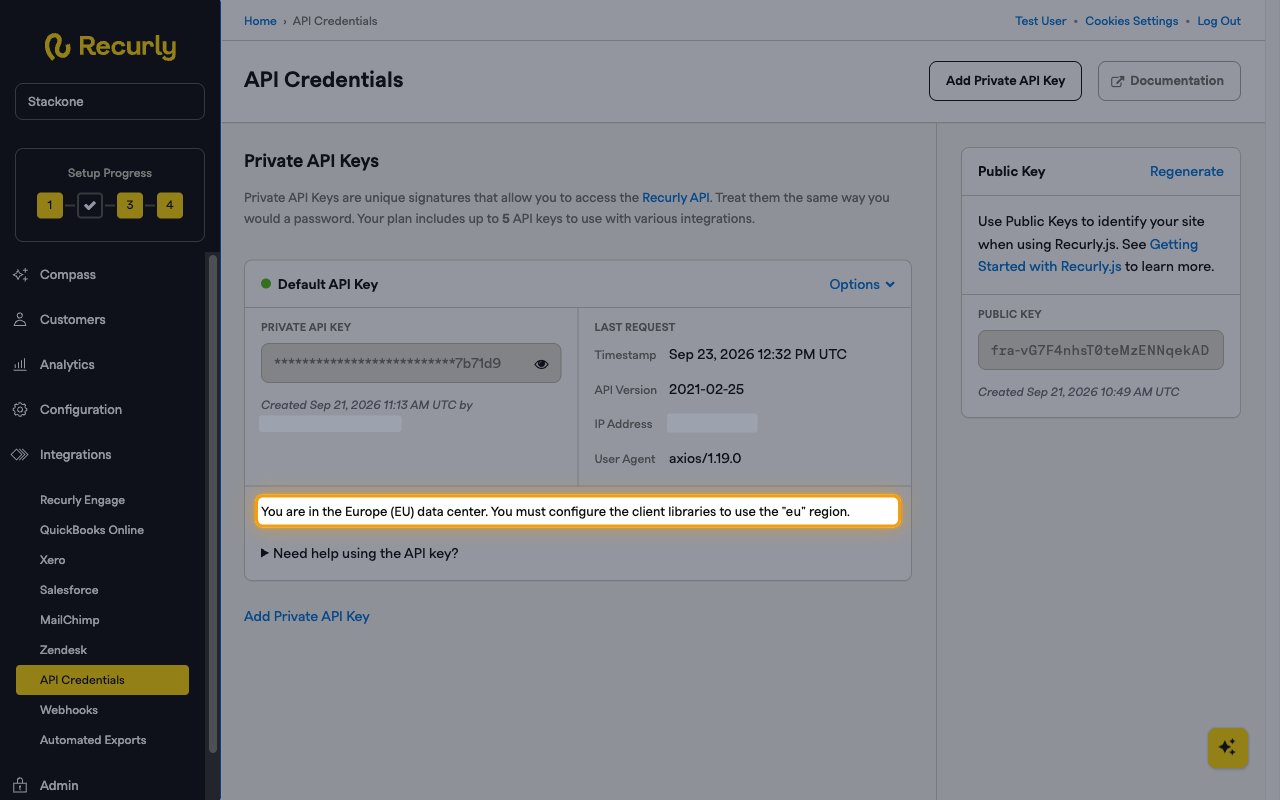
Recurly hosts each site in either the US or the EU data center. The Data Region you select in StackOne Hub must match your site’s data center.
Check your data center
On the same API Credentials page, the Default API Key card states which data center your site is in, for example “You are in the Europe (EU) data center.”
- Your site URL also shows the region. US sites use
https://{subdomain}.recurly.comand EU sites usehttps://{subdomain}.eu.recurly.com - Example:
https://acme.eu.recurly.comis an EU site - Select US (v3.recurly.com) or EU (v3.eu.recurly.com) in the Data Region field in StackOne Hub.
Linking the Account from the Hub
Navigate to the Hub
Fill out the fields
- API Key
- Data Region
Connect
- Click Connect
- If applicable, the provider will redirect you to a sign-in or authorization page. Complete the provider’s authorization flow.
- Once authorization is successful, you will see a confirmation popup
If the account linking is successful, you will see the newly linked account in your Accounts page.