

Find your tenant subdomain
Your tenant is the subdomain of recru.eu that identifies your RECRU instance. StackOne Hub sends every API request to https://{tenant}.recru.eu.
- Format:
https://{tenant}.recru.eu - Example: if your URL is
https://mytenant.recru.eu/backoffice, your tenant ismytenant - Once signed in, the RECRU API link on the API DOCUMENTATION page also shows your tenant in the URL.
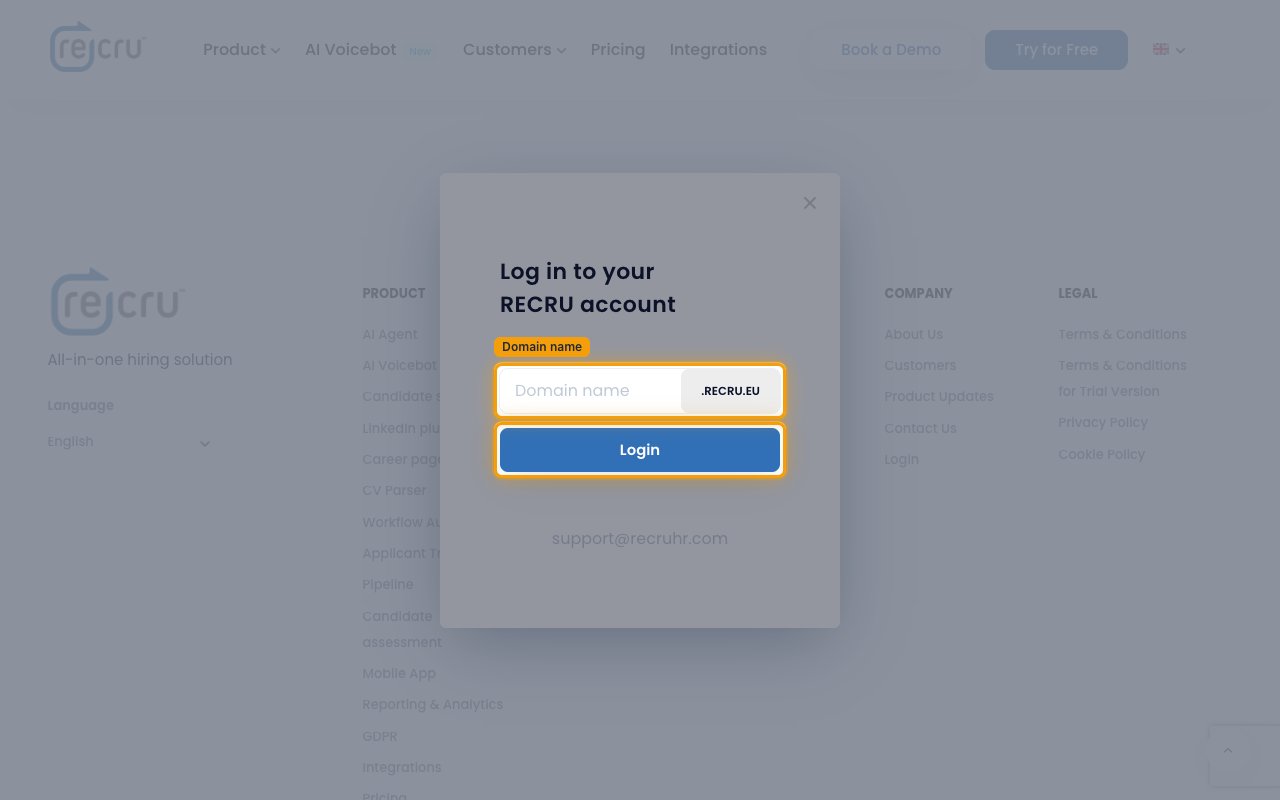
- If you don’t know your URL, open the RECRU website, click Login, and type your tenant into the Domain name field in front of .recru.eu.
- Enter the tenant in lowercase, without
.recru.eu, in the Tenant field in StackOne Hub.
Get the API credentials from RECRU
RECRU shows the API username and password on the Your API credentials panel in your backoffice.
1
Sign in to RECRU
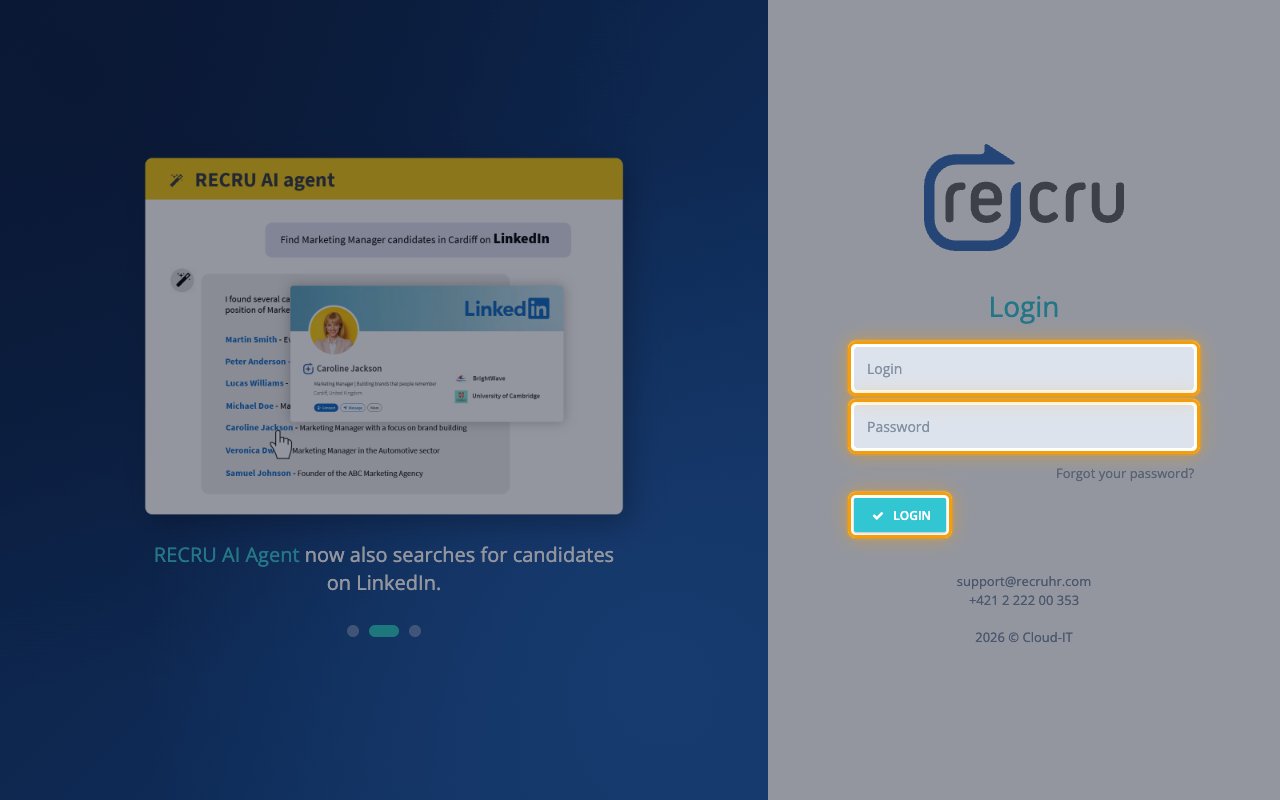
Sign in to your RECRU account at https://{tenant}.recru.eu. Enter your Login and Password, then click LOGIN.
2
Open API documentation in Settings
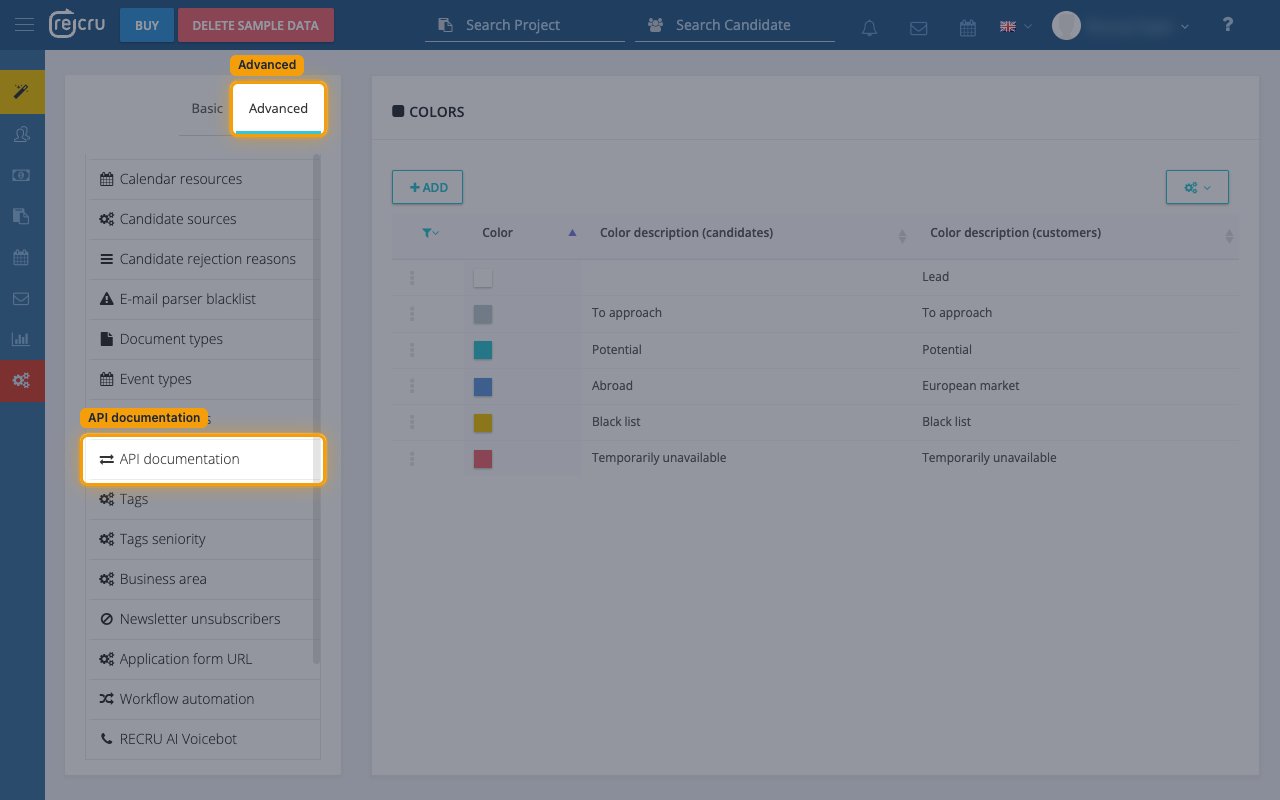
Open the API documentation page from the backoffice settings.
- In the left sidebar, click Settings (the gear icon).
- At the top of the settings menu, switch from Basic to Advanced.
- In the menu, click API documentation.
3
Copy the API username and password
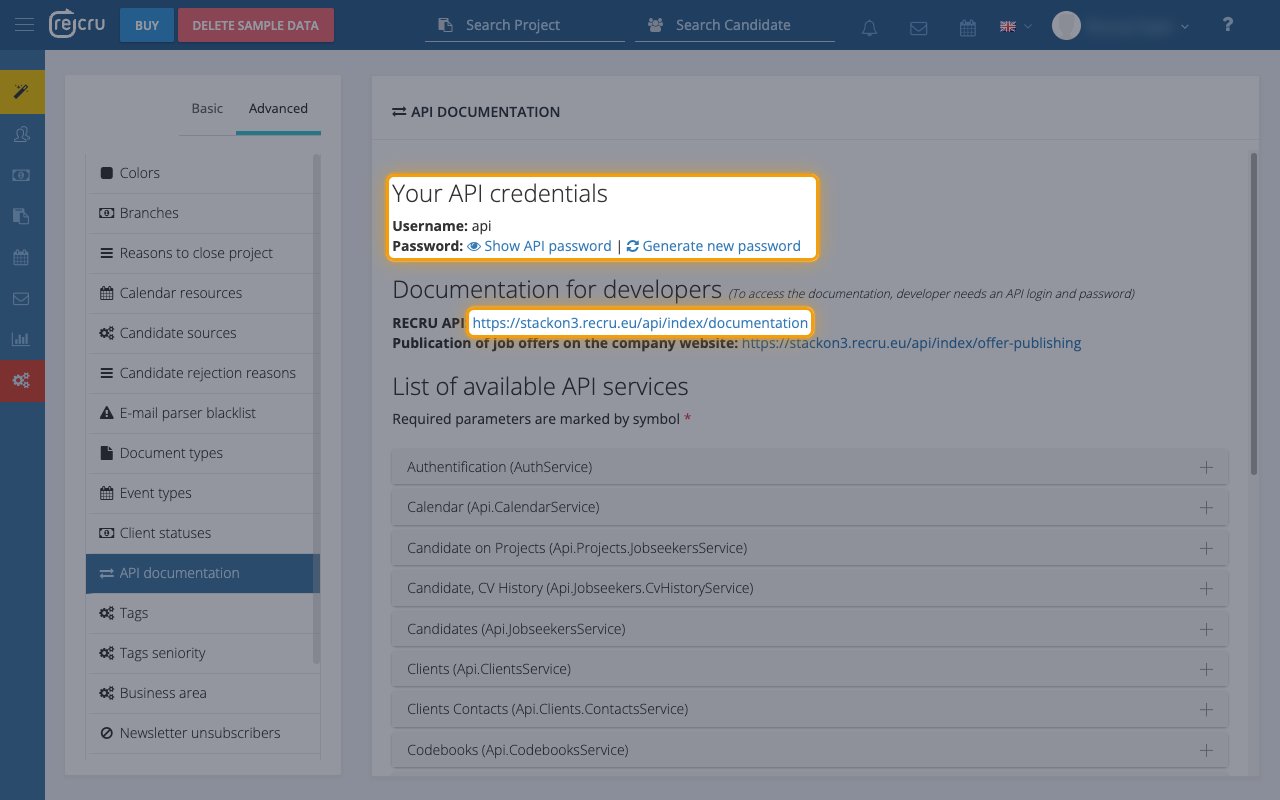
The Your API credentials panel at the top of the API DOCUMENTATION page holds both values.
- Copy the value next to Username: (usually
api) into the Username field in StackOne Hub. - Click Show API password, then click the copy icon next to Current API password: and paste the value into the API password field in StackOne Hub.
- If no password exists yet, click Generate new password instead. The new password replaces the previous one immediately.
Link the Account
1
Connect
- Click Connect.
- If applicable, the provider will redirect you to a sign-in or authorization page. Complete the provider’s authorization flow.
- Once authorization is successful, you will see a confirmation popup.
2
Use Actions
Connect an AI platform to the linked account’s actions. See AI Platforms.Other ways to call actions are listed in Protocols & SDKs.
Next Steps
Webhooks setup
Configure receiving Events for RECRU into StackOne.