

Prerequisites
The connector should already be set up, with a Connector Profile and a Linked Account. See Getting Started on the Postman connector page.Send monitor results to StackOne
Add a Post monitoring results integration in Postman that sends each monitor run to the StackOne Native Webhook URL.
Retrieve StackOne Native Webhook URL
The Native Webhook URL is generated once an account has been linked.
- Open the linked account in StackOne.
- Copy the value from Native Webhook URL.
- The URL contains a secret token that identifies the linked account, so store it securely and do not share it.
Open Custom Webhooks
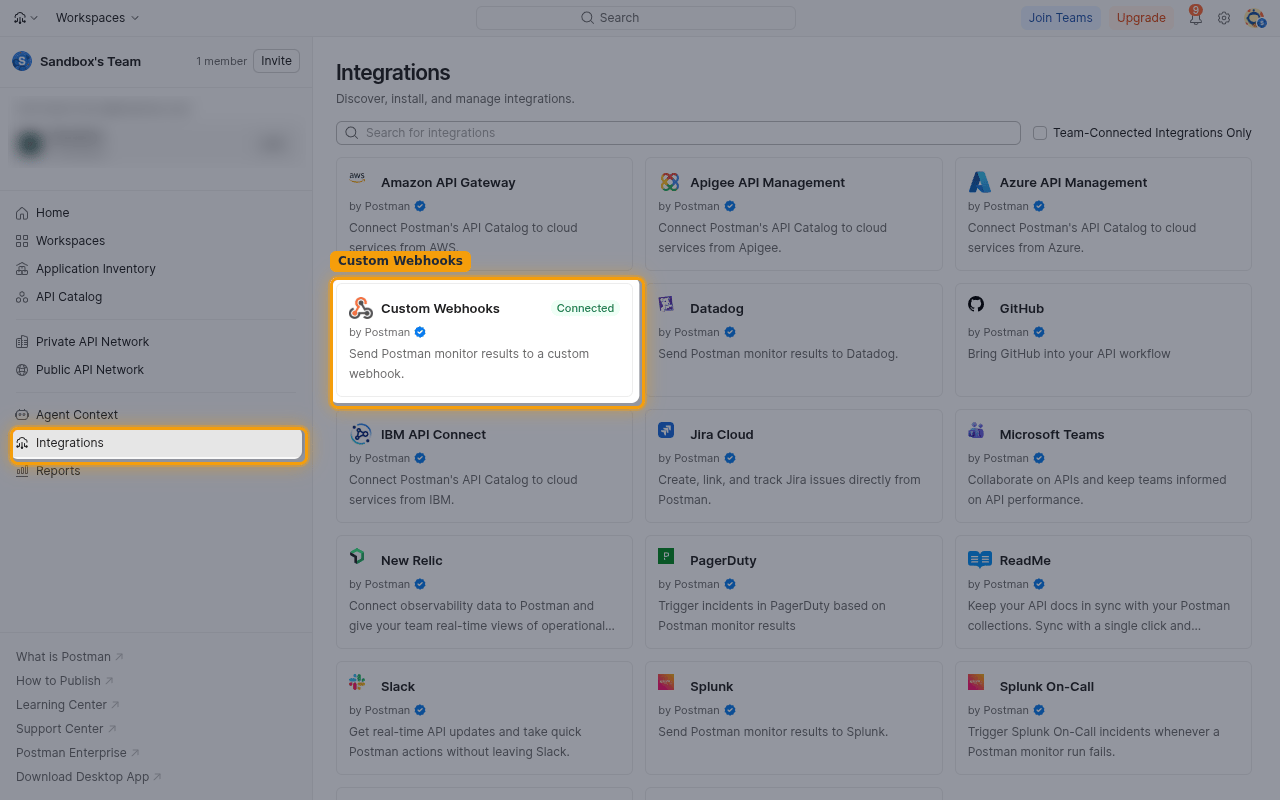
Sign in to Postman and open the Custom Webhooks integration.
- In the left sidebar, click Integrations.
- Click the Custom Webhooks card.
- Click the Connections tab.
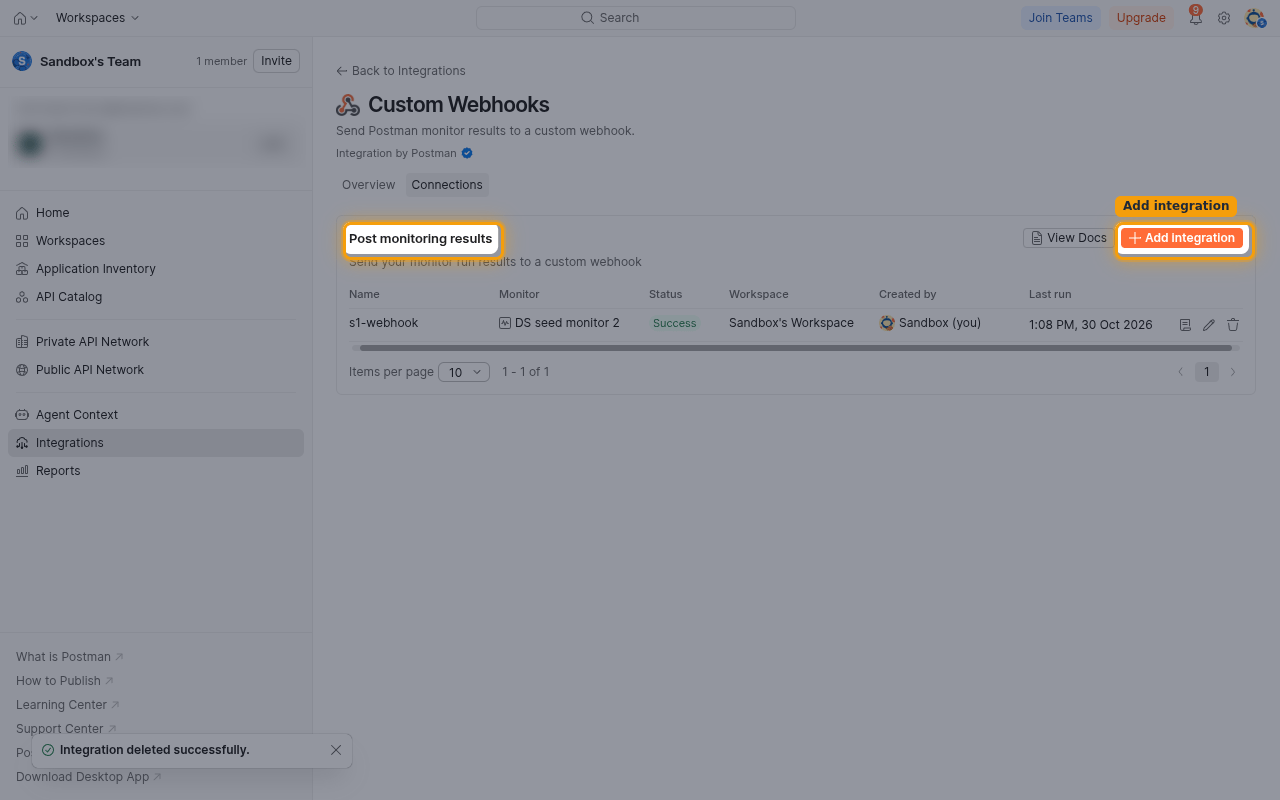
Add a monitoring results integration
Start a new integration for monitor results.
- Next to Post monitoring results, click Add integration.
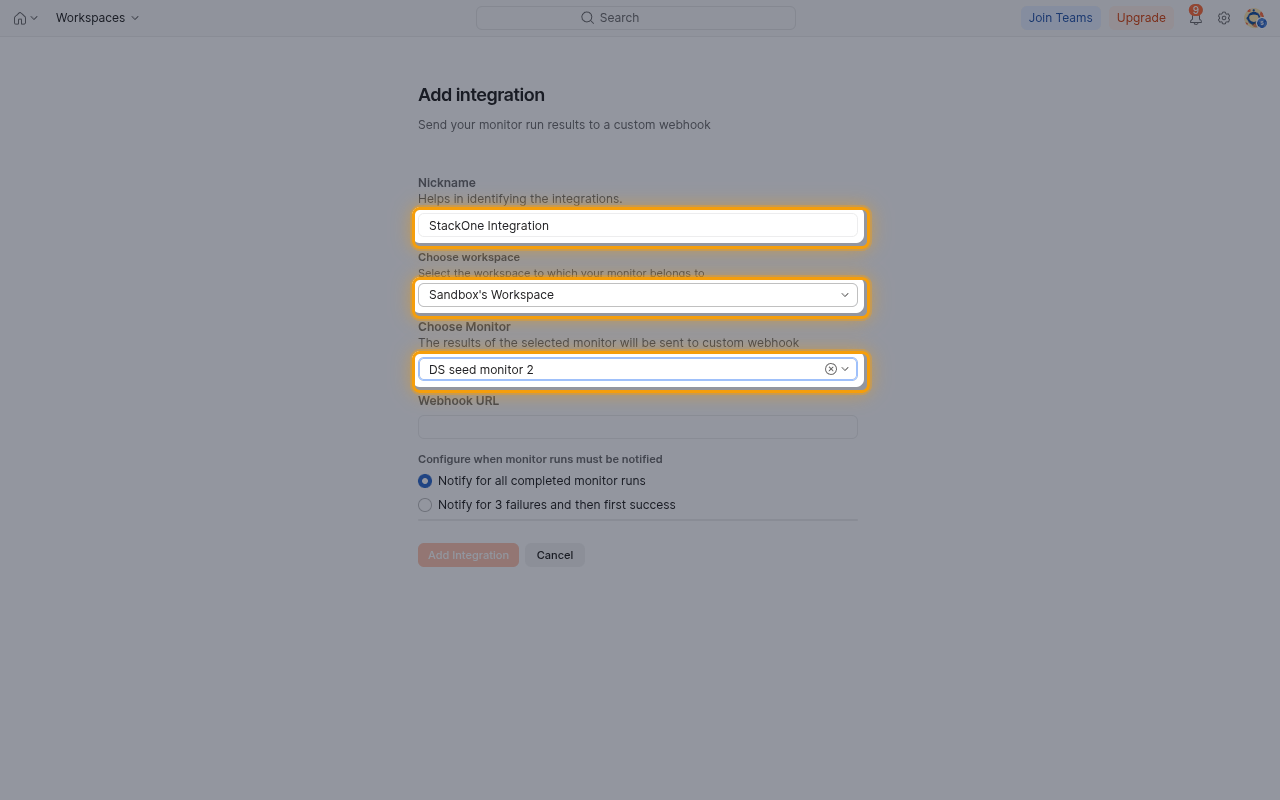
Choose the monitor
Name the integration and pick the monitor whose runs should be sent.
- Nickname: enter a name, for example
StackOne Integration. - In Choose workspace, select the workspace that holds the monitor.
- In Choose Monitor, select the monitor.
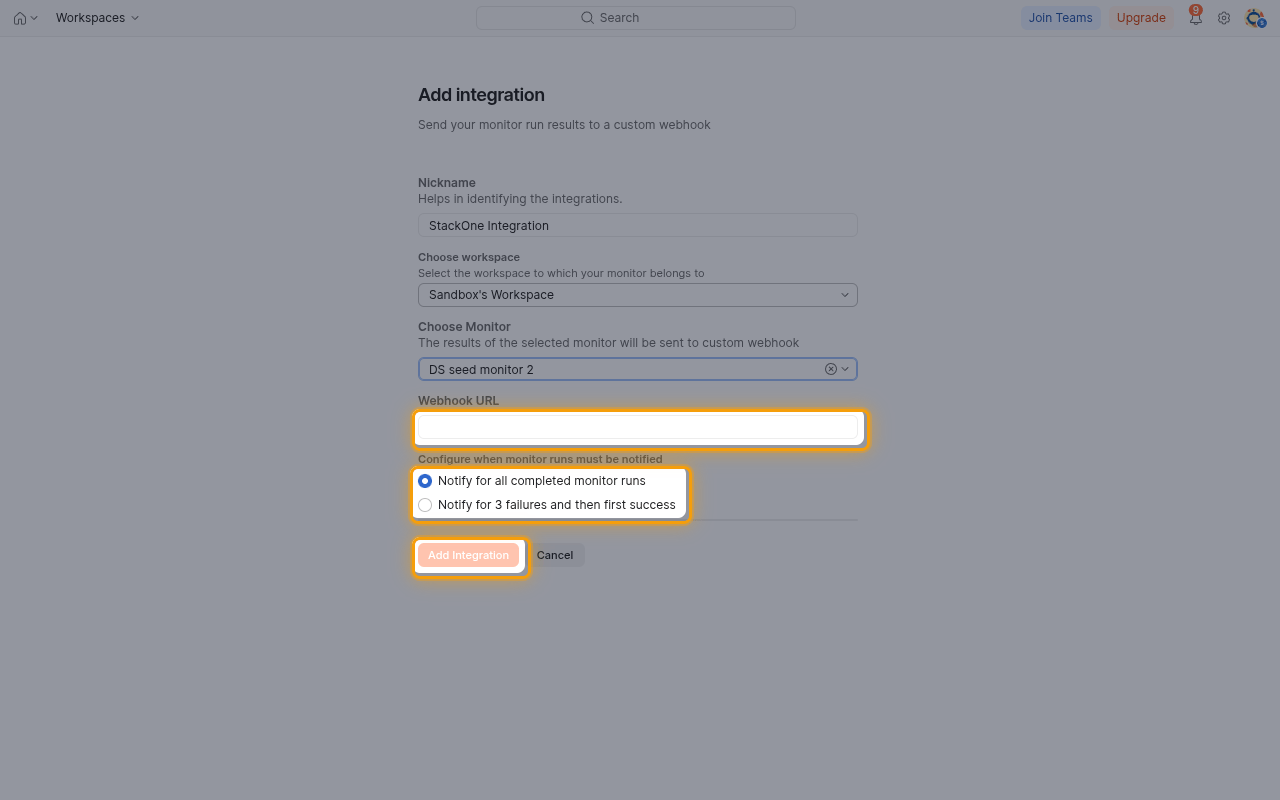
Paste the URL and save
Point the integration at StackOne and choose when Postman sends results.
- Paste the Native Webhook URL into Webhook URL.
- Under Configure when monitor runs must be notified, select Notify for all completed monitor runs, or Notify for 3 failures and then first success to send only failure streaks and the recovery.
- Click Add Integration.
- Repeat these steps for each monitor that should send events.
Available webhook events
The following Postman event can be enabled. Only events selected in StackOne are delivered; Postman sends every notification for the monitor and StackOne ignores it when the event is not enabled.
Monitor events
Events related to Postman monitors.
- Monitor Run Completed (
monitor.run_completed) — Fired when a run of the selected monitor completes, as chosen under Configure when monitor runs must be notified.
Delivery format
Details of how Postman delivers events to StackOne.
One request per monitor run
Postman sends one JSON request for each notified monitor run, holding the monitor and collection names and IDs, the user who owns the monitor, and the run metrics. Requests are not signed; the token in the Native Webhook URL identifies the linked account.