

Prerequisites
The connector should already be set up, with a Connector Profile and a Linked Account. See Getting Started on the Polymer connector page.Copy your Native Webhook URL
Polymer sends events to a URL that is unique to your linked account.
- Open your linked account in StackOne and copy the value of the Native Webhook URL field.
- Treat this URL as a secret — anyone holding it can post events to your account.
Add the webhook URLs in Polymer
Polymer stores one webhook URL per event. Paste the same Native Webhook URL into both
fields so StackOne receives job application and job published events.
Sign in to Polymer
Sign in to your Polymer account.
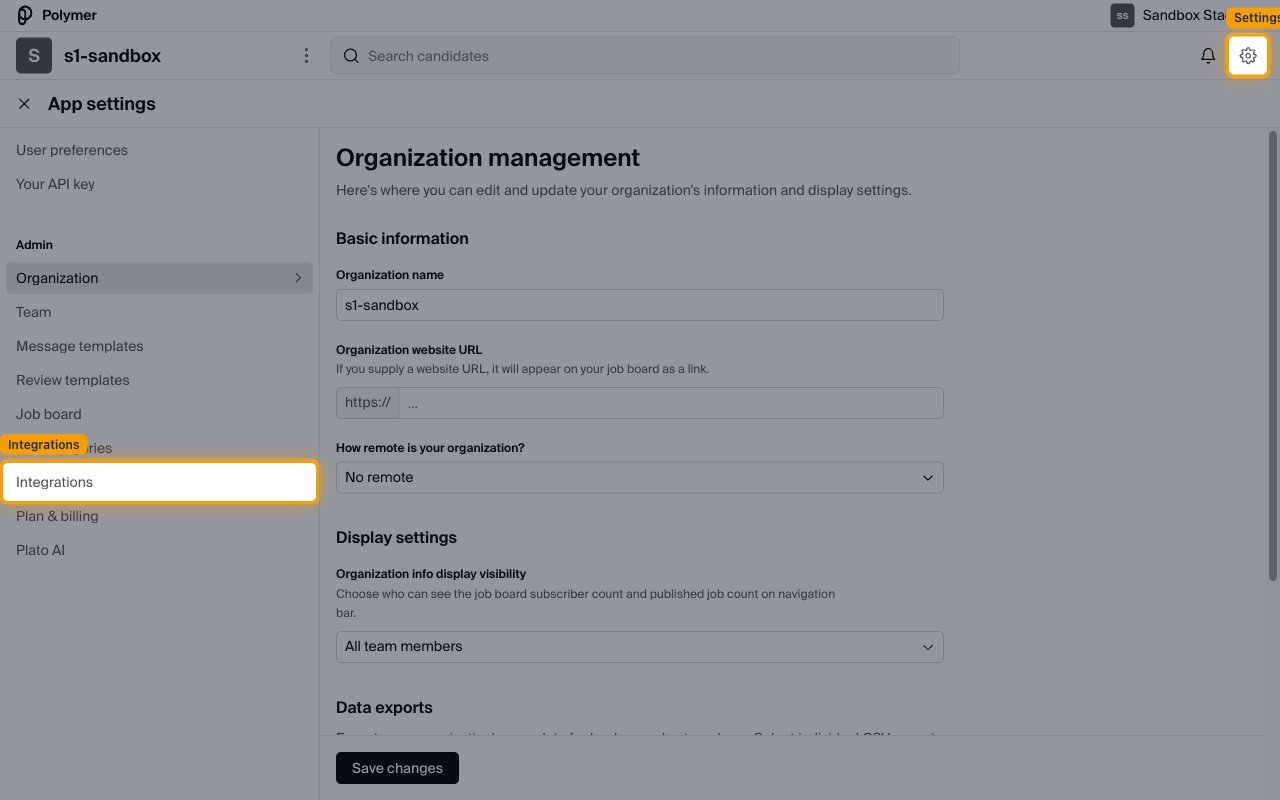
- Click the settings (gear) icon in the top-right of the navigation bar to open App settings.
Open the Polymer Webhooks integration
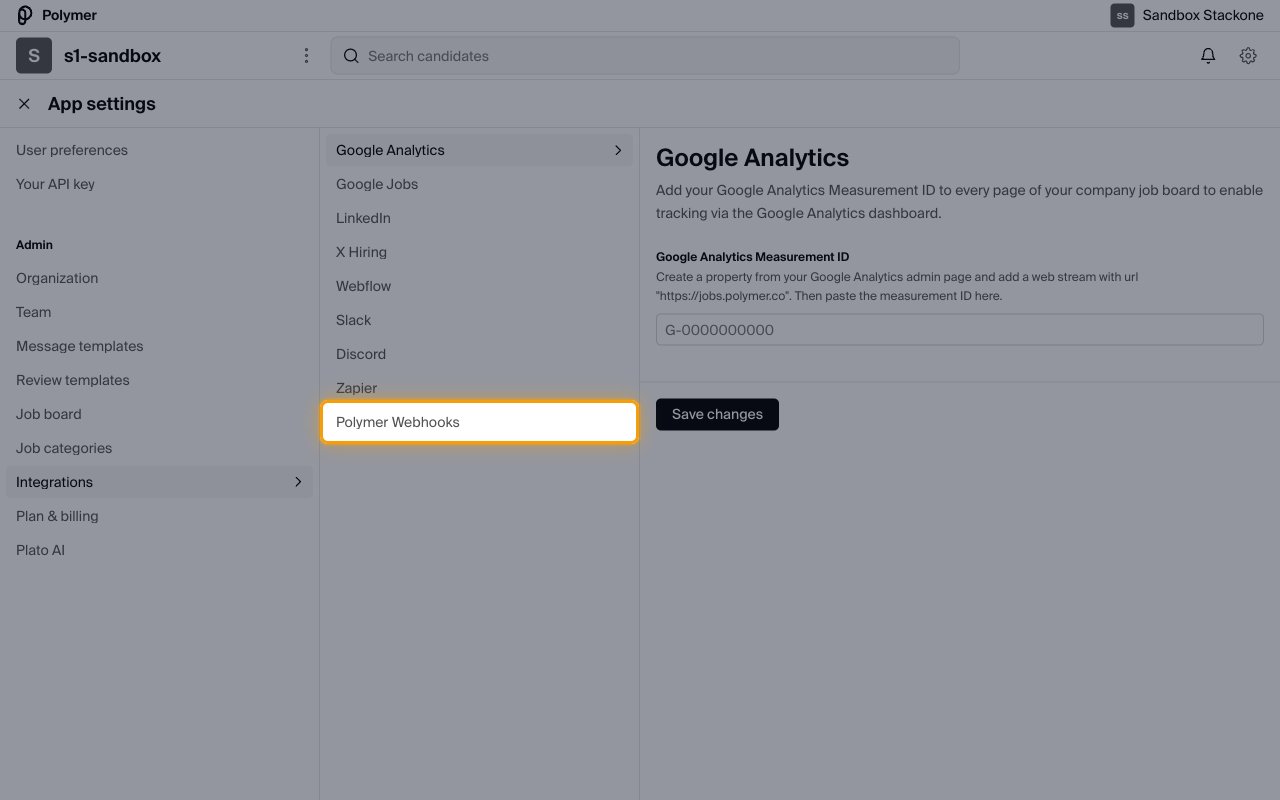
Select Integrations from the Admin section of the left menu.
- Choose Polymer Webhooks from the integrations list.
Add your webhook URLs
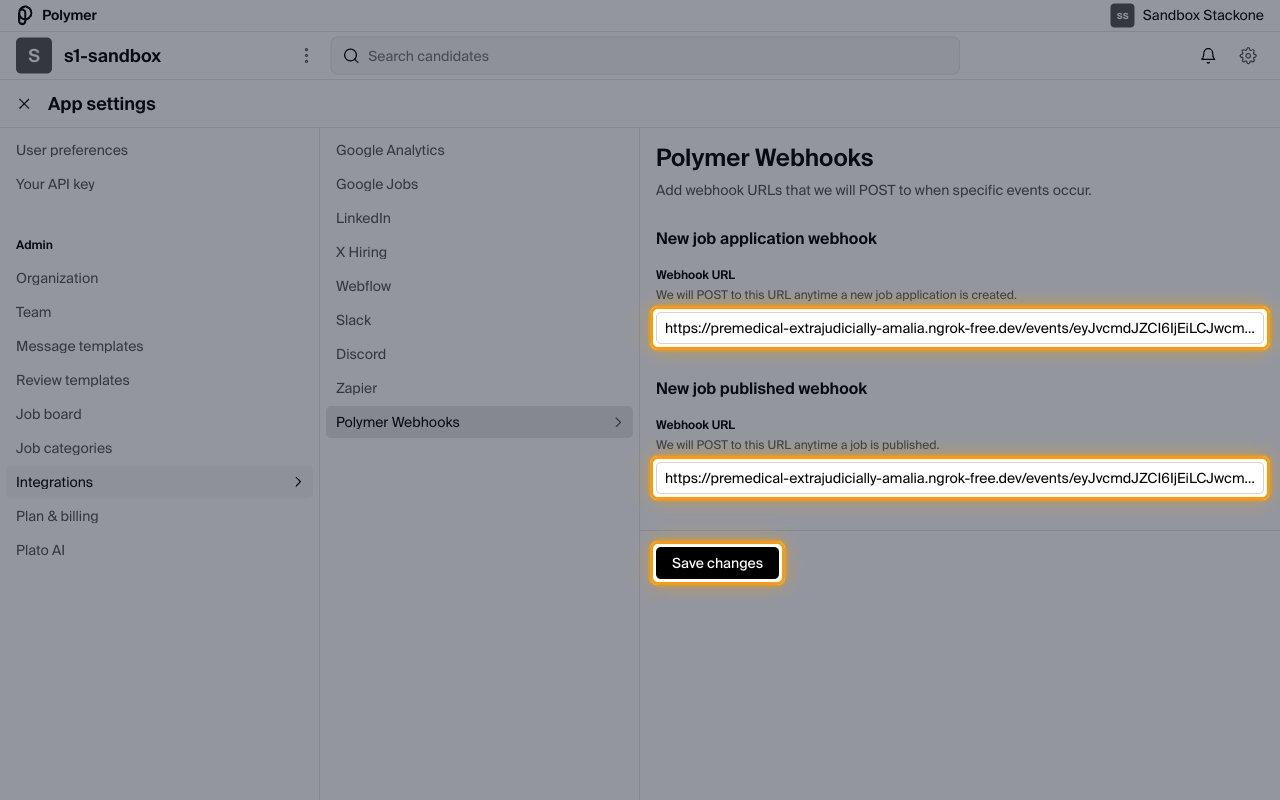
The Polymer Webhooks page reads “Add webhook URLs that we will POST to when specific
events occur” and offers one Webhook URL field per event.
- Paste the Native Webhook URL into the Webhook URL field under New job application webhook.
- Paste the same URL into the Webhook URL field under New job published webhook.
- Click Save changes.
- Note: Polymer does not send a test or verification request, so a saved URL is not confirmation that events are being received.
Available webhook events
Polymer posts to the URLs you saved above. Only the events listed here are delivered.
Review job application events
Delivered to the URL saved under New job application webhook.
- New job application (
new_job_application) — Fired when an application is created against a job, including applications created through the Polymer API.
Review job events
Delivered to the URL saved under New job published webhook.
- New job published — Fired when a job is published.
- Note: publishing a job requires a paid Polymer plan.
Delivery format
Polymer posts each event on its own, as a form submission rather than JSON.
- Requests are sent as
POSTwith content typeapplication/x-www-form-urlencoded. - Each request carries a single event — Polymer does not batch events.
- Responses to custom application questions marked Admin only are excluded from webhook payloads.