

Create a service token
A service token has no permissions until you grant them, so the token needs organization and database permissions before it can be used.
1
Create the token
Sign in to your PlanetScale account, then open Settings > Service tokens.
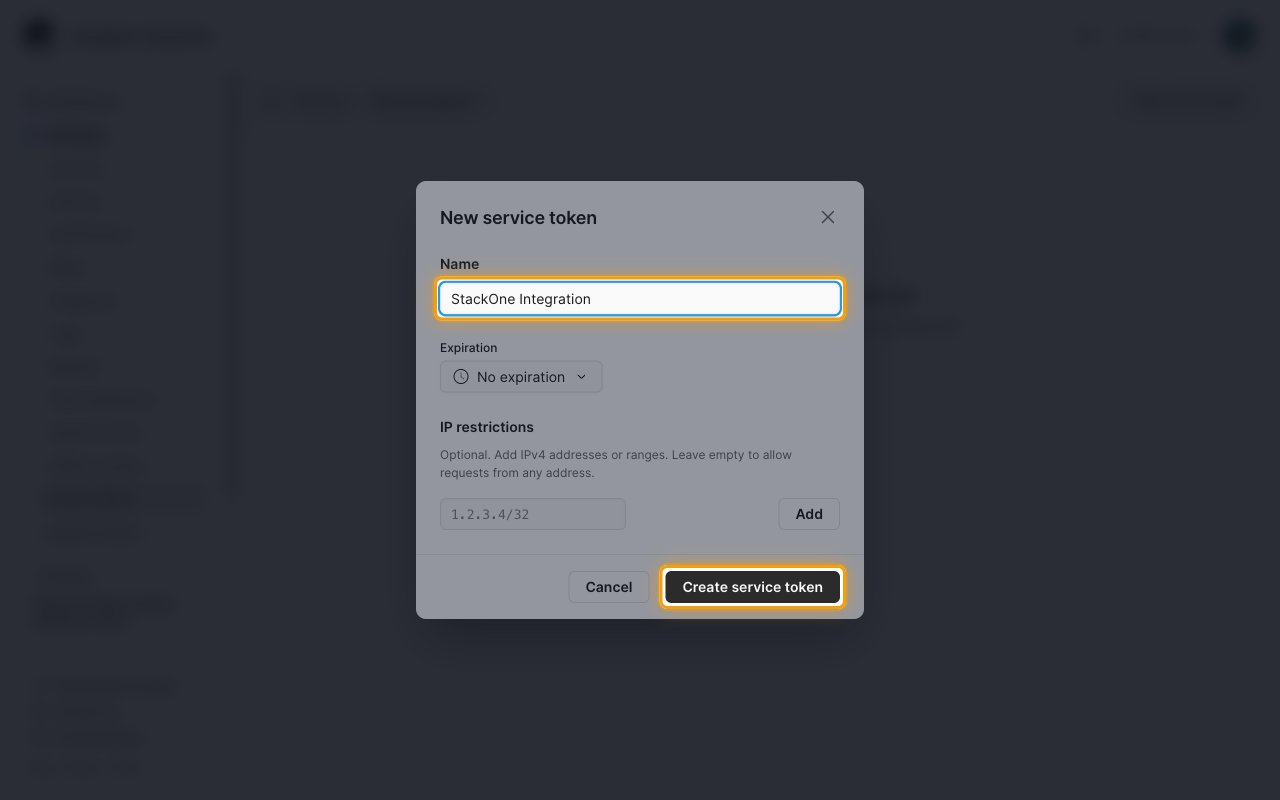
- Click New service token.
- Name:
StackOne Integration - Click Create service token.
2
Copy the token
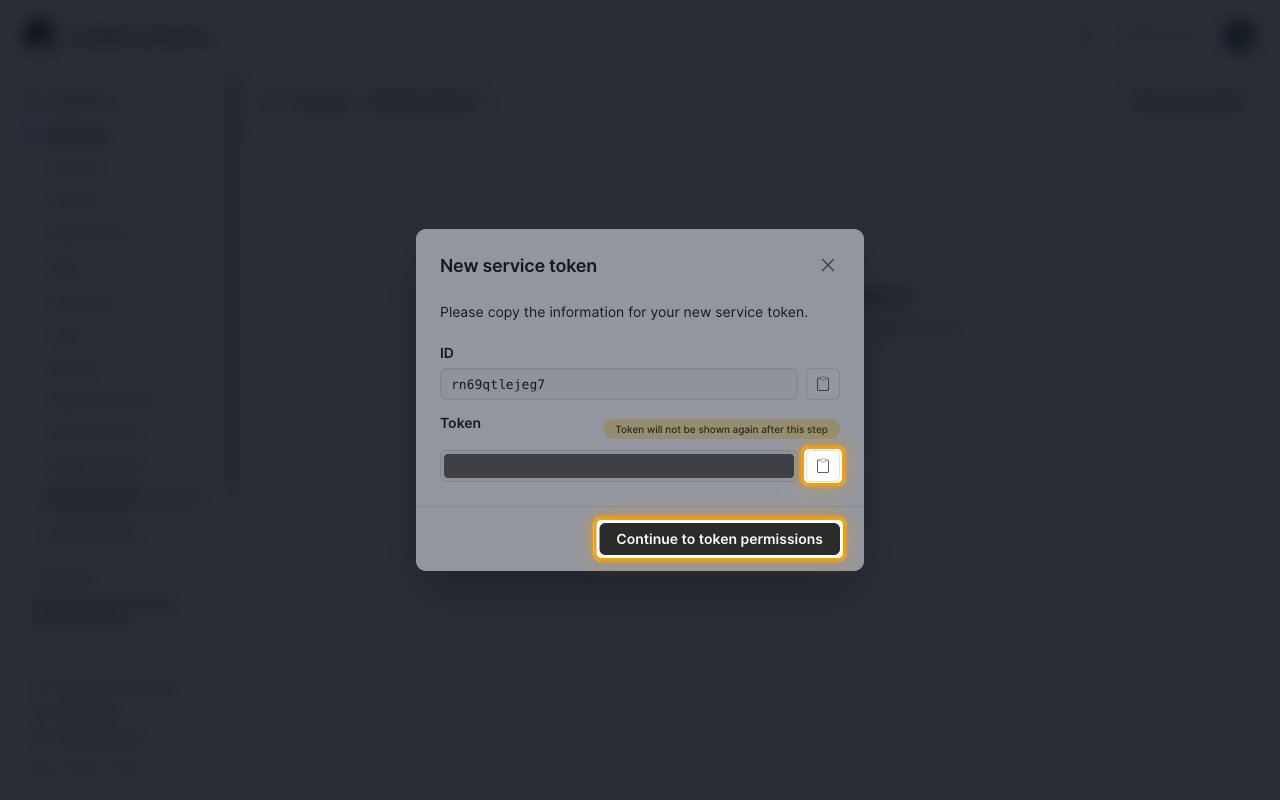
Copy the Token across to Service Token.
- The token is only displayed once and cannot be retrieved later.
- Click Continue to token permissions.
3
Grant organization permissions
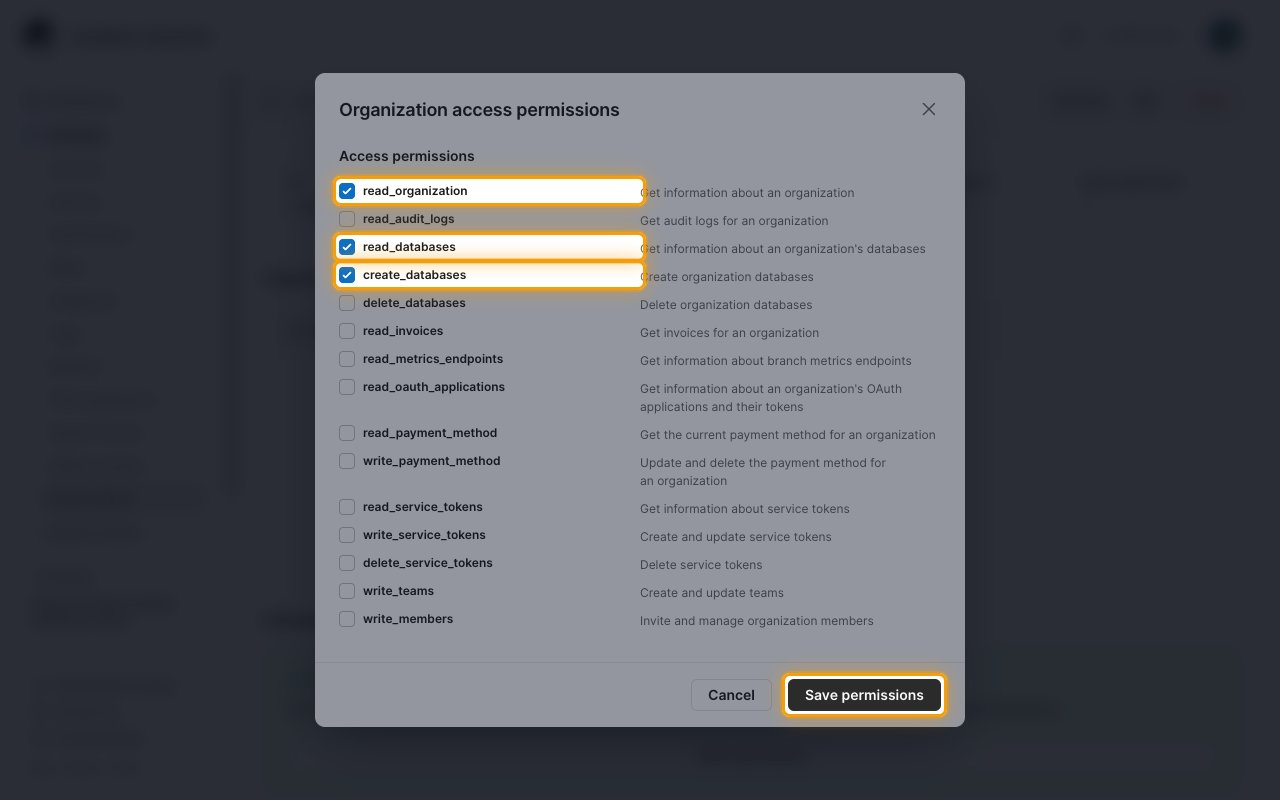
Under Organization access, click Add organization permissions.
- Select read_organization.
- Select read_databases.
- Select create_databases.
- Click Save permissions.
4
Grant database permissions
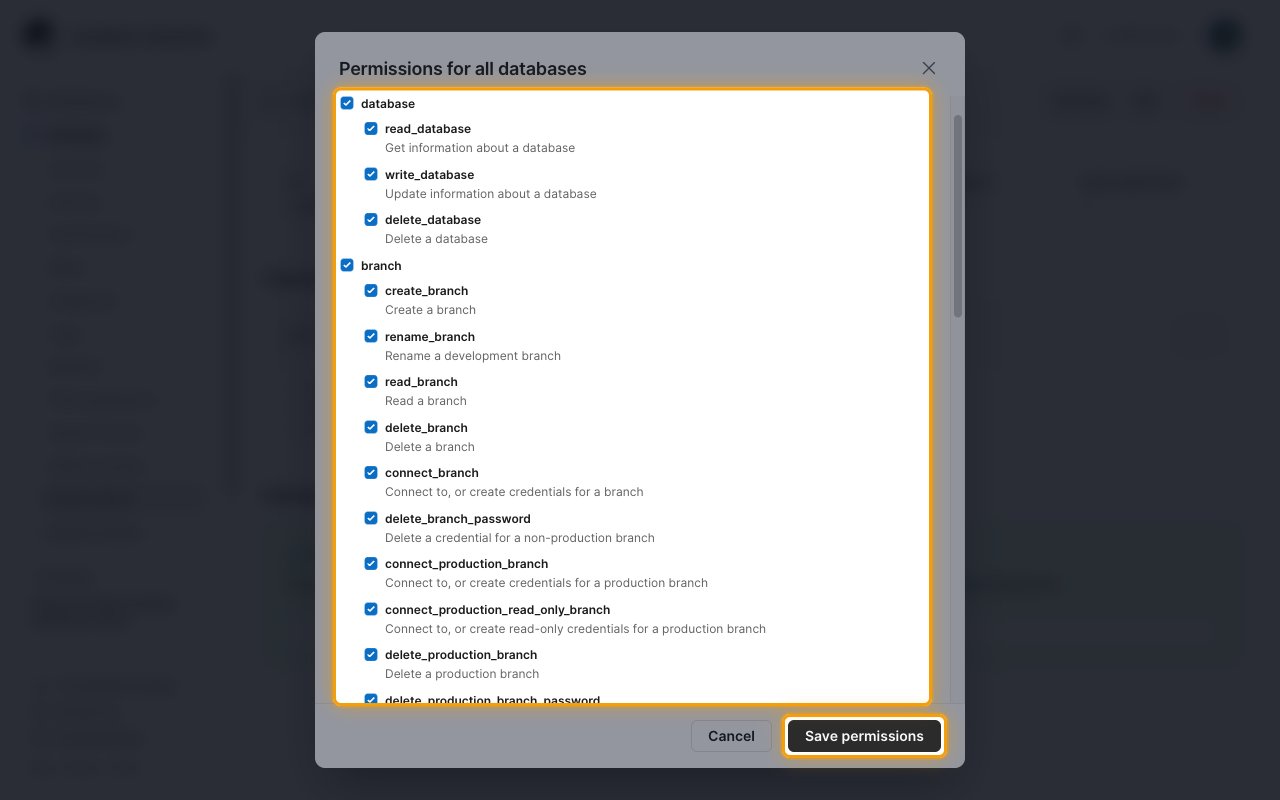
Under Database access, in Permissions for all databases, click Select permissions.
- Select every permission in the list.
- Click Save permissions.
Troubleshooting
PlanetScale answers with a 404 Not Found, not a 403, when the token is missing a permission for the database or the action. Add the missing permission on the token’s page in Settings > Service tokens.
Link the Account
1
Connect
- Click Connect.
- If applicable, the provider will redirect you to a sign-in or authorization page. Complete the provider’s authorization flow.
- Once authorization is successful, you will see a confirmation popup.
2
Use Actions
Connect an AI platform to the linked account’s actions. See AI Platforms.Other ways to call actions are listed in Protocols & SDKs.