

Generating an API token
Pipedrive issues one personal API token per user, per company. The token carries the same permissions as your own Pipedrive user.
1
Sign in to Pipedrive
Sign in to your Pipedrive account.
- Pipedrive redirects you to your own company subdomain after sign-in.
- Example:
https://acme.pipedrive.com
2
Open Personal preferences
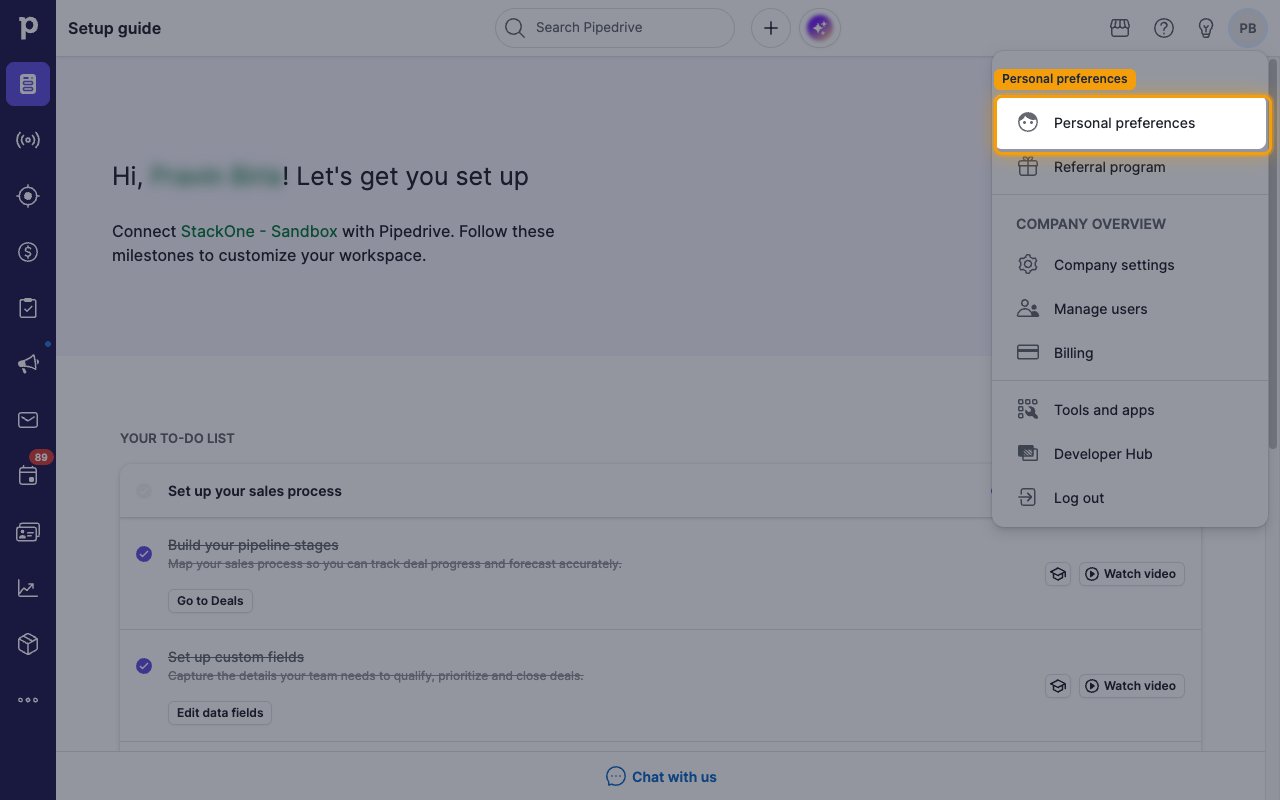
Click your profile avatar in the top right corner of the page.
- In the dropdown menu, under MY ACCOUNT, select Personal preferences.
3
Open the API tab
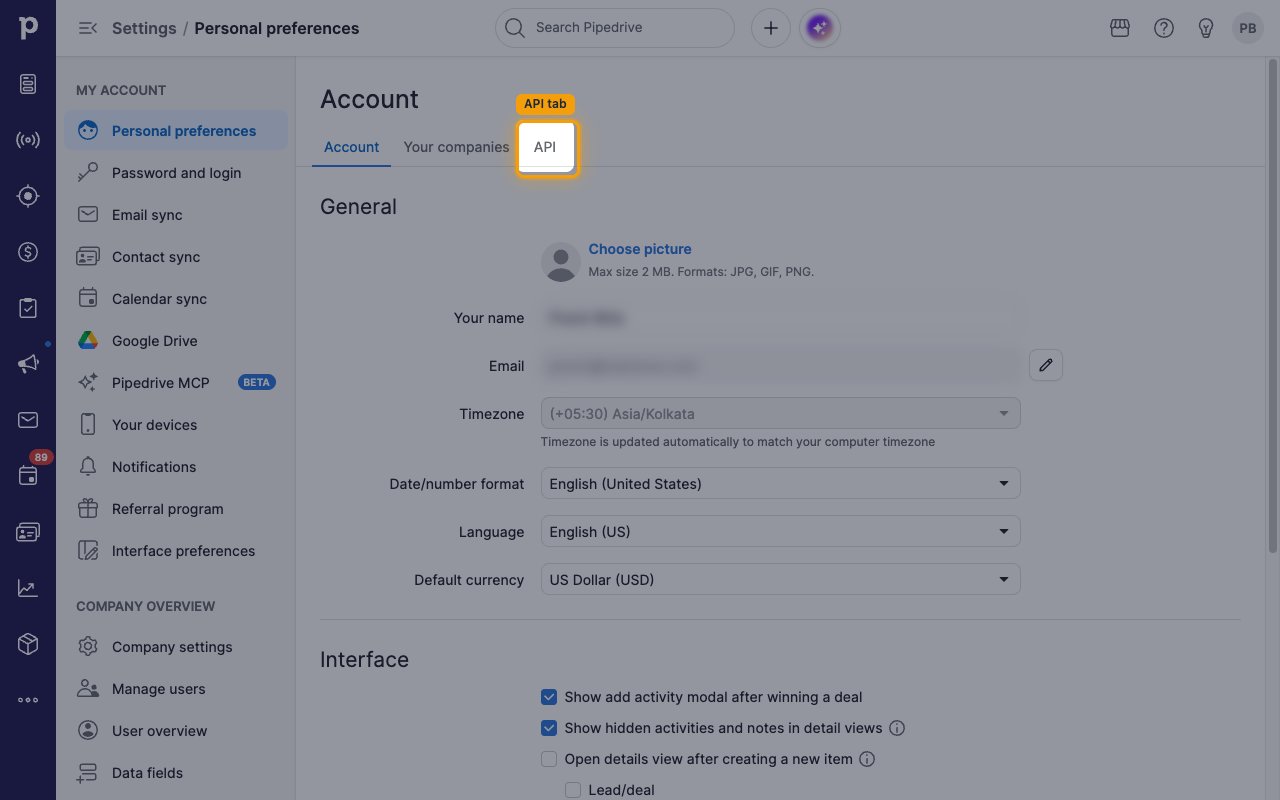
On the Personal preferences page, click the API tab, next to Account and Your companies.
4
Copy the API token
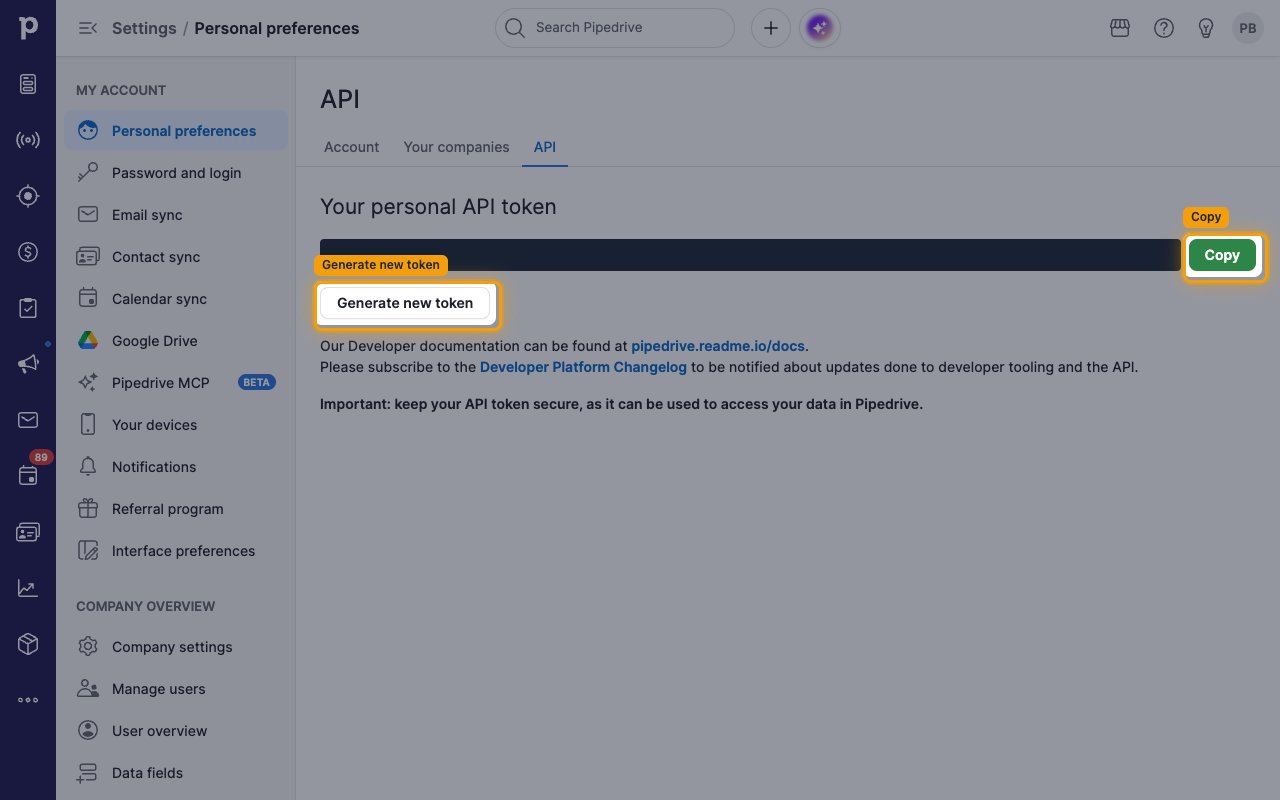
Your token is displayed under Your personal API token. Click Copy and store it securely for use later.
- Paste it into the API Token field in StackOne Hub.
- Important: keep your API token secure, as it can be used to access your data in Pipedrive.
- Clicking Generate new token issues a new token and invalidates the previous one, which breaks any existing connection using it.
- You need a separate API token for each Pipedrive company you belong to.
Linking the Account from the Hub
1
Navigate to the Hub
Use one of the three Linking Account Methods to access the Hub.
2
Fill out the fields
Fill out the following fields using details from your provider:
- API Token
3
Connect
- Click Connect
- If applicable, the provider will redirect you to a sign-in or authorization page. Complete the provider’s authorization flow.
- Once authorization is successful, you will see a confirmation popup
If the account linking is successful, you will see the newly linked account in your Accounts page.
Next Steps
Webhooks setup
Configure receiving Events for Pipedrive into StackOne.