

Prerequisites
The connector should already be set up, with a Connector Profile and a Linked Account. See Getting Started on the Pinpoint connector page.Copy your Native Webhook URL
Pinpoint webhooks are added manually in Pinpoint. StackOne does not create them for you. Start by copying the URL Pinpoint will send events to.
- Open the linked account in StackOne.
- Copy the value from Native Webhook URL. It is available once the account is connected.
Adding the webhook in Pinpoint
Register the Native Webhook URL as a webhook endpoint in Pinpoint and choose which events it sends.
Open API & Webhooks
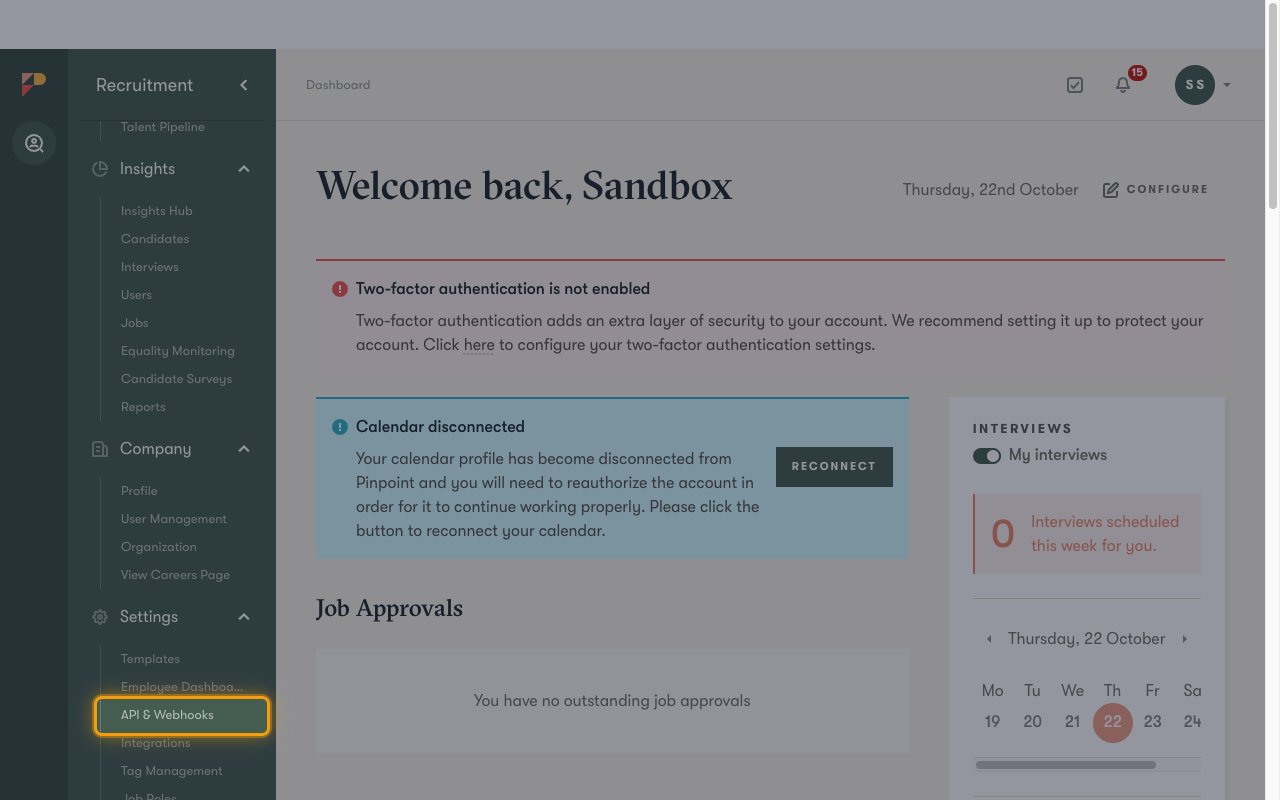
Open the Webhooks tab
On the API & Webhooks page, click the Webhooks tab.
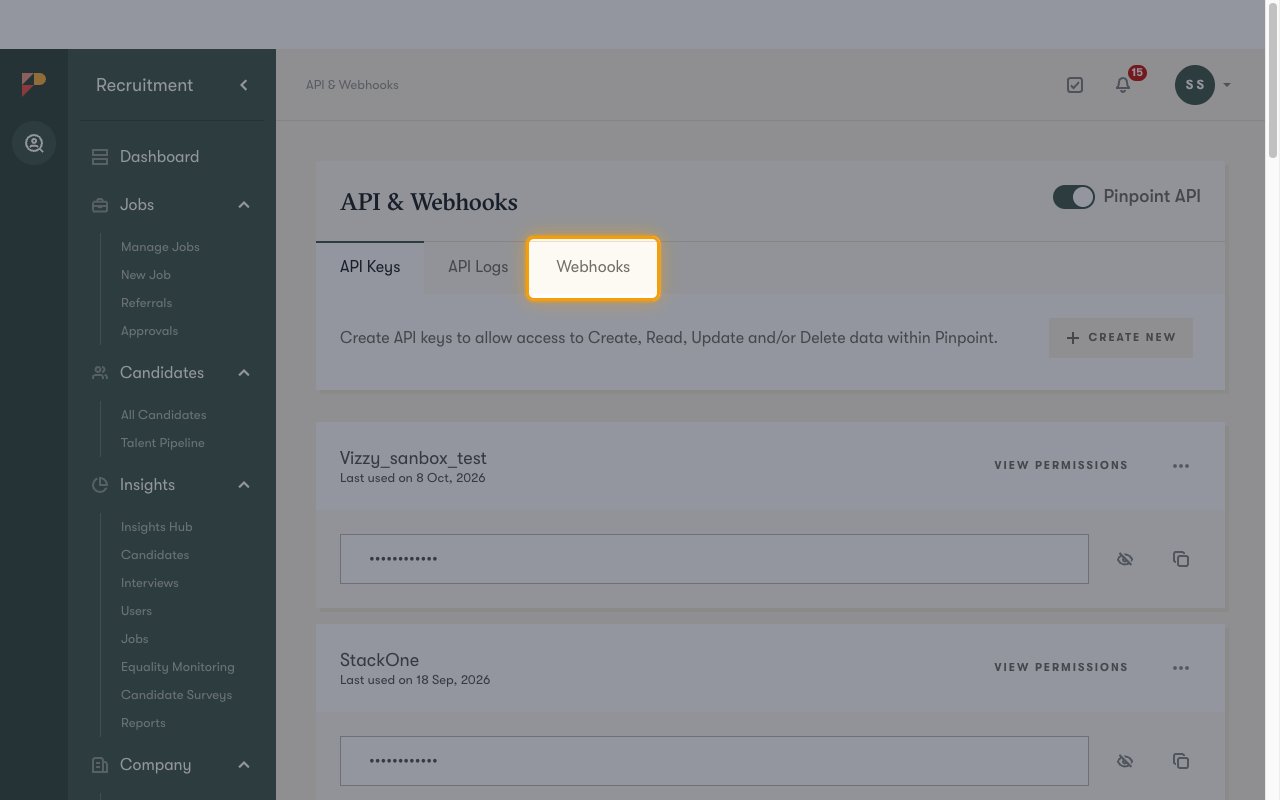
Add a new webhook
Click New webhook.
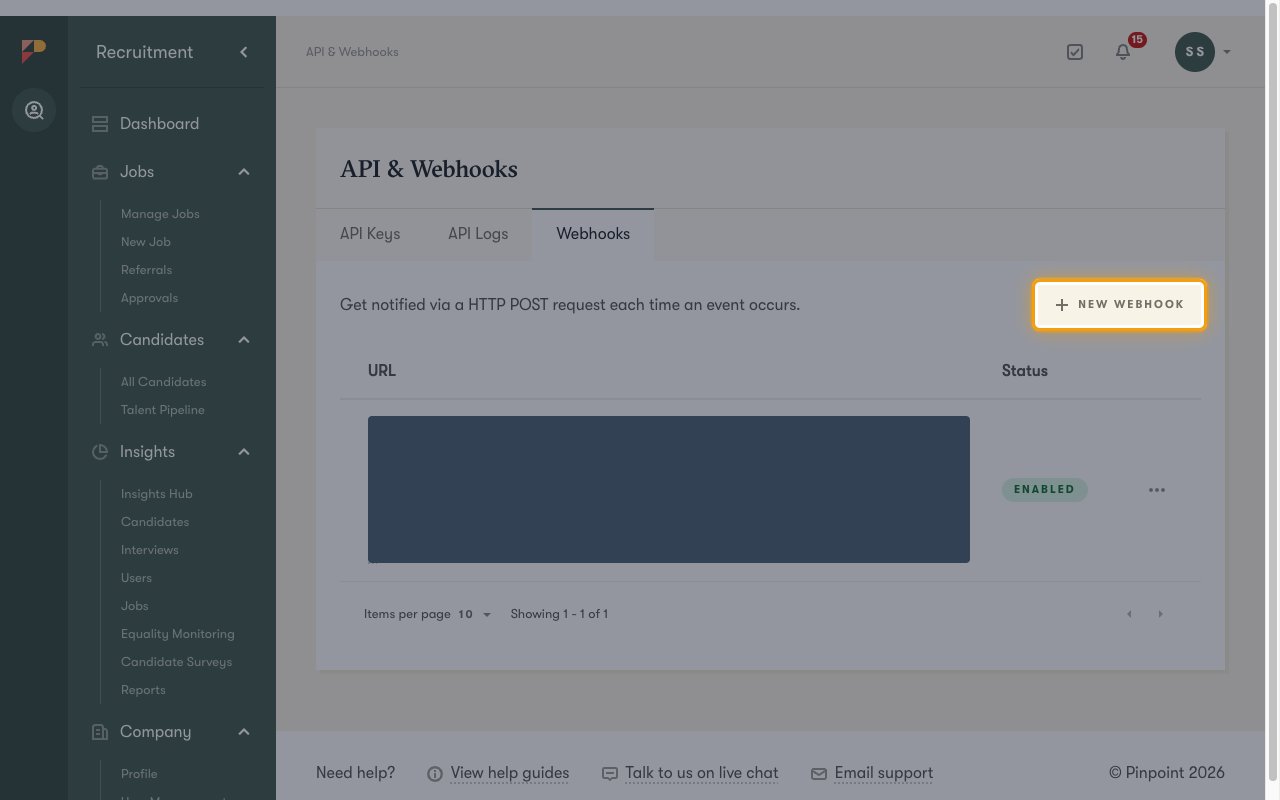
Paste the Native Webhook URL
In the New webhook dialog, paste the Native Webhook URL from StackOne into Target URL, then click Create webhook.
Turn on the events to send
The Webhook Endpoint panel opens. Under Events to send, turn on the toggle for each event you want StackOne to receive.
- StackOne processes the events listed under Available webhook events below. Other Pinpoint events are acknowledged without being forwarded.
- Changes to the toggles are saved automatically.
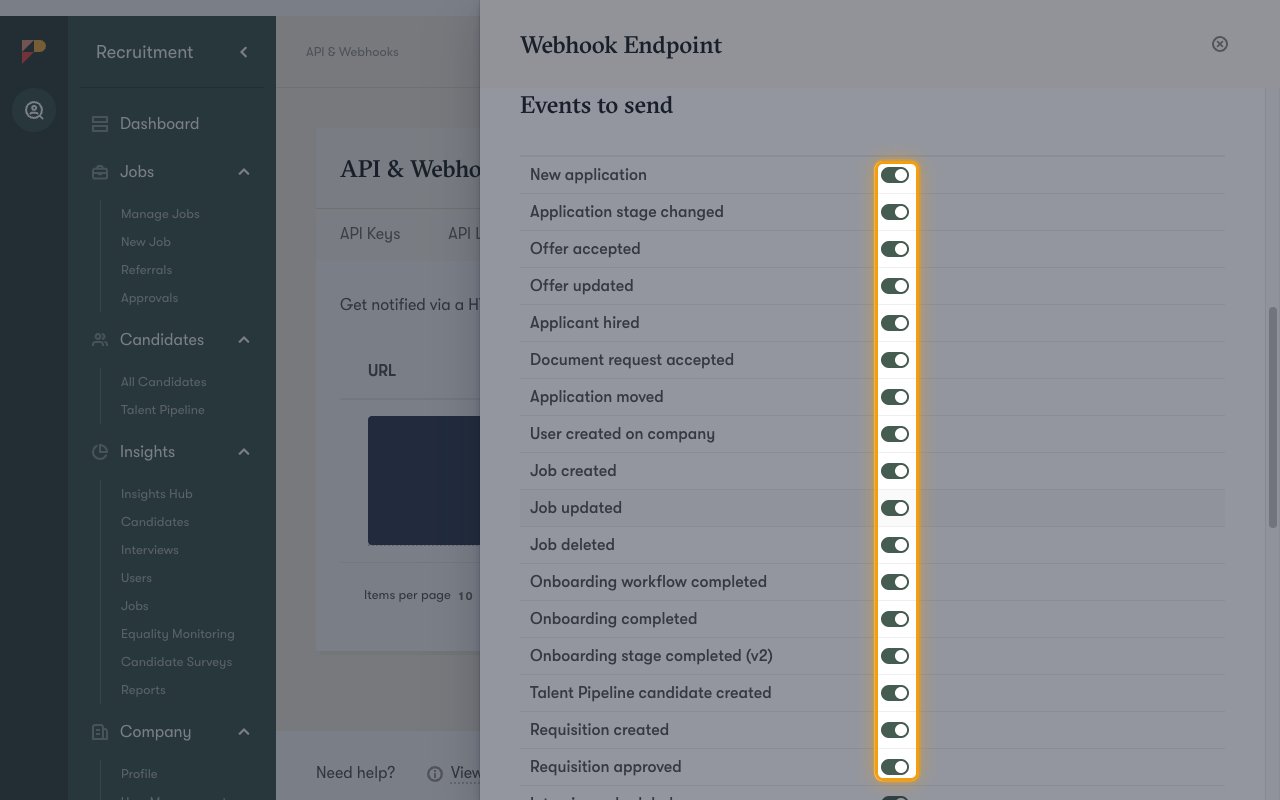
Available webhook events
The following Pinpoint events can be enabled. Turn each one on both in Pinpoint (Events to send) and in StackOne. StackOne only forwards events that are enabled in StackOne.
Application events
Events related to candidate applications.
- New Application (
application_created) — Fired when a candidate submits a new application to a job - Application Stage Changed (
application_stage_changed) — Fired when an application moves to another hiring stage - Applicant Hired (
application_hired) — Fired when an applicant is marked as hired - Application Moved (
application_moved) — Fired when an application is moved to another job - Offer Accepted (
application_offer_accepted) — Fired when a candidate accepts an offer
Interview events
Events related to interviews.
- Interview Scheduled (
interview_scheduled) — Fired when an interview is scheduled
Job events
Events related to jobs.
- Job Created (
job_created) — Fired when a job is created - Job Updated (
job_updated) — Fired when a job is updated - Job Deleted (
job_deleted) — Fired when a job is deleted
Talent pipeline events
Events related to the talent pipeline.
- Talent Pipeline Candidate Created (
job_seeker_created) — Fired when a candidate is added to the talent pipeline
Requisition events
Events related to requisitions.
- Requisition Created (
requisition_created) — Fired when a requisition is created - Requisition Approved (
requisition_approved) — Fired when a requisition is approved
User events
Events related to users in the Pinpoint company.
- User Created (
user_created_on_company) — Fired when a user is added to the Pinpoint company
Onboarding events
Events related to onboarding. These require the Pinpoint onboarding module.
- Onboarding Workflow Completed (
onboarding_workflow_completed) — Fired when an onboarding workflow is completed - Onboarding Completed (
onboarding_completed) — Fired when onboarding is completed for an application
Background check events
Events related to background checks.
- Background Check Completed (
background_check_completed) — Fired when a background check is completed
Active check
Not a Pinpoint event.
- Active Check (
active_check) — Acknowledges any delivery that is not a recognized Pinpoint event with a 200 response, without forwarding an event
Delivery format
Details of how Pinpoint delivers events to StackOne.
One event per request
Each request carries a single event as JSON, with the event name in event, the time it happened in triggeredAt (Unix seconds), and the event details in data. Most events carry the IDs of the affected records rather than the full record, so use the matching StackOne actions (for example Get Application) to read the details.
Retries
Pinpoint expects a 2XX response within five seconds. Failed deliveries are retried up to 10 times over 24 hours, and Pinpoint disables the endpoint once every retry has failed.