

Create an API key
Persona API keys are created per environment in the Persona Dashboard. A key carries its own permissions and authenticates every request StackOne makes.
1
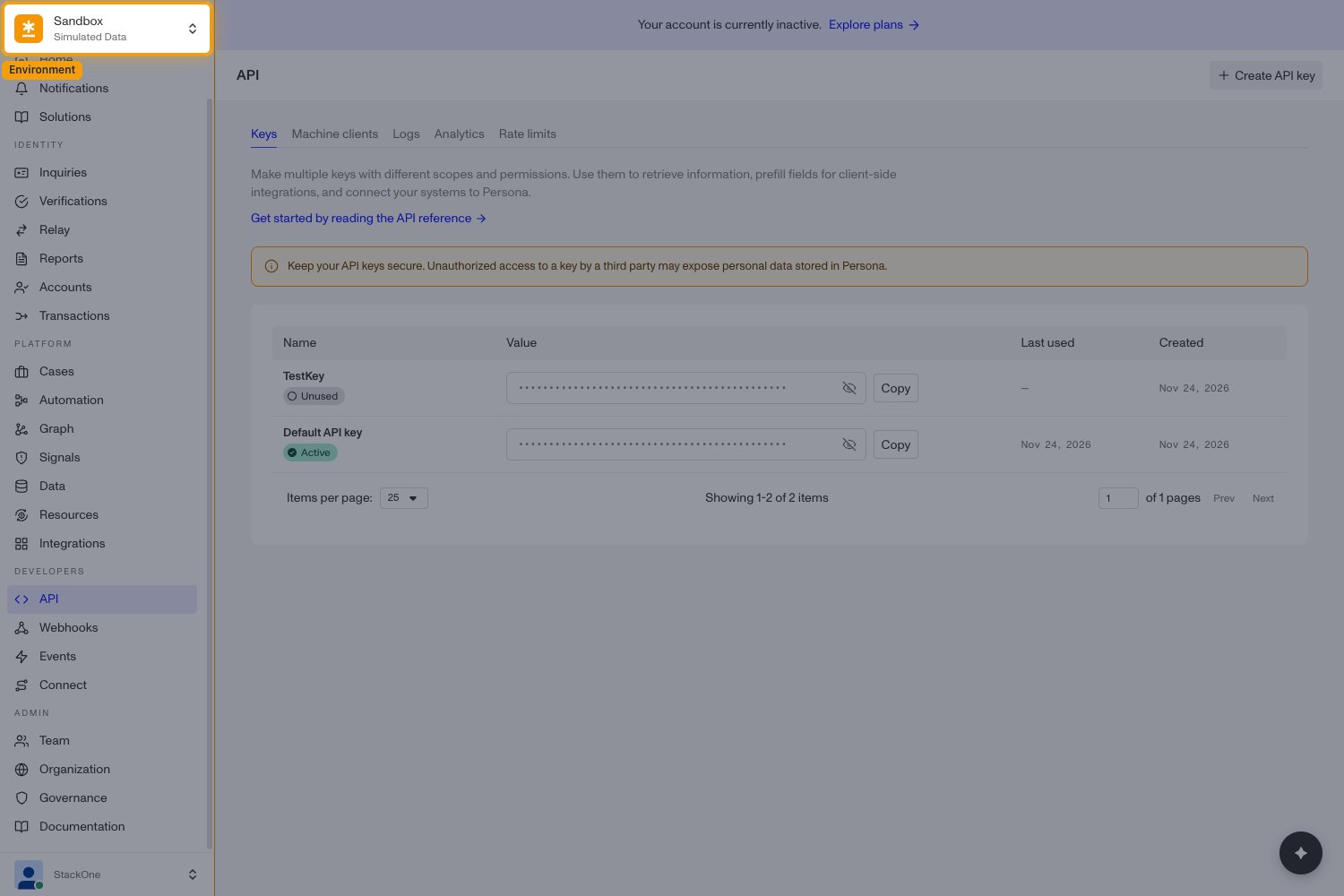
Select the environment
Sign in to the Persona Dashboard, then use the environment switcher at the top of the sidebar to choose the environment you are connecting.
- Sandbox runs on simulated data and performs no real verifications.
- A production environment performs real verifications and counts toward your usage.
- A key only works in the environment it was created in, so select the environment before creating it.
2
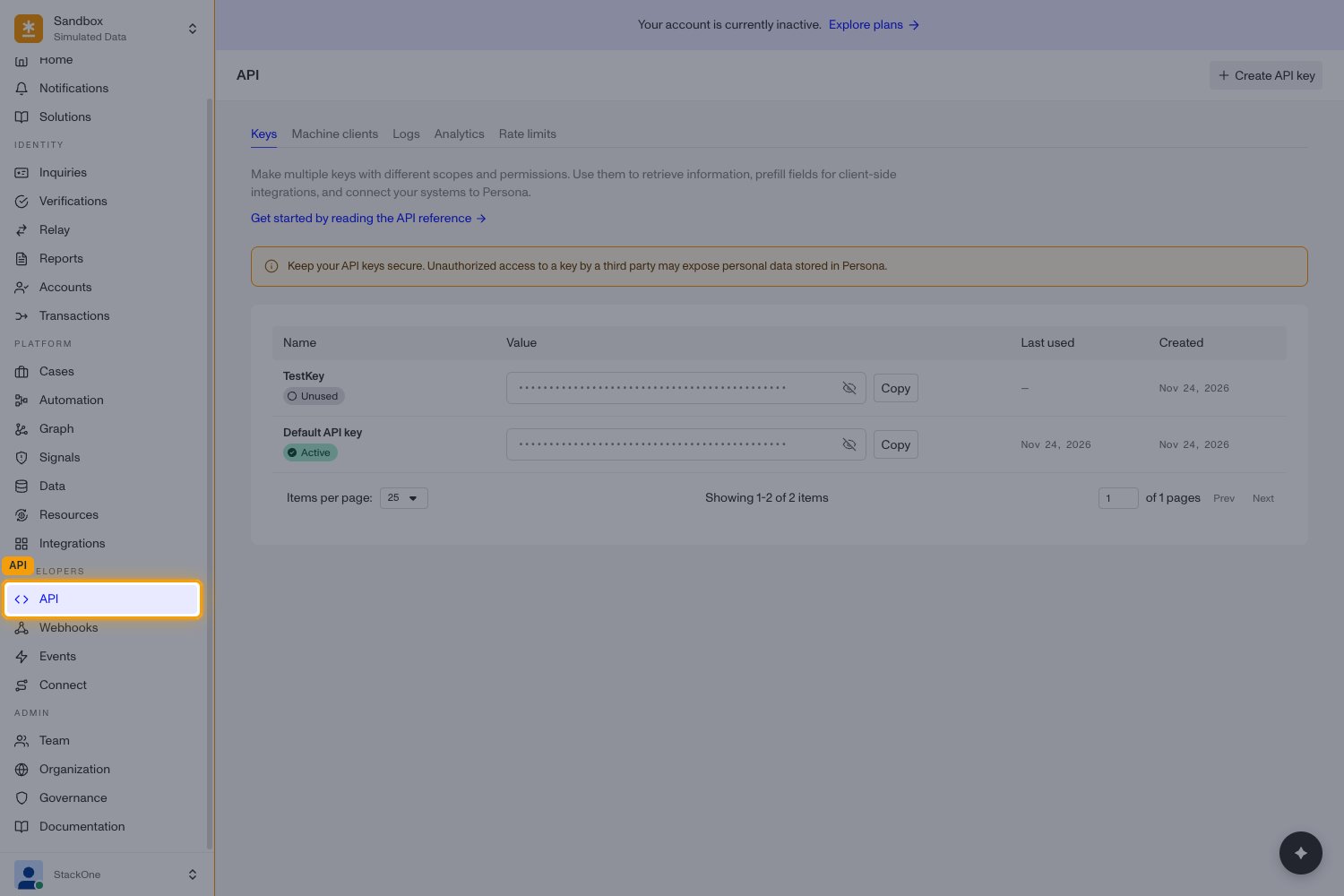
Open the API keys page
In the sidebar under DEVELOPERS, select API, then open the Keys tab.
3
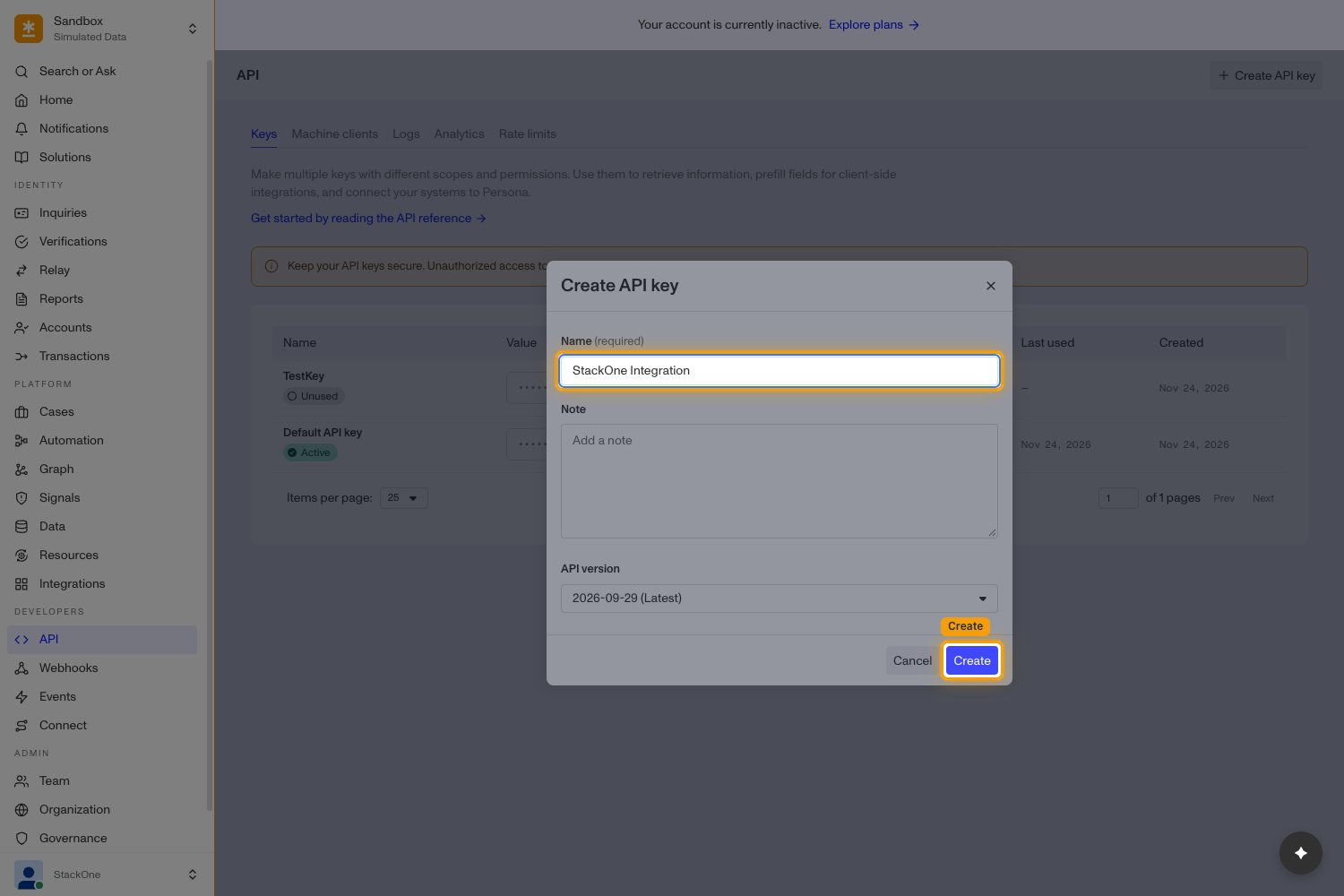
Create the key
Click + Create API key in the top right, then fill in the key details.
- Name (required):
StackOne Integration - Click Create.
- Click Create API key to confirm.
- Enter your password when Confirm your password appears, then click Confirm.
4
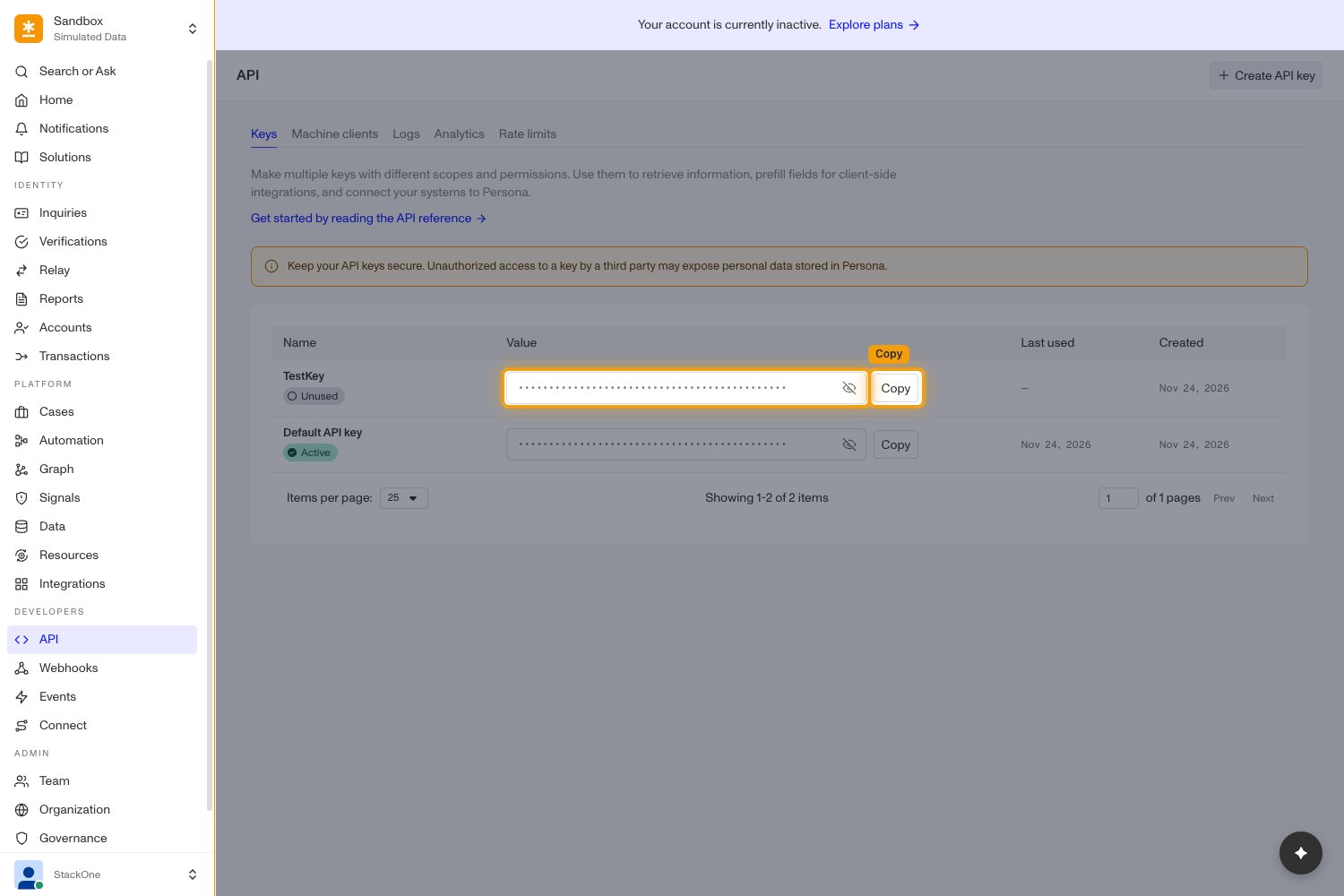
Copy the key
The new key appears in the Keys table. Click Copy on its row and paste the value into StackOne Hub.
- Persona shows the secret value once, right after the key is created.
- Keep your API keys secure. Unauthorized access to a key by a third party may expose personal data stored in Persona.
Link the Account
1
Connect
- Click Connect.
- If applicable, the provider will redirect you to a sign-in or authorization page. Complete the provider’s authorization flow.
- Once authorization is successful, you will see a confirmation popup.
2
Use Actions
Connect an AI platform to the linked account’s actions. See AI Platforms.Other ways to call actions are listed in Protocols & SDKs.
Next Steps
Webhooks setup
Configure receiving Events for Persona into StackOne.